
AI-powered customer experience marketing (CXM) platform that helps local businesses win.


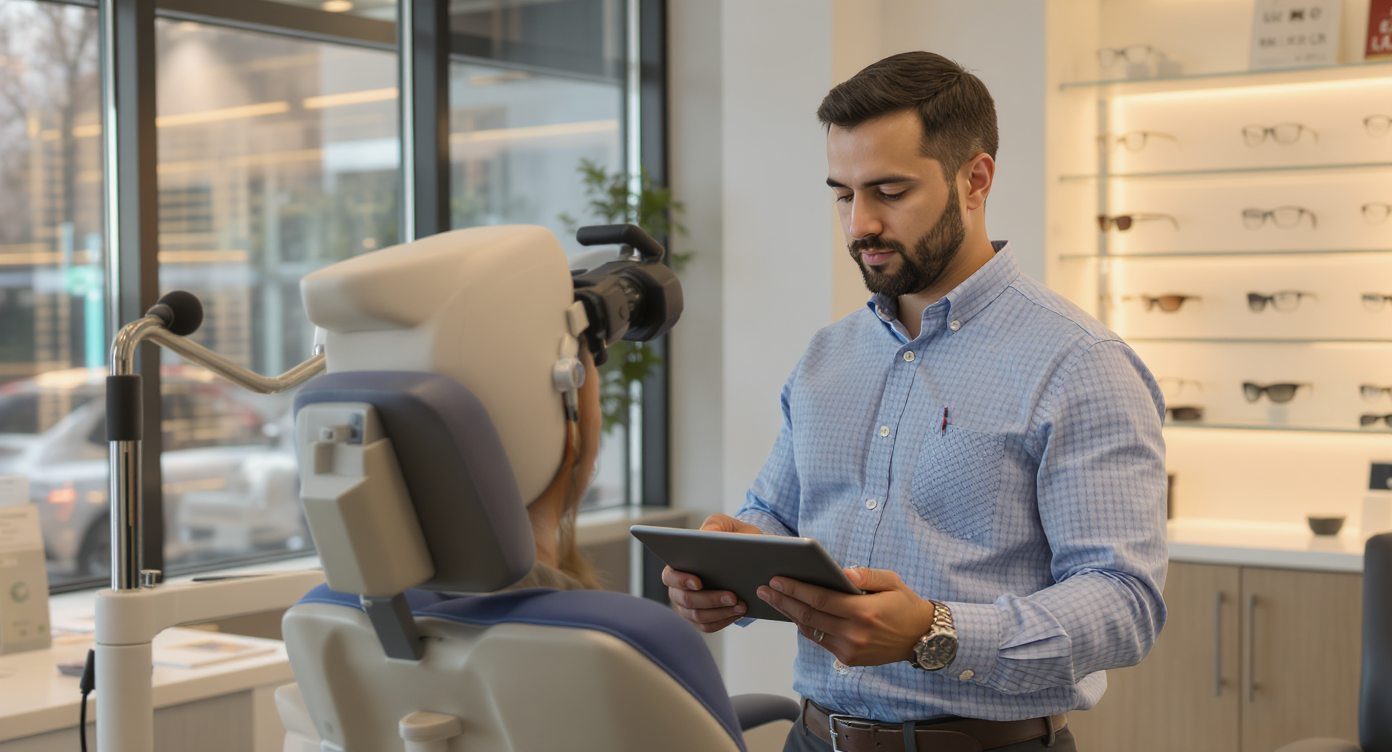
Every optometry practice knows the frustration. A patient books an eye exam three weeks out, then completely forgets about it. The chair sits empty. Your staff scrambles to fill the gap. Meanwhile, the phone rings constantly. Questions about hours, insurance, prescription pickups—nobody’s free to answer. Sound familiar? Missed appointments and unanswered calls don’t just waste time. They cost real revenue. The right appointment reminder software for optometry practices can fix both problems at once, turning no-shows into confirmed visits and freeing your front desk from the constant phone juggling that bogs down every optical office.
Appointment reminder software for optometry practices automatically sends SMS, email, or call reminders to patients before their scheduled eye exams. It reduces no-shows, frees staff from manual reminder calls, and helps confirm visits in advance—recovering lost revenue from empty chairs.
Free weekly newsletter
Growth tips for dental & medical practices
Every Tuesday — actionable ideas to get more leads, reviews, and repeat customers. No fluff.
Quick Answer
Appointment reminder software sends automated messages via email, text, or phone to patients before their scheduled eye exams, reducing no-shows and cancellations. For optometry practices, this typically increases attendance rates by 20-40%, freeing front desk staff from manual reminder calls while ensuring patients don’t forget their appointments and generating consistent revenue.
Why Optometry Practices Struggle With Patient Communication
Optometry sits in an unusual spot. Unlike urgent care or dental emergencies, eye exams feel optional to many patients. That psychology drives no-show rates higher than you’d expect. Research published in the Review of Optometry found that patient portal reminders can help re-engage patients who’ve previously no-showed. The problem is widespread. Without consistent outreach, patients simply drift away.
The Front Desk Bottleneck
Most practices rely on one or two front desk staff to handle everything: answering phones, checking patients in, verifying insurance, and manually calling tomorrow’s appointments. It’s too much for one person. When the phone rings during a rush, it goes to voicemail. And according to scheduling data compiled by Signpost, a significant percentage of callers won’t leave a voicemail. They’ll just call the next practice.
Your staff isn’t failing. They’re overwhelmed. Manual reminder calls eat up hours each week, and the results aren’t consistent. Some patients get called, others don’t. Text reminders go out late or not at all. There’s no system—just effort spread too thin.
The Cost of Empty Chairs
Every missed appointment costs you real money. Lost exam revenue. Lost frame and lens sales. A wasted slot that could’ve gone to someone on the waitlist. Optometry scheduling statistics from SchedulingKit highlight the financial impact of patient recall failures on practice revenue. Multiply a single no-show’s value across a week or a month, and you’re looking at tens of thousands in unrealized income each year. That’s money you’ve already spent to earn through marketing, staffing, and overhead.
How SalesCaptain Solves This
SalesCaptain is an AI-powered communication platform built for service businesses like optometry practices. It combines automated appointment reminders with AI phone and chat agents, a unified inbox, and workflow automation. One platform instead of three or four separate apps. Patient communication gets handled across every channel without the headache.
Automated Reminders That Actually Reach Patients
SalesCaptain’s AI Chat Agents send appointment reminders via SMS, webchat, Instagram DMs, and Facebook Messenger. Patients receive timely messages they’ll actually see, not phone calls they’ll ignore. The system handles everything automatically: confirmation when the appointment is booked, a reminder a few days before, and a same-day nudge. If a patient needs to reschedule, they can reply directly to the text. The AI handles the conversation.
AI Phone Agent for After-Hours and Overflow Calls
When your front desk can’t pick up, SalesCaptain’s AI Phone Agent answers. It sounds natural. Handles FAQs about hours and services. Books appointments. Blocks spam calls. Every after-hours call becomes an opportunity instead of a missed connection. The agent qualifies callers, captures their information, and routes urgent matters according to your custom call flows.
One Inbox for Everything
Patient messages arrive from text, phone, webchat, social media, and email. SalesCaptain’s Unified Inbox pulls all of those into one view. Your team sees every conversation in context with full contact history. No more switching between apps. No more losing track of who said what. Messages don’t slip through the cracks.
Key Features for Optometry Practices
Not every feature matters equally for eye care. Here are the capabilities that make the biggest difference in an optical practice setting:
- Automated Appointment Reminders: Multi-channel reminders via SMS, webchat, and social messaging, triggered automatically based on your schedule. Patients confirm, cancel, or reschedule by replying directly.
- Missed Call Text-Back: When a call goes unanswered, SalesCaptain instantly texts the caller with a personalized message. This keeps potential patients engaged instead of lost, which is especially valuable during peak check-in times.
- 24/7 AI Phone Agent: A natural-sounding voice agent that answers calls around the clock, books exams, answers common questions about lens orders or office hours, and routes calls based on your custom call flow logic.
- Workflow Automation: SalesCaptain’s drag-and-drop builder lets you create recall sequences, follow-up reminders for annual exams, post-visit satisfaction checks, and CRM updates without writing a single line of code.
- AI Summaries and Transcriptions: Every phone call is transcribed and summarized automatically. Your opticians and front desk staff can quickly review what was discussed, what the patient needs, and what follow-up is required.
- 50+ Integrations: Connect SalesCaptain to tools you already use. Integrations with platforms like HubSpot, Salesforce, Zoho, and Zapier mean your patient data stays synchronized across systems.
These features work together as a system. The reminder triggers the text. The text-back captures the missed call. The AI agent handles the overflow. And the unified inbox keeps your team aware of everything. No more checking five different apps.
Real Results You Can Expect
Practices that automate patient reminders and communication see measurable improvements. Here’s what optometry offices using this approach typically experience.
Fewer No-Shows, Fuller Schedules
Automated multi-channel reminders reach patients where they actually pay attention. Text messages have dramatically higher open rates than phone calls. And Clearwave’s analysis of patient communication strategies confirms that layered reminder approaches significantly improve schedule adherence. When patients can confirm or reschedule instantly via text, cancellations happen early enough to fill the slot.
Reclaimed Front Desk Hours
Your staff stops spending hours each day on manual reminder calls and routine phone inquiries. Those hours go back to patient care, frame consultations, and insurance verification. You don’t need to hire another receptionist to handle growing call volume. The AI handles the repetitive work.
Better Patient Recall Rates
Annual eye exams are the backbone of optometry revenue. Yet most practices struggle with recall. SalesCaptain’s workflow automation lets you build recall sequences that fire automatically based on a patient’s last visit date. A case study from DoctorConnect showed how structured appointment reminders transformed patient engagement in an optometry practice. SalesCaptain takes this further by combining reminders with AI-powered phone and chat agents.
Zero Missed After-Hours Opportunities
Many patients call after 5 PM or during lunch breaks. Without someone to answer, those calls become lost leads. SalesCaptain’s AI Phone Agent captures every one. Qualifies the caller. Either books the appointment or sends a follow-up text. Your practice earns revenue from calls that previously went nowhere.
How to Get Started
Setting up appointment reminder software for optometry practices through SalesCaptain is straightforward. You don’t need technical expertise or a dedicated IT person.
- Sign up for a free account. SalesCaptain offers a free Startup plan for a single location, so you can test everything before committing.
- Set up your business phone number. Port your existing number or get a new one. SalesCaptain’s phone system delivers 99.99% uptime with crystal-clear audio.
- Build your call flow. Use the drag-and-drop call flow builder to define how incoming calls are handled. Route to your staff during business hours, and let the AI Phone Agent take over after hours.
- Configure your AI agents. Customize what your AI Phone Agent and Chat Agents say, which FAQs they answer, and how they book appointments. Tailor the tone and script to match your practice.
- Create your reminder workflows. Build automated sequences for appointment confirmations, reminders, and annual recall using the visual workflow builder. Connect to your existing tools via Zapier, HubSpot, or other integrations.
- Go live and monitor. Launch your automated system and track performance in the unified inbox. Review AI call transcriptions and summaries to refine your approach over time.
Most practices are fully operational within a day or two. The per-location pricing starts at $159/month for the Business plan. AI call minutes are billed at $0.12/minute. For a single-location practice, that’s a fraction of the cost of hiring additional front desk staff.
Ready to see it in action?
See how optometry practices use SalesCaptain to reduce no-shows with automated appointment reminders.
Frequently Asked Questions
Can SalesCaptain integrate with my existing optometry practice management software?
SalesCaptain connects with over 50 tools including HubSpot, Salesforce, Zoho, QuickBooks, and Zapier. If your practice management system supports Zapier or has an API, you can sync appointment data and patient records. This keeps your existing workflow intact while adding automated reminders and AI communication on top. Eyecare Business regularly tracks the technology landscape for optical practices. Integration flexibility is one of the most requested features across the industry.
Will patients feel like they’re talking to a robot?
SalesCaptain’s AI Phone Agent uses natural-sounding voice technology. Callers experience a professional, conversational interaction. The agent answers FAQs, books appointments, and routes calls based on your custom scripts. Most callers won’t realize they’re speaking with AI. For text-based reminders, the experience feels identical to texting with a real person.
How does this compare to hiring another front desk employee?
A full-time front desk hire costs $30,000-$40,000 or more annually according to Bureau of Labor Statistics data on receptionist wages. SalesCaptain’s Business plan runs $159/month per location. Even with AI call minutes factored in, you’re spending a fraction of the cost. Plus you get 24/7 coverage that a single employee can’t provide. Your existing staff stays focused on in-office patient care rather than phone duties.
What happens if a patient wants to speak with a real person?
SalesCaptain’s call flow builder supports custom routing rules. If a caller requests a human, the AI agent transfers the call to your team during business hours. After hours, it captures the caller’s information and schedules a callback. You always stay in control of how calls are handled through the drag-and-drop builder.
Is there a contract or commitment required?
SalesCaptain offers a free Startup plan with no credit card required. Paid plans are monthly with no long-term contracts. You can upgrade, downgrade, or cancel at any time. For multi-location practices, the per-location pricing scales affordably as you grow.
Appointment reminder software for optometry practices isn’t a nice-to-have anymore. It’s the difference between a practice that runs efficiently and one that leaks revenue through missed calls, no-shows, and overwhelmed staff. SalesCaptain gives you automated reminders, AI-powered phone and chat agents, and a unified inbox in one platform built specifically for businesses like yours.
Start free with SalesCaptain today. No credit card needed.
Get started at salescaptain.com →