
AI-powered customer experience marketing (CXM) platform that helps local businesses win.


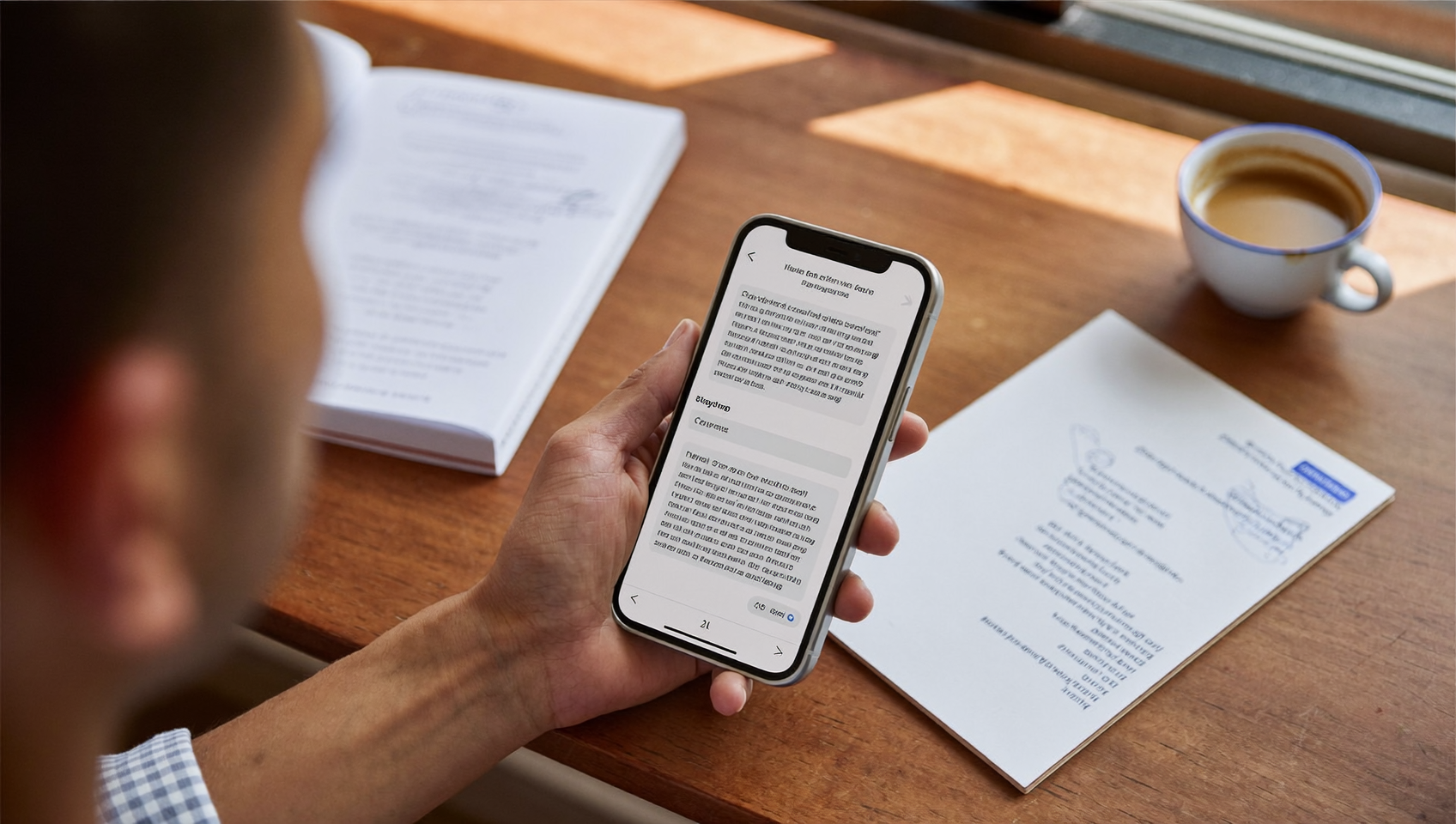
Every text message your business sends needs one thing before it goes out: permission. Without it, you’re risking fines, carrier filtering, and damaged trust. SMS opt in message examples give you a starting point for crafting compliant, effective consent messages that protect your business and build a subscriber list worth having. Whether you’re a plumber confirming appointment reminders, a dental office sending recall texts, or a salon running a promotion, the opt-in message is where every SMS relationship begins. Getting it right isn’t optional.
SMS opt in message examples are text templates that confirm a customer’s consent to receive messages from your business. They specify what they’ve signed up for, communication frequency, and how to unsubscribe. These messages are legally required and establish trust while protecting your business from compliance violations and carrier filtering.
Free weekly newsletter
Growth tips for service businesses
Every Tuesday — actionable ideas to get more leads, reviews, and repeat customers. No fluff.
Quick Answer
SMS opt-in messages ask customers for permission before sending marketing texts, ensuring legal compliance with regulations like TCPA and GDPR. Effective opt-ins clearly state what messages they’ll receive, how often, and include an easy confirmation process. They build trust, reduce unsubscribes, and protect your sender reputation by establishing consent records that prove compliance if audited.
What Is an SMS Opt-In Message?
An SMS opt-in message is the text a customer receives after they’ve given consent to hear from your business. Think of it as a digital handshake. The customer says “yes, text me,” and your opt-in message confirms what they signed up for, how often they’ll hear from you, and how to stop if they change their mind. It’s both a legal requirement. And a trust-building moment that sets the tone for your entire relationship.
Why Opt-In Messages Matter for Compliance
The Telephone Consumer Protection Act (TCPA) and carriers’ own rules require businesses to get explicit consent before sending marketing or even transactional texts in many cases. Violations can result in fines of $500 to $1,500 per message. That adds up fast. We’re talking hundreds of contacts and potentially thousands in liability.
Beyond the legal risk, carriers actively filter messages from numbers that don’t follow proper opt-in procedures. Your texts simply won’t arrive. According to G2’s SMS marketing research, text messages see open rates above 90%, but only when they actually reach the inbox. Poor compliance practices kill deliverability before your message gets a chance. What does that look like in practice? Your messages disappear before customers ever see them.
Single Opt-In vs. Double Opt-In
A single opt-in means the customer gives consent once, and they’re subscribed. A double opt-in adds a confirmation step where the customer replies “YES” or clicks a link to verify. Double opt-in creates a stronger compliance trail. That matters if you ever need to prove consent during an audit or dispute.
For most service businesses, single opt-in works fine for transactional messages like appointment confirmations. But if you’re sending promotional content, a double opt-in process gives you better protection and a more engaged list. People who confirm twice genuinely want to hear from you. No question about it.
How SMS Opt-In Messages Work in SalesCaptain
Setting up compliant opt-in flows in SalesCaptain doesn’t require a developer or a compliance attorney. The platform handles the technical pieces. So you can focus on running your business. Here’s how it works:
- Choose your opt-in trigger. Decide how customers will subscribe. Options include a web form on your site, a keyword they text to your business number (like “JOIN”), a missed-call text-back response, or a manual entry during a phone conversation.
- Create your opt-in confirmation message. Use SalesCaptain’s advanced templating and personalization features to write your confirmation text. The platform prompts you to include all required elements: business name, message frequency, data rates disclaimer, and opt-out instructions.
- Set up your automation workflow. Using the drag-and-drop workflow builder, connect the opt-in trigger to the confirmation message. You can add conditional logic, like sending a different message to customers who opt in through Instagram DMs versus your website.
- Track consent in your unified inbox. Every opt-in is logged in SalesCaptain’s contact history. Your team can see exactly when and how a customer gave consent, all from the same inbox where you manage calls, texts, and social messages.
- Handle opt-outs automatically. When someone replies “STOP,” SalesCaptain immediately processes the unsubscribe and updates the contact record. No manual work needed.
Key Capabilities
- High-volume SMS support. SalesCaptain handles high-volume SMS campaigns, so your opt-in messages and follow-ups go out reliably even when you’re texting thousands of contacts at once.
- Multichannel consent tracking. Since opt-ins can come from webchat, social media DMs, phone calls, or text, the unified inbox keeps a single record of each customer’s consent status across every channel.
- Advanced templating and personalization. Build opt-in message templates with merge fields for customer name, appointment type, location, and more. Personalized messages feel less like spam and more like a real conversation.
- Trigger-based automation. Automatically send opt-in confirmations the moment a customer fills out a form, texts a keyword, or completes a booking. No delay, no forgotten follow-ups.
- Click tracking and URL shortening. If your opt-in flow includes a link (to terms of service or a preference center), SalesCaptain auto-shortens URLs and tracks clicks so you know who engaged.
- 50+ integrations. Sync opt-in data with your CRM. Whether you use HubSpot, Salesforce, Zoho, HousecallPro, or Clio, consent records stay connected to your existing workflows.
Who Needs This?
SMS opt-in message examples and compliant opt-in workflows aren’t just for large companies with legal teams. In fact, small and mid-sized service businesses face the highest risk. They often don’t have formal compliance processes in place. Here’s who benefits most:
- Home service companies (roofing, HVAC, plumbing, landscaping) that confirm appointments and send follow-up requests via text.
- Dental and medical practices that send appointment reminders, recall notices, and health information. HIPAA adds another compliance layer here.
- Legal practices using SMS to communicate with clients about case updates and scheduling.
- Salons, spas, and MedSpas running promotional campaigns alongside booking confirmations.
- Real estate agencies texting listing updates and open house invitations to prospects.
- Fitness studios and gyms sending class reminders, membership renewals, and promotional offers.
- Operations managers and sales managers who oversee communication compliance across multiple team members or locations.
According to SimpleTexting’s small business marketing data, a growing number of small businesses now use text messaging as a primary communication channel. That growth makes proper opt-in practices more important than ever. You can’t afford to skip this step.
Benefits of SMS Opt-In Messages Done Right
Protect Your Business from Legal Risk
A single TCPA violation costs between $500 and $1,500. Multiply that by a list of 500 contacts who never actually opted in, and you’re looking at a potential liability. That could sink a small business. Proper opt-in messages create a documented trail of consent. SalesCaptain logs every opt-in event in the contact’s history, so if a dispute arises, you’ve got proof.
Improve Deliverability and Engagement
Carriers use spam filters that penalize numbers sending unsolicited texts. When your opt-in process is clean, your messages actually reach customers. Clean lists also mean higher engagement rates. Every subscriber genuinely wants your messages. According to Klaviyo’s SMS benchmarks, properly consented SMS lists consistently outperform lists built through loose or questionable practices. The difference is dramatic.
Build Customer Trust From the First Text
Your opt-in message sets the tone. A clear, professional confirmation that tells customers exactly what to expect builds credibility. Compare “You’re subscribed! Msg&data rates may apply. Reply STOP to cancel.” to a vague text with no business name and no opt-out instructions. One feels trustworthy. The other feels like a scam. Service businesses live and die on trust. And the opt-in message is your first impression over text.
Save Staff Time on Manual Compliance
Without automation, someone on your team has to manually track who opted in, when, and through what channel. That’s hours of work per week. For busy service businesses it’s painful. SalesCaptain’s workflow automation eliminates that entirely. Once you set up your opt-in flows, every consent is captured, confirmed, and recorded without anyone touching it.
SMS Opt-In Message Examples by Use Case
Here are practical, compliant sms opt in message examples you can adapt for your business. Each one includes the five essential elements: business name, message description, frequency, data rates notice, and opt-out instructions. Pick what works and customize away.
Appointment Confirmation Opt-In
“Hi [Name], this is [Business Name]. You’ve signed up to receive appointment reminders via text. Expect 2-4 msgs/month. Msg & data rates may apply. Reply STOP to unsubscribe.”
Promotional Campaign Double Opt-In
“[Business Name]: Reply YES to confirm you’d like to receive exclusive deals and updates. Up to 8 msgs/month. Msg & data rates may apply. Reply STOP to opt out anytime.”
Missed-Call Text-Back Opt-In
“Thanks for calling [Business Name]! We missed your call but want to help. Reply YES to receive texts from us, including scheduling and updates. Msg freq varies. Msg & data rates apply. Reply STOP to cancel.”
HIPAA-Conscious Healthcare Opt-In
“[Practice Name]: You’ve requested text reminders for your appointments. We won’t include health details in texts. Expect 1-3 msgs/month. Msg & data rates may apply. Reply STOP to end.”
Post-Service Review Request Opt-In
“Thanks for choosing [Business Name]! You’ve opted in to receive follow-up texts, including service feedback requests. 1-2 msgs after each visit. Msg & data rates may apply. Reply STOP anytime.”
Why Message Examples Matter for Small Businesses
Small businesses searching for sms opt in message examples aren’t just looking for templates. They’re trying to solve a real problem: how do I text my customers without getting in trouble? For most service companies, there’s no in-house compliance team. The business owner or office manager is figuring it out. Alone.
That’s exactly where a platform like SalesCaptain makes a difference. Instead of piecing together advice from blog posts and hoping you’ve covered the legal bases, you get a system. One that builds compliance into the workflow itself. Every opt-in trigger, confirmation message, and opt-out response follows best practices because the tool guides you through it.
Service businesses across the country, from HVAC shops to dental offices, face the same challenge. According to RingReady’s research on missed call costs, missed calls already represent significant lost revenue. Adding non-compliant texting fines on top of that? It’s a financial hit most small businesses can’t absorb.
How SalesCaptain Compares
Most platforms that offer SMS capabilities treat opt-in compliance as an afterthought. SalesCaptain builds it in from the start. That matters for businesses without time to manage compliance manually. Here’s why:
Nextiva caps SMS at 250 messages per user per month, which makes running any meaningful opt-in campaign difficult for growing businesses. SalesCaptain’s high-volume SMS support doesn’t impose those limits. Aircall, priced at $30 per license per month, lacks payments via text, auto URL shortening, and click tracking. All features that make opt-in flows more effective. And more measurable. SalesCaptain’s got them built in.
OpenPhone offers minimal AI capabilities and only seven integrations. That makes it tough to build automated opt-in workflows that service businesses need. SalesCaptain provides 50+ integrations and a visual workflow builder. It connects opt-in events to your CRM, appointment system, and follow-up sequences. Podium doesn’t offer outbound workflow automation, which means you can’t automate the consent confirmation process the way SalesCaptain allows.
The combination is powerful. AI chat agents, workflow automation, and a unified inbox in one platform means your opt-in process isn’t isolated. It’s connected to every other customer interaction your business handles.
Ready to see it in action?
See how service businesses use SalesCaptain to get SMS opt-ins and turn texts into booked appointments.
Frequently Asked Questions
What are the required elements of a compliant SMS opt-in message?
Every opt-in message should include your business name, a description of what messages the subscriber will receive, the expected frequency (e.g., “4 msgs/month”), a note that message and data rates may apply, and clear instructions for opting out (typically “Reply STOP to unsubscribe”). Missing any of these elements can put your business at risk. Carrier filtering or TCPA complaints are real consequences.
Do I need double opt-in for all SMS messages?
Not always. Single opt-in is generally acceptable for transactional messages like appointment confirmations and order updates. However, double opt-in is strongly recommended for promotional or marketing messages. It creates a stronger consent record. If your business operates in healthcare, a double opt-in also helps with HIPAA-related best practices. Better safe than sorry.
How do I handle customers who opted in verbally, like over the phone?
Verbal consent is valid, but it’s harder to prove. Best practice is to follow up immediately with a confirmation text. Document the consent. Something like: “[Business Name]: You agreed to receive texts from us. Reply YES to confirm.” SalesCaptain’s workflow automation can trigger this confirmation text automatically after a call ends. No manual work required.
What happens if I text someone who didn’t opt in?
You’re exposed to TCPA fines of $500 to $1,500 per unsolicited message. Carriers may also flag or block your number. That hurts deliverability for your entire text messaging operation. Beyond legal and technical consequences, unsolicited texts damage your reputation. Potential customers see spam. You lose trust before you even connect.
Join Small Businesses Already Using SalesCaptain for Compliant SMS
SalesCaptain gives service businesses the tools to build compliant opt-in flows, automate consent tracking, and manage every customer conversation from one inbox. Stop guessing about compliance. Start texting with confidence instead.