
AI-powered customer experience marketing (CXM) platform that helps local businesses win.


Aircall and Dialpad are leading cloud communication platforms which are designed to help businesses streamline their messaging,collaboration needs and voice. Both solutions cater to a wide range of organizations who are looking to modernize their communication infrastructure.
Choosing between the two is often a choice to your team’s workflow priorities
Aircall is widely recognized for its intuitive interface, strong call center capabilities, and seamless CRM integrations, making it ideal to support-heavy teams and for sales. Dialpad, on the other end, stands out for its unified communications approach, video, messaging, combining voice, and advanced AI features in a single platform.
This guide helps you explore the core features of Aircall and Dialpad, highlighting their strengths and weaknesses, which would help you make informed decisions based on your team’s unique communication needs.
| Feature / Capability | Aircall | Dialpad |
|---|---|---|
| Inbound calling + IVR + call routing | ✅ | ✅ |
| Outbound calling / power-dialer | ✅ | ✅ |
| Call recording & transcription | ✅ | ✅ |
| Real-time AI / voice intelligence | ❌ | ✅ |
| Unified inbox / multi-channel messaging | ❌ | ✅ |
| Lead / CRM-style management | ❌ | ❌ |
| Automation (follow-ups, AI agents, drip campaigns) | ❌ | ❌ |
| Scalability (multi-user / multi-location) | ✅ | ✅ |
| Integrations with CRM & business apps | ✅ | ✅ |
What Aircall Does Well
Call Centre specialization
Aircall is built for teams handling high volume of outbound and inbound calls. Users praise its intuitive call routing, IVR setup and queue management for streamlining sales and support operations.
App Integrations and CRM
Aircall offers native integrations with popular CRMs such as HubSpot, Salesforce and Zendesk, enabling seamless logging of contacts and calls without needing extra tools.
User-Friendly Interface
Aircall’s friendly interface is clean and easy to navigate through which makes daily operations like dialing, tracking call activity and managing voicemails seamless , even for less tech-savvy teams.
Where Aircall Falls Short
Advanced Features Require Upgrades
Powerful capabilities such as advanced analytics and AI call summaries often require higher-tier plans or addons.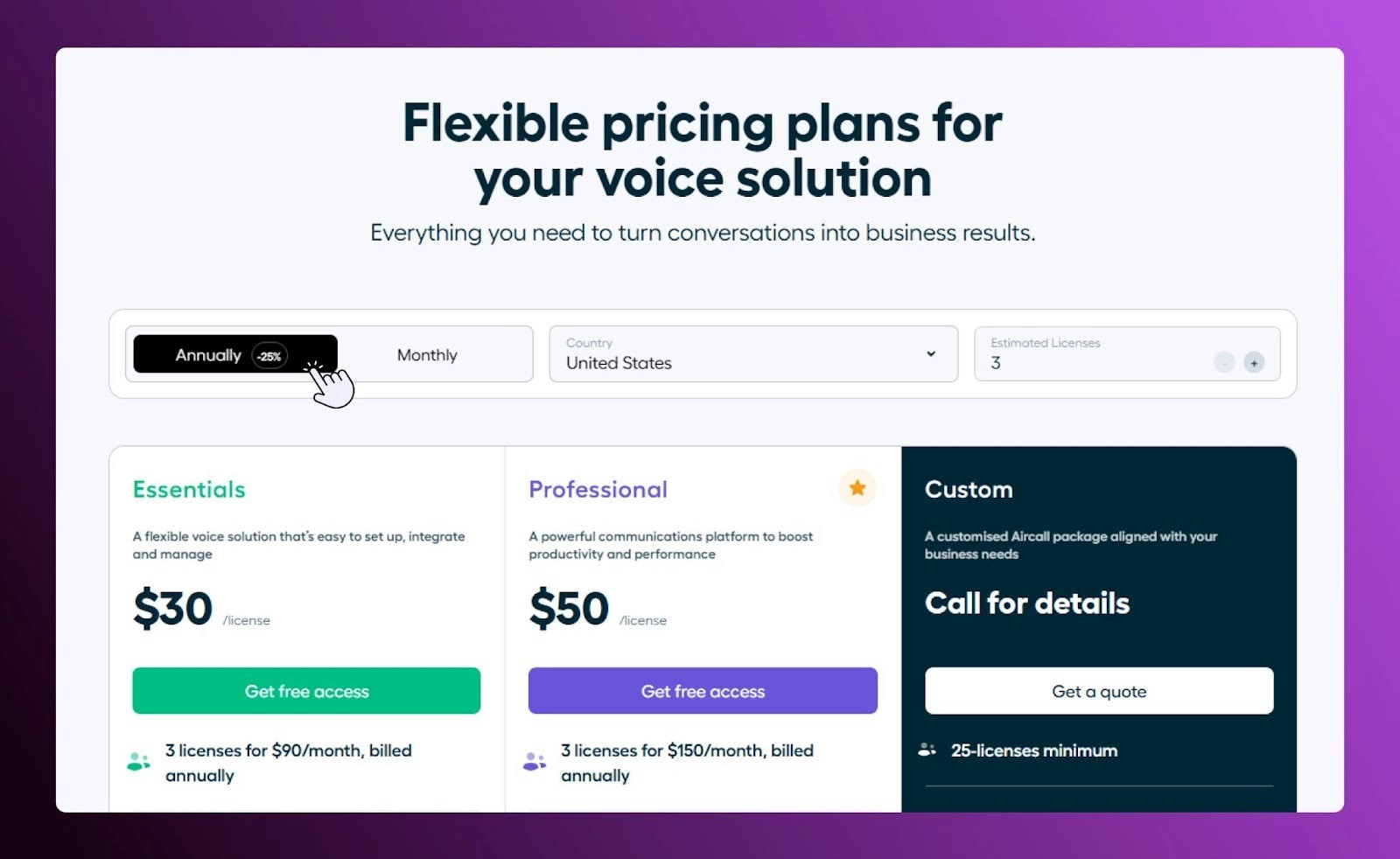
Limited Multi-Channel Communication
Aircall mainly focuses heavily on basic SMS and voice, with less native support for unified inbox features or social messaging
Admin Complexity
While team members find the app quite simple, administrators sometimes report that backend setup for reporting and complex routing can be challenging.
What Dialpad Does Well
Unified communications
Dialpad combines video, messaging and voice into a single platform, which makes it ideal for teams which need an all in one communication solution.
AI-Powered features
Sentiment analysis, live call coaching and real-time transcription helps support sales teams to track key metrics and improve efficiency.
Remote & Hybrid Team Support
With web apps and mobile, Dialpad enables the teams to stay connected from anywhere, thereby supporting modern distributed work environments.
Where Dialpad Falls Short
Workflow & CRM Limitations
While Dialpad integrates with major CRMs, its built-in lead sales and management automation features are limited compared to other specialized platforms.
Pricing Complexity
Some advanced features and AI are only available on higher-tier plans, which can be confusing for businesses evaluating options.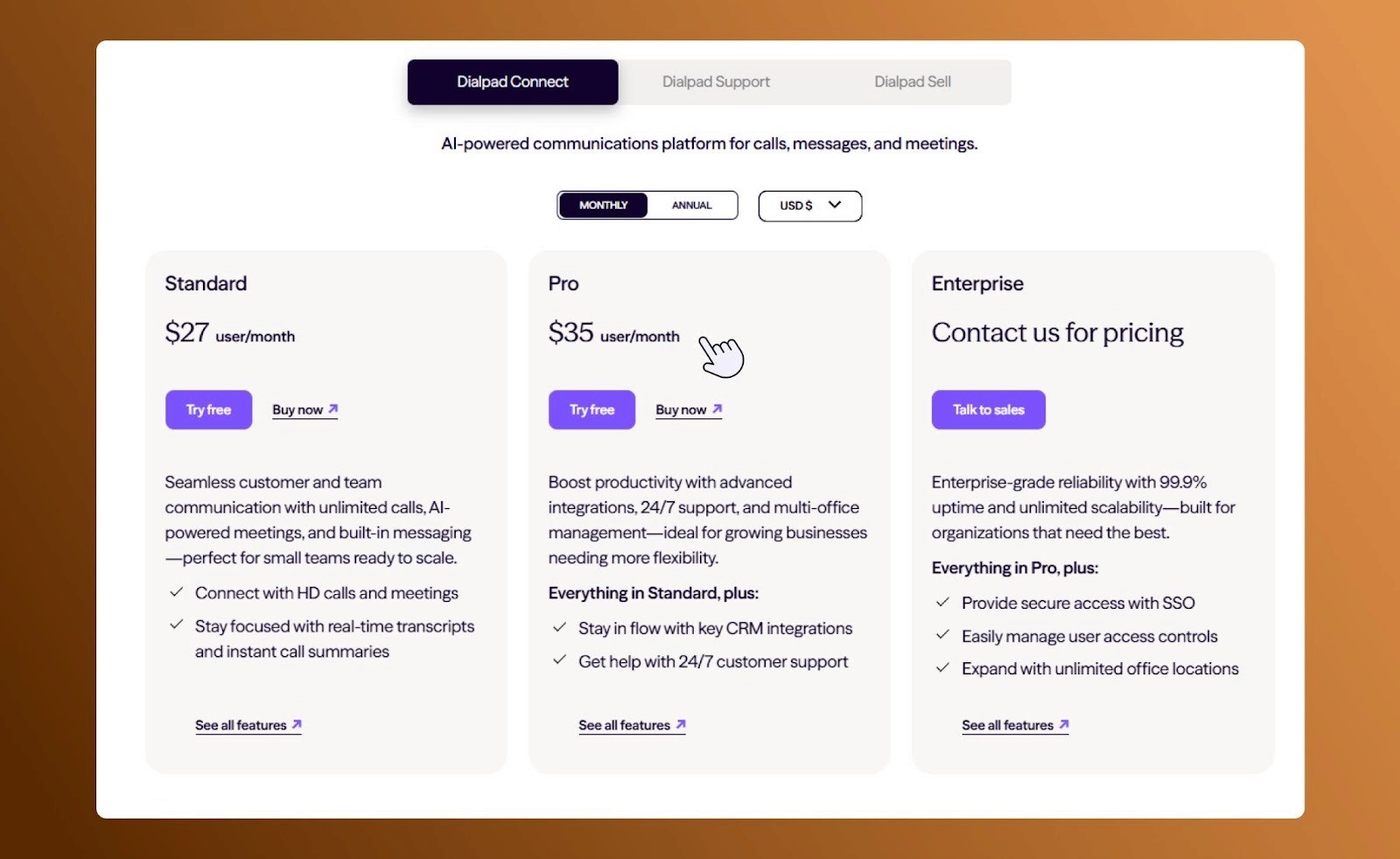
App Stability
A few users report glitches or occasional lag, particularly on mobile devices during high volume usage.
SalesCaptain: All-in-One Communication Platform
While Aircall and Dialpad offer broad unified communication and VoIPsolutions, SalesCaptain is designed to improve customer experience, streamline reputation management and boost sales efficiency.
| Feature / Capability | Aircall | Dialpad | SalesCaptain |
|---|---|---|---|
| Inbound calling + IVR + call routing | ✅ | ✅ | ✅ |
| Outbound calling / power-dialer | ✅ | ✅ | ✅ |
| Call recording & transcription | ✅ | ✅ | ✅ |
| Real-time AI / voice intelligence | ❌ | ✅ | ✅ |
| Unified inbox / multi-channel messaging | ❌ | ✅ | ✅ |
| Lead / CRM-style management | ❌ | ❌ | ✅ |
| Automation (follow-ups, AI agents, drip campaigns) | ❌ | ❌ | ✅ |
| Scalability (multi-user / multi-location) | ✅ | ✅ | ✅ |
| Integrations with CRM & business apps | ✅ | ✅ | ✅ |
Why Consider SalesCaptain?
For teams who look for a phone system to do more than just connect calls, SalesCaptain offers a focused approach:
1. Integrated Reputation Management
Unlike Aircall and Dialpad, SalesCaptain links all communication directly to review generation. After completed tasks or calls, automated review requests are sent, helping businesses improve online rating and local presence effortlessly.
2. Accessible AI Tools
SalesCaptain includes conversation routing, pre-built AI agent templates, AI-powered call summaries and voice analysis as native features so that no separate add-ons are needed. This reduces manual note taking, speeds up follow-ups and ensures accuracy. 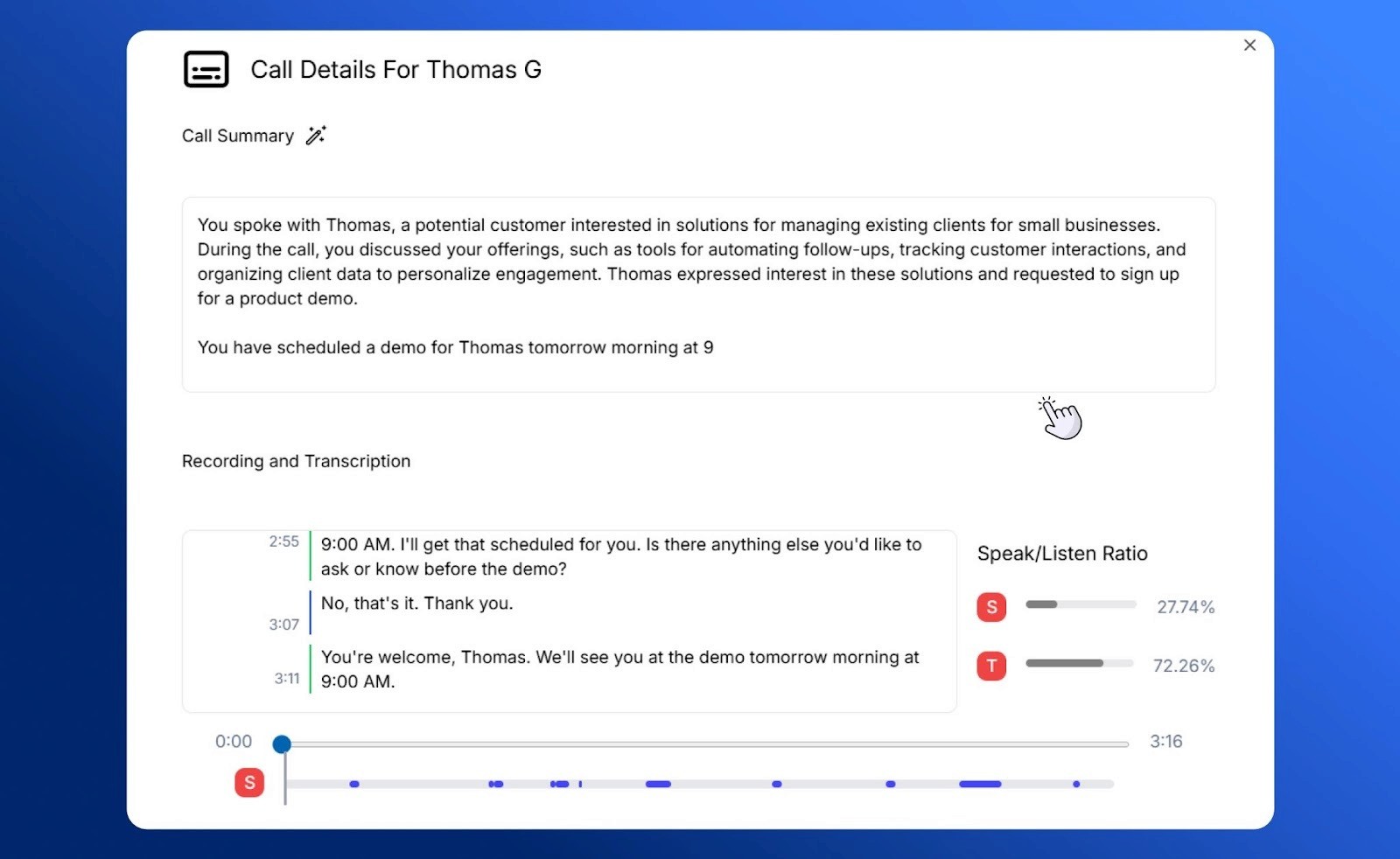
3. Centralized Multi-Channel Communication
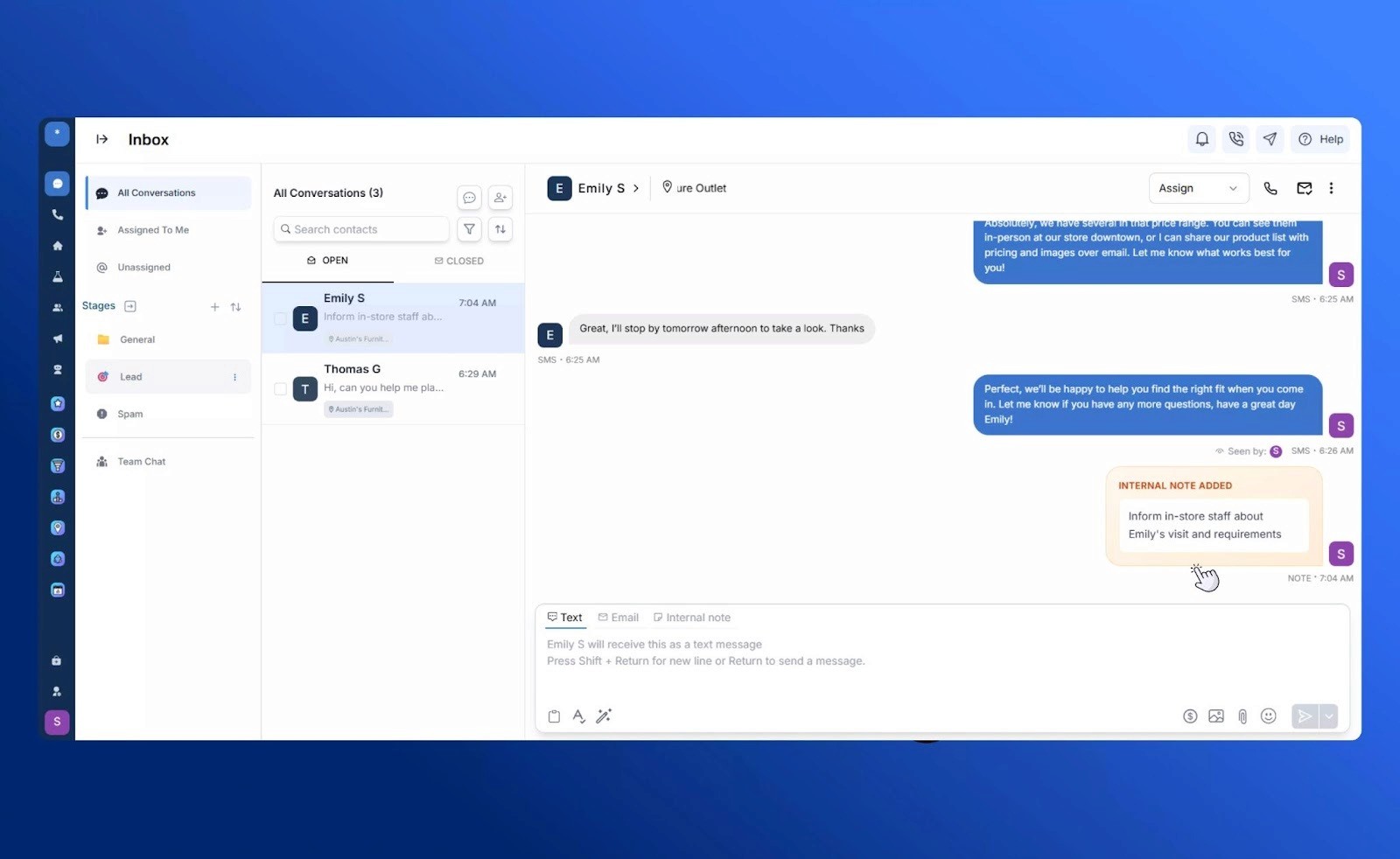
Managing social messages,SMS, calls and web chats separately is time-consuming. SalesCaptain consolidates all the communication channels into an easy-to-use, single inbox improving response times and simplifying workflows.
Review: Next Steps
Aircall remains a strong choice for teams which focus on intuitive CRM integrations and call center efficiency while Dialpad excels in unified communications along with AI-driven insights.
For businesses who are looking for an all-in-one sales and modern communication platform SalesCaptain is an ideal choice as it combines calling, messaging, AI automation, and reputation management into a simple and scalable solution.
Explore how SalesCaptain can help you streamline your customer interactions and sales workflow. Contact the team to book a 15-minute virtual demo today!