
AI-powered customer experience marketing (CXM) platform that helps local businesses win.


As modern businesses rely on retore teams, multi-channel communication and hybrid workforces, platforms such as Dialpad and RingCentral aim to simplify analytics, messaging, calling and video conferencing. This article explores the strengths and limitations of both the tools, helping you decide which platform best aligns with your business needs.
Managing customer calls, video meetings, analytics and team communication efficiently can be challenging. Dialpad and RingCentral both promise to centralize these workflows, enhance collaboration and increase productivity and enhance collaboration- but which one delivers the most value for your team, budget and time?
| Feature | Dialpad | RingCentral |
|---|---|---|
| AI-Powered Voice & Insights | ✅ | ✅ |
| Video Conferencing & Meetings | ✅ | ✅ |
| Unified Messaging & SMS | ✅ | ✅ |
| VoIP & Cloud Telephony | ✅ | ✅ |
| Intuitive, Easy-to-Use Interface | ✅ | ❌ |
| Enterprise-Grade Features | ❌ | ✅ |
| Integrations with CRM & Productivity Tools | ✅ | ✅ |
| Reliability & Uptime | ✅ | ✅ |
| Pricing Transparency | ✅ | ❌ |
What Dialpad Does Well
1. AI-Powered Voice Intelligence
Dialpad’s voice intelligence transcribes calls real time, generates summaries and provides actionable insights. This is particularly helpful for support, sales and remote teams looking to reduce manual note-taking.
2. User Friendly interface
Dialpad offers a modern, clean and intuitive interface. Teams can quickly adopt it without needing extensive training, making it ideal for mid-sized and small businesses.
3. Unified communication
Call messages and video meetings are available within a single app. This centralization helps with remote teams staying aligned which reduces the need to switch between multiple tools.
4. Mobile Flexibility
The mobile apps for Dialpad allows employees to send messages, make calls and join meetings from anywhere- useful for hybrid work models and field teams.
Where Dialpad Falls Short
1. Add-On costs
Some features like advanced AI modules or international numbers, require additional subscription tiers, increase overall costs. This means you end up paying a premium for some tools, which you may or may not end up using.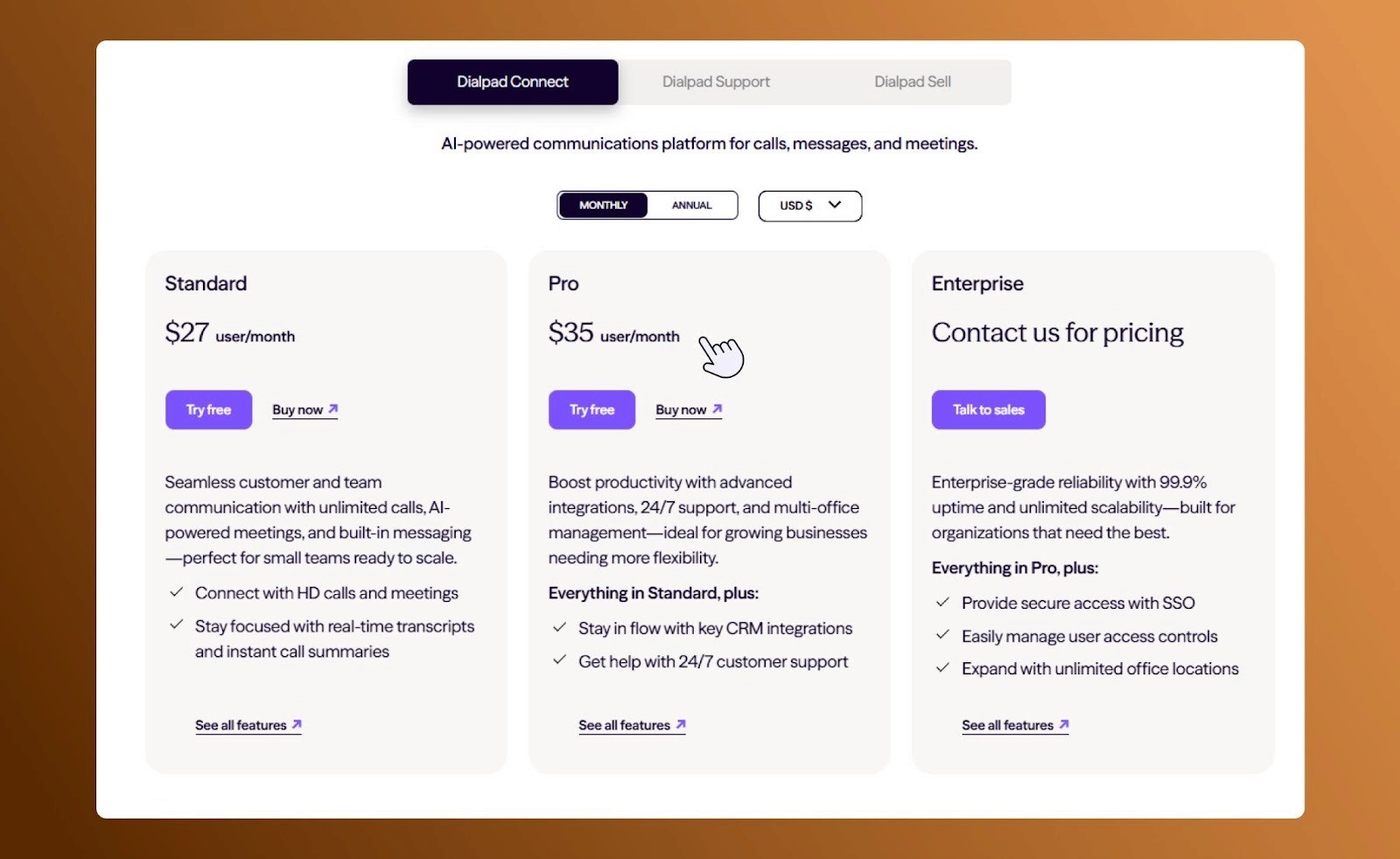
2. Enterprise Grade features
Dialpad lacks features such as detailed analytics, advanced AI tools and robust workflow automation. International numbers and few integrations require add-ons, limiting the scalability for larger organizations.
3. Pricing for smaller teams
With monthly plans starting at $27/user/month, the pricing strategy of Dialpad can be harder to justify for small teams or single-location workspaces. If your business communication needs are more straightforward, you might end up paying for a ton of features you simply won’t use, or get locked into a yearly contract just to pay a bit less.
What RingCentral Does Well
1. Enterprise grade functionality
RingCentral excels for multi-location or larger teams businesses. Features include call routing, IVR, compliance, advanced admin controls and detailed analytics.
2. Scalable integrations
RingCentral integrates with multiple business tools, productivity apps, CRM’s making it suitable for complex enterprise workflows.
3. High uptime and reliability
RingCentral’s infrastructure provides 99.999% uptime SLA, ensuring uninterrupted video, voice and messaging services for global teams.
Where RingCentral Falls Short
1.Complex Interface
The platform’s feature interface can overwhelm smaller teams and new users who don’t require enterprise functionality.
2. Pricing Transparency
RingCentral’s pricing is less straightforward, with additional costs for add-ons and premium features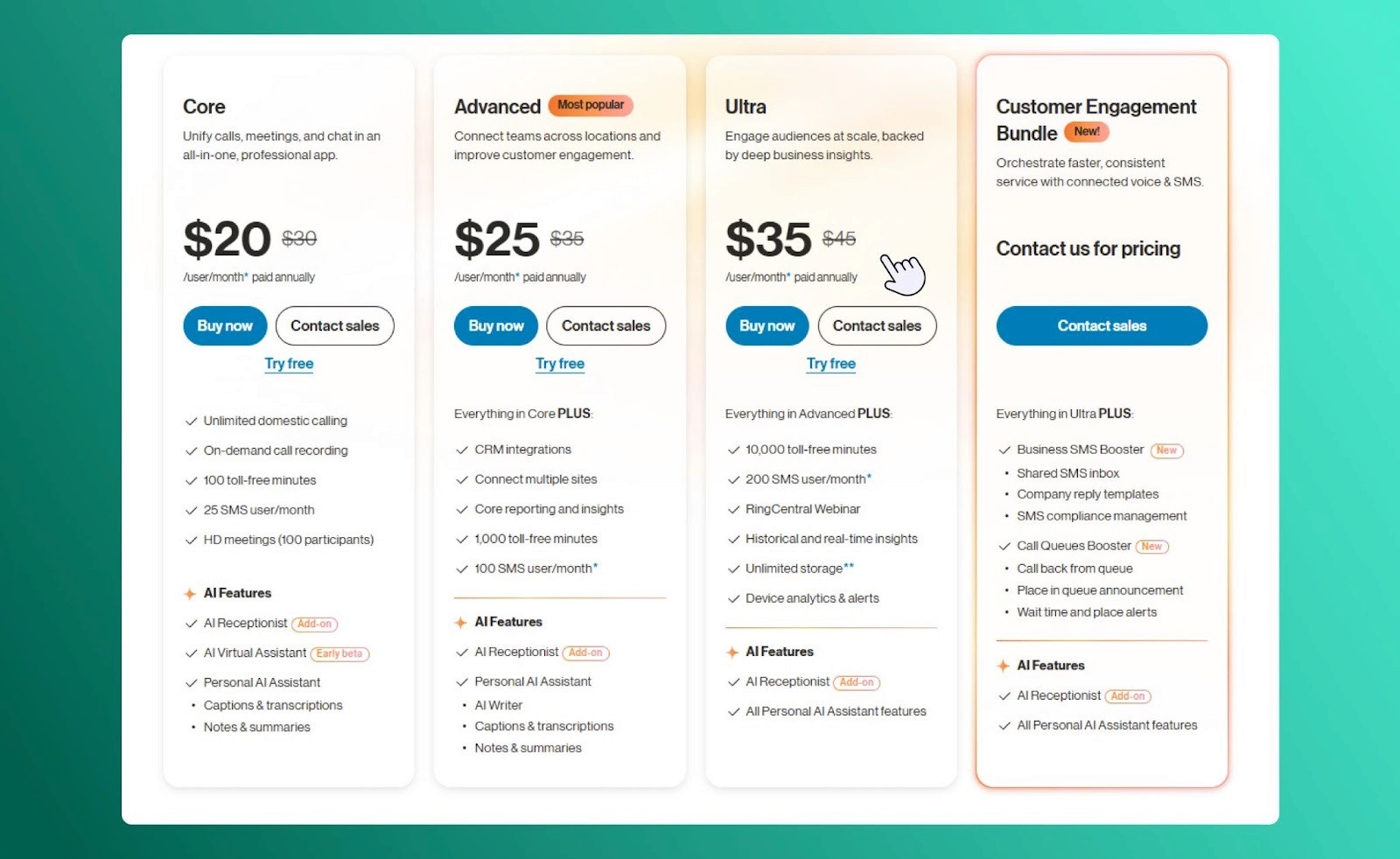
3. AI Features Require Extra Modules
Conversation intelligence tools and advanced AI are sometimes separate add-ons rather than built into the base plan.
| Feature | Dialpad | RingCentral | SalesCaptain |
|---|---|---|---|
| AI-Powered Voice & Insights | ✅ | ✅ | ✅ |
| Video Conferencing & Meetings | ✅ | ✅ | ✅ |
| Unified Messaging & SMS | ✅ | ✅ | ✅ |
| VoIP & Cloud Telephony | ✅ | ✅ | ✅ |
| Intuitive, Easy-to-Use Interface | ✅ | ❌ | ✅ |
| Enterprise-Grade Features | ❌ | ✅ | ✅ |
| Integrations with CRM & Productivity Tools | ✅ | ✅ | ✅ |
| Reliability & Uptime | ✅ | ✅ | ✅ |
| Pricing Transparency | ✅ | ❌ | ✅ |
SalesCaptain: A Well-Rounded Platform for Growing Teams
SalesCaptain adapts to all your needs, whether you’re a growing startup, an enterprise with multiple locations or a solo operator. It ensures you only activate tools which matter to your workflow. Compared to other platforms which can feel limited or cluttered in scope, SalesCaptain delivers a streamlined experience.
Complete all-in-one platform: SalesCaptain offers in-built rich AI tools like 24/7 voice and chat agents, as well as a full suite of automation tools to keep all your contacts and communication in one, accessible place.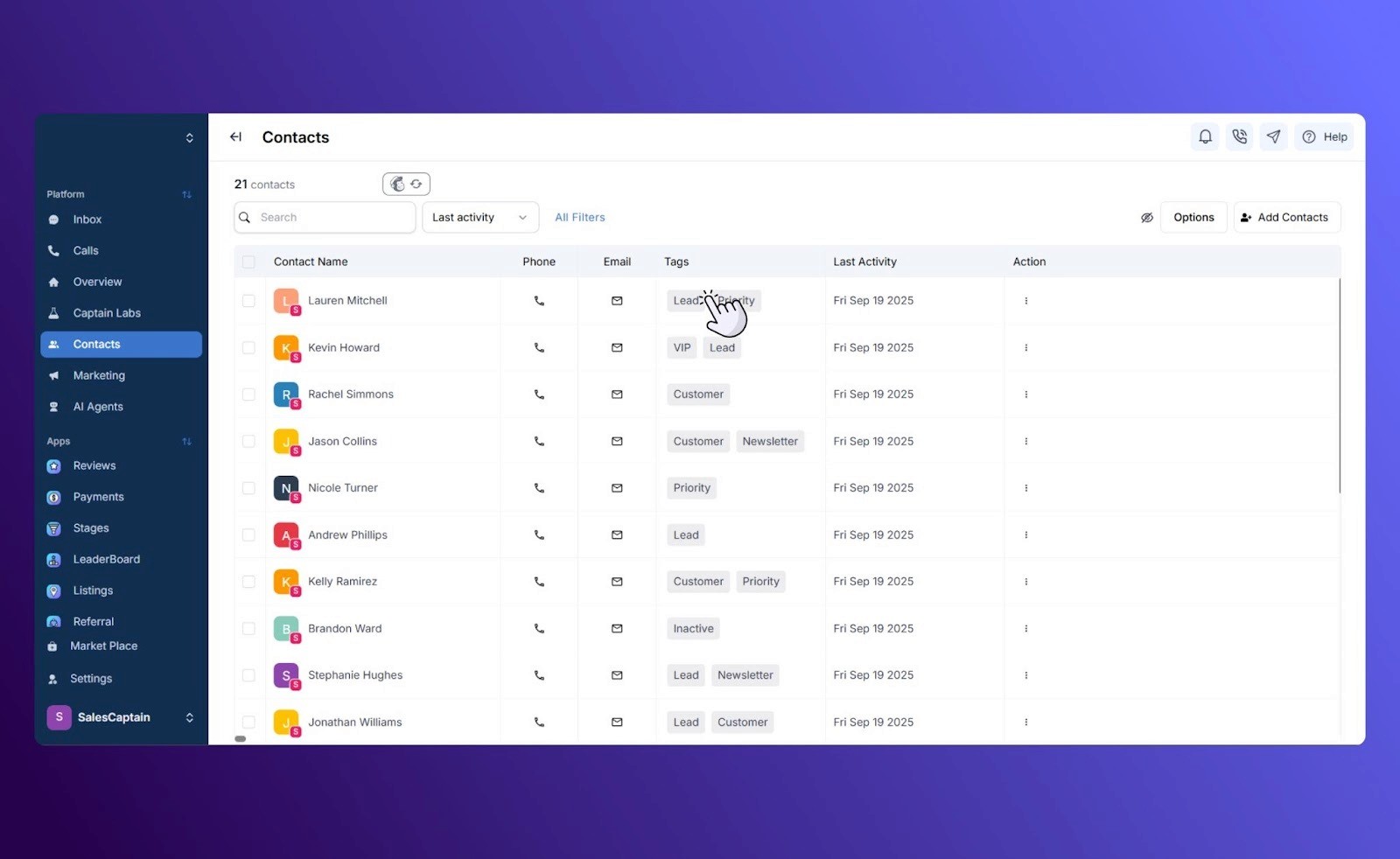
- Real time team collaboration through shared inboxes, review management and automation in an intuitive interface.
- Flexible plans and clear pricing without long term commitments and hidden costs, allowing you to pay for exactly as much as you use.
- Automated reports, transcripts, AI generated summaries and live chat and voice agents that
significantly reduce manual effort.
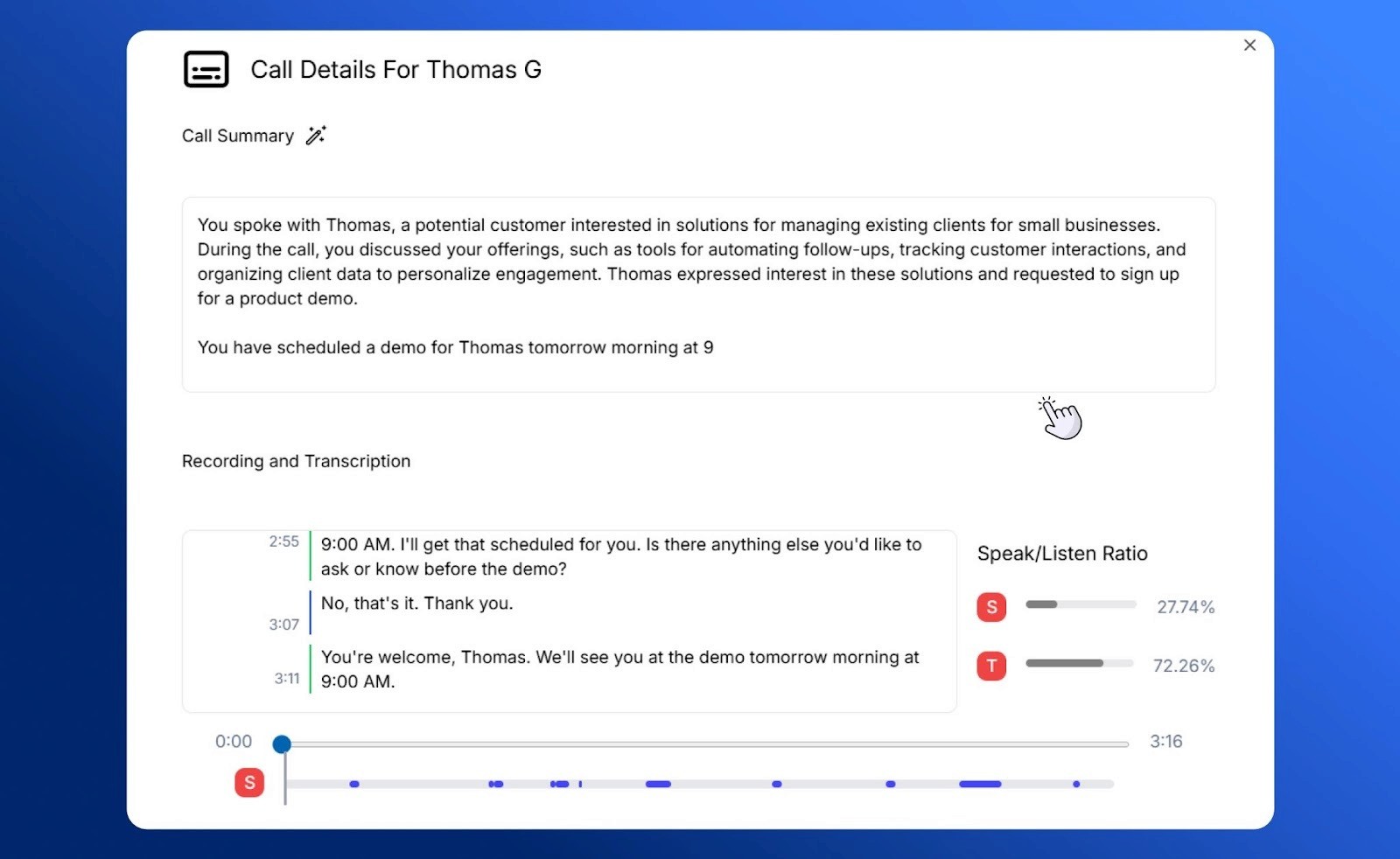
- Detailed performance insights across messages, campaigns, calls and agent activity.
Platform Comparison: Finding the Best Fit
Dialpad: Best for mid-sized and small teams seeking strong AI call features, reliable mobile communication and quick onboarding.
RingCentral: A solid choice for multi-location setups or larger organizations which require extensive integrations and enterprise-grade capabilities.
SalesCaptain : A comprehensive all-in-one option which offers messaging, AI, analytics, automation, and scalable functionality in an easy-to-use, transparent platform built to support long-term growth.
If that sounds like what you’re looking for, we would love to show you all the ways SalesCaptain can help you streamline your business. Schedule a demo or contact our sales team today!