
AI-powered customer experience marketing (CXM) platform that helps local businesses win.



If you’re reading customer management software reviews to find the right platform for your service business, you already know the stakes. Every missed call, slow text reply, or forgotten follow-up pushes a potential customer toward your competitor. The challenge isn’t just picking software with good ratings. It’s finding a tool that actually fits how service businesses operate: high call volume, appointment-heavy workflows, and customers who expect instant responses across every channel. SalesCaptain was built from the ground up for exactly this situation, combining AI-powered communication with real customer management in a single platform.
Customer management software centralizes contact information, conversation history, and customer interactions in one platform, helping businesses organize and track relationships throughout the customer lifecycle. Service businesses use it to manage high call volumes, appointments, and multi-channel communications while ensuring consistent, personalized customer experiences.
Quick Answer
Top customer management software platforms are evaluated based on ease of use, feature depth, pricing transparency, and verified user reviews. Leading solutions offer contact management, sales automation, reporting tools, and integrations with essential business apps. The best choice depends on your team size, industry, and budget—most providers offer free trials so you can test before committing.
What Is Customer Management Software?
Customer management software is any tool that helps a business organize, track, and communicate with its customers throughout the relationship lifecycle. At its core, it centralizes contact information, conversation history, and interaction data so your team can deliver consistent, personalized service without relying on memory or sticky notes.
Free weekly newsletter
Growth tips for service businesses
Every Tuesday — actionable ideas to get more leads, reviews, and repeat customers. No fluff.
But here’s where most reviews get it wrong. Traditional CRM platforms focus heavily on data storage and pipeline visualization. They’re built for logging what happened, not for making things happen in real time. For a roofing company fielding 50 calls a day, or a dental office managing appointment reminders across SMS and phone, a database alone doesn’t cut it. What you actually need is software that manages the customer and the communication, automatically.
According to CRM adoption research from Freshworks, the vast majority of businesses now consider CRM tools essential for growth. Yet many SMBs still struggle with adoption because the software doesn’t match their daily workflows. That gap between “managing customer data” and “managing customer conversations” is exactly where SalesCaptain sits.
How Customer Management Works in SalesCaptain
SalesCaptain doesn’t just store contacts. It actively manages every customer interaction from first call to completed appointment. Here’s how the workflow plays out in practice:
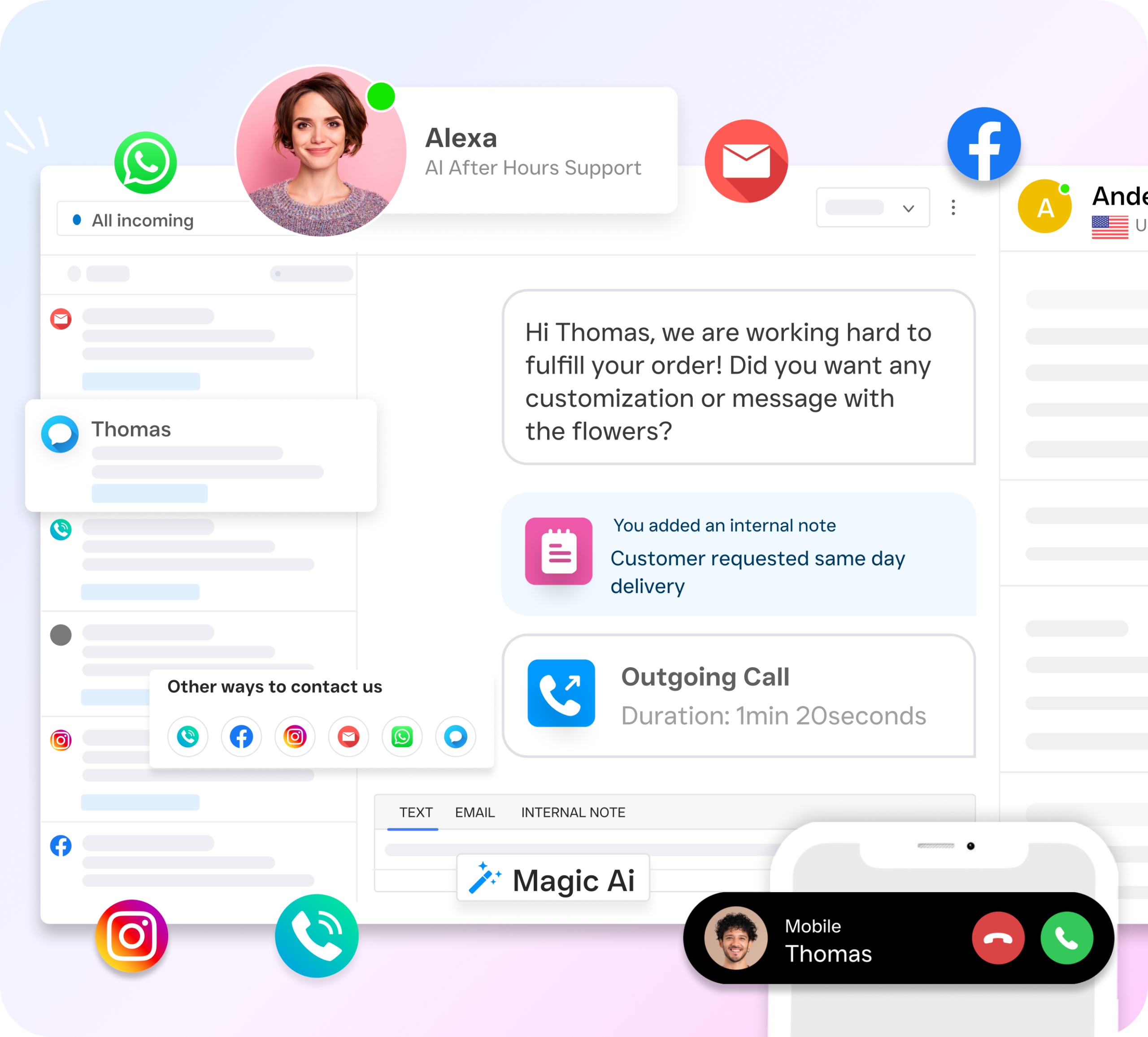
- A customer reaches out on any channel. Whether it’s a phone call, SMS, webchat message, Instagram DM, or Facebook Messenger inquiry, the conversation lands in one place: SalesCaptain’s unified inbox. There’s no toggling between apps or platforms.
- AI agents respond instantly, 24/7. If your team isn’t available, the AI Phone Agent answers calls with a natural-sounding voice, qualifies the lead, answers common questions, and books appointments directly into your calendar. Meanwhile, AI Chat Agents handle the same tasks across text and social channels.
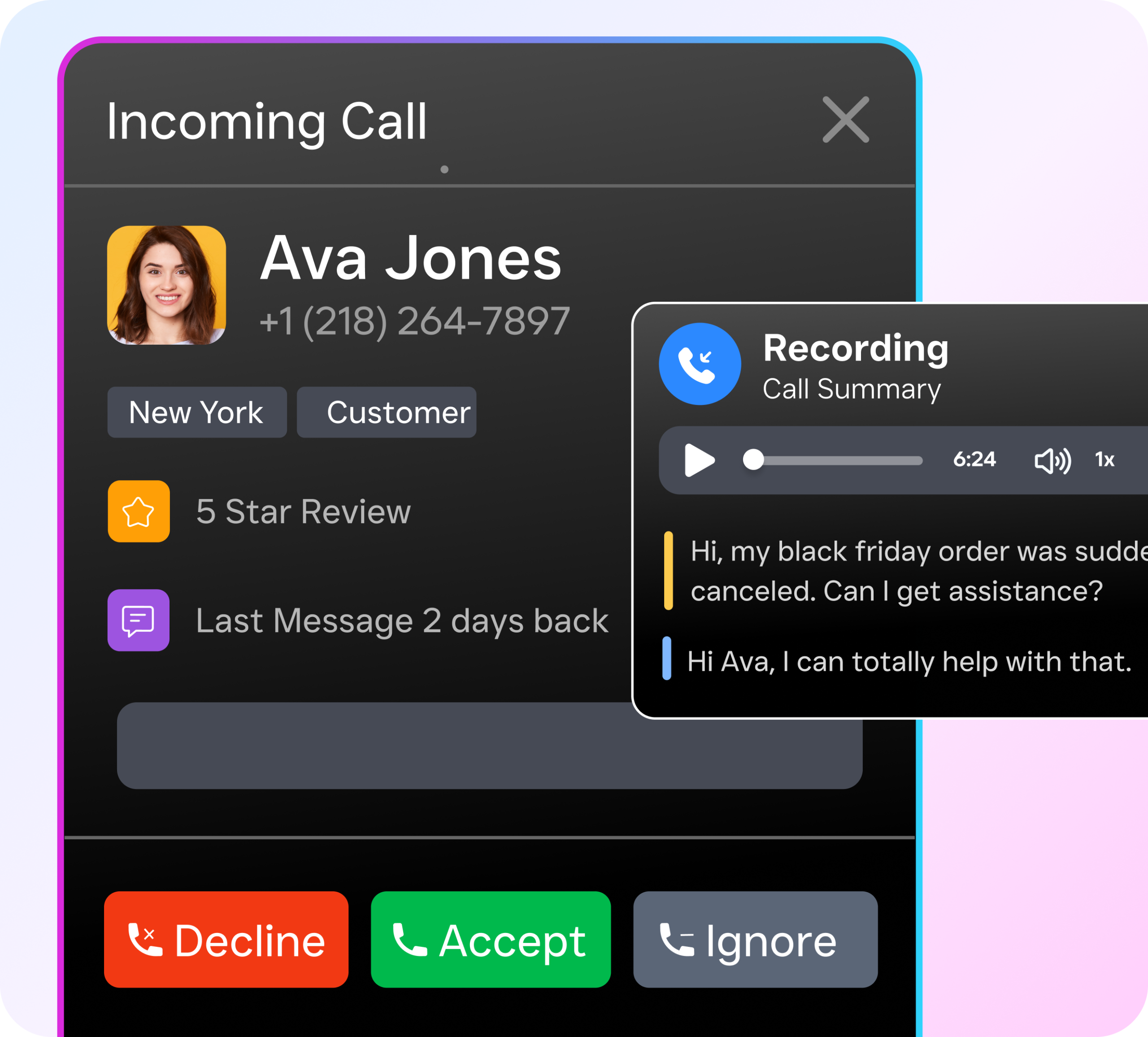
- Contact records update automatically. Every interaction, whether handled by AI or your staff, gets logged to the customer’s profile. Call transcriptions, AI-generated summaries, appointment details, and follow-up notes all live in one timeline.
- Workflow automations trigger next steps. After a call ends or a chat wraps up, SalesCaptain’s drag-and-drop automation builder can send a follow-up text, update your CRM via HubSpot or Salesforce integration, notify a team member, or schedule a reminder. No manual effort required.
- Your team collaborates from one dashboard. Staff members can pick up any conversation, see the full history, add internal notes, and hand off to colleagues without the customer repeating themselves.
This end-to-end flow means customer management isn’t a separate activity from communication. They’re the same thing.
Key Capabilities
- AI Phone Agent with call summaries and transcriptions: Every call gets transcribed and summarized by AI, so your team can review key details, action items, and customer concerns without listening to recordings. Particularly useful for training new staff and ensuring follow-ups happen.
- Missed-call text-back: When a call goes unanswered, SalesCaptain automatically sends an SMS to the caller within seconds. According to industry data from SkipCalls, small businesses lose over $26,000 per year from missed calls. This feature alone recovers a significant portion of those lost opportunities.
- Unified inbox across all channels: Calls, texts, webchat, Instagram DMs, Facebook Messenger, and email all funnel into a single team-friendly inbox. Contact history stays intact regardless of which channel the customer uses.
- Drag-and-drop workflow automation: Build trigger-based sequences for follow-ups, appointment reminders, CRM syncs, and internal notifications. Connects to 50+ integrations including HubSpot, Salesforce, Zoho, HousecallPro, ServiceFusion, and QuickBooks.
- Customizable call flows: Use SalesCaptain’s visual builder to design exactly how incoming calls are routed. Set up IVR menus, after-hours handling, AI agent handoffs, voicemail capture, and team routing rules without any technical expertise.
- Payments via text: Collect payments directly through SMS conversations, reducing friction between service completion and getting paid.
Who Needs This?
SalesCaptain is purpose-built for service businesses and appointment-heavy organizations. If your revenue depends on answering inquiries quickly and showing up on time, this platform was designed around your workflow.
- Home service businesses like roofing, plumbing, HVAC, landscaping, and appliance repair companies that field high call volumes and need after-hours coverage.
- Healthcare and wellness practices including dental offices, medical clinics, MedSpas, and therapy practices managing appointment-heavy schedules.
- Legal practices where every missed intake call can mean a lost case and thousands in potential revenue.
- Salons, gyms, and fitness studios that rely on consistent booking and client follow-up to reduce no-shows.
- Real estate agencies where lead response time directly correlates with conversion rates.
- Multi-location businesses needing consistent customer experience across 2, 5, or 50+ sites, with per-location pricing that stays affordable.
The common thread? These are businesses where the operations manager or owner is also the person answering calls, responding to texts, and chasing follow-ups. According to small business customer service data compiled by Ringly.io, the speed of your first response is one of the strongest predictors of whether a lead converts. SalesCaptain makes that speed automatic.
Benefits of Customer Management Software for Service Businesses
Recover Revenue You’re Currently Losing
Most service businesses don’t realize how much money walks out the door from slow responses. A homeowner looking for an emergency plumber isn’t waiting 30 minutes for a callback. They’re already dialing the next company on Google. With AI agents answering calls and texts instantly at any hour, you capture leads that would otherwise go to a competitor. Research on missed call costs from DaVinci Virtual shows the revenue impact compounds quickly for small businesses that can’t staff phones around the clock.
Scale Without Hiring More Staff
Hiring a full-time receptionist costs $30,000 or more per year, and that still only covers business hours. SalesCaptain’s AI Phone Agent costs $0.12 per minute and works 24/7, 365 days a year. For a business handling 100 calls per month with an average duration of 3 minutes, that’s roughly $36 per month versus thousands for a human hire. And the AI doesn’t call in sick, take lunch breaks, or forget to follow up.
This math is especially compelling for multi-location businesses. Per-location pricing starts at $159/month on the Business plan, so a 5-location HVAC company pays a predictable monthly fee rather than staffing a receptionist at every office. Plus, the free Startup plan lets single-location businesses try the platform before committing.
Eliminate Communication Chaos
When your team checks voicemail on one app, texts on another, Facebook messages in a browser tab, and email in Outlook, things fall through the cracks. It’s inevitable. Consolidating everything into SalesCaptain’s unified inbox means one login, one view, and complete context for every customer. According to customer experience research from Sprinklr, customers overwhelmingly prefer a consistent experience regardless of which channel they use. A unified inbox makes that consistency possible without adding complexity for your staff.
How SalesCaptain Compares
Most platforms that show up in customer management software reviews fall into one of two camps. Traditional CRMs like HubSpot and Salesforce excel at data management but don’t handle real-time communication. On the other hand, communication tools like Aircall, OpenPhone, and Dialpad offer phone features but lack the AI automation and multi-channel management that service businesses need.
SalesCaptain is the only platform combining AI voice agents, AI chat agents, and a unified inbox in a single tool. Consider some specific gaps in popular alternatives: Aircall, at $30 per license per month, doesn’t offer a Voice AI Agent, webchat, missed-call text-back, or real-time AI for calls. OpenPhone provides minimal AI capabilities and only 7 integrations, with no call coaching, power dialer, or HIPAA support. Dialpad lacks audio conferencing, toll-free minutes, social chat, and high-volume SMS. However, some competitors do offer features SalesCaptain doesn’t, like call flip or AI scorecards. So the question isn’t which tool has the most features overall. It’s which features matter for how your business actually operates.
For service businesses, the features that move the needle are 24/7 call answering, instant lead response, appointment booking, and workflow automation. Those are SalesCaptain’s core strengths. Platforms reviewed on G2 and Capterra can provide additional user perspectives, but keep in mind that many top-rated CRMs are designed for enterprise sales teams, not local service businesses.
Frequently Asked Questions
How is SalesCaptain different from a traditional CRM?
Traditional CRMs store customer data and track sales pipelines. SalesCaptain does that while also handling the actual communication: answering calls with AI, responding to texts and social messages automatically, booking appointments, and triggering follow-up workflows. It’s a customer management and communication platform in one.
Can SalesCaptain replace my current phone system?
Yes. SalesCaptain includes a full business phone system with 99.99% uptime, IVR, call routing, voicemail, and call recording. You won’t need a separate phone provider.
What integrations does SalesCaptain support?
SalesCaptain integrates with 50+ tools including HubSpot, Salesforce, Zoho, ServiceFusion, HousecallPro, Mindbody, Shopify, QuickBooks, Clio, and Zapier. Zapier alone opens the door to thousands of additional connections.
Is there a free plan available?
Yes. The Startup plan is free for one location, so you can test the platform before upgrading. The Business plan is $159/month per location, and the Enterprise plan is $300/month per location for businesses needing advanced features.
Ready to see it in action?
See how businesses use SalesCaptain to manage every customer interaction in one place.
Book a Free Demo →Stop Losing Customers to Slow Responses
SalesCaptain gives your service business AI-powered call answering, instant text responses, and a unified inbox for every channel, starting with a free plan. See how it works for your business today.