
AI-powered customer experience marketing (CXM) platform that helps local businesses win.



An appointment reminder program is the difference between a full schedule and a day of empty chairs. For service businesses like dental practices, med spas, salons, and home service companies, no-shows don’t just waste time. They cost real revenue. Every missed appointment is a slot that could’ve gone to a paying customer, and most of the time, the client simply forgot. SalesCaptain’s appointment reminder program automates SMS, voice, and chat reminders across every channel your customers actually use, so your calendar stays full without your team lifting a finger.
Quick Answer
An appointment reminder program automatically sends notifications via SMS, email, or phone calls before scheduled appointments, reducing no-shows and cancellations. These systems typically allow customization of reminder timing and messaging, integrate with your existing calendar or scheduling software, and track delivery status. By prompting clients to confirm or reschedule, they help maximize appointment attendance and revenue.
What Is an Appointment Reminder Program?
An appointment reminder program is a system that automatically contacts customers before their scheduled visits to confirm, reschedule, or cancel. Instead of relying on your front desk staff to make dozens of calls each day, the software handles outreach through text messages, phone calls, or chat messages at intervals you define. Think of it as your always-on scheduling assistant.
The concept isn’t new, but the technology behind it has changed dramatically. Traditional reminder systems sent a single robocall or generic text. Modern programs like SalesCaptain go far beyond that. They use AI to personalize messages, handle two-way conversations, and actually process responses. When a client texts “Can I come at 3 instead?”, the system can rebook them automatically.
Free weekly newsletter
Growth tips for service businesses
Every Tuesday — actionable ideas to get more leads, reviews, and repeat customers. No fluff.
According to recent appointment reminder statistics, businesses using automated reminders see significant reductions in no-show rates. That’s not surprising. People are busy, and a well-timed text message is often all it takes to keep them on track. The appointment reminder software market has grown rapidly as more service businesses recognize this simple equation: fewer no-shows equals more revenue.
How the Appointment Reminder Program Works in SalesCaptain
Setting up automated reminders in SalesCaptain takes minutes, not hours. Here’s the step-by-step process from configuration to customer confirmation.
- Connect your scheduling tool. SalesCaptain integrates with over 50 platforms including HousecallPro, Mindbody, and Rezdy. Once connected, your appointment data flows in automatically. No manual entry required.
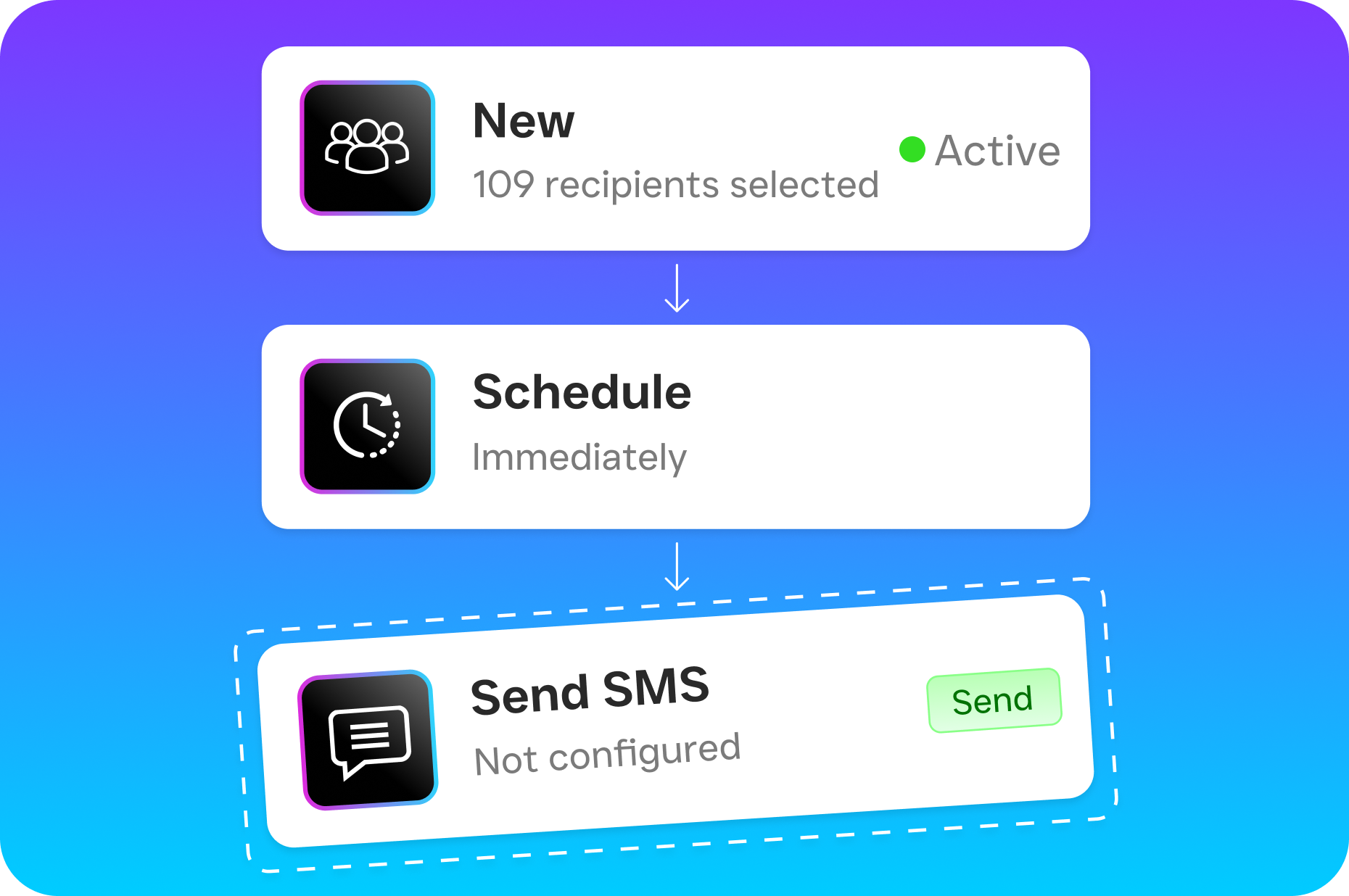
- Build your reminder workflow. Use the drag-and-drop Workflow Automation builder to create your reminder sequence. You’ll set the timing (48 hours before, 24 hours before, 2 hours before), the channel (SMS, AI phone call, webchat), and the message content.
- Personalize each message. Templates pull in the customer’s name, appointment time, service type, and location. Each reminder feels personal because it is. You can create different sequences for different service types, so a first-time dental patient gets a different message than a returning HVAC customer.
- Enable two-way responses. Here’s where SalesCaptain separates itself. Customers can reply to confirm, cancel, or request a reschedule. The AI Chat Agent processes these responses in real time, updates your calendar, and even fills the newly open slot from your waitlist.
- Monitor everything from the Unified Inbox. Every reminder sent, every response received, and every rescheduled appointment shows up in one place. Your team sees the full conversation history across SMS, calls, webchat, Instagram DMs, and Facebook Messenger without switching between apps.
- Let the AI Phone Agent handle voice confirmations. For customers who prefer phone calls or don’t respond to texts, SalesCaptain’s AI Phone Agent makes a natural-sounding confirmation call. It can answer questions about directions, parking, or what to bring, all without involving your staff.
📺 Watch: How to Set Up Appointment Reminders with Automation
Key Capabilities
- Multi-channel delivery: Send reminders via SMS, AI voice calls, webchat, Instagram DMs, and Facebook Messenger. Reach customers on whatever channel they actually check. Most programs only offer text or email. SalesCaptain covers every major communication channel from a single platform.
- Intelligent two-way messaging: Customers don’t just receive reminders. They can respond, and the AI understands what they mean. A reply of “running 10 min late” triggers a different workflow than “need to cancel.” The AI Chat Agent handles these conversations instantly.
- Missed call text-back: If a customer calls to confirm or reschedule and nobody answers, SalesCaptain automatically sends a text within seconds. According to research on missed business calls, even a short delay in responding can push customers to competitors. This feature closes that gap.
- Trigger-based automation: Reminders aren’t limited to time-based triggers. You can fire a reminder when a CRM status changes, when a form is submitted, or when a previous appointment ends. The visual workflow builder supports conditional logic, so VIP clients can get different treatment than standard bookings.
- AI call summaries and transcriptions: Every voice confirmation call is automatically transcribed and summarized. If a customer mentions they want to discuss a specific issue during their appointment, that note appears in the contact record. Your team walks into every meeting prepared.
- HIPAA-friendly communication: For healthcare and dental practices, SalesCaptain provides the infrastructure to handle patient communication responsibly. Paired with proper administrative controls, the platform supports practices that need to stay compliant with patient data regulations.
Who Needs This?
Any business that books appointments and loses money when people don’t show up. But some industries feel the pain more acutely than others.
- Dental and medical practices: A single missed dental appointment can cost $150-300 in lost chair time. Multiply that across a week, and you’re looking at thousands in lost revenue. Automated reminders are the most cost-effective way to protect your schedule.
- Med spas and wellness centers: High-value treatments booked weeks in advance are especially vulnerable to no-shows. A reminder sequence that starts 48 hours out gives clients time to confirm or reschedule without leaving you scrambling.
- Home service companies (HVAC, plumbing, roofing, landscaping): When a technician drives to a job and nobody’s home, you’ve lost the appointment slot AND the fuel and labor cost. Reminders that confirm the customer will be present save both time and money. Data from industry research on missed calls shows small businesses lose significant revenue annually from communication gaps.
- Salons, barbers, and fitness studios: These businesses often run on tight 30-60 minute slots. One no-show creates a domino effect. Reminders with easy rescheduling links keep calendars tight and revenue steady.
- Legal practices: Client consultations often require document preparation. A last-minute no-show wastes both attorney time and prep work. SalesCaptain integrates with Clio, so law firms can automate reminders directly from their practice management software.
- Operations managers and front desk staff: If your team currently spends an hour or more each day making confirmation calls, an automated system gives them that time back for higher-value work.
Benefits of an Appointment Reminder Program
Recover Revenue You’re Currently Losing
No-shows are silent profit killers. Most business owners know they happen but underestimate how much they actually cost. When you add up the lost revenue, wasted staff time, and opportunity cost of that empty slot, each missed appointment represents far more than just the service fee. An effective appointment reminder program recaptures a significant portion of those lost appointments.
SalesCaptain’s multi-channel approach increases the odds that your reminder actually gets seen. Some clients ignore texts but answer calls. Others never pick up the phone but respond instantly to an Instagram DM. By covering every channel from one platform, you’re maximizing your confirmation rate without duplicating effort.
Eliminate Manual Follow-Up Work
Front desk staff at busy practices can spend 1-2 hours daily on confirmation calls alone. That’s time they could spend greeting patients, handling payments, or managing walk-ins. With SalesCaptain’s Workflow Automation, the entire reminder sequence runs on autopilot. Your team only gets involved when there’s an exception, like a customer requesting a specific accommodation.
Because the system handles two-way conversations, even rescheduling happens without human intervention. The AI Chat Agent processes the request, updates the calendar, and sends a confirmation. According to appointment reminder software trends, businesses that automate scheduling communication consistently report higher staff productivity alongside lower no-show rates.
Create a Better Customer Experience
Customers actually appreciate reminders. Nobody wants to forget an appointment and deal with the awkwardness of rescheduling or cancellation fees. A friendly, well-timed reminder shows professionalism and care. It also gives customers an easy way to adjust if their plans have changed, which they’ll remember the next time they need your services.
SalesCaptain’s personalized templates make each message feel human, not robotic. And since every interaction lives in the Unified Inbox, your team has full context if a customer calls with a question after receiving a reminder. No asking “which location?” or “what time was your appointment?” The history is right there.
How SalesCaptain Compares
Most appointment reminder tools fall into one of two categories: basic text-only systems or bloated enterprise platforms. Basic tools like Grasshopper offer no AI, no texting automation, and no chat capabilities. They’ll send a text, and that’s about it. If the customer responds with a question, your staff still has to handle it manually.
On the other end, platforms like Weave serve specific niches (primarily healthcare and dental) but lack social chat, WhatsApp support, and the advanced templating that multi-industry service businesses need. Similarly, Birdeye focuses on reputation management and doesn’t offer AI for calls, call routing, IVR, or a call flow builder, which means you’d need additional tools to handle the voice side of confirmations.
SalesCaptain occupies a unique middle ground. It’s the only platform that combines AI voice agents, AI chat agents, and a unified inbox in one tool, all built specifically for service businesses and SMBs. Your appointment reminder program isn’t a standalone feature bolted onto a CRM. It’s woven into a complete communication system where reminders, confirmations, rescheduling, and follow-ups all happen within the same workflow. Pricing starts with a free plan, and per-location pricing at $159/month means growing to multiple locations doesn’t break the budget. As noted by GoReminders’ analysis of small business solutions, the best reminder tools are ones that integrate deeply with your existing operations rather than adding another disconnected system.
What really sets SalesCaptain apart is what happens after the reminder. When a customer confirms via text, the AI logs it. When they call with a question, the AI Phone Agent answers. In fact, when they need to reschedule, the system handles it. And when a slot opens up, your workflow can automatically reach out to waitlisted clients. According to data on missed business call costs, the businesses that respond fastest to customer communication consistently outperform their competitors. SalesCaptain ensures you’re always the fastest to respond.
How much does an appointment reminder program cost?
Costs vary widely depending on the platform. SalesCaptain offers a free Startup plan for a single location, with the Business plan at $159/month per location that includes AI agents, workflow automation, and the full unified inbox. AI call minutes are billed at $0.12/minute. Many competitors either hide their pricing or charge per-user fees that add up quickly as your team grows.
Can an appointment reminder program handle rescheduling, not just confirmations?
Yes, but not all of them can. Basic tools only send one-way notifications. SalesCaptain’s AI Chat Agents process customer responses in real time. If someone replies “I need to move to Thursday,” the system can check availability, rebook, and confirm the new time, all without your staff getting involved. The AI Phone Agent can do the same thing over a voice call.
Will automated reminders feel impersonal to my customers?
Not with proper personalization. SalesCaptain’s templates include the customer’s name, their specific service, the appointment time, and your business name. You control the tone and wording. Plus, because reminders can come via SMS, phone, or social messaging, customers receive them on their preferred channel, which actually feels more personal than a generic email blast.
How quickly can I set up an appointment reminder program in SalesCaptain?
Most businesses have their first reminder workflow running within 15-30 minutes. You’ll connect your scheduling tool (HousecallPro, Mindbody, Clio, or any of 50+ integrations), build your reminder sequence in the drag-and-drop workflow builder, and activate it. No coding, no technical expertise, and no lengthy onboarding process required.
Stop Losing Revenue to No-Shows
SalesCaptain’s appointment reminder program automates confirmations across SMS, AI voice calls, and chat so your schedule stays full and your team stays focused. With a free plan to start and setup that takes minutes, there’s no reason to keep losing appointments to forgetfulness.
Start your free appointment reminder program with SalesCaptain today.
Ready to see it in action?
See how service businesses use SalesCaptain to automate appointment reminders and reduce no-shows.
Book a Free Demo →Frequently Asked Questions
What is an appointment reminder program and why do I need one?
An appointment reminder program is an automated system that contacts customers before their scheduled appointments through SMS, voice calls, or chat to confirm, reschedule, or cancel. For service businesses like dental practices, salons, and med spas, these programs reduce no-shows significantly, ensuring your calendar stays full and you don’t lose revenue from missed appointments.
How does SalesCaptain’s appointment reminder program work?
SalesCaptain’s system connects to your scheduling tool (it integrates with over 50 platforms like HousecallPro and Mindbody), automatically pulls your appointment data, and uses a drag-and-drop workflow builder to create reminder sequences at intervals you define—such as 48 hours, 24 hours, or 2 hours before appointments. The AI-powered system can personalize messages and even process two-way conversations, like automatically rebooking a client who requests a different time.
What channels can appointment reminders be sent through?
SalesCaptain’s appointment reminder program sends reminders across multiple channels including SMS text messages, AI phone calls, and webchat—allowing you to reach customers through the channels they actually use. You can customize which channels to use for each reminder in your workflow.
How long does it take to set up an appointment reminder program?
Setting up automated reminders in SalesCaptain takes minutes rather than hours because the process involves simply connecting your scheduling tool and using the drag-and-drop Workflow Automation builder to configure your reminder timing, channels, and messages. Once configured, the system automatically pulls appointment data with no manual entry required.
What reduction in no-shows can I expect from using an appointment reminder program?
According to recent appointment reminder statistics cited in the article, businesses using automated reminders see significant reductions in no-show rates. This improvement happens because well-timed reminder messages help busy customers stay on track with their scheduled appointments.