
AI-powered customer experience marketing (CXM) platform that helps local businesses win.



If you run a lawn care business, you know the drill. Crews are out in the field, phones ring nonstop, and half of those calls go to voicemail because nobody’s at the front desk. Every missed call is a missed estimate, a missed seasonal contract, maybe a customer who goes to the competitor down the road. On top of that, you’re juggling follow-ups scribbled on sticky notes, texts from three different phones, and a customer list that lives partly in a spreadsheet and partly in your head. The right lawn care CRM software doesn’t just organize contacts. It should handle the communication chaos that costs you real revenue every single week.
Why lawn care businesses Struggle With Customer Communication
Lawn care is seasonal, recurring, and high-volume. That combination creates communication problems most generic CRMs aren’t built to handle. During peak spring and summer months, a single crew-based operation might field 30 to 50 inbound calls per day. According to landscaping industry phone statistics, a significant percentage of those calls go unanswered because teams are physically on job sites. You can’t mow a lawn and answer a phone at the same time.
But the problem goes deeper than missed calls. Think about the customer lifecycle for lawn care. A lead calls for a quote. You send the estimate, maybe by email, maybe by text. Then what? Following up consistently across dozens of open quotes while also managing existing weekly clients, handling reschedule requests after rain days, and responding to “my sprinkler head broke” emergencies requires a system. Most lawn care operators don’t have one. The hidden costs of not using CRM software add up fast: lost leads, forgotten follow-ups, and customers who churn because they felt ignored.
Free weekly newsletter
Growth tips for home service businesses
Every Tuesday — actionable ideas to get more leads, reviews, and repeat customers. No fluff.
The Multi-Channel Mess
Here’s what makes lawn care particularly tricky. Your customers don’t all communicate the same way. Some call. Some text. In fact, some message you on Facebook after seeing a neighborhood post. Others fill out a contact form on your website at 10 PM. Without a single place to track all those conversations, things slip through the cracks. And the lawn care CRM software market is growing because operators are finally recognizing that a spreadsheet and a personal cell phone aren’t enough.
The Staffing Squeeze
Hiring a full-time receptionist or office manager costs $35,000 to $45,000 per year. For a lawn care company doing $300K to $500K in annual revenue, that’s a painful line item. Yet without someone handling phones and follow-ups, growth stalls. You’re stuck in a loop: you can’t grow without better communication, but you can’t afford better communication without growing first. Sound familiar?
How SalesCaptain Solves This
SalesCaptain isn’t a traditional lawn care CRM built around invoicing and route optimization. Instead, it’s a unified communication platform with AI agents that handle the exact problems lawn care businesses face: unanswered calls, slow follow-ups, scattered conversations, and the inability to be available around the clock. Let’s walk through how each piece works for a lawn care operation.
AI Phone Agent for After-Hours and Field Calls
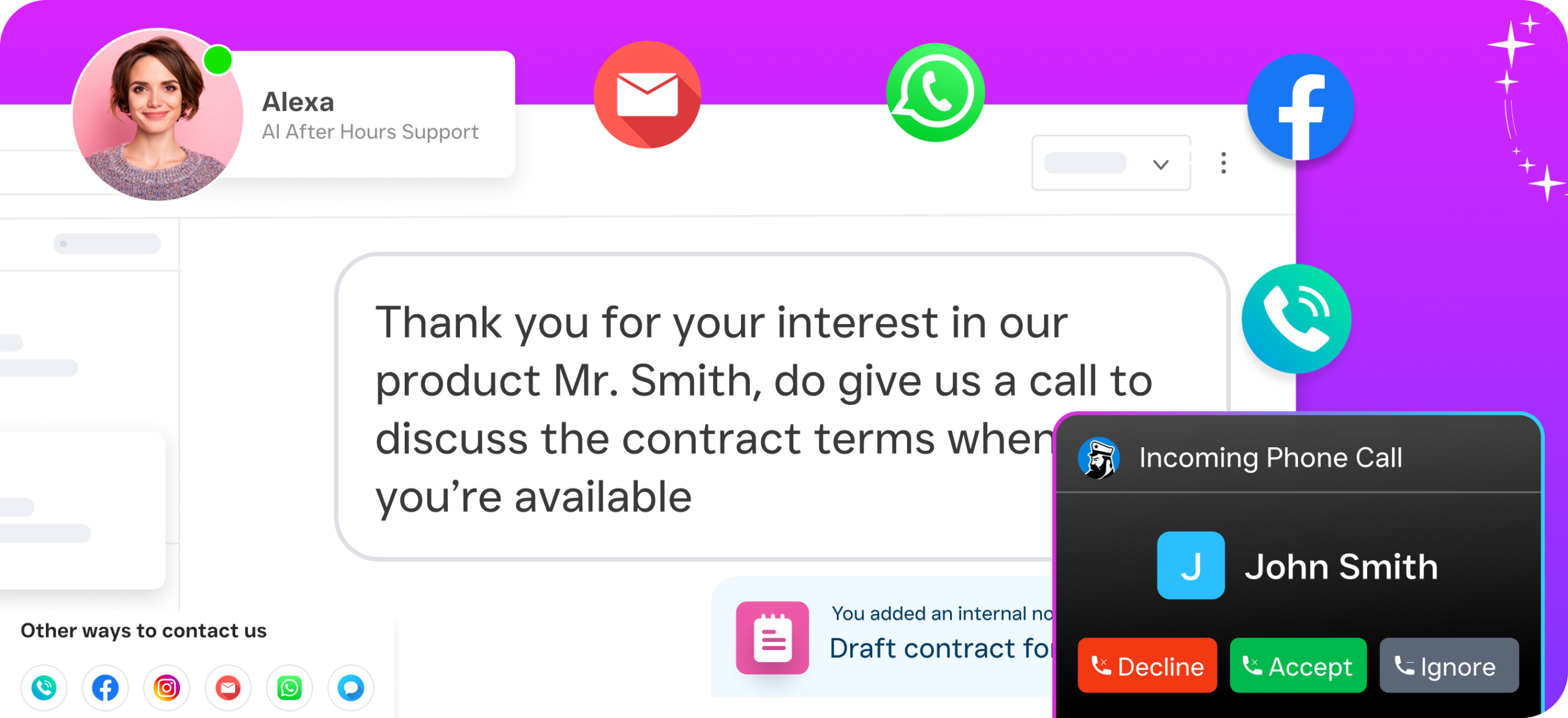
When your crews are in the field between 7 AM and 5 PM, nobody’s answering the phone. SalesCaptain’s AI Phone Agent picks up every single call with a natural-sounding voice, 24 hours a day, 7 days a week. It doesn’t just take a message. It can answer common questions like “Do you service my zip code?” or “What’s your price for weekly mowing?”, qualify the lead by asking about lot size and service needs, and book an estimate appointment directly on your calendar. After hours, the same agent captures leads who are browsing your website at 9 PM and decide to call. Those are some of your best prospects, and most lawn care companies lose them completely.
Missed Call Text-Back
For calls that can’t be fully handled by the AI agent, SalesCaptain automatically sends a text message to the caller. That text can say something like “Hey, thanks for calling [Your Company]. We’re out on a job right now. How can we help?” This keeps the conversation alive. Research from landscaping Google Ads benchmark data shows how expensive each lead is to acquire in this industry, so losing a prospect to voicemail is throwing money away.
Unified Inbox Across Every Channel
Phone calls, texts, Facebook Messenger DMs, Instagram messages, webchat inquiries, and email all funnel into SalesCaptain’s single collaborative inbox. You don’t need to check five different apps. Your office manager, or you, can see every customer conversation in one view. Each contact’s history is right there: when they called, what they texted about, what the AI agent discussed with them. For a lawn care business managing hundreds of recurring clients, this eliminates the “I thought someone already called them back” problem.
Workflow Automation for Follow-Ups and Reminders
Seasonal businesses live and die by follow-up timing. SalesCaptain’s drag-and-drop workflow builder lets you create automated sequences. For example, when a new lead comes in, trigger a text confirmation immediately, then an email with your service menu the next morning, then a follow-up text three days later if they haven’t booked. You can also automate appointment reminders, reducing no-shows on estimates. With CRM adoption statistics consistently showing that businesses with structured follow-up processes close more deals, this alone can transform your close rate.
Key Features for Lawn Care Businesses
SalesCaptain packs a full communication suite into one platform. Here are the features that matter most for lawn care operators.
- 24/7 AI Phone Agent: Answers every call, qualifies leads by asking about property size and service type, books estimates on your calendar, and blocks spam calls so you’re not wasting time on robocalls.
- AI Chat Agents for SMS and Social Media: Responds instantly to texts, Facebook messages, Instagram DMs, and webchat inquiries. Captures contact information and can schedule appointments without any human involvement.
- Unified Inbox: Consolidates calls, texts, social DMs, webchat, and email into one collaborative view. Your whole team sees the same customer history, so nobody drops the ball.
- Workflow Automation Builder: Create trigger-based sequences for new lead follow-up, appointment reminders, seasonal reactivation campaigns, and post-service review requests. Connects with 50+ integrations including HousecallPro and Zapier.
- AI Call Summaries and Transcriptions: Every call is transcribed and summarized automatically. You can review what your AI agent discussed with a prospect without listening to the full recording. Especially useful for training new office staff.
- Business Phone System with Call Flows: Set up custom call routing with a drag-and-drop builder. Route calls to the AI agent first, then overflow to your office, then to your cell. Create after-hours flows, IVR menus, and voicemail fallbacks, all with 99.99% uptime.
Each of these features works together inside one platform. You won’t need separate tools for your phone system, texting, chat, and CRM follow-ups.
Real Results You Can Expect
What does all this look like for a lawn care business in practice? Here’s how operators benefit from replacing their patchwork of tools with a unified communication platform.
Fewer Lost Leads
When every call is answered and every web inquiry gets an instant response, leads don’t disappear. The landscaping industry is highly competitive, and homeowners typically contact two or three companies before choosing one. The first to respond usually wins. SalesCaptain’s AI agents respond in seconds, not hours.
More Booked Estimates Without More Staff
Your AI Phone Agent and AI Chat Agents handle lead qualification and appointment booking around the clock. That means your calendar fills up while you sleep, while your crews work, and over the weekend. You don’t need to hire a receptionist or an answering service at premium per-call rates. At $0.12 per minute for AI calls, SalesCaptain costs a fraction of a human receptionist.
Faster Close Rates on Estimates
Automated follow-up workflows keep your estimates warm. Instead of hoping the customer calls back, SalesCaptain texts them, emails them, and reminds them on a schedule you define. Consistent follow-up is the difference between a 20% close rate and a 40% close rate on proposals.
Less Chaos, More Control
One inbox. One phone system. For example, one automation engine. Your morning doesn’t start with checking voicemails on one phone, texts on another, Facebook messages on a tablet, and emails on your laptop. Everything is in one place. Your team can collaborate, tag conversations, and pick up where someone else left off.
How to Get Started
Setting up SalesCaptain for your lawn care business takes less time than mowing a front yard. Here’s the process.
- Sign up for the free Startup plan. No credit card required. You get one location and access to the core platform immediately.
- Set up your business phone number. Port your existing number or get a new local number. Configure your call flow using the drag-and-drop builder to route calls to your AI Phone Agent.
- Build your AI agent. Tell it about your services, service areas, pricing ranges, and frequently asked questions. No coding or technical skills needed. You’re essentially giving it the same information you’d give a new receptionist.
- Connect your channels. Link your Facebook page, Instagram account, and website chat widget. All conversations will flow into your unified inbox.
- Create your first automation workflow. Start with a simple new-lead follow-up sequence: instant text confirmation, next-day email, three-day follow-up. Then expand from there with estimate reminders, seasonal reactivation campaigns, and review requests.
- Scale as you grow. When you add a second location or need advanced features, upgrade to the Business plan at $159/month per location. Multi-location lawn care companies can manage all branches from one dashboard.
According to lawn care industry trends for 2025, the companies that adopt technology early are capturing market share from those still running on paper and personal phones. The setup is straightforward enough that most operators are fully live within a day.
What’s the best lawn care CRM software for a small operation?
For lawn care businesses with one to five crews, you need something that handles communication first and doesn’t require weeks of training. SalesCaptain’s free Startup plan gives you an AI phone agent, unified inbox, and workflow automation without any upfront cost. It’s purpose-built for service businesses, not repurposed enterprise software.
Can AI really handle phone calls for a lawn care company?
Yes. SalesCaptain’s AI Phone Agent uses natural-sounding voice technology that can answer FAQs, ask qualifying questions about property size and service needs, and book estimate appointments. Callers typically don’t realize they’re speaking with AI. For common scenarios like “I need a quote for weekly mowing on a half-acre lot,” the agent handles it completely without human help.
How does SalesCaptain compare to using a virtual receptionist service?
Traditional virtual receptionist services like Smith.ai and Ruby charge per call or per minute, with costs that add up fast during peak season. They also can’t send automated follow-up texts, manage your social media messages, or run workflow automations. SalesCaptain’s AI agents cost $0.12 per minute and handle calls, texts, webchat, and social DMs in one platform, so you’re replacing multiple services with one tool.
Does SalesCaptain integrate with field service management tools?
SalesCaptain connects natively with HousecallPro, which many lawn care businesses already use for scheduling and invoicing. It also integrates with Zapier, giving you access to thousands of additional apps. You can sync contact data, trigger automations based on job status changes, and keep your communication and field management tools in sync.
What happens to my existing phone number if I switch?
You can port your current business phone number directly into SalesCaptain’s phone system. Your customers won’t notice any change in the number they call. Behind the scenes, though, every call will now be answered by your AI agent, recorded, transcribed, and logged in your unified inbox with full conversation history.
The right lawn care CRM software isn’t just about storing contacts. It’s about making sure every lead, every customer message, and every follow-up is handled automatically, consistently, and without hiring more staff. SalesCaptain gives lawn care businesses the AI-powered communication platform they need to stop missing calls and start growing.
Start free with SalesCaptain. No credit card needed.
Sign up at salescaptain.com
Ready to see it in action?
See how lawn care businesses use SalesCaptain to manage leads and book jobs faster.
Book a Free Demo →Frequently Asked Questions
What is lawn care CRM software and why do I need it?
Lawn care CRM software is a system designed to organize customer contacts, track communications, and manage the entire customer lifecycle—from initial estimate to recurring service scheduling. It solves the communication chaos that costs lawn care businesses real revenue by consolidating calls, texts, emails, and form submissions into one central location so nothing falls through the cracks.
How does lawn care CRM software handle multiple communication channels?
Lawn care CRM software creates a single place to track all customer conversations whether they call, text, email, message on Facebook, or fill out a website contact form. This prevents messages from getting lost and ensures your team can follow up consistently across all communication methods without customers feeling ignored.
Can lawn care CRM software replace hiring a receptionist?
While lawn care CRM software cannot fully replace human judgment, it can significantly reduce the need for a full-time receptionist or office manager position that typically costs $35,000 to $45,000 annually. The software automatically manages inbound communications, tracks leads, and handles follow-ups so your team spends less time on administrative tasks and more time on revenue-generating work.
How many calls do lawn care businesses typically miss without CRM software?
During peak spring and summer months, a single lawn care operation might field 30 to 50 inbound calls per day, with a significant percentage going unanswered because crews are physically on job sites. These missed calls directly translate to lost estimates, missed seasonal contracts, and customers who turn to competitors instead.
What problems does lawn care CRM software solve that generic CRM tools don’t address?
Generic CRM software isn’t built for lawn care’s unique demands of seasonal operations, high-volume calls, recurring services, and crew-based scheduling. Lawn care CRM software specifically handles the multi-channel communication mess, follow-up tracking across dozens of open quotes, reschedule requests after weather delays, and emergency service requests that traditional CRMs struggle to manage.