
AI-powered customer experience marketing (CXM) platform that helps local businesses win.



Looking for voicemail Skype for Business solutions? You’ve probably realized the problem. Microsoft retired Skype for Business Online back in 2021, and the on-premises version is heading toward end of support. Sound familiar? That leaves thousands of service businesses scrambling for a modern voicemail and phone system that won’t disappear on them. SalesCaptain’s voicemail and AI-powered phone system picks up exactly where legacy platforms left off, giving you 24/7 call handling, voicemail transcription, AI summaries, and a unified inbox that pulls every customer conversation into one place.
Quick Answer
Skype for Business voicemail can be replaced with cloud-based phone systems offering AI-powered call handling, automatic voicemail transcription, and unified message management across devices. Modern alternatives provide superior reliability, advanced features like call routing and screening, and seamless integration with existing business tools, making transitions straightforward for most organizations.
What Is Voicemail for Business Communications?
Business voicemail isn’t just an answering machine. It’s the safety net that catches every call your team can’t answer in real time. When a customer dials your number after hours, during a rush, or while your staff is on another line, voicemail captures that message so you don’t lose the opportunity entirely.
Here’s the problem, though. Traditional voicemail barely works. Research shows that 85% of customers hang up rather than leave a voicemail. That’s a huge gap. It means for every five missed calls, more than four potential customers disappear without a trace. And according to data from Aira, 62% of business calls go unanswered, costing companies an average of $126,000 per year in lost revenue. That’s real money walking away.
Free weekly newsletter
Growth tips for service businesses
Every Tuesday — actionable ideas to get more leads, reviews, and repeat customers. No fluff.
So while voicemail remains essential as a fallback, modern businesses need something far more capable. You need a system that answers calls before they hit voicemail, captures messages intelligently when they do, and transcribes and summarizes everything automatically so nothing falls through the cracks.
Why Skype for Business Voicemail Is No Longer Viable
Microsoft moved Skype for Business users to Microsoft Teams. But the migration wasn’t smooth for everyone. Small and mid-sized service businesses found Teams overly complex for their needs. The voicemail features that existed in Skype for Business (greeting customization, voicemail transcription, Outlook integration) are now locked behind Teams licensing tiers that weren’t designed with local plumbers, dental offices, or law firms in mind.
On top of that, the VoIP industry continues to grow rapidly, with businesses increasingly choosing purpose-built communication platforms over general collaboration tools. If you’re evaluating what comes after Skype for Business, here’s the smartest move. Don’t migrate to another general-purpose suite. Choose a platform built specifically for how service businesses communicate with customers.
How Voicemail and Call Handling Works in SalesCaptain
SalesCaptain doesn’t just replace your old voicemail box. It reimagines the entire flow from the moment a call comes in to the follow-up that happens afterward. What does that look like in practice? Here’s how it works, step by step.
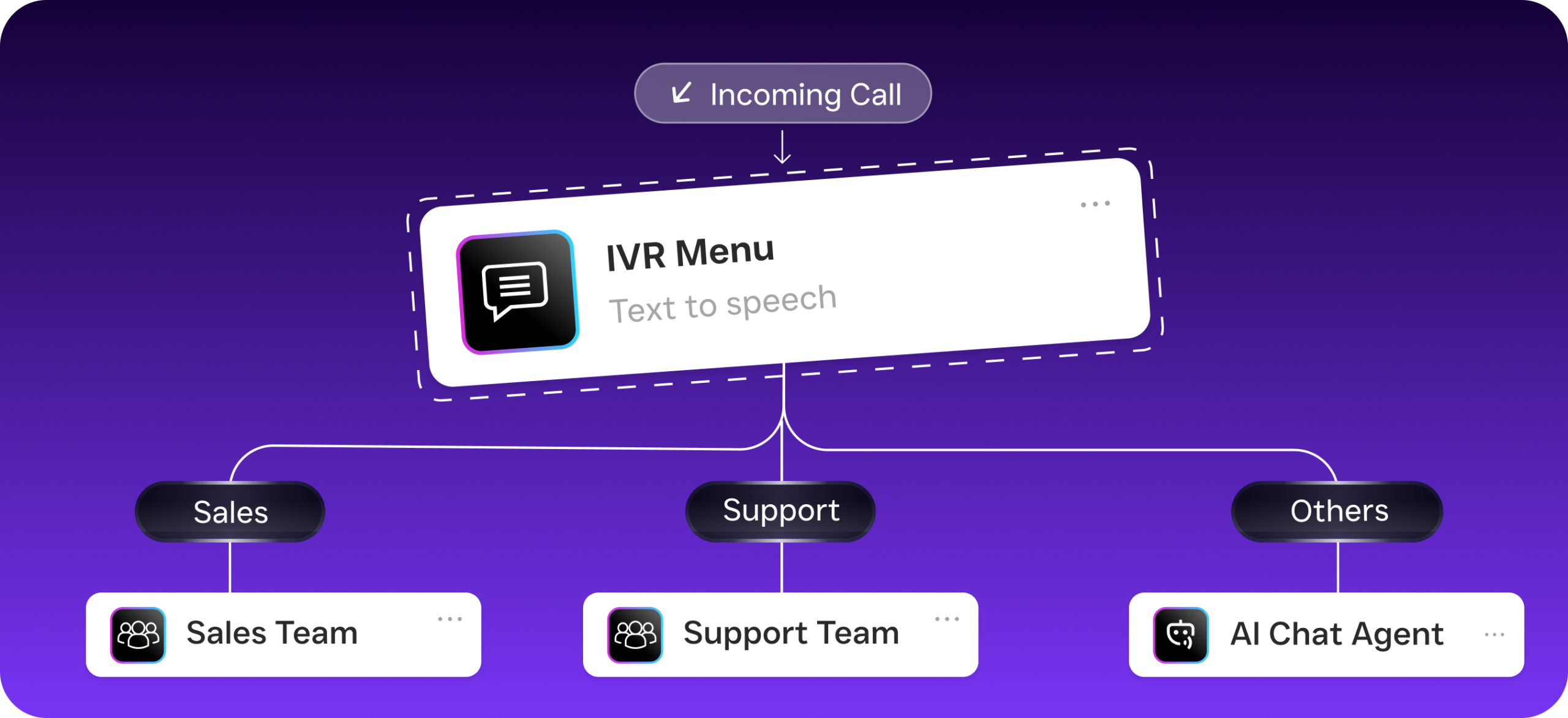
- Incoming call hits your SalesCaptain number. Your AI Phone Agent picks up instantly, 24 hours a day. No ringing out. No hold music purgatory. The caller hears a natural-sounding voice that greets them by your business name.
- The AI agent handles the conversation. Depending on your call flow configuration, the agent can answer FAQs, qualify the lead, book an appointment directly into your calendar, or route the call to a specific team member. Spam calls get blocked automatically.
- If voicemail is needed, the system captures it intelligently. When a caller does need to leave a message (maybe they specifically request it, or there’s no available team member to route to), SalesCaptain records the voicemail with crystal-clear audio quality.
- AI transcribes and summarizes the message automatically. Within moments, you get a full text transcription of the voicemail plus an AI-generated summary highlighting key details: the caller’s name, what they need, and any action items. No more replaying messages three times to catch a phone number.
- The message lands in your unified inbox. That voicemail sits alongside your SMS conversations, webchat transcripts, Instagram DMs, Facebook Messenger threads, and email. Your entire team can see it, assign it, and respond from one screen.
- Automated follow-up kicks in. Using SalesCaptain’s workflow automation, you can trigger an instant text-back to the caller confirming their message was received, send an internal notification to the right team member, or update your CRM. All without anyone lifting a finger.
Key Capabilities
- AI-Powered Voicemail Transcription and Summaries: Every voicemail is automatically converted to text with speaker distinction. The AI summary pulls out action items, customer concerns, and next steps so your team can scan messages in seconds rather than listening to lengthy recordings.
- Custom Call Flows with Drag-and-Drop Builder: Build the exact path every incoming call follows. Set up IVR menus, after-hours routing, conditional forwarding, and voicemail fallbacks without writing a single line of code. These call flows replace the rigid voicemail-only setup that Skype for Business offered.
- Missed Call Text-Back: When a call does go to voicemail, SalesCaptain can automatically send the caller an SMS. This feature alone recovers conversations that would otherwise be lost, because the true cost of missed calls for small businesses is staggering.
- 24/7 AI Phone Agent: Rather than routing callers to voicemail after hours, the AI agent handles the full conversation. It books appointments, answers questions, and qualifies leads around the clock. Your customers get immediate help, and you don’t pay overtime.
- Voicemail Drop for Outbound: When your team is making outbound calls and reaches a voicemail box, SalesCaptain lets them drop a pre-recorded message with one click. This saves hours of repetitive work across your sales and follow-up workflows.
- Unified Inbox with Full Contact History: Voicemails don’t live in isolation. They’re threaded with every other interaction you’ve had with that contact, including texts, chats, calls, and notes. Your team sees the full picture before they call back.
Who Needs This?
Any business that relied on Skype for Business voicemail and now needs a modern replacement should consider a platform built for customer-facing communication. But SalesCaptain is especially valuable for specific industries and roles.
- Home service businesses (roofing, plumbing, HVAC, landscaping): Your team is in the field all day. Calls go to voicemail constantly. An AI agent that answers live and books jobs directly prevents lost revenue.
- Legal practices: Client intake calls can’t wait until morning. Voicemail transcription and AI summaries help attorneys review potential client details quickly, while SalesCaptain integrates with practice management tools like Clio to keep records organized.
- Healthcare and wellness (dental, MedSpa, therapy clinics): Patients expect fast responses. Missed call text-back and 24/7 AI answering reduce no-shows and keep appointment books full.
- Salons, gyms, and fitness studios: High call volume during peak hours means voicemail stacks up fast. AI transcription and automated follow-ups keep every customer engaged.
- Multi-location businesses: Managing voicemail across several locations with Skype for Business was a nightmare. SalesCaptain’s per-location pricing ($159/month for Business, $300/month for Enterprise) and centralized inbox simplify everything.
- Operations managers and business owners: If you’re the one checking voicemails at 10 PM, you need a system that handles it for you. Workflow automation ensures the right people get notified immediately, with full context.
Benefits of Replacing Skype for Business Voicemail with SalesCaptain
Stop Losing Customers to Voicemail
The biggest benefit is simple. Fewer calls hit voicemail in the first place. Because SalesCaptain’s AI Phone Agent answers every call live, most callers never need to leave a message. They get their question answered, their appointment booked, or their call routed to the right person. For the calls that do result in voicemail, the automatic text-back keeps the conversation alive instead of letting the customer move on to a competitor.
Save Hours of Administrative Work Every Week
Think about how your team currently handles voicemail. Someone listens to each message, writes down the details, updates the CRM, maybe sends a follow-up text. It’s tedious work. With AI transcription, summaries, and workflow automation, all of that happens automatically. Businesses using modern phone systems report significant time savings on routine communication tasks. Your staff spends their time on work that actually requires a human.
Scale Without Hiring More Receptionists
Hiring a full-time receptionist costs $35,000 or more per year, according to Bureau of Labor Statistics data. A second shift? Double that. SalesCaptain’s AI Phone Agent handles unlimited calls for a fraction of that cost at $0.12 per minute, with no sick days, no training period, and no turnover. For growing businesses that can’t justify another hire but can’t afford to keep missing calls, the math is clear.
Keep Everything in One Place
One of the biggest frustrations with Skype for Business voicemail was the fragmentation. Messages lived in Outlook or the Skype client, call logs were somewhere else, and text conversations happened on a completely different platform. It was chaos. SalesCaptain’s unified inbox eliminates that problem. Voicemails, calls, SMS, webchat, social media DMs, and email all live in a single, searchable timeline for every contact. Your team collaborates in real time without switching between five different apps.
How SalesCaptain Compares
Most businesses migrating from Skype for Business consider platforms like Nextiva, Dialpad, or RingCentral. These are solid VoIP providers. But they weren’t built for service businesses the way SalesCaptain was. Nextiva, for instance, caps SMS at 250 messages per user per month and doesn’t offer voicemail drop. Dialpad lacks toll-free minutes and audio conferencing in its base plan. Neither offers a native AI voice agent that can answer calls, book appointments, and qualify leads without human intervention.
SalesCaptain also stands apart from human-staffed alternatives like Smith.ai and Ruby. Those services charge per call or per minute at rates that add up fast, and they can’t scale without adding staff cost. SalesCaptain’s AI agent handles the same work at a predictable, lower cost, and it’s available 24/7 without scheduling constraints.
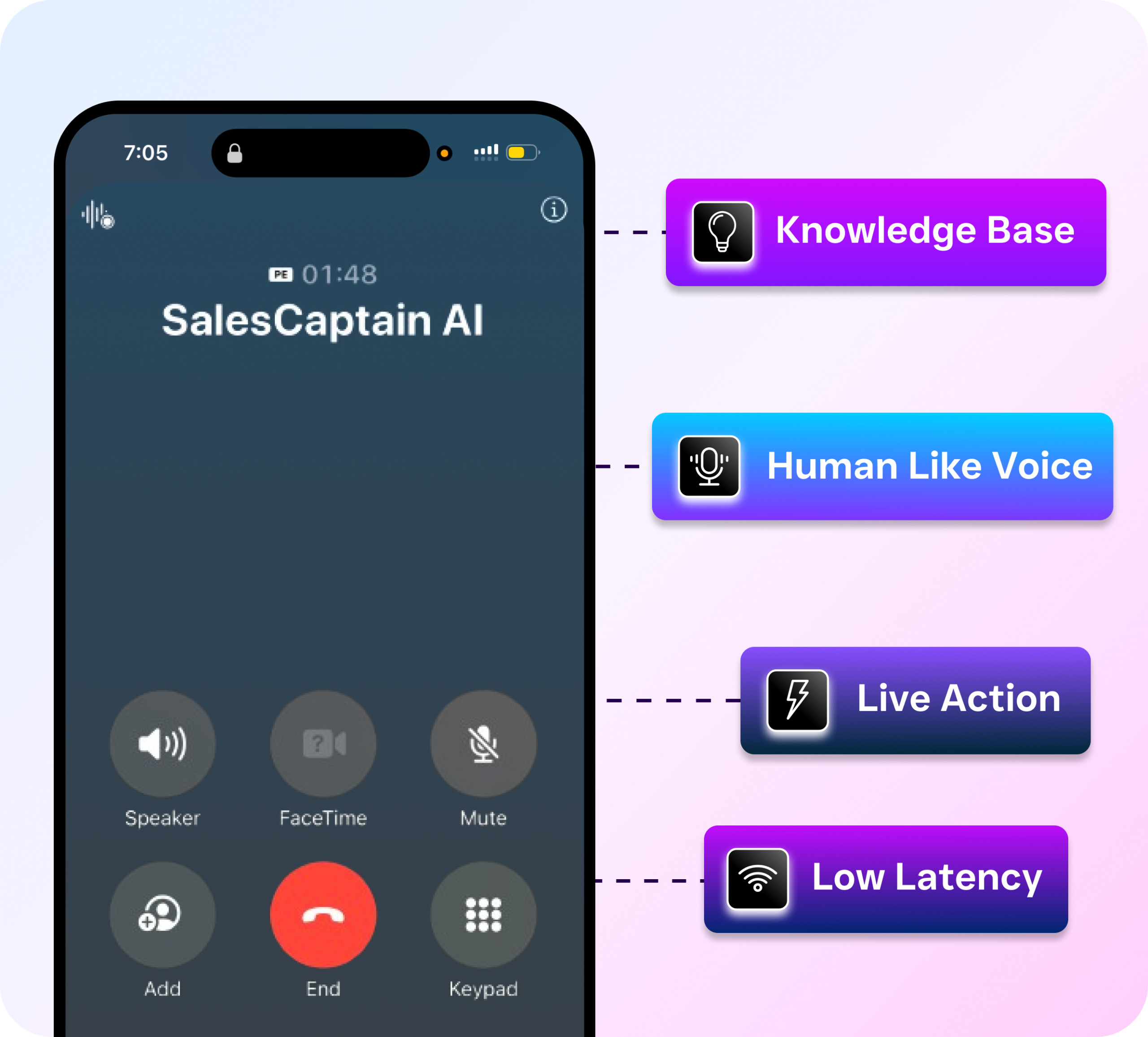
What really sets SalesCaptain apart is the combination. You’re not buying a phone system here and a chatbot there and a CRM integration somewhere else. AI voice agents, AI chat agents, voicemail with transcription and summaries, workflow automation, and a unified inbox all come together in one platform. For service businesses replacing Skype for Business, that means one vendor, one login, and one bill.
Ready to see it in action?
See how businesses use SalesCaptain to never miss important Skype calls again.
Book a Free Demo →Frequently Asked Questions
Can SalesCaptain replace Skype for Business voicemail completely?
Yes, absolutely. SalesCaptain provides a full business phone system with voicemail, call routing, IVR, and 99.99% uptime. You get everything Skype for Business offered for voicemail (greetings, transcription, message management) plus AI-powered features like automatic summaries, missed call text-back, and an AI Phone Agent that answers calls before they ever reach voicemail.
Does SalesCaptain transcribe voicemails automatically?
Every voicemail is transcribed to text automatically, with clear speaker distinction. On top of that, SalesCaptain generates an AI summary that pulls out key details like the caller’s name, their request, and any action items. Your team can scan the essentials without listening to the full recording.
How much does SalesCaptain cost compared to Skype for Business?
SalesCaptain offers a free Startup plan for one location, a Business plan at $159/month per location, and an Enterprise plan at $300/month per location. AI call minutes are billed at $0.12/minute. Unlike Microsoft Teams (Skype for Business’s successor), there’s no per-user licensing fee that multiplies as your team grows.
Can I keep my existing business phone number?
SalesCaptain supports business phone numbers and number porting. You can bring your existing number over so your customers don’t need to update their contacts. The transition from your old system happens without any disruption to your callers.
Replace Your Skype for Business Voicemail with Something Better
SalesCaptain gives your business 24/7 AI call handling, voicemail transcription and summaries, missed call text-back, and a unified inbox for every customer conversation. Start with the free plan and see the difference in your first week.