
AI-powered customer experience marketing (CXM) platform that helps local businesses win.


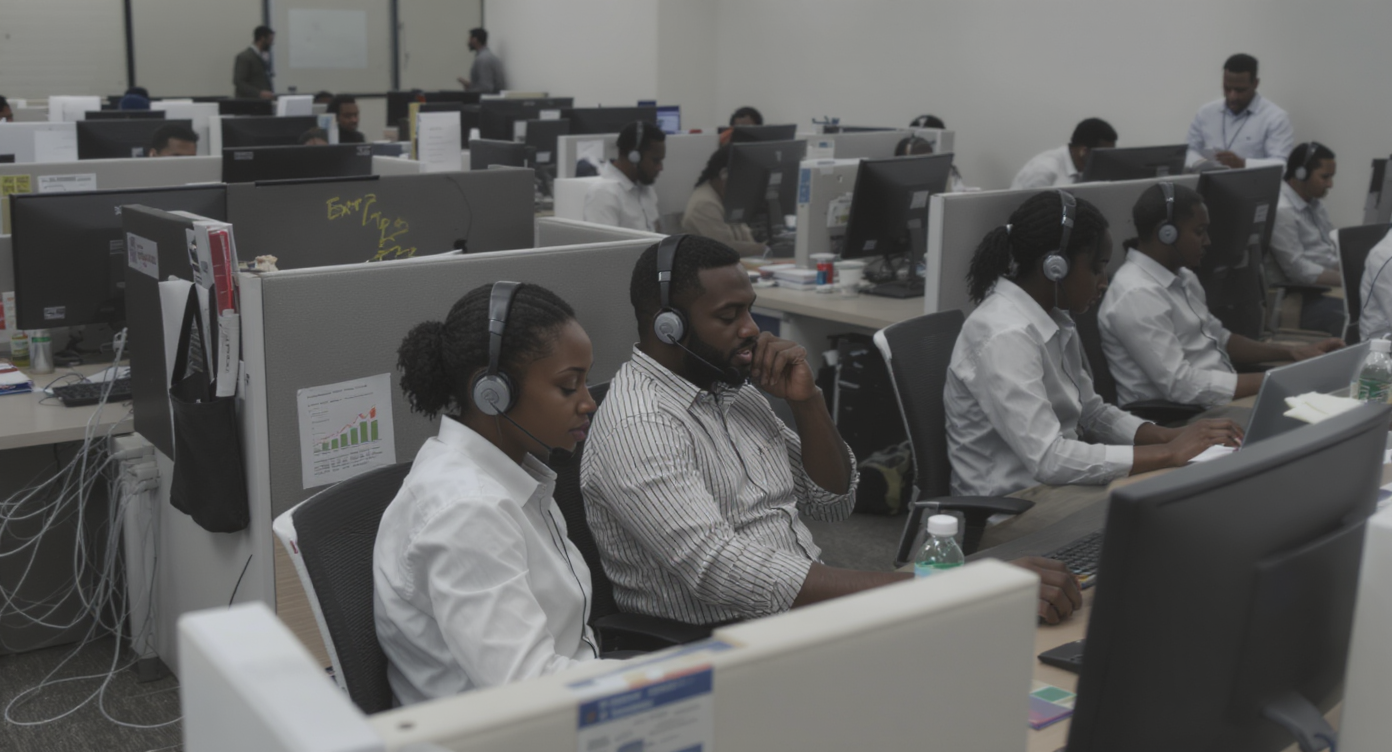
Every missed call at your business is a potential customer walking straight to a competitor. For service businesses running high call volumes, a single busy signal or unanswered ring can mean hundreds of dollars lost. It’s a revenue problem. That’s why having the right phone infrastructure isn’t just a technical decision—it’s critical to your bottom line.
A PBX call center is a phone system that routes, manages, and distributes incoming and outgoing calls across your team. Originally hardware-based, most PBX systems now run on the cloud. It intelligently handles high call volumes, ensuring every call reaches the right person at the right time instead of being missed or dropped.
Free weekly newsletter
Growth tips for service businesses
Every Tuesday — actionable ideas to get more leads, reviews, and repeat customers. No fluff.
Quick Answer
A PBX call center system automatically routes incoming calls to the right department or agent, ensuring no calls go unanswered. It handles call queuing, transfers, and voicemail while reducing wait times and improving customer satisfaction. Modern cloud-based PBX systems offer flexibility and lower costs than traditional on-premise setups, making them viable for businesses of any size.
What Is a PBX Call Center?
A PBX call center is a phone system that routes, manages, and distributes incoming and outgoing calls across a team of agents or staff members. PBX stands for Private Branch Exchange, and it originally referred to the physical hardware that businesses installed on-site to connect internal phone lines to the public telephone network. Today, most PBX systems have moved to the cloud. But the core purpose remains the same: making sure every call reaches the right person at the right time.
What separates a PBX call center from a basic phone line is its ability to handle volume intelligently. Instead of calls ringing one phone and going to voicemail if nobody picks up, a PBX system can queue callers, route them based on rules you set, play automated greetings, and distribute calls across multiple team members. For service businesses fielding dozens or hundreds of calls daily, this kind of structure isn’t optional. According to industry research from Kentley Insights, the answering services and contact center market continues to grow as more businesses recognize the cost of unmanaged call traffic.
Types of PBX Systems and How They Differ
Not all PBX systems work the same way. And choosing the wrong type can lock you into expensive hardware or limit your growth. Understanding the differences helps you pick the right fit before you spend a dime.
Traditional On-Premise PBX
This is the original model. You buy physical equipment, install it at your office, and your IT team (or a contractor) maintains it. The upfront cost can run into thousands of dollars, and you’re responsible for repairs, upgrades, and adding new lines. For a small plumbing company or dental office, that’s a lot of capital tied up. On-premise PBX still makes sense for large enterprises with dedicated IT staff, but most SMBs have moved away from it.
IP PBX (Internet Protocol)
IP PBX systems use your internet connection instead of traditional phone lines. They’re cheaper to run than legacy systems and offer better call quality in most cases. But they still require some on-site hardware and technical knowledge to configure. Think of IP PBX as the middle ground between old-school phone systems and fully cloud-based solutions.
Hosted and Cloud PBX
Cloud PBX eliminates on-site hardware entirely. Your provider hosts everything, handles updates, and scales your system as you grow. You pay a monthly fee per user or per location instead of a massive upfront investment. The hosted PBX market is projected to grow significantly through 2033, driven largely by small and mid-size businesses that need enterprise-grade call handling without enterprise budgets. Cloud PBX is where the industry has landed. It’s where most service businesses should be looking.
Signs Your Business Needs a PBX Call Center Setup
Many business owners don’t realize they’ve outgrown their current phone setup until the damage is already done. Missed calls pile up quietly. Leads slip away without anyone noticing. Sound familiar? If any of the following hit home, you’re probably overdue for a PBX upgrade.
- You’re missing calls after hours or during peak times. According to a 2026 small business missed call revenue study, missed calls directly correlate with lost revenue for local service businesses. Without call routing or queuing, busy periods mean busy signals.
- Your team juggles multiple personal phones and numbers. Customers don’t know which number to call, staff can’t transfer calls to each other, and there’s no record of who said what.
- You have no call flow logic. Every call rings the same phone. If that person is busy, the caller gets voicemail or nothing at all. There’s no IVR menu, no routing based on time of day, and no fallback plan.
- You’re managing a remote or distributed team. Without a centralized system, remote staff can’t collaborate on calls or share a single business number.
- Your current phone provider can’t integrate with your CRM or scheduling tools. Disconnected systems mean manual data entry, duplicate records, and missed follow-ups.
Even one of these issues can cost you real money. Research from Brainova AI on the true cost of missed calls shows that the average missed call represents far more than just one lost conversation. It’s lost customer lifetime value. Multiply that across weeks and months, and the numbers get uncomfortable fast.
Essential PBX Call Center Features for Service Businesses
The features that matter most depend on your business. But certain capabilities separate a functional PBX call center from one that actually drives growth. Here’s what to prioritize when evaluating systems.
Automatic Call Distribution and Routing
ACD is the backbone of any PBX call center. It ensures incoming calls are distributed based on rules you define, whether that’s round-robin across your team, skills-based routing to specific departments, or priority queuing for VIP customers. Without ACD, you’re essentially hoping the right person picks up. Hope isn’t a strategy.
IVR (Interactive Voice Response)
IVR lets callers navigate a menu to reach the right department or get answers to common questions without waiting for a live person. A well-designed IVR reduces hold times and frees up your staff to handle complex issues. Poorly designed IVR frustrates callers and drives them away. Keep menus short, with no more than three to four options per level.
Call Recording, Transcription, and Summaries
Recording calls is standard. But recording alone isn’t enough if nobody has time to listen to hours of audio. Transcription converts calls to searchable text, and AI-powered summaries pull out key details like action items and customer concerns. These features aren’t just useful for quality control. They’re essential for training new staff and resolving disputes.
Integrations With Your Existing Tools
Your PBX system shouldn’t exist in a vacuum. It needs to connect with your CRM, scheduling software, and workflow tools so call data flows automatically into the systems your team already uses. Look for native integrations with platforms like HubSpot, Salesforce, ServiceFusion, or HousecallPro depending on your industry. Zapier connectivity adds flexibility for less common tools.
After-Hours Coverage
Service businesses don’t stop getting calls at 5 PM. According to scheduling industry data on missed calls, a significant portion of customer calls come outside standard business hours. Your PBX system needs to handle these calls gracefully, whether through voicemail capture, automated responses, or AI-powered call handling.
Best Practices for Running a PBX Call Center Effectively
Having the right system is half the battle. Running it well is the other half. These best practices will help you squeeze maximum value from your PBX investment.
Design Call Flows Before You Launch
Don’t just turn on the system and figure it out later. Map out every possible path a call can take: what happens during business hours, after hours, on holidays, and when all agents are busy. A visual call flow builder makes this process much easier than configuring rules through text-based menus. The goal is consistency. Every caller should have a predictable, professional experience regardless of when they call.
Monitor and Adjust Regularly
Your initial setup won’t be perfect. Review call data weekly for the first month, then monthly after that. Look for patterns like high abandon rates at specific times, frequent transfers between departments, or long hold times during lunch hours. Each pattern signals an adjustment you can make. Small tweaks pay off.
Train Your Team on the System
A PBX system is only as good as the people using it. Make sure every team member understands how to transfer calls (both warm and cold), how to access voicemail, and how to use any CRM integrations. Short training sessions pay off quickly in fewer dropped calls and better customer experiences.
Combine PBX With Multichannel Communication
Phone calls are still the primary channel for most service businesses. But customers increasingly expect text, chat, and social media options too. The virtual PBX market trends show a clear shift toward unified platforms that handle voice alongside digital channels. Businesses that treat their phone system as part of a broader communication strategy outperform those that treat it as a standalone tool.
How SalesCaptain Helps
SalesCaptain was built specifically for service businesses that need call center-grade phone capabilities without the complexity or cost of traditional PBX systems. The platform includes a full business phone system with 99.99% uptime, crystal-clear audio, IVR, call routing, voicemail, and call recording. But it goes well beyond basic PBX functionality.
What makes SalesCaptain different from providers like Nextiva, Aircall, or Dialpad is the combination of AI-powered automation with unified communication. While those platforms focus primarily on phone features, SalesCaptain integrates an AI Phone Agent that answers calls 24/7, books appointments, qualifies leads, and blocks spam without human intervention. On top of that, AI Chat Agents handle SMS, webchat, Instagram DMs, and Facebook Messenger conversations from the same platform.
Everything flows into a single Unified Inbox where your team can see calls, texts, social messages, emails, and internal notes in one place. The drag-and-drop Call Flow builder lets you design exactly how incoming calls are handled, with visual routing logic that doesn’t require any technical expertise. And with native integrations for HubSpot, Salesforce, HousecallPro, Clio, and 50+ other tools, call data syncs automatically to your existing workflow.
Pricing starts with a free plan for a single location and scales to $159/month per location for growing businesses. AI call minutes are billed at $0.12/minute, which is a fraction of what human answering services charge. Compared to providers like Aircall at $30 per license with no voice AI agent, or Nextiva which caps SMS at 250 messages per user per month, SalesCaptain delivers more automation at a lower total cost.
Key Takeaways
A PBX call center isn’t just phone infrastructure. It’s the system that determines whether your business captures revenue or loses it to missed calls, slow responses, and disorganized communication. Cloud-based PBX has made enterprise-level call handling accessible to even single-location service businesses. And AI automation is now pushing that capability even further.
The right system should give you intelligent call routing, after-hours coverage, CRM integration, and multichannel communication in one platform. It should scale with your business without requiring you to hire more staff for every uptick in call volume. And it should be simple enough that a busy business owner can set it up without calling an IT consultant.
Service businesses that invest in proper call center infrastructure don’t just answer more calls. They convert more leads, deliver better customer experiences, and grow faster than competitors still relying on a single phone line and hope.
Frequently Asked Questions
What’s the difference between a PBX and a regular phone system?
A regular phone system gives you one or a few lines that ring specific phones. A PBX system adds routing logic, call queuing, IVR menus, extensions, and the ability to distribute calls across a team. It’s the difference between a single-lane road and a highway with on-ramps and exits. For any business handling more than a handful of calls per day, PBX is the standard.
Is a cloud PBX reliable enough for a service business?
Yes. Modern cloud PBX providers offer 99.99% uptime, which translates to roughly 52 minutes of downtime per year. That’s more reliable than most on-premise systems, which are vulnerable to power outages, hardware failures, and local internet issues without redundancy.
How much does a PBX call center system cost?
Cloud PBX pricing typically ranges from $15 to $30 per user per month depending on the provider and feature set. SalesCaptain offers per-location pricing starting with a free plan, which can be more affordable for businesses with multiple staff members at one location. On-premise PBX systems cost significantly more upfront. Often thousands of dollars for hardware plus ongoing maintenance.
Can a small business benefit from PBX features?
Absolutely. Even a one-person operation benefits from call routing, after-hours voicemail capture, and IVR. These features ensure you never miss a call even when you’re on another line, at a job site, or off the clock. As your business grows, the same system scales with you without needing a complete overhaul.
How does AI change the PBX call center model?
AI adds a layer of automation that traditional PBX can’t match. Instead of just routing calls and playing hold music, AI agents can actually answer calls, have natural conversations, book appointments, and qualify leads. This means your PBX system doesn’t just manage call traffic. It actively handles calls that would otherwise require a human, reducing the need to hire additional staff as volume grows.
Ready to see it in action?
See how call centers use SalesCaptain to handle more calls without adding staff.
Book a Free Demo →See How SalesCaptain Can Help
SalesCaptain gives service businesses a complete PBX call center with AI-powered voice agents, unified messaging, and drag-and-drop call flows, all in one platform. Stop missing calls and start converting more leads today.