
AI-powered customer experience marketing (CXM) platform that helps local businesses win.


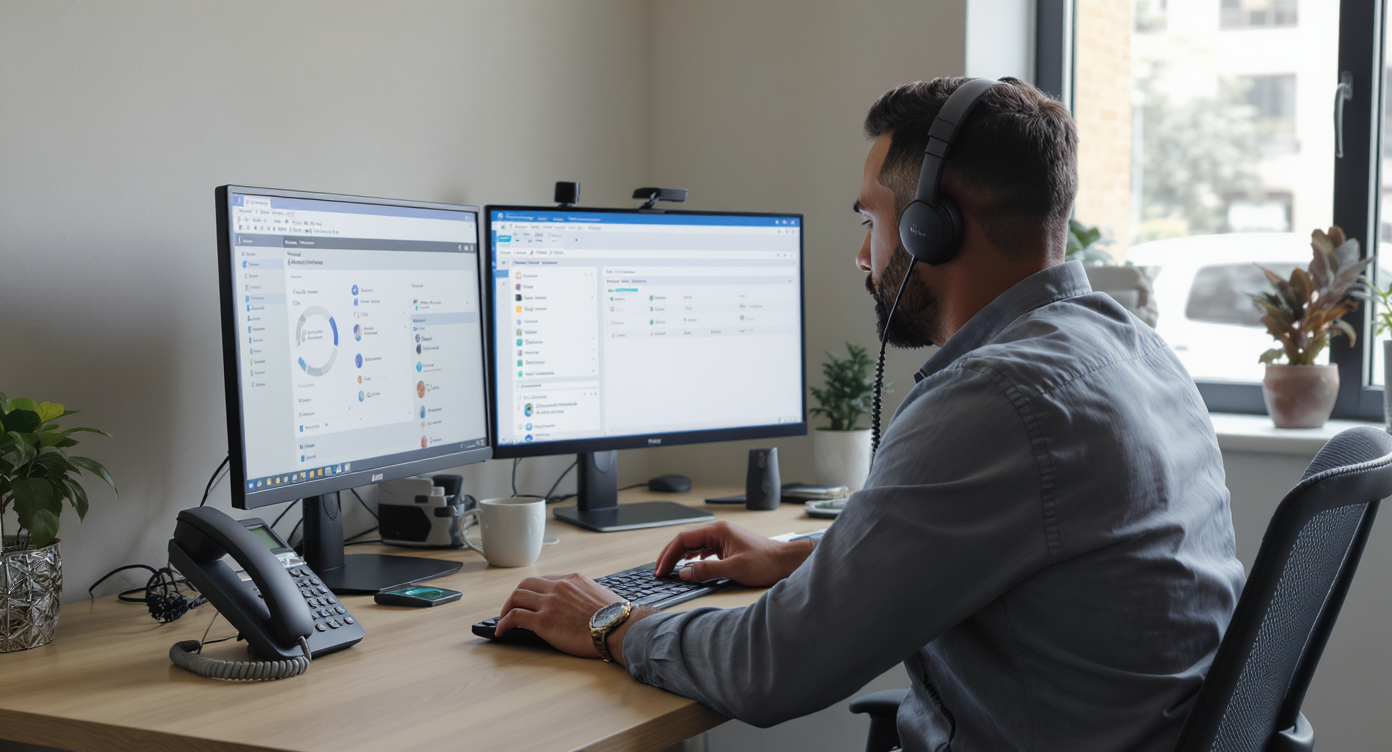
Every missed call is a lost opportunity. For service businesses running on tight margins, a phone system that can’t keep up doesn’t just create frustration—it costs real money. A small business cloud PBX replaces outdated landlines and clunky on-premise hardware with a flexible, internet-based phone system that grows with your business. If you’ve been thinking about making the switch, this guide covers everything you need to know.A small business cloud PBX is an internet-based phone system that replaces expensive on-premise hardware with flexible cloud hosting. It delivers professional features like call routing, voicemail, and extensions without upfront costs or maintenance. Small teams get enterprise-level functionality at a fraction of traditional phone system prices.
Quick Answer
A small business cloud PBX is a phone system hosted in the cloud that routes calls intelligently using AI, ensuring no calls go unanswered. It replaces traditional landlines with flexible, scalable technology that works from anywhere, reduces costs, and integrates with your existing business tools for seamless communication.
Free weekly newsletter
Growth tips for service businesses
Every Tuesday — actionable ideas to get more leads, reviews, and repeat customers. No fluff.
What Is a Small Business Cloud PBX?
A cloud PBX (Private Branch Exchange) is a business phone system hosted entirely in the cloud rather than on physical hardware at your office. Instead of maintaining expensive on-site servers, your calls route through the internet. You get the same professional features like call routing, voicemail, IVR menus, and extensions—but without the upfront capital expense or ongoing maintenance headaches.For small businesses specifically, this matters because it levels the playing field. A five-person plumbing company can project the same polished, reliable call experience as a 500-person enterprise. And that’s huge. According to Grand View Research’s hosted PBX market data, SME adoption of hosted PBX solutions has been climbing steadily, driven by lower costs and the flexibility remote work demands. The technology isn’t new anymore. It’s proven, affordable, and increasingly the default for businesses that don’t want to babysit a server closet.Why Service Businesses Are Moving to Cloud PBX
The shift away from traditional phone systems isn’t just a trend. It’s practical. It’s a direct response to how modern customers expect to reach businesses. Here’s what’s driving the change.The Cost of Missed Calls Keeps Rising
Most small business owners underestimate how many calls they actually miss. Staff are on job sites, handling walk-ins, or simply overwhelmed during peak hours. According to CallJolt’s analysis of missed call statistics for small businesses, the average small business misses a significant percentage of inbound calls, and most of those callers won’t leave a voicemail. They’ll just call the next company on Google.A cloud PBX addresses this directly. Call routing ensures someone (or something) always answers. After-hours rules forward calls to mobile devices or voicemail systems that actually capture the lead. Some platforms even trigger automatic text-backs when a call goes unanswered. That single feature alone can recover revenue that would’ve quietly walked out the door. As Voksha’s research on missed call costs shows, the cumulative revenue loss from unanswered calls can reach into six figures annually for busy service companies. That’s real money disappearing.Hardware Costs and Maintenance Disappear
Traditional PBX systems require physical equipment, dedicated IT support, and periodic upgrades that can run thousands of dollars. Cloud PBX eliminates all of that. You’re paying a predictable monthly fee, and your provider handles updates, security patches, and uptime. No IT department needed. For a roofing company or dental practice, this simplicity is enormous.Flexibility for Multi-Location and Remote Teams
Whether you’ve got two locations or twenty, cloud PBX works identically across all of them. New employees get set up in minutes rather than days. And that’s a game-changer. Staff working from home or on the road use the same business number, same call flows, and same voicemail, all from their mobile device or laptop. According to Research and Markets’ 2024 report on small business cloud adoption, this kind of operational flexibility is one of the top drivers pushing SMBs toward cloud infrastructure.Essential Features to Look for in a Cloud PBX
Not every cloud PBX is created equal. Some are built for enterprise call centers. Others target solopreneurs who just need a second number. Service businesses with appointment-heavy workflows and customer-facing teams need something in between. Here’s what should be on your shortlist.Call Routing and IVR
An IVR (Interactive Voice Response) system lets callers self-select where they need to go: “Press 1 for scheduling, Press 2 for billing.” Without this, your front desk becomes a bottleneck. Good call routing goes further. It directs calls based on time of day, caller ID, staff availability, or department. These aren’t luxury features. They’re the baseline for handling volume without adding headcount.Voicemail, Transcription, and Follow-Up Automation
Voicemail alone isn’t enough. If your team has to manually listen to every message and decide what to do next, you’ve created a bottleneck. Look for systems that transcribe voicemails to text, summarize key details, and trigger follow-up workflows automatically. What does that look like in practice? The difference between a callback in 5 minutes and a callback in 5 hours often determines whether you win or lose the job.Reliability and Uptime
Your phone system going down means your business is effectively closed. Look for providers guaranteeing 99.99% uptime or better, with redundant infrastructure. Ask about their SLA. Cheap providers often cut corners here. You won’t discover it until your phones go silent on a Tuesday morning during your busiest week.Features That Matter for Service Businesses
Beyond the basics, certain features separate a generic cloud PBX from one that actually fits how service businesses operate:- Missed call text-back: Automatically texts a caller when you can’t answer, keeping the lead warm
- Call recording: Essential for training, quality control, and dispute resolution
- After-hours call handling: Routes or captures calls when your office is closed
- Appointment booking integration: Lets callers or automated systems schedule directly
- Team collaboration tools: Shared inboxes, notes, and contact history so everyone’s on the same page
- SMS and multichannel support: Customers don’t just call anymore; they text, DM, and chat
How Cloud PBX Compares to Traditional and Hybrid Systems
Understanding where cloud PBX fits in the broader landscape helps clarify why it’s become the default for most small businesses. There are essentially three categories. Each has distinct trade-offs.On-Premise PBX
This is the legacy approach. Physical hardware lives at your office, and a technician maintains it. Upfront costs can reach $5,000 to $20,000 or more depending on size. You’re responsible for upgrades, repairs, and scaling. For most small businesses, it’s simply too expensive and inflexible. The only real advantage is total control over the hardware. But that rarely matters for a typical service business.Hybrid PBX
Hybrid systems keep some on-premise equipment but route certain functions through the cloud. They’re a transitional step for businesses that already invested heavily in traditional systems. However, they carry the downsides of both worlds: maintenance costs from the hardware side, plus subscription fees from the cloud side. For a business starting fresh? There’s rarely a reason to go hybrid.Cloud PBX
Everything runs in the cloud. No hardware to maintain, no technician visits, no capacity limits tied to physical ports. Scaling up means adding a user to your plan—not installing a new phone line. According to Exactitude Consultancy’s cloud-based PBX market analysis, the global cloud PBX market continues to expand as businesses of all sizes recognize the cost and flexibility advantages.| Factor | On-Premise PBX | Hybrid PBX | Cloud PBX |
|---|---|---|---|
| Upfront Cost | High ($5K to $20K+) | Medium | Low or free |
| Monthly Cost | Maintenance fees | Mixed | Predictable subscription |
| Scalability | Limited by hardware | Moderate | Instant, per-user |
| Maintenance | Your responsibility | Shared | Provider handles it |
| Remote Access | Difficult | Partial | Full, any device |
| AI and Automation | None | Limited | Widely available |
Common Pitfalls When Choosing a Cloud PBX
The market is crowded, and not every platform suits a small service business. Here are mistakes to avoid during your evaluation.Paying Per User When You Should Pay Per Location
Many cloud PBX providers charge per user per month. That seems reasonable at first. But it adds up fast. A 10-person team on a $20/user plan is $200/month before you’ve added any extras. Per-location pricing models can be significantly more affordable for businesses with multiple employees at each site. Think home services, dental, or fitness where one location might have 5 to 15 staff members.Ignoring Channel Limitations
Some platforms handle voice well but have no native SMS automation, no webchat, and no social media messaging. Your customers are reaching out on multiple channels. If your “phone system” can’t handle text conversations or Instagram DMs, you’ll end up juggling three or four separate tools. That’s the kind of fragmented workflow that leads to missed messages and lost leads.Overlooking AI Capabilities
AI isn’t a gimmick in business phone systems anymore. It’s practical infrastructure. Features like AI-powered call answering, automatic transcription, call summaries, and intelligent routing based on caller intent are rapidly becoming table stakes. As Tested Media’s 2026 analysis of AI virtual receptionists demonstrates, AI-driven call handling now outperforms traditional human receptionist services in both cost efficiency and response consistency for many use cases. If a platform doesn’t have an AI roadmap, you’ll likely outgrow it within a year or two.Skipping the Integration Check
Your phone system doesn’t exist in a vacuum. It needs to talk to your CRM, your scheduling tool, your invoicing software, and your marketing platform. Before committing, verify that the provider integrates with the tools you already use—whether that’s HubSpot, Salesforce, ServiceFusion, HousecallPro, QuickBooks, or something else entirely. A phone system that can’t sync with your existing stack creates data silos and double-entry busywork.How SalesCaptain Helps
SalesCaptain is built from the ground up as a cloud PBX and unified communication platform for service businesses. It combines a full business phone system with AI-powered voice and chat agents, a collaborative inbox, and workflow automation—all in one tool. No need to stitch together separate products for calling, texting, webchat, and social messaging.The phone system itself includes everything a small business cloud PBX should: IVR builder, call routing, voicemail, call recording, and 99.99% uptime. But what sets it apart is the AI layer on top. SalesCaptain’s AI Phone Agent answers calls 24/7, books appointments, qualifies leads, answers FAQs, and blocks spam without any human involvement. AI Chat Agents do the same across SMS, webchat, Instagram DMs, and Facebook Messenger.Key capabilities that matter for service businesses include:- Unified Inbox: Every call, text, webchat message, social DM, and email lands in one collaborative inbox with full contact history
- AI Summaries and Transcriptions: Every call gets automatically transcribed and summarized, so your team can review key details, follow up on action items, and skip the full recording
- Drag-and-Drop Call Flows: Build custom call paths visually, routing callers based on time of day, department, or AI agent availability
- Missed Call Text-Back: Automatically sends a text when a call goes unanswered, keeping leads engaged
- 50+ Integrations: Native connections to HubSpot, Salesforce, Zoho, HousecallPro, Mindbody, Shopify, QuickBooks, Clio, and more via Zapier
- Per-Location Pricing: Starts with a free plan for one location, then $159/month per location for the Business tier, making it far more predictable than per-user models
Key Takeaways
A small business cloud PBX isn’t just a cheaper phone system. It’s the communication backbone that determines whether your business captures or loses opportunities every single day. The right platform eliminates missed calls, reduces the need for additional staff, and gives your team a single place to manage every customer conversation.When evaluating options, prioritize per-location pricing over per-user models if you’re running a multi-employee service business. Look for native AI capabilities, multichannel support beyond just voice, and tight integrations with the tools you already depend on. According to Valuates Reports’ cloud PBX market research, this market is only getting bigger. That means more choices but also more noise. Focus on platforms designed for businesses like yours. Skip the repurposed enterprise software and bare-bones virtual number apps.The businesses that win aren’t necessarily the ones with the biggest teams. They’re the ones that answer every call, respond to every message, and follow up without fail. A well-chosen cloud PBX makes that possible without hiring a single additional person.Frequently Asked Questions
How much does a cloud PBX cost for a small business?
Pricing varies widely. Per-user models typically range from $15 to $30 per user per month, which can add up quickly for teams of 5 or more. Per-location models, like SalesCaptain’s $159/month per location plan, are often more cost-effective for service businesses with multiple employees at each site. Many providers also offer free tiers with limited features to help you get started.Can I keep my existing business phone number?
Yes. Nearly all cloud PBX providers support number porting, which lets you transfer your current business number to the new system. The process usually takes a few business days, and your provider handles the coordination with your previous carrier. You won’t lose your number during the transition.Do I need special hardware or internet to use cloud PBX?
You don’t need specialized hardware. Most cloud PBX systems work on smartphones, laptops, and tablets through an app or web browser. However, you do need a reliable internet connection. For voice quality, a stable broadband connection with at least 100 Kbps per concurrent call is the general minimum. If your office already streams video or uses cloud apps comfortably, you’re likely fine.Is cloud PBX reliable enough for a business that depends on phone calls?
Top-tier providers guarantee 99.99% uptime, which translates to less than an hour of downtime per year. That’s significantly more reliable than most on-premise systems, which are vulnerable to local power outages, hardware failures, and natural disasters. Cloud systems use geographically redundant data centers. If one goes down, another picks up instantly.What’s the difference between cloud PBX and VoIP?
VoIP (Voice over Internet Protocol) is the underlying technology that transmits voice calls over the internet. Cloud PBX is a complete business phone system built on VoIP technology that adds features like call routing, IVR menus, voicemail, extensions, and automation. Think of VoIP as the engine and cloud PBX as the entire car. Every cloud PBX uses VoIP. But not every VoIP service gives you the full PBX feature set.Ready to see it in action?
See how small businesses use SalesCaptain to manage calls and texts without expensive phone systems.
Book a Free Demo →