
AI-powered customer experience marketing (CXM) platform that helps local businesses win.



AI receptionist for Medical Offices: Answer Every Patient Call Without Hiring More Staff
Your front desk is the first point of contact for every patient. Right now, it’s probably your biggest bottleneck. Patients call to schedule appointments, ask about insurance, request prescription refills, and check office hours. When they can’t get through, they don’t leave a voicemail, they call the next practice on their list. An AI receptionist for medical offices changes that entirely. It answers every call, captures every lead, and books appointments around the clock without adding a single person to your payroll.
Medical practices face the same crisis: too many calls, not enough staff, and patients who expect instant responses. Whether you’re running a primary care clinic, a dental office, a MedSpa, or a therapy practice, missed calls translate directly into lost revenue and frustrated patients. But here’s the good news, the technology to fix this isn’t experimental or expensive anymore. It’s accessible, affordable, and built specifically for how medical offices actually operate.
This page breaks down exactly why patient communication fails in medical offices, how AI-powered phone and chat agents solve it, and how you can have the whole system running in under ten minutes with SalesCaptain.
Why Medical Offices Struggle With Patient Communication
The front desk of a medical office is overloaded. Receptionists aren’t just answering phones. They’re checking patients in, verifying insurance, processing payments, handling paperwork, coordinating with clinical staff, and managing the waiting room. According to research published in BMC Primary Care, medical receptionists perform a wide range of clinical-adjacent and administrative tasks that go far beyond what the job title suggests. When the phone rings during a busy check-in rush, something has to give. It’s usually the phone call.
The consequences are more severe than in most industries. A patient trying to book a first appointment who gets sent to voicemail? Unlikely to call back. Medical practice phone statistics show that a significant percentage of callers never leave a voicemail and won’t try the same office again. That’s not just a missed opportunity. It’s a patient who needed care and got it somewhere else. For your practice, each call could represent hundreds or thousands of dollars in lifetime patient value.
The Staffing Problem Isn’t Going Away
Hiring more receptionists sounds obvious. But the math doesn’t work for most practices. According to Glassdoor’s salary data, medical office receptionists earn competitive wages that keep climbing year over year. Add in benefits, training, PTO, and turnover costs, and a single front desk hire costs well over $40,000 annually. The Bureau of Labor Statistics projects steady demand, which means competition for qualified candidates remains high. Even when you do hire, training takes weeks. Your scheduling system, insurance protocols, office procedures, it all has to be learned from scratch.
And here’s what really stings: no matter how many receptionists you hire, you can’t cover nights, weekends, and lunch breaks without paying for overtime or expensive after-hours answering services. Patients don’t only call during business hours. Someone searching for a dentist at 9 PM on a Tuesday will call. If nobody answers, they’ll find a practice that picks up. Or one that responds by text.
Multichannel Chaos Compounds the Problem
Phone calls aren’t the only channel patients use anymore. They send messages through your website’s chat widget, Instagram and Facebook, text your office number, and email appointment requests. Sound familiar? Each channel typically requires separate monitoring, separate tools, and separate workflows. Most small practices check each platform sporadically, which means response times range from minutes to hours. Messages fall through the cracks. According to patient communication research from WellReceived, healthcare providers who respond faster retain more patients and generate more positive reviews.
How SalesCaptain Solves This With an AI Receptionist for Medical Offices
SalesCaptain gives medical offices a complete AI receptionist system. It handles patient calls, text messages, webchat, and social media DMs, all from one platform. Unlike traditional answering services that just take messages, SalesCaptain’s AI agents actually do the work. They book appointments, answer common questions about your practice, qualify new patient inquiries, and route urgent calls to the right person. The AI phone agent sounds natural, follows custom call flows you design, and operates 24/7 with zero lunch breaks.
AI Phone Agent: Your Always-On Front Desk
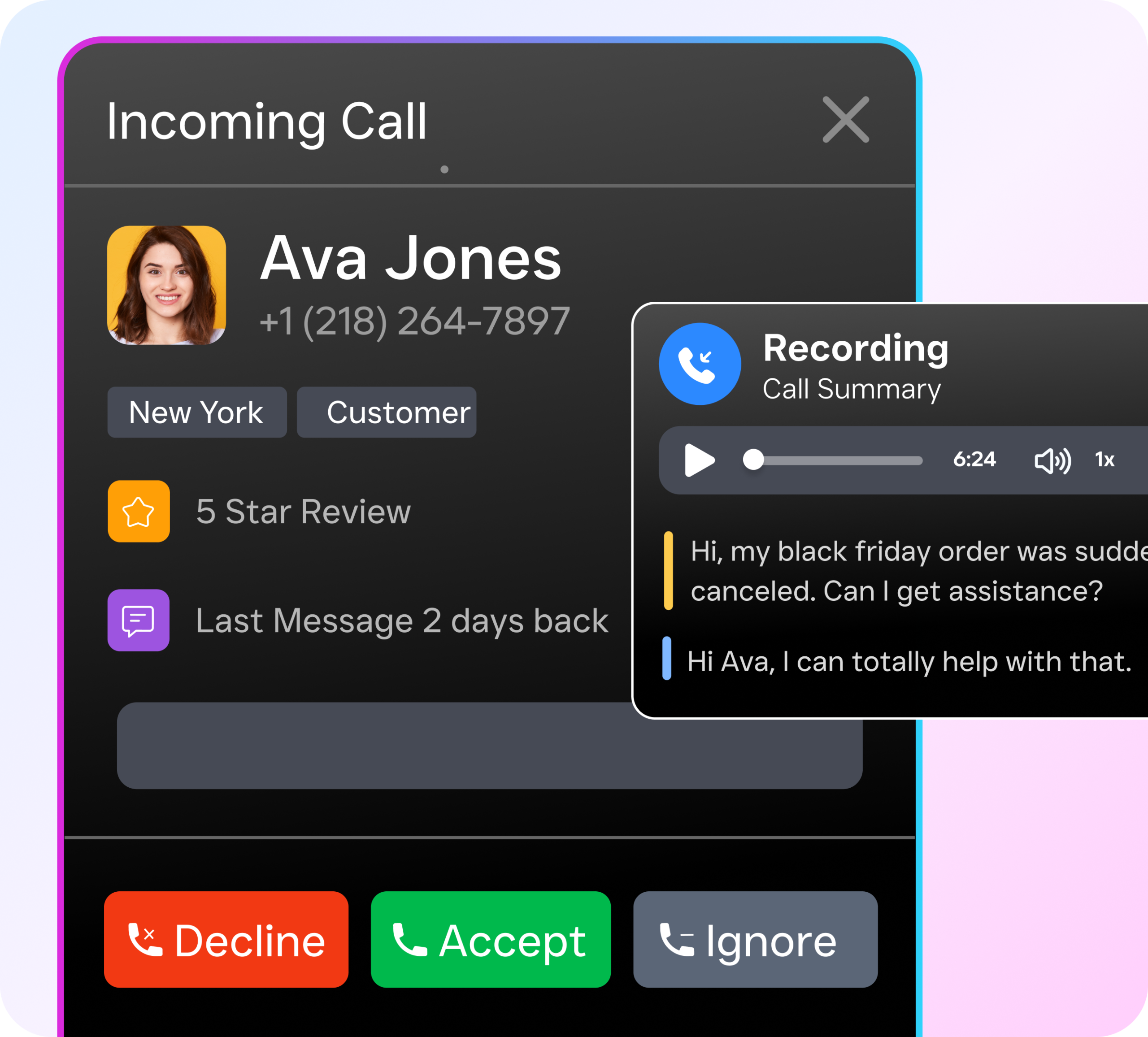
The AI Phone Agent is the centerpiece of SalesCaptain’s solution for medical offices. Whenever a patient calls—whether your team is busy or it’s after hours—the AI answers immediately. It can greet callers by name if they’re in your system, understand the purpose of their call, and take appropriate action. For appointments, it checks availability and books directly into your calendar. For insurance inquiries, it provides details about accepted plans and coverage. It can also route calls to the right staff member or take a detailed message when needed.
This isn’t a rigid, frustrating phone tree. There’s no “press 1 for scheduling, 2 for billing.” The AI conducts natural, flowing conversations, handles follow-up questions, and adapts in real time to the caller’s needs. It even blocks spam calls—a surprisingly large time drain for medical offices inundated with marketing calls from SEO services, credit card processors, and vendors. Every minute your staff doesn’t spend on junk calls is a minute they can dedicate to the patient in front of them.
AI Chat Agents: Instant Responses Across Every Channel
SalesCaptain’s AI Chat Agents handle the other half of patient communication, ensuring no inquiry goes unanswered. Whether a patient visits your website at midnight and uses the chat widget, sends a text to your office number, or messages you via Instagram or Facebook, the AI responds instantly with real, helpful answers—not a generic “we’ll get back to you” message. It captures contact information, answers FAQs about services and pricing, and even books appointments—all without human intervention.
One feature medical offices particularly value is missed call text-back. If your office misses a call, SalesCaptain automatically sends the caller a text within seconds, letting them know you received their call and offering to continue the conversation via text. This simple feature recovers a substantial portion of leads that might otherwise be lost. The patient gets an immediate response, your practice captures their information, and the AI handles scheduling, answers questions, or flags the interaction for follow-up.
Unified Inbox: One Place for Every Patient Conversation
Managing patient communication across five or six different platforms quickly turns into chaos—leading to dropped messages, delayed responses, and inconsistent follow-ups. In practice, this often means one team member promises a callback while no one else is aware of it. SalesCaptain’s Unified Inbox solves this by bringing every conversation into one centralized space, including phone calls, texts, web chat, social media DMs, and email. Your team can view the complete history of each patient interaction, assign conversations to specific staff members, and add internal notes—all without switching between multiple tools.
For multi-location practices, this becomes even more valuable. Each location has its own inbox and AI agents, while owners and operations managers can oversee everything from a single dashboard. With pricing starting at $159 per month per location for the Business plan, SalesCaptain remains an affordable solution even as you expand. There’s also a free Startup plan available for single-location practices that want to explore the platform before upgrading.
Key Features of SalesCaptain for Medical Offices
-
24/7 Call Answering: The AI Phone Agent answers every call, anytime—after hours, lunch breaks, or holidays—providing the same quality experience as a call at 10 AM on a Tuesday.
-
Automated Appointment Booking: AI checks real-time calendar availability and books appointments during calls and chat conversations. Prevents double-bookings, confirms slots instantly.
-
New Patient Lead Qualification: AI collects patient information, asks about needs, and identifies suitability for your practice before staff involvement.
-
FAQ Handling: AI answers common questions consistently, including insurance plans, office hours, parking, and preparation instructions for procedures.
-
Spam Call Blocking: AI filters junk calls, preventing interruptions from vendors and telemarketers.
-
Missed Call Text-Back: Unanswered calls trigger instant texts to keep conversations alive and capture leads.
-
Appointment Reminders: Automated text reminders reduce no-shows by keeping appointments top of mind.
-
Workflow Automation: Drag-and-drop workflows automate follow-ups, post-visit surveys, CRM updates, and repetitive administrative tasks.
-
50+ Integrations: Connect with HubSpot, Salesforce, Zoho, QuickBooks, Zapier, and more for seamless data flow.
-
Custom Call Flows: Route urgent matters to on-call staff, direct billing questions to the billing department, and handle all other calls as defined.
Real Results You Can Expect From an AI Receptionist for Medical Offices
Capture Revenue You’re Currently Losing
Every patient call that goes to voicemail is a potential appointment that never gets booked. With SalesCaptain answering 100% of calls, the math shifts dramatically. Practices that implement AI call answering consistently report booking more appointments, because they’re capturing inquiries they previously missed. When you factor in that a single new patient can be worth thousands of dollars in lifetime revenue across checkups, procedures, and referrals, the ROI pays for itself many times over. You’re just catching a handful of additional calls per week.
Free Your Front Desk Staff to Do Higher-Value Work
Your receptionists are highly skilled—and costly—team members, yet much of their time is spent handling repetitive calls like confirming office hours, giving directions, or explaining accepted insurance plans. These routine interactions can easily be automated. When an AI handles them, your front desk team is freed up to focus on in-office patients, manage complex scheduling scenarios that require judgment, and coordinate clinical tasks that truly need a human touch. This isn’t about replacing your staff—it’s about enabling them to operate at the top of their abilities instead of functioning as a human FAQ desk.
Respond to Patients Faster Than Any Competitor
Speed of response is one of the biggest competitive advantages in healthcare. When a patient’s choosing between two practices, the one that picks up the phone first almost always wins. SalesCaptain’s AI agents respond in under a second on calls, texts, webchat, and social media. That instant response builds trust before the patient has even visited your office. It signals professionalism and organization, exactly what every patient looks for in a medical provider. As the growing shift toward virtual medical receptionists shows, practices that prioritize patient access are outperforming those that rely on traditional models.
Scale Without the Overhead of New Hires
How to Get Started in 10 Minutes
Setting up SalesCaptain doesn’t require technical expertise, an IT consultant, or weeks of onboarding. A busy practice owner or office manager can get up and running during a lunch break. Here’s how it works from start to finish.
Step 1: Create Your Account and Set Up Your Phone System
Sign up for SalesCaptain’s free Startup plan or choose the Business plan for advanced features. You’ll either get a new business phone number or port your existing office number into the platform. SalesCaptain’s phone system runs on 99.99% uptime infrastructure with crystal-clear audio. You’re not sacrificing call quality for automation. The IVR builder lets you create professional greeting menus if you want them. Many practices let the AI agent handle calls directly, no phone tree needed.
Step 2: Build Your AI Phone Agent
Using SalesCaptain’s no-code setup, you’ll define how your AI phone agent behaves. Tell it your office hours, the services you offer, which insurance plans you accept, your appointment types and durations, and any custom instructions for specific scenarios. Set rules for routing, send all calls mentioning “emergency” to an on-call number, or forward billing questions to a specific voicemail. The entire configuration takes minutes, not days. The interface is built for non-technical users.
Step 3: Activate AI Chat Agents and Connect Your Channels
Link your website chat widget, SMS number, Instagram account, and Facebook page to SalesCaptain. The AI chat agents start responding to incoming messages across all channels immediately. They’ll use the same knowledge base you set up for phone calls. This ensures patients get consistent answers whether they call, text, or message you on social media. Your Unified Inbox lights up with every conversation. Your team gets full visibility without monitoring each platform separately.
Step 4: Set Up Workflow Automations
Use the drag-and-drop workflow builder to create automated sequences. Common automations for medical offices include appointment confirmation texts after booking, reminder messages 24 hours before appointments, follow-up messages after visits, and review request sequences. Connect SalesCaptain to your existing tools through native integrations with HubSpot, Zoho, QuickBooks, or through Zapier for custom connections. Once your workflows are active, they run on autopilot. No daily management required.
Frequently Asked Questions
What exactly is an AI receptionist for medical offices?
An AI receptionist is a software-powered phone and messaging agent. It handles the same tasks a human receptionist would: answering calls, booking appointments, answering patient questions, and routing inquiries to the right staff member. The difference? It works 24/7, handles unlimited simultaneous calls, and never calls in sick. It also automatically follows up on missed calls and messages, ensuring no patient inquiry is lost, and can integrate with your existing scheduling and CRM systems to keep all patient data organized and up to date.
Can an AI receptionist handle appointment reminders and rescheduling?
Yes. The AI can send automated reminders via text, phone, or chat, and can handle patient responses for rescheduling. It checks your real-time availability, proposes new slots, updates the calendar automatically, and confirms the new appointment with the patient—all without any staff intervention.
Will patients know they are talking to an AI?
The AI uses a natural, human-like voice and responds in a conversational, professional tone. You can choose to have it identify itself as an AI, or let it simply provide a seamless receptionist experience that feels just like speaking with a live staff member.
Ready to Feel the Difference?
Still have questions? Reach out to our team here, or schedule a free demo of all the ways SalesCaptain can help your business grow.