
AI-powered customer experience marketing (CXM) platform that helps local businesses win.


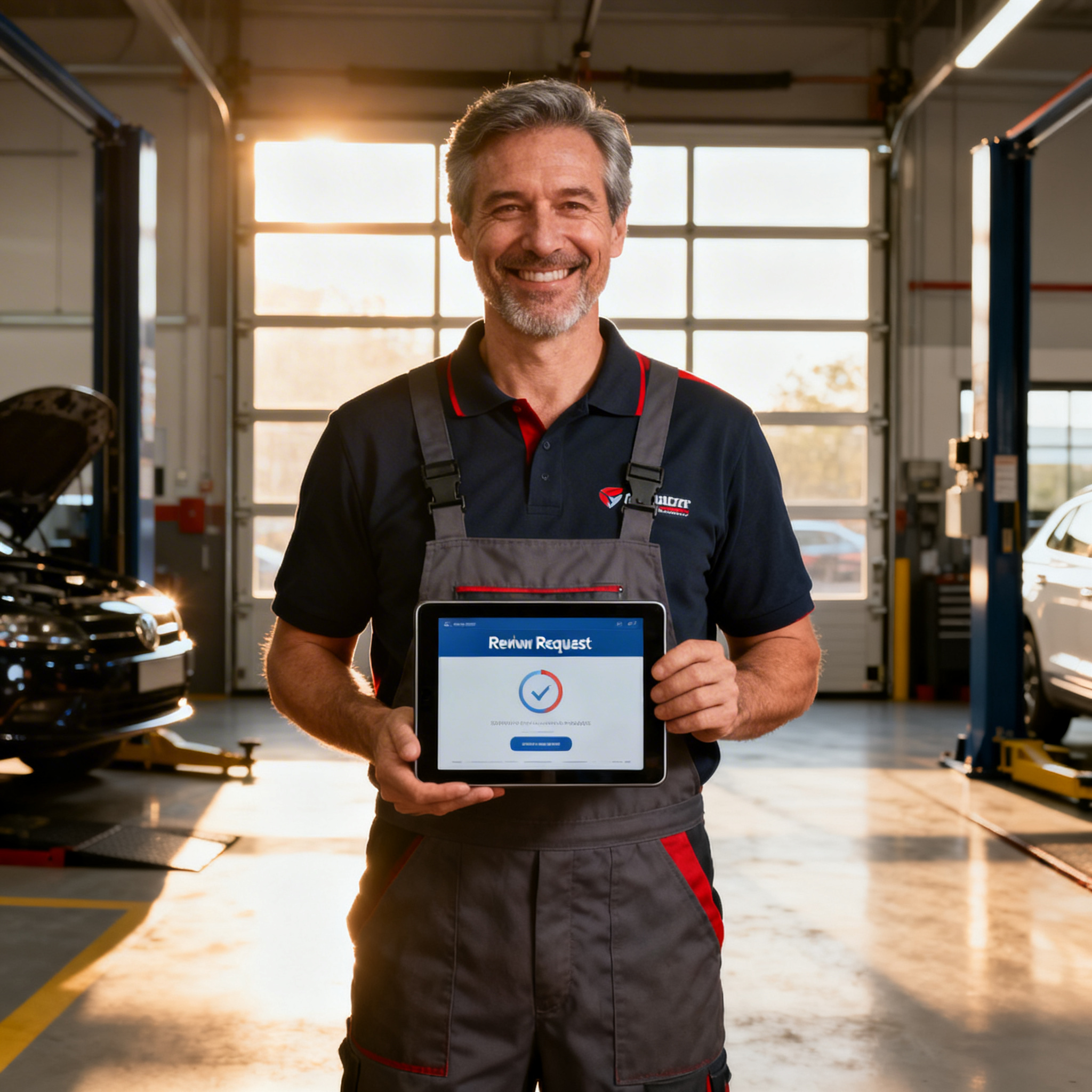
Every auto repair shop owner knows this routine. A customer picks up their car, thanks you, drives away, and you never hear from them again. No Google review. No referral. In fact, no online trace that the job ever happened. Meanwhile, the shop down the street with half your experience has twice your reviews because they figured out how to ask consistently. Automated review requests for auto repair shops solve this exact gap, turning every completed repair order into a chance to build your online reputation without adding a single task to your service advisors’ plates.
Why Auto Repair Shops Struggle With customer communication
The front counter at a busy shop is chaos by design. Service writers juggle walk-ins, phone calls, parts orders, and vehicle updates simultaneously. Asking a customer to leave a Google review? That’s the first thing that gets dropped when the phone rings again. And it rings constantly.
Here’s what makes this problem worse for auto repair specifically. Unlike a restaurant or salon where the experience ends on a high note, repair shop visits often start with stress. Something broke. The bill was unexpected. By the time a customer leaves, they’re relieved, not excited. That narrow window of goodwill closes fast, and if you don’t reach them within a few hours, the moment passes entirely.
The Real Cost of Missing Reviews
Most shop owners underestimate how much revenue they lose from a thin review profile. Potential customers searching “brake repair near me” see your competitor’s 200 reviews next to your 34, and they don’t even click your listing. According to research on review request automation, businesses that ask consistently collect three to five times more reviews than those relying on organic submissions. Yet the manual approach, printing cards, sending personal texts, remembering to follow up, falls apart the moment your shop gets busy.
On top of that, your team is already stretched thin handling communication across multiple channels. Customers call for status updates, text to ask if parts arrived, and message on Facebook to request quotes. Without a system pulling everything together, messages slip through the cracks. Missed calls go unreturned. follow-ups don’t happen. Each one of those gaps costs you a customer and a potential review.
How SalesCaptain Solves This
SalesCaptain approaches review collection as part of a broader communication problem, not a standalone task. Instead of bolting on yet another tool, the platform connects your phone system, text messaging, webchat, and social media into a single unified inbox. Review requests become a natural extension of the conversations you’re already having with customers.
Automated Review Requests Built Into Your Workflow
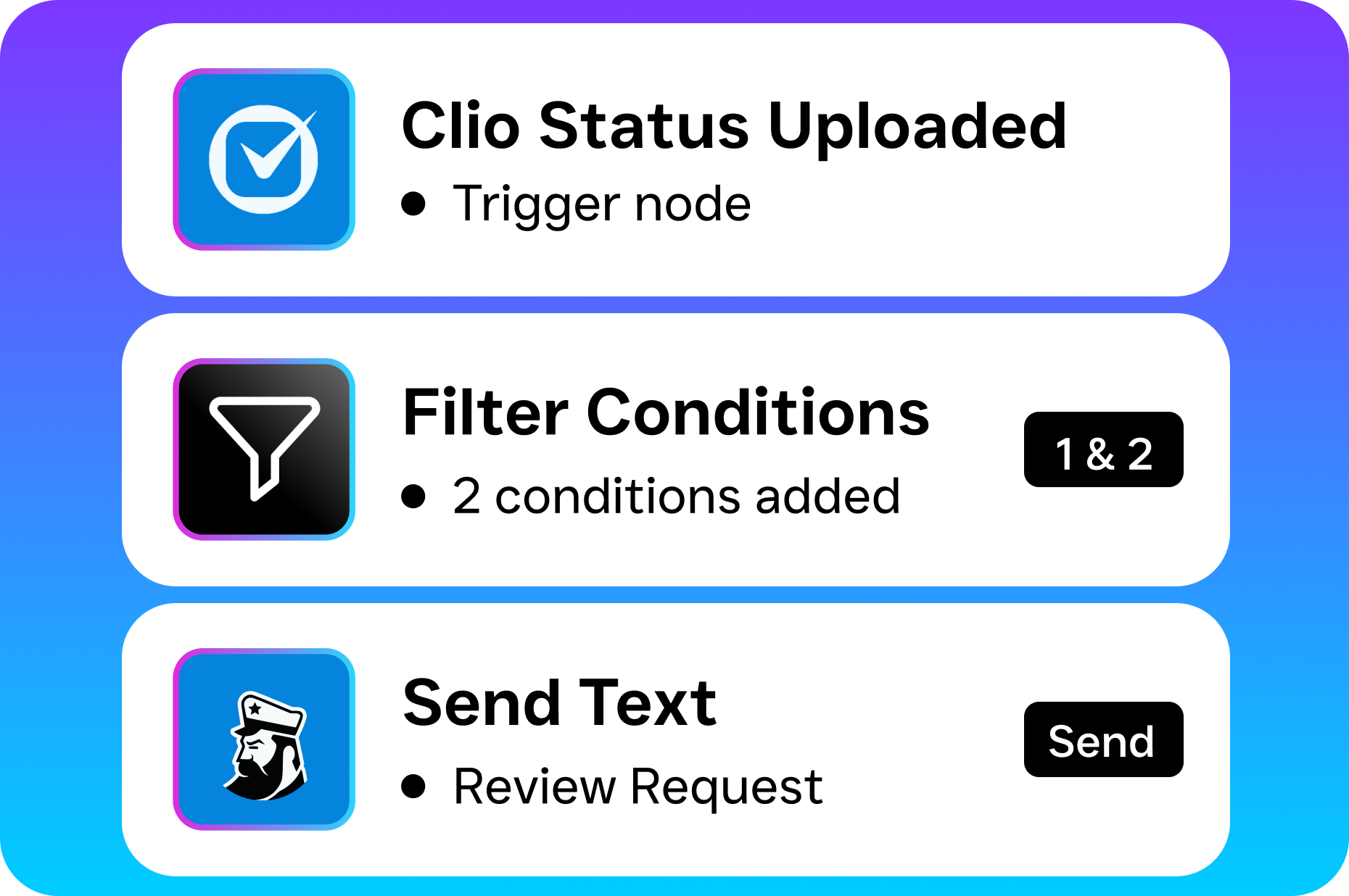
With SalesCaptain’s drag-and-drop workflow automation builder, you can set up triggers that fire review requests automatically after specific events. A completed repair order, a paid invoice, or a follow-up call that confirms satisfaction can each kick off a personalized text or email asking for a review. No manual effort required. As this setup guide on automated review requests explains, the key is timing, and automation ensures you hit that window every single time.
What makes this different from a basic review tool? SalesCaptain doesn’t just send a link. The AI Chat Agent can handle the initial follow-up conversation, confirming the customer is satisfied before routing them to your Google Business Profile. If they’re unhappy, the workflow routes them to your team instead, giving you a chance to resolve the issue privately before it becomes a one-star public review.
AI Phone Agent Catches What You Miss
Consider how many calls your shop misses during peak hours or after closing. Each unanswered call is a lost opportunity for both revenue and reviews. SalesCaptain’s AI Phone Agent picks up every call 24/7 with natural-sounding voice responses. It answers common questions like “How much is an oil change?” or “Are you open Saturday?”, books appointments, and qualifies leads. After hours, it captures caller information so your team can follow up the next morning.
That captured lead feeds directly into your automated workflow. Once the repair is done, the review request fires automatically. The entire chain, from first call to five-star review, runs without anyone on your team remembering to do anything. According to Business.com’s analysis of marketing automation ROI, this kind of end-to-end automation consistently delivers measurable returns for small businesses.
Key Features for Auto Repair Shops
SalesCaptain wasn’t built for enterprise call centers or marketing agencies. It’s designed specifically for service businesses like yours. Here are the features that matter most for auto repair operations:
- Workflow Automation for Review Requests to Create trigger-based sequences that send review requests via SMS or email after job completion. The visual workflow builder requires zero technical skill, and it integrates with tools like HousecallPro, ServiceFusion, and QuickBooks to pull job data automatically.
- AI Phone Agent for 24/7 Call Handling to Never miss another call. The AI agent answers, qualifies, books appointments, and blocks spam. Custom call flows let you route callers based on the type of service they need, whether it’s a tire rotation or a transmission rebuild.
- Missed Call Text-Back to When a call can’t be answered (rare with the AI agent, but possible during network issues), an instant text goes out to the caller. This alone prevents the most common leak in an auto shop’s lead funnel. Ricorda’s breakdown of automated review requests highlights how text-based touchpoints outperform every other channel for local businesses.
- Unified Inbox Across Every Channel to Phone calls, texts, Facebook messages, Instagram DMs, webchat, and email all land in one collaborative inbox. Your service advisors see the full history of every customer interaction without switching between apps.
- Appointment Reminders and Follow-Ups to Automated reminders reduce no-shows, and post-service follow-ups feed directly into your review request workflow. One setup handles both problems.
- CRM Sync With 50+ Integrations to Connect to Salesforce, HubSpot, Zoho, Shopify, or specialty tools via Zapier. Customer data stays accurate across your entire stack, so review requests always go to the right person with the right job details.
Real Results You Can Expect
Auto repair shops using automated review request systems consistently see a dramatic increase in review volume within the first 60 days. That’s not a vague promise. It’s the predictable outcome of asking every customer, every time, at the right moment. This complete playbook on automated review requests lays out the math clearly: if you service 40 cars a week and only 5% leave reviews organically, that’s two reviews per week. Automate the ask and bump that rate to 15-20%, and you’re looking at six to eight reviews weekly.
Beyond Review Volume
More reviews are just the starting point. Here’s what else changes when your communication runs on autopilot:
- Fewer missed calls to The AI Phone Agent captures after-hours inquiries that previously went to voicemail (and were never returned). Each recovered call is a potential repair order worth hundreds of dollars.
- Faster response times to AI Chat Agents respond to text and webchat inquiries instantly. Speed matters. Customers comparing shops will book with whoever replies first, and research on AI receptionists confirms that response time is the single biggest factor in lead conversion for local service businesses.
- Lower staffing pressure to You won’t need to hire another service writer just to handle phones and follow-ups. Automation handles the repetitive tasks, freeing your team to focus on diagnostics and customer relationships.
- Better review quality to Because the system checks satisfaction before asking for a review, you filter out unhappy customers early. Your public review profile skews toward genuine positive experiences, while negative feedback gets resolved privately.
These aren’t hypothetical benefits. They’re the direct results of closing communication gaps that every busy auto shop has.
How to Get Started
Setting up automated review requests with SalesCaptain takes less than an afternoon. No developer needed. Here’s the process:
- Sign up for the free Startup plan. It covers one location and gives you access to the core platform, including the unified inbox and workflow builder.
- Connect your existing tools. Sync your shop management software (HousecallPro, ServiceFusion, or others via Zapier) so customer and job data flows into SalesCaptain automatically.
- Build your review request workflow. Use the visual drag-and-drop builder to create a trigger: “When a repair order is marked complete, wait 2 hours, then send a review request via SMS.” Customize the message with the customer’s name and the service performed.
- Set up your AI Phone Agent. Configure your call flows, FAQ answers, and appointment booking preferences. The setup wizard walks you through each step in plain language.
- Activate missed call text-back. One toggle. Every unanswered call gets an instant text response so you never lose a lead again.
- Monitor results in the unified inbox. Watch review requests go out, track responses, and see every customer conversation in one place. Adjust your timing or messaging based on what you learn.
Most shops see their first automated review request go out within a few hours of setup. As this guide to review automation for small businesses recommends, start simple with one workflow and expand from there.
Frequently Asked Questions
Can automated review requests violate Google’s policies?
No, as long as you’re asking real customers for honest reviews. Google prohibits incentivized or fake reviews, but simply requesting feedback after a completed service is completely within their guidelines. SalesCaptain sends requests only to verified customers tied to actual repair orders, so you’re always compliant.
What if a customer is unhappy and I don’t want them to leave a bad review?
SalesCaptain’s workflow automation can include a satisfaction check before the review link is sent. If a customer indicates they had a problem, the system routes them to your team’s inbox for a private conversation instead of pushing them to Google. You resolve the issue before it becomes public.
Do I need to change my phone number to use the AI Phone Agent?
You don’t. SalesCaptain can port your existing business number or set up call forwarding so the AI agent answers on your current line. Your customers won’t notice any change except that someone always picks up.
How does this compare to just using a review management tool like Podium or Birdeye?
Standalone review tools handle one piece of the puzzle. SalesCaptain combines AI voice agents, AI chat agents, a full phone system, and workflow automation into one platform. Your review requests become part of a complete communication system rather than a disconnected add-on. Plus, pricing starts free for one location, with the Business plan at $159/month per location.
Will this work if my shop uses paper tickets instead of digital shop management software?
Yes. While integrations with tools like ServiceFusion or HousecallPro automate the process further, you can also trigger review requests manually from the unified inbox or set up simple time-based workflows. Even a basic setup dramatically outperforms asking customers in person.
Stop Losing Reviews to a Busy Front Counter
Every completed repair is a review you should be collecting. SalesCaptain automates the entire process, from answering the first call to sending the review request after pickup. Your team stays focused on cars, while the platform handles communication.
Start free, no credit card needed.