
AI-powered customer experience marketing (CXM) platform that helps local businesses win.


Best Dialpad Alternative for Home Services: Why SalesCaptain Wins in 2025
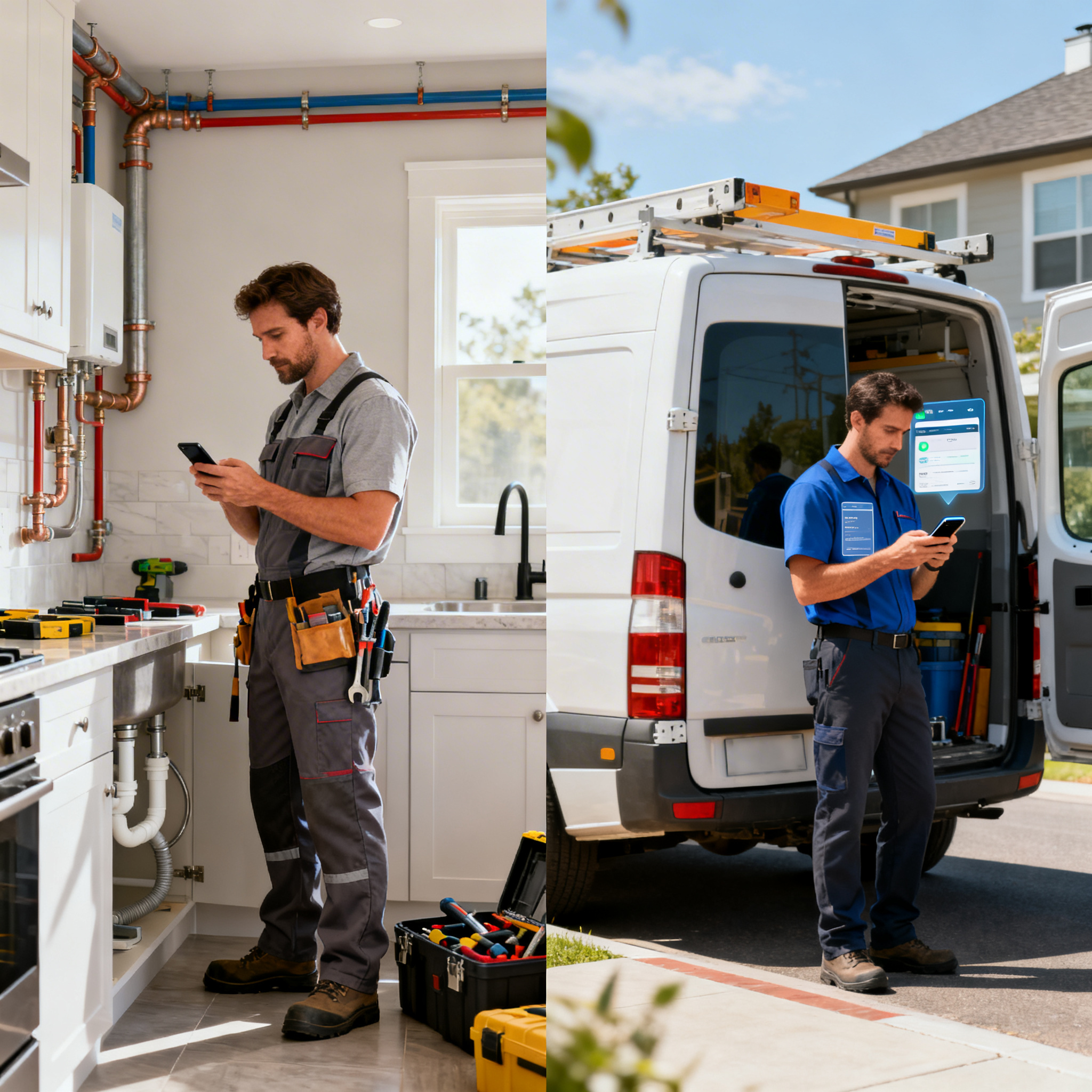
If you run a roofing company, plumbing business, HVAC shop, or any other home service operation, you know that every missed call is a lost job. Dialpad is a solid phone system, but it wasn’t built with your industry in mind. This guide compares Dialpad to SalesCaptain across the features that actually matter for home service businesses, so you can pick the right Dialpad alternative for home services without wasting hours on research.
What Is Dialpad?
Dialpad is a cloud-based business phone system that starts at $15 per user per month. It’s known for strong AI features like real-time transcription, sentiment analysis, and AI scorecards for sales coaching. The platform also includes video meetings and basic messaging, which makes it a decent pick for tech-forward sales teams. However, as multiple Dialpad alternative roundups point out, its feature set leans heavily toward outbound sales workflows rather than inbound customer communication. That’s a critical gap if your business depends on answering every call from homeowners who need help fast.
What Is SalesCaptain?
SalesCaptain is an AI-powered unified communication platform built specifically for service businesses and SMBs. It combines an AI Phone Agent, AI Chat Agents, a unified inbox, a full business phone system, and workflow automation into one tool. Unlike general-purpose platforms, SalesCaptain was designed from the ground up for businesses that book appointments, qualify leads over the phone, and can’t afford to miss a single customer inquiry. You can get started on a free plan for one location, and paid plans run $159 per month per location, which makes it easy to scale across multiple job sites or franchise locations.
Dialpad vs SalesCaptain: Feature Comparison for Home Services
The table below shows how these two platforms compare across the features home service businesses care about most. Every value comes from verified product data, not marketing claims.
| Feature | SalesCaptain | Dialpad |
|---|---|---|
| AI Voice Agent | ✓ (24/7 call answering, booking, lead qualification) | ✗ |
| AI Chat Agent | ✓ (SMS, webchat, Instagram, Facebook) | ✗ |
| Unified Inbox | ✓ (calls, texts, webchat, social, email, notes) | Partial (calls and texts only, no social or email) |
| WhatsApp Messaging | ✓ (native) | Partial (third-party Zapier only) |
| Text-to-Pay | ✓ | ✗ |
| High Volume SMS | ✓ | ✗ |
| Social Chat (Facebook, Instagram) | ✓ | ✗ |
| Email Channel | ✓ | ✗ |
| Leads Form | ✓ | ✗ |
| Workflow Automation | ✓ (visual drag-and-drop builder) | Partial (very basic message flows) |
| Toll-Free Minutes | ✓ (included) | ✗ (not included) |
| AI Writer and Translator | ✓ | ✗ |
| Pricing | Free plan available; $159/mo per location | $15/user/month |
| Best For | Service businesses and SMBs | Tech-forward sales teams |
Where Dialpad Falls Short for Home Service Businesses
Dialpad is a capable product. Nobody’s saying it isn’t. But there are specific gaps that make it a poor fit if you’re running a plumbing company, roofing crew, or HVAC operation. Let’s walk through the biggest ones.
No AI Voice Agent to Answer Calls
This is the single most important gap. Dialpad doesn’t offer a Voice AI Agent that can pick up the phone, talk to a homeowner, answer their questions, and book an appointment. It has great call analytics and real-time transcription, but someone still needs to be on the other end of the line. For a home service business where crews are on job sites all day, that’s a serious problem. According to Aira’s research on missed business calls, the financial impact of unanswered calls is staggering for small businesses. Every ring that goes to voicemail is a homeowner calling your competitor instead.
No Social Media or Email in the Inbox
Dialpad handles calls and texts, but it doesn’t pull in Facebook messages, Instagram DMs, or email into a single view. Home service businesses get customer inquiries from all over the place. A homeowner might message your Facebook page at 9 PM asking about a leak, then text you the next morning, then call in the afternoon. Without a unified inbox that captures all of those channels, your team is juggling multiple apps and things fall through the cracks. Dialpad simply wasn’t designed for this kind of multi-channel customer communication.
No Text-to-Pay or Leads Forms
Getting paid quickly matters in home services. Dialpad doesn’t offer a Text-to-Pay feature, so you can’t send a customer a payment link over SMS after finishing a job. It also lacks built-in lead capture forms for your website. These might seem like small things on paper, but they directly affect how fast you collect revenue and how many website visitors turn into booked jobs. As TechnologyAdvice notes in their Dialpad alternatives review, businesses often outgrow Dialpad when they need more than just a phone system.
Limited Workflow Automation
Dialpad’s message flow builder is very basic compared to what service businesses need. Think about all the follow-up steps after a new lead calls in: sending a confirmation text, updating your CRM, triggering a reminder the day before the appointment, sending a review request after the job. SalesCaptain’s drag-and-drop workflow builder handles all of that automatically. Dialpad leaves most of it on your team’s plate, which means more manual work and more chances for things to slip.
Pricing That Adds Up Fast
Dialpad’s $15 per user pricing sounds cheap at first glance. But for a home service company with an office manager, two dispatchers, and five technicians who need the app on their phones, you’re looking at eight user licenses. That’s $120 per month before you add any toll-free minutes, which aren’t included. SalesCaptain’s per-location pricing at $159 per month covers your entire team at that location, which usually works out cheaper once you’ve more than a couple of users.
Why SalesCaptain Is the Better Dialpad Alternative for Home Services
Now that we’ve covered where Dialpad falls short, let’s look at why SalesCaptain fills those gaps so well for home service businesses specifically.
A 24/7 AI Phone Agent That Actually Books Jobs
SalesCaptain’s AI Phone Agent picks up every call, day or night, with a natural-sounding voice. It answers common questions like “Do you service my area?” or “How much does a roof inspection cost?” and books appointments directly into your calendar. It also qualifies leads by asking the right questions and blocks spam calls so your team doesn’t waste time. For a roofing company that gets most of its calls during business hours when the crew is on a roof, this alone can recover dozens of leads per month that would otherwise go to voicemail. Research from SkipCalls shows that small businesses lose significant revenue annually just from missed calls, so automating this process has a direct impact on your bottom line.
Every Customer Channel in One Place
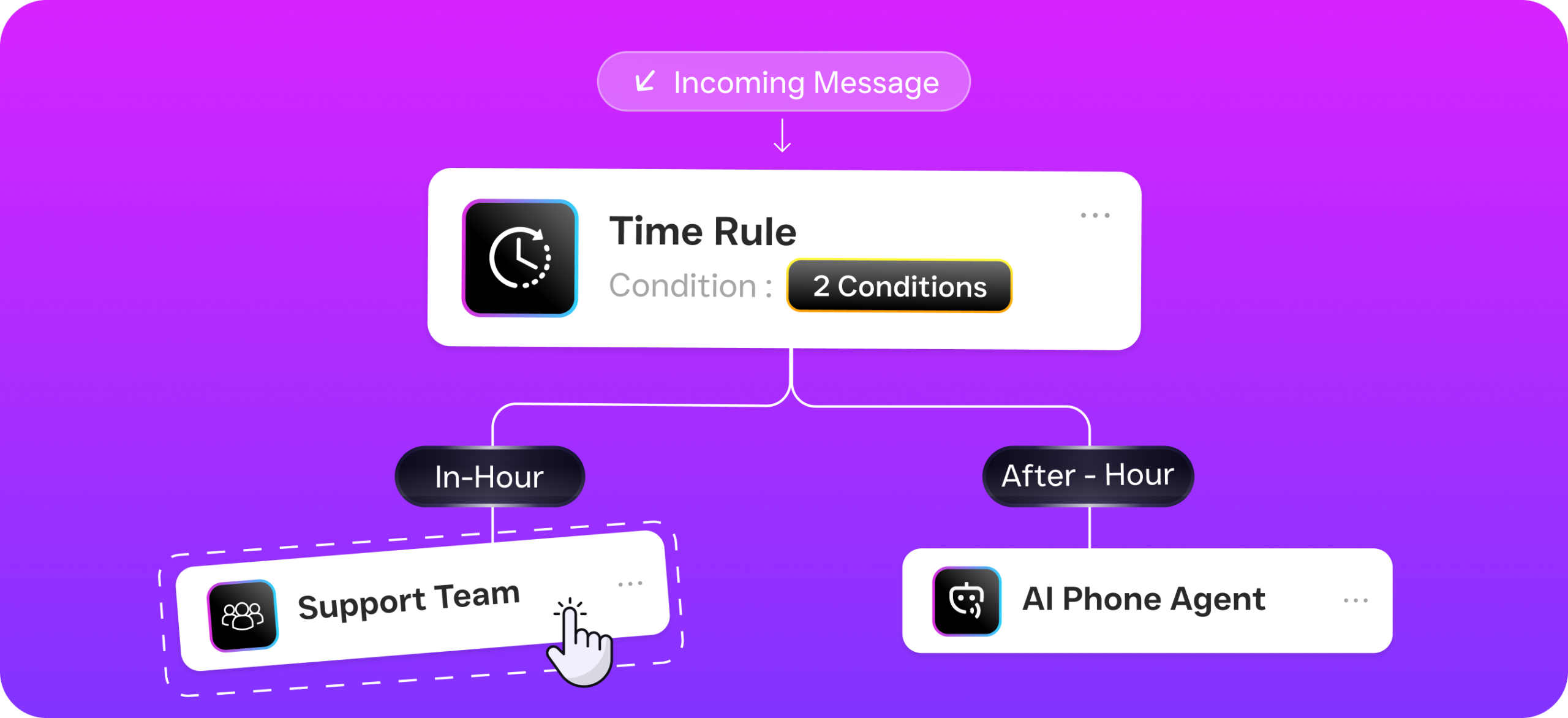
SalesCaptain’s unified inbox pulls in calls, texts, webchat messages, Facebook messages, Instagram DMs, email, and internal notes into a single screen. Your office staff can see the entire conversation history with a customer regardless of which channel they used. That’s huge when a homeowner texts about a clogged drain, then calls back two days later asking for an update. Your team has full context without searching through five different apps. Dialpad can’t do this because it doesn’t support social chat channels, email, or a true all-in-one inbox.
AI Chat Agents Across Every Messaging Channel
Beyond phone calls, SalesCaptain deploys AI Chat Agents on SMS, webchat, Instagram, and Facebook Messenger. These agents respond instantly to customer messages, capture lead information, and book appointments without any human involvement. For home service businesses, this means a homeowner browsing your website at 11 PM can start a webchat, get their questions answered, and have an appointment on your calendar before your team even wakes up the next morning. Dialpad doesn’t offer AI-powered chat agents on any channel.
Built-in Tools That Speed Up Revenue
SalesCaptain includes Text-to-Pay, which lets you send a payment link via text message the moment a job is done. No more chasing invoices or waiting for checks in the mail. It also includes lead capture forms, high-volume SMS for sending promotions to your customer list, and click tracking so you know which messages are driving action. On top of that, the AI writer and translator help you craft professional messages quickly, which is especially useful if you serve customers who speak different languages. None of these features exist in Dialpad.
Workflow Automation That Runs Your Follow-Up
SalesCaptain’s visual workflow builder lets you set up automated sequences with drag-and-drop simplicity. You don’t need any technical skills to create a workflow that sends a booking confirmation, follows up the day before an appointment, requests a review after the job, and updates your CRM record. The platform integrates with HousecallPro, ServiceFusion, QuickBooks, and over 50 other tools that home service businesses already use. That means your AI agents and automations connect directly to the software you run your operations on, without any cobbled-together workarounds.
Per-Location Pricing That Makes Sense
SalesCaptain charges $159 per month per location, and your entire team at that location is covered. Compare that to Dialpad’s per-user model, where costs climb with every new hire. For a growing home service company adding technicians or opening a second location, SalesCaptain’s pricing stays predictable. And with a free Startup plan available for one location, you can test the platform without any financial risk before committing. AI call minutes are billed at just $0.12 per minute, which is far cheaper than hiring a receptionist or using a traditional answering service like human-staffed call centers that charge premium per-minute rates.
How SalesCaptain Compares to Other Dialpad Alternatives
You might be weighing other options beyond just Dialpad and SalesCaptain. Several Dialpad alternative lists mention platforms like Aircall, Grasshopper, Nextiva, and RingCentral. Here’s how they stack up for home service businesses specifically.
Aircall vs SalesCaptain
Aircall is a popular call center platform, but it’s one of the most expensive options at $30 per license per month. It doesn’t offer a Voice AI Agent, WhatsApp support, webchat, email channels, or missed-call text-back. Aircall is designed for customer support teams in larger companies, not for a five-person plumbing crew that needs an AI receptionist. SalesCaptain gives you everything Aircall does for calls, plus AI agents, multi-channel messaging, and workflow automation at a lower effective cost per team member.
Grasshopper vs SalesCaptain
Grasshopper is a bare-bones virtual phone system. It handles voice calls and voicemail, and that’s about it. There’s no AI, no texting automation, no chat agents, no unified inbox, and no workflow builder. For a solo contractor who just needs a business phone number, Grasshopper might be enough. But the moment you start growing and need to capture leads, automate follow-ups, and manage communication across multiple channels, you’ll outgrow it immediately. SalesCaptain is built for that growth from day one.
Nextiva vs SalesCaptain
Nextiva is a solid enterprise phone system, but it caps SMS at 250 messages per user per month. For a home service business that sends appointment confirmations, follow-ups, review requests, and promotional texts, that limit gets hit fast. Nextiva also lacks WhatsApp support, review management, Text-to-Pay, lead forms, and live transcription. Its onboarding process is complex and wasn’t designed for local service businesses. As LimePhone’s competitor analysis points out, many businesses find enterprise-grade platforms overly complex for their actual needs.
Which Should You Choose?
If your team is primarily an outbound sales operation selling software or SaaS products, Dialpad’s AI scorecards, custom sales playbooks, and call flip features genuinely add value. It’s a strong tool for what it was designed to do. Tech-forward companies with dedicated sales reps will appreciate its real-time coaching capabilities and Chrome extension for click-to-call from a browser.
But if you’re a home service business owner looking for a Dialpad alternative for home services, SalesCaptain is the clear winner. You need an AI agent that answers calls when your team is on a roof or under a house. You need a unified inbox that captures leads from Facebook, your website, text messages, and phone calls in one place. In fact, you need automated follow-ups that book more jobs without adding staff. And you need pricing that doesn’t penalize you for growing your team. SalesCaptain delivers all of this in a single platform that you can set up without any technical expertise, and you can start for free.
Frequently Asked Questions
Is SalesCaptain really free to start?
Yes. SalesCaptain offers a free Startup plan for one location. You can set up your AI Phone Agent, unified inbox, and basic features without paying anything upfront. Paid plans start at $159 per month per location when you’re ready for more advanced features, and AI call minutes are billed separately at $0.12 per minute.
Can SalesCaptain’s AI Phone Agent handle calls for plumbing, HVAC, and roofing businesses?
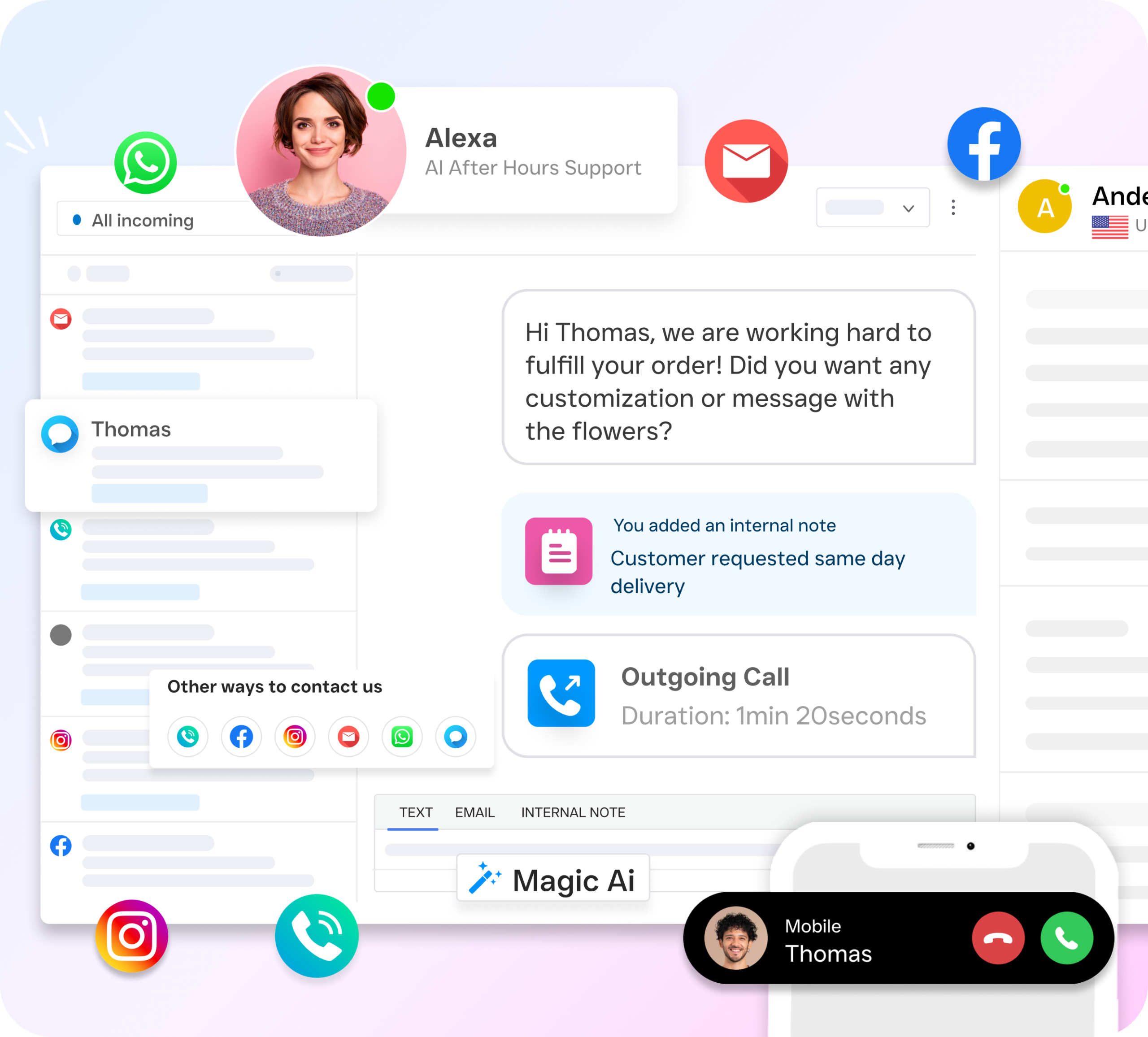
Absolutely. The AI Phone Agent is built specifically for service businesses. You can customize the call flows so the agent asks the right qualifying questions for your trade, answers FAQs about your services and service area, and books appointments directly into your calendar. It handles after-hours calls too, so you never miss a homeowner who needs emergency service at night.
Does SalesCaptain integrate with home service software like HousecallPro or ServiceFusion?
Yes. SalesCaptain has native integrations with HousecallPro, ServiceFusion, QuickBooks, and over 50 other tools. It also connects with Zapier, which opens up thousands of additional integrations. Your AI agents and automated workflows can sync data directly with the field service management software your team already uses daily.
How does SalesCaptain’s pricing compare to Dialpad for a team of 10 people?
Dialpad charges $15 per user per month, so a 10-person team would cost $150 per month before adding toll-free minutes or any extras. SalesCaptain charges $159 per month per location and covers your entire team at that location. For 10 people at one location, the price difference is minimal, but SalesCaptain includes AI voice agents, AI chat agents, unified inbox, workflow automation, and Text-to-Pay, which you’d need to buy separately with Dialpad or couldn’t get at all.
What features does Dialpad have that SalesCaptain doesn’t?
Dialpad offers five features SalesCaptain currently doesn’t have: call flip between mobile and desktop, AI scorecards for rating sales calls, custom sales playbooks, a Chrome browser extension, and hotdesking for shared office phones. These are valuable for sales-focused teams but typically aren’t priorities for home service businesses that need inbound call handling and multi-channel customer communication.
Can I switch from Dialpad to SalesCaptain without losing my business phone number?
SalesCaptain supports number porting, so you can bring your existing business phone number with you when you switch. Your customers won’t notice any change in how they reach you, but you’ll immediately gain access to AI call answering, a unified inbox, and all the automation features that Dialpad doesn’t offer for service businesses.
Try SalesCaptain Free and Stop Missing Calls
SalesCaptain’s AI Phone Agent answers every call, books appointments, and qualifies leads while your crew is out on the job. Set it up in minutes with no technical skills required, and start with the free plan for your first location.