
AI-powered customer experience marketing (CXM) platform that helps local businesses win.


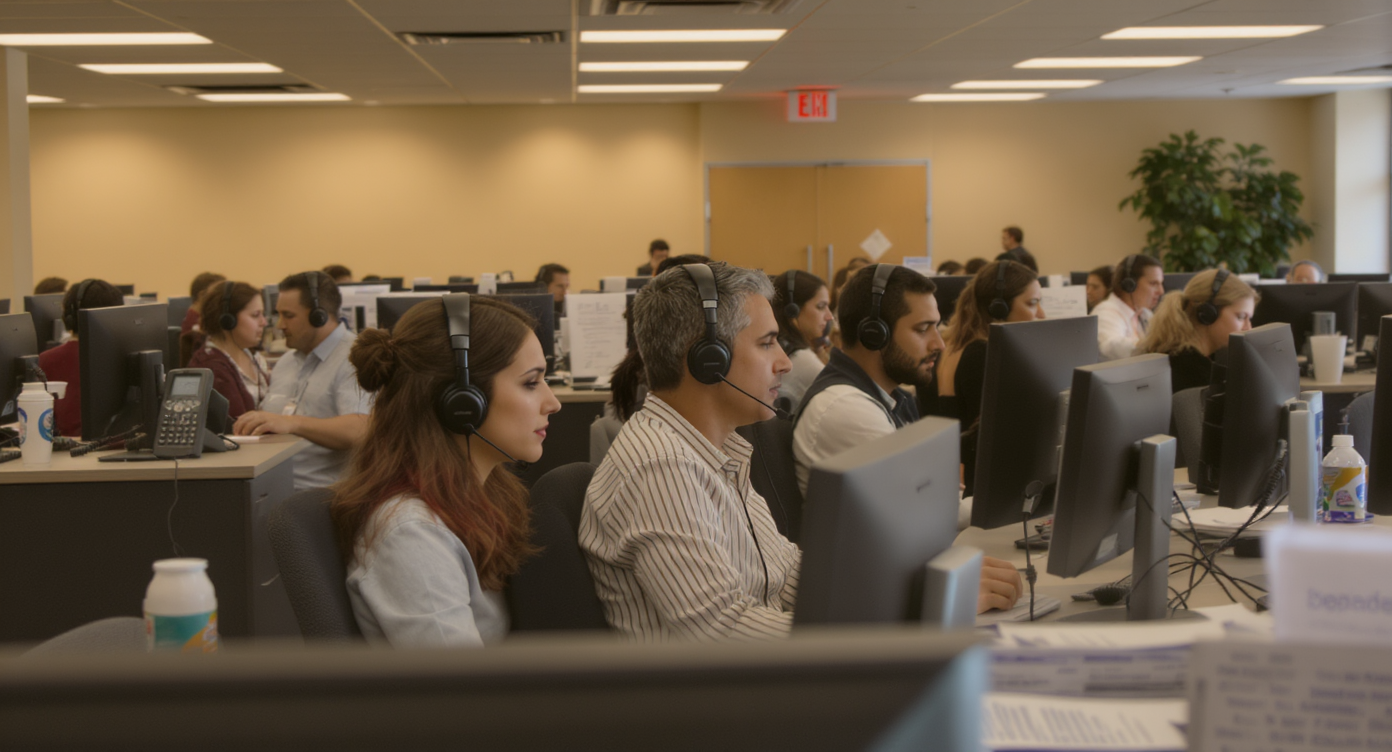
A potential customer calls your business at 4:47 PM on a Friday. Your front desk is swamped. The phone rings six times, and the caller hangs up. That lead is gone. According to recent data on missed calls for small businesses, the average SMB misses nearly a third of incoming calls, and most of those callers never try again. Call center call routing is the system that prevents this exact scenario. It makes sure every call reaches the right person—or the right automated response—without making customers wait or wonder.Call center call routing automatically directs incoming calls to the right team member, department, or AI agent based on predefined rules. This system eliminates missed calls and long wait times by creating a structured path for each call, ensuring customers reach the appropriate resource without delays.
Quick Answer
Smart call routing automatically directs incoming calls to the most qualified agent based on skills, availability, and customer history. This technology uses intelligent algorithms to match callers with agents who can best handle their needs, reducing wait times, improving first-call resolution, and preventing missed opportunities that cost businesses revenue and customer loyalty.
Free weekly newsletter
Growth tips for service businesses
Every Tuesday — actionable ideas to get more leads, reviews, and repeat customers. No fluff.
What Is Call Center Call Routing?
Call center call routing is the process of directing incoming phone calls to the most appropriate destination based on predefined rules. That destination could be a specific team member, a department, a voicemail box, or an AI-powered agent. Instead of every call hitting a single phone line and hoping someone picks up, routing creates a structured path. Each call follows it automatically.Think of it like a traffic system for your phones. Calls come in. They get evaluated against a set of criteria. Then they flow to the right place. The criteria can be simple, like time of day, or complex, like matching a caller’s history to a specialist who’s handled them before. But here’s the thing: the goal stays exactly the same. Connect the caller to the best possible outcome as fast as possible, without human intervention at the routing level.How Call Routing Actually Works: The Three Phases
Understanding the mechanics of call routing helps you set it up correctly. Every routed call passes through three distinct phases. Whether you’re using a basic phone tree or a sophisticated AI-driven system, these phases are the same.The Qualifying Phase
Before a call goes anywhere, the system needs information. During qualifying, the caller interacts with an IVR (interactive voice response) menu, presses digits, or speaks to an automated prompt. Some systems pull caller ID data. They check it against a CRM or identify whether the number has called before. This phase gathers the inputs that determine where the call goes next.For a plumbing company, qualifying might be as simple as “Press 1 for emergencies, Press 2 for estimates.” For a multi-location dental practice, it could involve identifying which office the patient belongs to. The more relevant data you collect here, the smarter the routing decision becomes.The Queuing Phase
Once the system knows what the caller needs, the call enters a queue. If the right agent or team is available, this phase is nearly invisible. But when staff is busy, queuing determines the caller’s position. It plays hold music or informational messages and manages wait times. Well-designed queues also offer callbacks so callers don’t have to sit on hold at all.Poor queuing is where most businesses lose callers. According to contact center statistics compiled by Fit Small Business, long hold times remain one of the top reasons customers abandon calls entirely. So even if your routing logic is perfect, a badly managed queue can undo all of it.The Distribution Phase
Distribution is the final handoff. The system delivers the call to a specific person, group, or automated handler. Distribution rules can follow round-robin patterns (alternating evenly among staff), priority-based assignments, or skill-matching logic. Once the call connects, the routing system’s job is done.📺 Watch: How to Create Your First Call Flow
Types of Call Routing Strategies and When to Use Each
Not every business needs the same routing approach. Your choice depends on your team size, call volume, service complexity, and hours of operation. Here’s a breakdown of the most common approaches and where each one fits best.Direct Routing
Calls go straight to a specific number or extension. There’s no menu. No queue. No decision logic. This works for solo operators or businesses with a single point of contact. But it breaks down fast once you’ve got more than one person answering phones. If that one person is unavailable, the call goes to voicemail or gets dropped.Time-Based Routing
Calls follow different paths depending on when they come in. During business hours, calls ring your team. After hours, they route to voicemail, an answering service, or an AI agent. For service businesses that operate on fixed schedules, time-based routing ensures callers always get some form of response. Even at midnight. Research from Voksha shows that after-hours missed calls represent a significant chunk of lost revenue for local businesses. This makes time-based routing essential rather than optional.Skills-Based Routing
Calls route to agents or staff members based on their specific expertise. A legal practice might route personal injury inquiries to one attorney and family law questions to another. This reduces transfers. It shortens resolution times. And it creates a better caller experience. However, it requires more setup because you need to tag each team member’s skill set and map call types to those skills.Intelligent Routing with AI
This is the newest approach. AI-powered routing goes beyond static rules. It analyzes caller data, previous interactions, sentiment, and even the content of what the caller says. Then it makes real-time decisions. Rather than pressing buttons on a menu, the caller speaks naturally, and the system figures out where to send them.Intelligent routing is particularly powerful for businesses that handle a wide variety of call types but don’t have a large staff to cover every scenario. According to 2024 call center statistics from Convin, AI-driven routing and automation are among the fastest-growing trends in contact center operations. Demand from businesses of all sizes is driving this shift.Choosing the Right Combination
Most businesses don’t use just one strategy. A typical setup might combine time-based routing (business hours vs. after hours) with skills-based routing (different departments) and an AI fallback for overflow. Here’s a quick reference:| Strategy | Best For | Limitation |
|---|---|---|
| Direct | Solo operators, single-line businesses | No redundancy if unavailable |
| Time-Based | Fixed-schedule businesses | Doesn’t account for staff availability |
| Skills-Based | Multi-department or specialized teams | Requires detailed staff tagging |
| Intelligent/AI | High-volume, varied call types | Needs initial configuration and training |
Why Call Routing Matters More Than Most Businesses Realize
It’s easy to think of call routing as a “nice to have.” Something big call centers worry about but small businesses can skip. That assumption costs real money. How you handle incoming calls extends far beyond convenience.Revenue Protection
Every missed or misrouted call is a potential lost sale. Data from Callsetter estimates that missed calls can cost service businesses over $100,000 per year in lost revenue. Proper routing doesn’t just improve the experience. It directly protects your top line by ensuring leads and customers actually reach someone who can help.Staff Efficiency
Without routing, your team plays an expensive game of hot potato. Calls hit the wrong person. They get transferred. Placed on hold. Transferred again. Each unnecessary handoff wastes staff time and frustrates the caller. Good routing eliminates these loops. Your receptionist isn’t fielding questions meant for your technicians, and your technicians aren’t answering billing inquiries.Customer Retention
Callers form impressions fast. A call that’s answered promptly and handled by someone who can actually help creates trust. But a call that bounces through three transfers or sits on hold for five minutes creates doubt. According to TWC IT Solutions’ analysis of contact centre statistics, a significant percentage of consumers say they’ll switch providers after a single bad phone experience. Routing is your first line of defense against that.Scalability Without Headcount
Hiring more staff to answer phones is expensive. The average cost of a full-time receptionist exceeds $35,000 per year according to Bureau of Labor Statistics wage data. Smart routing, especially when combined with AI agents that can handle routine calls autonomously, lets you scale your call-handling capacity. You don’t have to scale your payroll proportionally.Best Practices for Setting Up Call Routing
Getting call routing right requires more than just turning on a feature. Here are the practices that separate systems that work from systems that frustrate callers and waste staff time.- Keep menus short. IVR trees with more than three or four options per level cause caller drop-off. If your menu sounds like a restaurant reading the full wine list, you’ve gone too far.
- Always have a human (or AI) fallback. Every routing path should end with someone or something that can help. Dead ends, where a call rings out with no answer and no voicemail, are unacceptable.
- Route by intent, not just by department. A caller saying “I need to reschedule” and a caller saying “I want a quote” have very different needs. When possible, identify intent early and route accordingly.
- Test your routing regularly. Call your own business from an outside line. Go through every menu option. You’ll be surprised how often a path breaks after a staffing change or schedule update.
- Use after-hours routing as a revenue tool, not just a voicemail dump. Instead of sending after-hours callers to a generic voicemail, route them to an AI agent that can capture information, answer common questions, or even book appointments.
- Monitor and adjust. Track which routing paths get the most volume, where callers abandon, and which destinations have the longest handle times. Then refine accordingly.
How SalesCaptain Helps
SalesCaptain’s call flow builder gives you a visual, drag-and-drop interface to design call center call routing paths without touching any code. You can map out exactly what happens when a call comes in. Greetings. IVR menus. Department routing. Time-based rules. Fallback destinations. All in a single visual workflow.Here’s what sets SalesCaptain apart: what happens when no one’s available to answer. Instead of sending callers to voicemail (where leads go to die), the platform’s AI Phone Agent picks up. It sounds natural. It handles FAQs. It qualifies leads and books appointments directly into your calendar. Plus, it blocks spam. Every call gets a response, whether it’s 2 PM on a Tuesday or 11 PM on a Saturday.Beyond routing, every call gets transcribed and summarized automatically using AI. Your team doesn’t need to listen to recordings or take frantic notes. Key details, action items, and follow-ups are extracted and available in the unified inbox alongside texts, webchat messages, and social media DMs. The routing is just the front door. SalesCaptain handles what happens after the caller walks through it.For multi-location businesses, the per-location pricing model ($159/month for the Business plan) means you can set up independent routing flows for each location without paying per-seat fees that balloon as you add staff. That’s a meaningful difference compared to platforms like Aircall at $30 per license or Dialpad at $15 per user. Those platforms charge costs that scale with headcount rather than locations.Key Takeaways
Call center call routing isn’t complicated in concept. But getting it right has an outsized impact on revenue, customer experience, and staff productivity. Every incoming call follows a path through qualifying, queuing, and distribution. You control how smooth or painful that path is.- Routing strategies range from simple direct routing to AI-powered intelligent routing. Most businesses benefit from combining two or more.
- After-hours call handling is where most service businesses leak revenue. Routing calls to an AI agent instead of voicemail captures leads that would otherwise disappear.
- Effective routing reduces the need to hire additional staff by ensuring existing resources handle calls more efficiently.
- Testing and refining your call flows regularly is just as important as setting them up in the first place.
Frequenty Asked Questions
What’s the difference between call routing and call forwarding?
Call forwarding sends all calls to a single alternate number. Call routing is more sophisticated. It evaluates each call against rules (time of day, caller input, staff availability, caller history) and directs it to the best destination. Forwarding is a blunt instrument. Routing is a precision tool.Can small businesses benefit from call routing, or is it only for large call centers?
Small businesses often benefit more than large ones. When you only have two or three people answering phones, every misrouted or missed call has a bigger proportional impact. Even a basic time-based routing setup with an after-hours AI fallback can recover significant revenue.How does AI-powered routing differ from traditional IVR?
Traditional IVR requires callers to press buttons to navigate menus. AI-powered routing lets callers speak naturally. Then it uses speech recognition and intent analysis to determine where to send the call. It’s faster for the caller and more flexible for the business. Especially when call types don’t fit neatly into numbered menu options.What happens if my call routing sends a call to someone who doesn’t answer?
Well-designed routing includes fallback rules. If the primary destination doesn’t pick up within a set number of rings, the call can route to a backup person, a shared queue, or an AI agent. The worst outcome is a dead end where the call goes nowhere. Always build at least two layers of fallback into every routing path.How long does it take to set up call routing for a service business?
With a visual builder like SalesCaptain’s call flow tool, most businesses can design and deploy a functional routing system in under an hour. More complex setups with skills-based routing, multi-location logic, and AI agent integration might take a few hours. Either way, you don’t need technical expertise or a developer.Ready to see it in action?
See how call centers use SalesCaptain to route calls instantly and never lose a customer.
Book a Free Demo →