
AI-powered customer experience marketing (CXM) platform that helps local businesses win.



If your service business juggles phone calls, texts, social media messages, and emails across different tools, you already know how messy customer communication gets. CCM platforms (customer communication management platforms) solve that problem by bringing every channel into one place, so your team stops missing messages, losing leads, and wasting hours switching between apps. For SMBs that can’t afford dedicated IT teams or bloated enterprise software, the right CCM platform isn’t a luxury. It’s the difference between growing and stagnating.
What Are CCM Platforms?
A customer communication management platform is software that centralizes how your business communicates with customers across every channel. Instead of checking voicemail in one app, responding to texts in another, and logging into Facebook to reply to a DM, a CCM platform pulls all of those conversations into a single interface. Your team sees every interaction in one place, with full context on each customer.
Traditionally, CCM platforms were built for large enterprises managing document-heavy communication like billing statements, policy notices, and compliance letters. That’s changing fast. The customer communication management software market is expanding as smaller businesses recognize that fragmented communication directly costs them revenue. When a plumbing company misses a call and doesn’t follow up for two hours, that homeowner has already called someone else.
Modern CCM platforms go far beyond document management. They handle real-time conversations across voice, SMS, webchat, social media, and email. The best ones also layer in automation and AI so that routine interactions don’t require a human at all. For service businesses, that means fewer missed calls, faster response times, and more booked appointments without adding headcount.
How CCM Platforms Work in SalesCaptain
SalesCaptain approaches customer communication management differently than legacy enterprise tools. Rather than focusing on outbound documents and compliance workflows, it’s built around the real-time, high-volume communication patterns that service businesses deal with every day. Here’s what the workflow looks like in practice:
- Connect your channels. Link your business phone number, SMS, webchat widget, Instagram DMs, Facebook Messenger, and email to SalesCaptain. Everything flows into one unified inbox that your whole team can access.
- Build your AI agents. Use the no-code builder to create an AI Phone Agent and AI Chat Agents. Define how they greet callers, what questions they ask to qualify leads, which FAQs they answer, and when they book appointments directly on your calendar.
- Set up call flows. Design the step-by-step path each incoming call follows using a drag-and-drop builder. Route calls by department, time of day, or caller intent. Add IVR menus, voicemail fallbacks, and after-hours rules so no call goes unanswered.
- Automate follow-ups. Create workflows that trigger automatically based on customer actions. A missed call can fire off an instant text-back. A completed appointment can send a review request. A new lead can get a nurture sequence.
- Review and improve. Every call gets an AI-generated transcription and summary, so your team can review conversations without re-listening to recordings. Use these insights for coaching, quality control, and spotting trends in customer requests.
No coding is involved at any step. The entire setup is visual, and most businesses have their core communication flows running within a day.
Key Capabilities
- AI Phone Agent with 24/7 coverage: A natural-sounding voice agent picks up every call, even at 2 AM on a holiday. It qualifies leads, books appointments, answers common questions, blocks spam, and routes complex calls to the right person. According to research from Aira, a significant percentage of business calls go unanswered, and each one represents lost revenue. SalesCaptain’s AI agent eliminates that gap entirely.
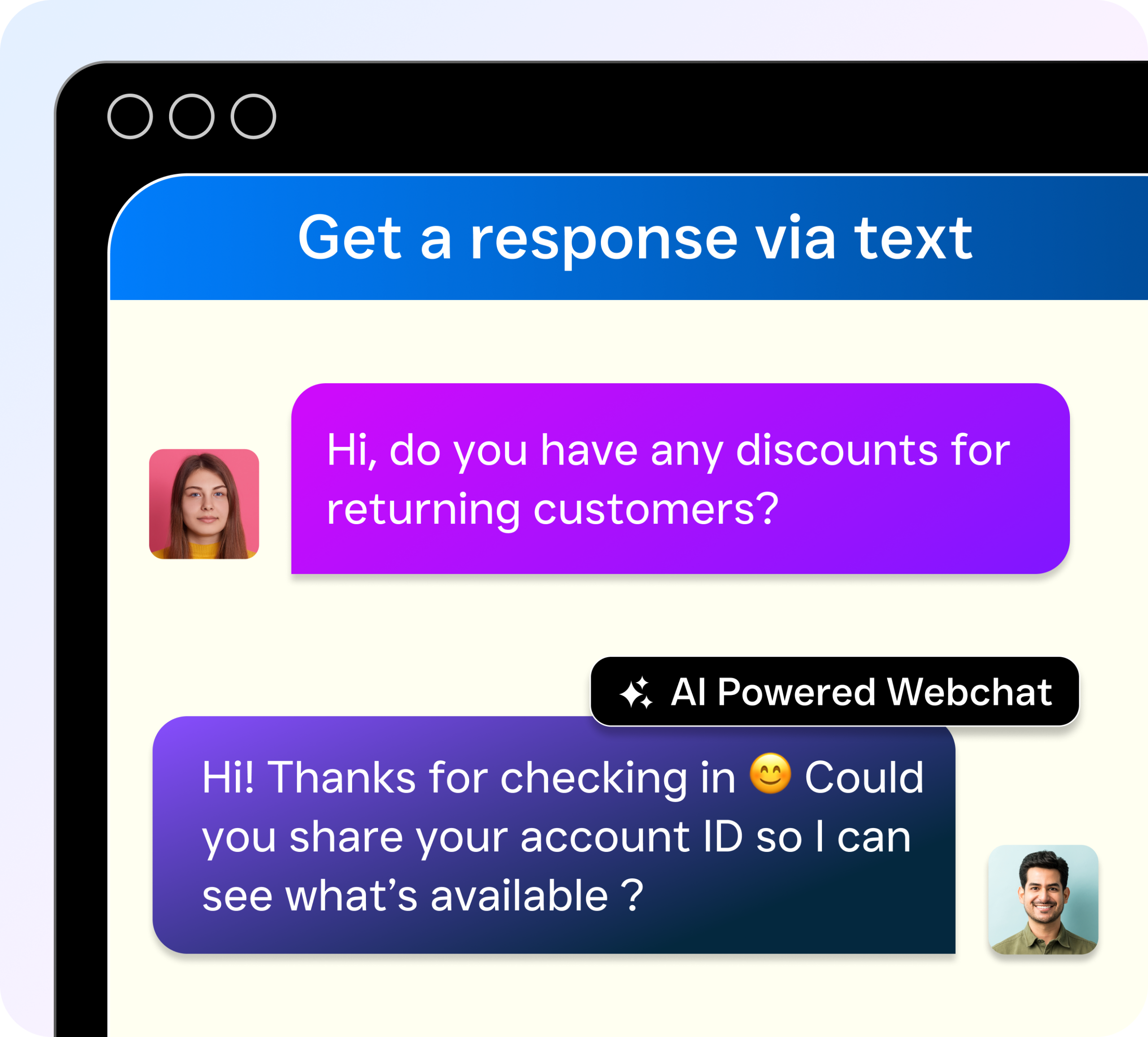
- Multichannel AI Chat Agents: Automated agents handle SMS, webchat, Instagram DMs, and Facebook Messenger simultaneously. They respond instantly, capture lead information, and schedule appointments without any human involvement.
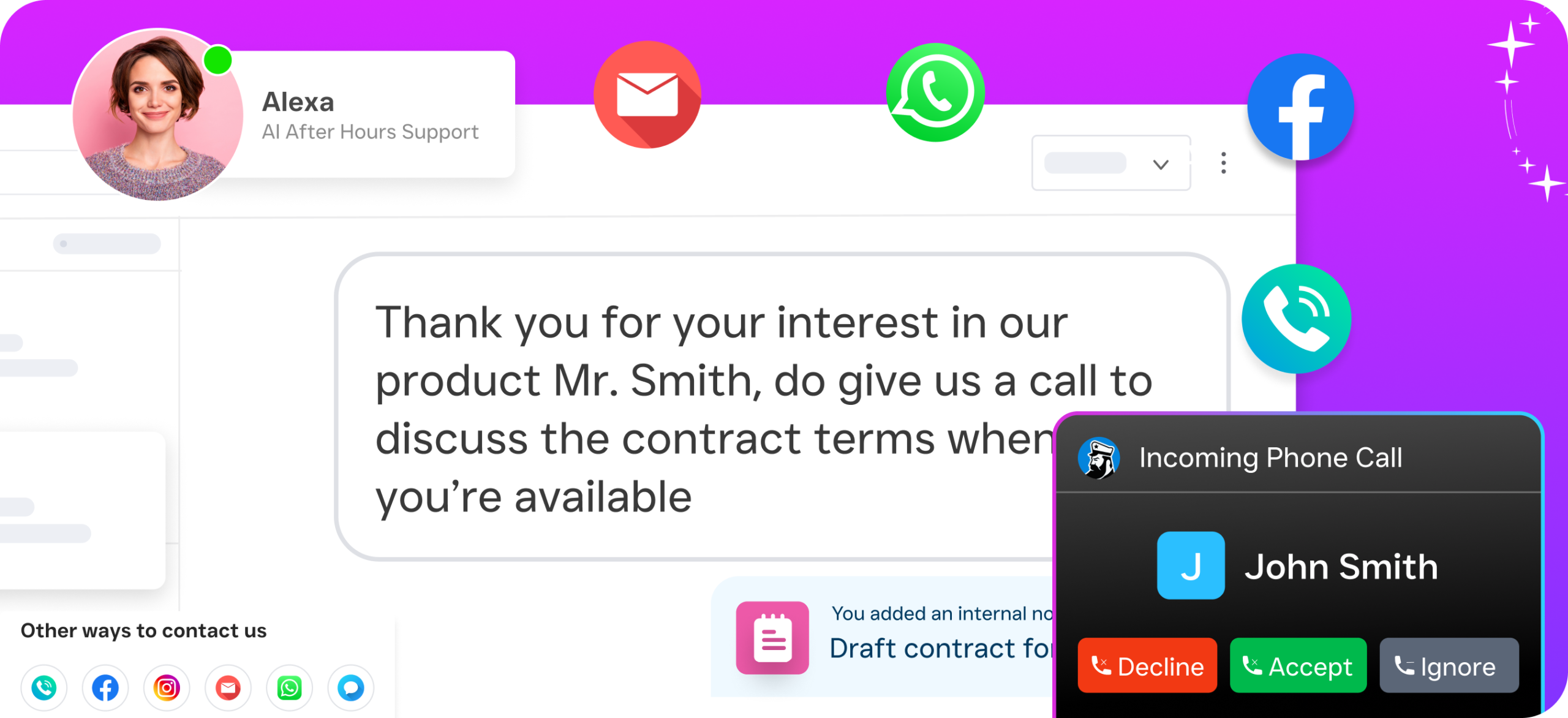
- Unified Inbox: Every conversation from every channel appears in a single collaborative inbox. Your team sees the full history for each contact, including calls, texts, social messages, emails, and internal notes. There’s no more context-switching or “did anyone reply to that message?” confusion.
- Drag-and-Drop Call Flows: Build custom call routing with IVR menus, time-based rules, ring groups, voicemail, and AI Agent handoffs. The visual builder makes it easy to create sophisticated phone trees that would typically require a telecom consultant.
- Workflow Automation: Trigger-based automations handle follow-ups, appointment reminders, CRM updates, and notifications. With 50+ native integrations including HubSpot, Salesforce, HousecallPro, and Clio, your communication data syncs everywhere it needs to go.
- AI Summaries and Transcriptions: Every call is automatically transcribed with speaker distinction and summarized into key takeaways, action items, and follow-up tasks. Your team gets the essential information without spending 15 minutes re-listening to a recording.
Who Needs This?
CCM platforms aren’t just for Fortune 500 companies managing millions of policy documents. Service businesses with real-time customer communication challenges benefit the most. If you’re fielding dozens of calls and messages daily across multiple channels, you need a centralized system. Here’s who gets the most value:
- Home service companies (roofers, plumbers, HVAC techs, landscapers, appliance repair) that miss calls while crews are in the field. The true cost of a missed call goes beyond a single lost job; it includes the lifetime value of that customer and every referral they’d have sent your way.
- Healthcare and wellness practices (dental offices, MedSpas, therapy clinics) that need HIPAA-aware scheduling and consistent patient communication across phone and text.
- Legal practices where missing a potential client’s first call often means they’ve already retained another firm by the time you call back.
- Appointment-heavy businesses (salons, gyms, fitness studios) that need automated booking, reminders, and no-show follow-ups running around the clock.
- Multi-location businesses that need consistent communication standards across every office without hiring separate reception staff at each site.
- Business owners and operations managers who are tired of managing five different communication tools and want a single platform their team actually uses.
Benefits of CCM Platforms for Service Businesses
Stop Losing Revenue to Missed Calls and Slow Replies
The most immediate benefit is also the most financially impactful. Every missed call or delayed text response is a potential customer choosing your competitor instead. Research from Phone2 shows that the financial impact of missed calls on small businesses is substantial and cumulative. With an AI Phone Agent answering 24/7 and AI Chat Agents responding to messages instantly, you capture leads that would’ve slipped through the cracks. That’s revenue you’re recovering without hiring a single new person.
Give Your Team Hours Back Every Week
Repetitive tasks eat your staff’s time. Answering the same five questions on every call, sending appointment reminders manually, toggling between a phone system, a texting app, and social media inboxes. SalesCaptain’s automation handles all of it. Your team focuses on the work that actually requires human judgment: closing deals, solving complex problems, and building relationships. A U.S. Chamber of Commerce report on technology’s impact on small businesses underscores how automation tools are helping SMBs do more with existing staff.
Scale Without Proportional Hiring
Adding a second location doesn’t have to mean doubling your reception staff. Because SalesCaptain prices per location (starting with a free plan for one location, then $159/month per location for Business), you can expand your communication infrastructure affordably. AI agents handle the increased call and message volume, while your unified inbox keeps everything visible to whichever team member needs it.
Consistent Customer Experience Across Every Channel
When a customer calls, texts, and then messages you on Instagram about the same issue, fragmented tools mean three separate conversations with no shared context. A unified inbox solves that. Your staff sees the entire history for each contact regardless of channel. Customers don’t have to repeat themselves, and your team doesn’t waste time asking “have you already spoken with someone here about this?”
How SalesCaptain Compares
Most tools in this space force you to choose between communication channels or pay premium prices for features that should be standard. SalesCaptain is the only platform that combines AI voice agents, AI chat agents, and a unified inbox in a single tool built specifically for service businesses.
Take Podium, for example. While it offers texting and review management, it doesn’t include outbound workflow automation, has opaque pricing, and its call capabilities are limited to call-to-text, with no real-time speech analytics or post-call analytics. SalesCaptain includes both, plus a power dialer and audio conferencing.
Birdeye is primarily a reputation management tool. It lacks call routing, IVR, call flow building, warm and cold transfers, hold music, and any AI capabilities for voice calls. If you need a true communication platform rather than a review tool, those gaps are significant.
Enterprise-focused platforms like Nextiva cap SMS at 250 messages per user per month and don’t offer WhatsApp, review management, text-to-pay, or live transcription. SalesCaptain has no such caps and includes all of those features. Similarly, Aircall charges $30 per license with no Voice AI Agent, no webchat, no email channel, and no missed-call text-back. For service businesses, those aren’t optional extras.
The broader landscape of AI receptionist and communication software is growing rapidly, but most options address only one slice of the problem. SalesCaptain covers the full picture: voice, text, chat, social, automation, and AI, all in one place with pricing that makes sense for businesses with 1 to 200 employees.
Frequently Asked Questions
What’s the difference between traditional CCM platforms and SalesCaptain?
Traditional CCM platforms focus on outbound document management, like generating and delivering billing statements, policy letters, and compliance documents at scale. SalesCaptain is built for real-time, two-way customer communication across voice, SMS, webchat, and social media. It’s designed for service businesses that need to answer calls, respond to messages, and book appointments, not manage document templates.
Do I need technical skills to set up AI agents on SalesCaptain?
Not at all. Both the AI Phone Agent and AI Chat Agents use a no-code builder. You’ll define what your agent should say, which questions to ask, and when to book appointments or route to a human. The entire process is visual and drag-and-drop. Most businesses are fully operational within a day.
How much does SalesCaptain cost compared to other CCM platforms?
SalesCaptain offers a free Startup plan for one location, a Business plan at $159/month per location, and an Enterprise plan at $300/month per location. AI call minutes are billed at $0.12 per minute. That’s significantly more affordable than per-user pricing models from competitors like Aircall ($30/license) or enterprise CCM tools that don’t publish pricing at all. According to The CMO Survey, marketing and communication budgets are under pressure for SMBs, making transparent, per-location pricing especially valuable.
Which integrations does SalesCaptain support?
SalesCaptain offers 50+ native integrations, including HubSpot, Salesforce, Zoho, ServiceFusion, HousecallPro, Mindbody, Rezdy, Shopify, QuickBooks, Clio, and Zapier. Through Zapier, you can connect to thousands of additional tools. Data flows between your communication platform and your CRM, scheduling software, and billing systems automatically.
Can SalesCaptain handle multiple business locations?
Yes. The per-location pricing model is specifically designed for multi-location businesses. Each location gets its own phone number, call flows, AI agents, and inbox, while you maintain visibility across all locations from a single account. There’s no need to manage separate tools or logins for each office.
Your Customers Are Reaching Out Right Now. Don’t Make Them Wait.
SalesCaptain gives your service business an AI-powered CCM platform that answers every call, responds to every message, and books appointments around the clock. One inbox. Every channel. No missed opportunities.