
AI-powered customer experience marketing (CXM) platform that helps local businesses win.



Most service businesses collect customer data across dozens of touchpoints, yet struggle to turn that data into decisions that actually grow revenue. CRM BI bridges that gap. It connects the customer relationship management tools you already use with business intelligence capabilities that surface patterns, trends, and opportunities hidden in your data. If you’re running a service business with appointment-heavy workflows, multiple communication channels, and a growing customer base, CRM BI isn’t a luxury. It’s how you stop guessing and start scaling with clarity.
What Is CRM BI?
CRM BI refers to the combination of customer relationship management and business intelligence within a single workflow. Your CRM stores every customer interaction, from the first missed call to the latest appointment confirmation. Business intelligence takes that raw data and transforms it into actionable insights: which lead sources convert best, where your team drops the ball on follow-ups, and how communication patterns affect close rates.
Think of it this way. A CRM without BI is a filing cabinet. You’ve got the records, but you’re manually flipping through folders to find anything useful. Adding BI turns that cabinet into a dashboard that tells you exactly which drawer to open, and why. According to Freshworks’ CRM statistics report, CRM adoption continues to climb among small and midsize businesses, yet many still don’t extract meaningful analytics from their platforms. That’s the gap CRM BI fills.
Where traditional BI tools pull from multiple disconnected data sources, CRM BI focuses specifically on customer-facing data. It analyzes call volumes, response times, booking rates, conversation sentiment, and revenue attribution all within the context of your customer relationships. For service businesses, this means you’re not just looking at spreadsheets. You’re seeing which interactions lead to booked jobs and which ones leak revenue.
How CRM BI Works in SalesCaptain
SalesCaptain doesn’t bolt on a separate BI tool and call it a day. Instead, intelligence is built directly into the communication layer, so every call, text, chat, and booking feeds a unified picture of your business performance. Here’s how the process works in practice:
- Capture every customer interaction automatically. SalesCaptain’s AI Phone Agent and AI Chat Agents log calls, texts, webchat conversations, Instagram DMs, and Facebook Messenger exchanges. Nothing falls through the cracks because every channel feeds into one system.
- Transcribe and summarize conversations with AI. Every call gets a full transcription with speaker distinction, plus an AI-generated summary highlighting key decisions, objections, and next steps. This creates structured data from unstructured conversations.
- Centralize data in the Unified Inbox. All interactions, whether they came from a phone call at 2 AM or a webchat on Sunday morning, appear in a single collaborative inbox. Your team sees the full customer history without switching tabs or platforms.
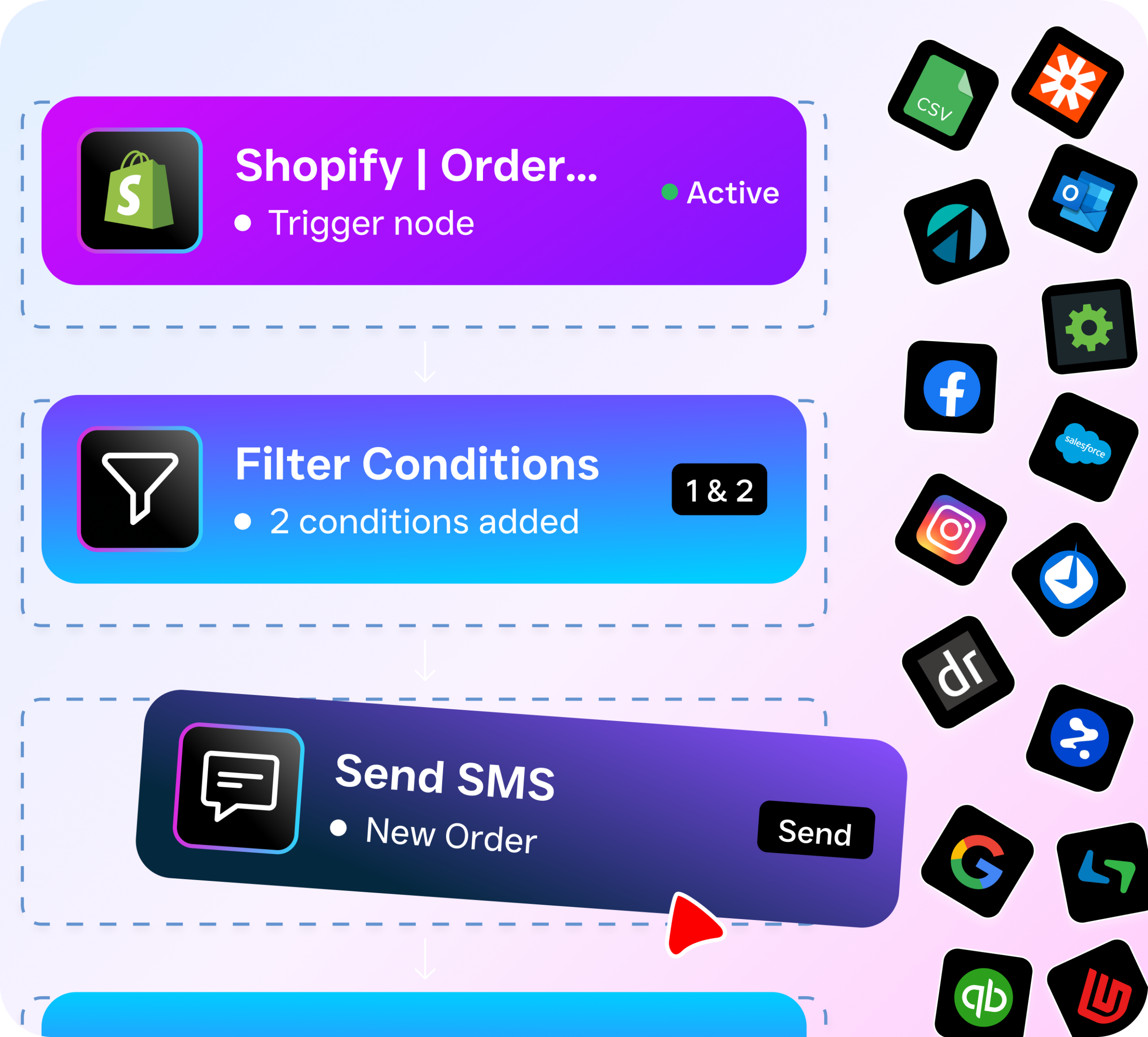
- Trigger automated workflows based on patterns. SalesCaptain’s drag-and-drop Workflow Automation builder lets you create follow-up sequences, CRM updates, and notifications that fire based on what the data reveals. A lead that mentioned pricing concerns? Automatically tag them and route a follow-up text within minutes.
- Sync insights with your existing tools. With native integrations for HubSpot, Salesforce, Zoho, ServiceFusion, HousecallPro, and 50+ other platforms, SalesCaptain pushes enriched data back into whatever CRM or reporting tool your team already relies on.
Key Capabilities
- AI Summaries and Transcriptions: Every call produces a text record and concise summary. Your team doesn’t need to replay recordings to recall what a customer said. Instead, they scan a quick summary that highlights action items, concerns, and commitments. This structured data feeds directly into your CRM BI workflow.
- Real-Time Sentiment Analysis: SalesCaptain’s post-call analytics include sentiment tracking, so you can identify frustrated callers, enthusiastic prospects, and at-risk accounts without manually reviewing every conversation.
- Cross-Channel Contact History: The Unified Inbox maintains a complete timeline for each contact, spanning calls, texts, social messages, and internal notes. When you’re analyzing customer journeys, you see the full picture, not fragments scattered across disconnected tools.
- Automated Lead Qualification: The AI Phone Agent qualifies callers using criteria you define, scoring leads before a human ever gets involved. That qualification data flows into your CRM, giving your BI layer richer inputs for conversion analysis.
- Workflow-Driven CRM Updates: Rather than relying on your team to log notes manually, SalesCaptain’s automation engine updates CRM records, triggers follow-ups, and sends notifications based on call outcomes and customer behavior patterns.
- 50+ Native Integrations: Data only becomes intelligence when it reaches the right system. SalesCaptain connects natively with Salesforce, HubSpot, Zoho, QuickBooks, Clio, Shopify, Zapier, and dozens more, ensuring your BI stack stays current without manual exports.
Who Needs This?
CRM BI isn’t just for enterprises with dedicated analytics teams. According to Technavio’s market research, AI-driven CRM adoption among SMEs is one of the fastest-growing segments in the industry. Here’s who benefits most:
- Home service companies (roofing, plumbing, HVAC, landscaping): High call volumes, seasonal patterns, and multi-channel inquiries make it critical to understand which marketing channels drive actual booked jobs, not just clicks.
- Healthcare and wellness practices (dental, MedSpa, therapy): Patient communication data reveals no-show patterns, preferred booking channels, and follow-up gaps that directly affect revenue per provider.
- Legal practices: Call transcriptions and summaries provide both operational intelligence and documentation. Firms using Clio alongside SalesCaptain get enriched data flowing between their practice management and communication systems.
- Multi-location businesses: Owners managing 2-5+ locations need comparative performance data across sites. Per-location pricing means you’re not paying enterprise rates to get location-level insights.
- Operations and sales managers: If you’re responsible for team performance, CRM BI shows you which reps follow up fastest, which call flows convert best, and where leads stall in your pipeline.
Benefits of CRM BI for Your Business
Stop Losing Revenue to Blind Spots
Every missed call is a potential lost customer. According to Aira’s research on missed business calls, a significant percentage of business calls go unanswered. However, the bigger problem isn’t just the missed call itself. It’s not knowing it happened, or understanding why it keeps happening. SalesCaptain’s 24/7 AI Phone Agent captures those calls, and the data from each interaction feeds your understanding of call volume patterns, peak hours, and staffing gaps.
Make Faster Decisions Without More Staff
Hiring an analyst to pull CRM reports isn’t realistic for most service businesses. SalesCaptain automates the data capture and structuring that would otherwise require manual effort. AI transcriptions turn conversations into searchable records. Automated workflows tag, categorize, and route leads without human intervention. As a result, you’re making data-informed decisions at the speed your business demands, without adding headcount. According to LinkPoint360’s CRM statistics, businesses that effectively use CRM data see measurable improvements in customer retention and sales productivity.
Turn Communication Data Into Competitive Advantage
Most of your competitors treat their phone system, texting platform, and CRM as separate silos. That fragmentation means they can’t see how a webchat inquiry on Tuesday connects to a phone call on Thursday and a booked appointment on Friday. SalesCaptain’s Unified Inbox creates that connected timeline automatically. When you understand the full customer journey across channels, you can optimize each touchpoint instead of guessing which ones matter.
How SalesCaptain Compares
The CRM BI space is crowded, but most platforms force you to choose between communication tools and analytics. HubSpot offers powerful BI capabilities, yet its complexity and cost make it overkill for most service businesses. Plus, it doesn’t include an AI voice agent or missed-call text-back. On the other end, platforms like Birdeye focus heavily on reputation management but lack core communication features like call routing, IVR, hold music, or any AI-powered call handling.
Aircall provides solid call center functionality, but at $30 per license per month, it’s the most expensive option in its class, and it still doesn’t offer a Voice AI Agent, webchat, or missed-call text-back. According to Destination CRM’s 2024 industry leader awards, the top-performing BI analytics platforms are those that tightly integrate data capture with intelligence. SalesCaptain takes that principle and applies it specifically to service business communication.
What sets SalesCaptain apart is combining AI voice agents, AI chat agents, a unified inbox, and workflow automation in one platform. You don’t need to stitch together a phone system, a chatbot, a CRM connector, and a BI dashboard from four different vendors. Everything lives in one place, starting with a free plan for single-location businesses and scaling to $159/month per location for the full feature set. For multi-location operations, that’s significantly more affordable than assembling equivalent capabilities from separate tools.
Does SalesCaptain replace my CRM?
No. SalesCaptain works alongside your existing CRM. It captures and enriches communication data, then syncs it with tools like HubSpot, Salesforce, Zoho, and others through native integrations. Your CRM stays your system of record, but it gets fed better, more structured data from every customer interaction.
What kind of data does SalesCaptain feed into BI workflows?
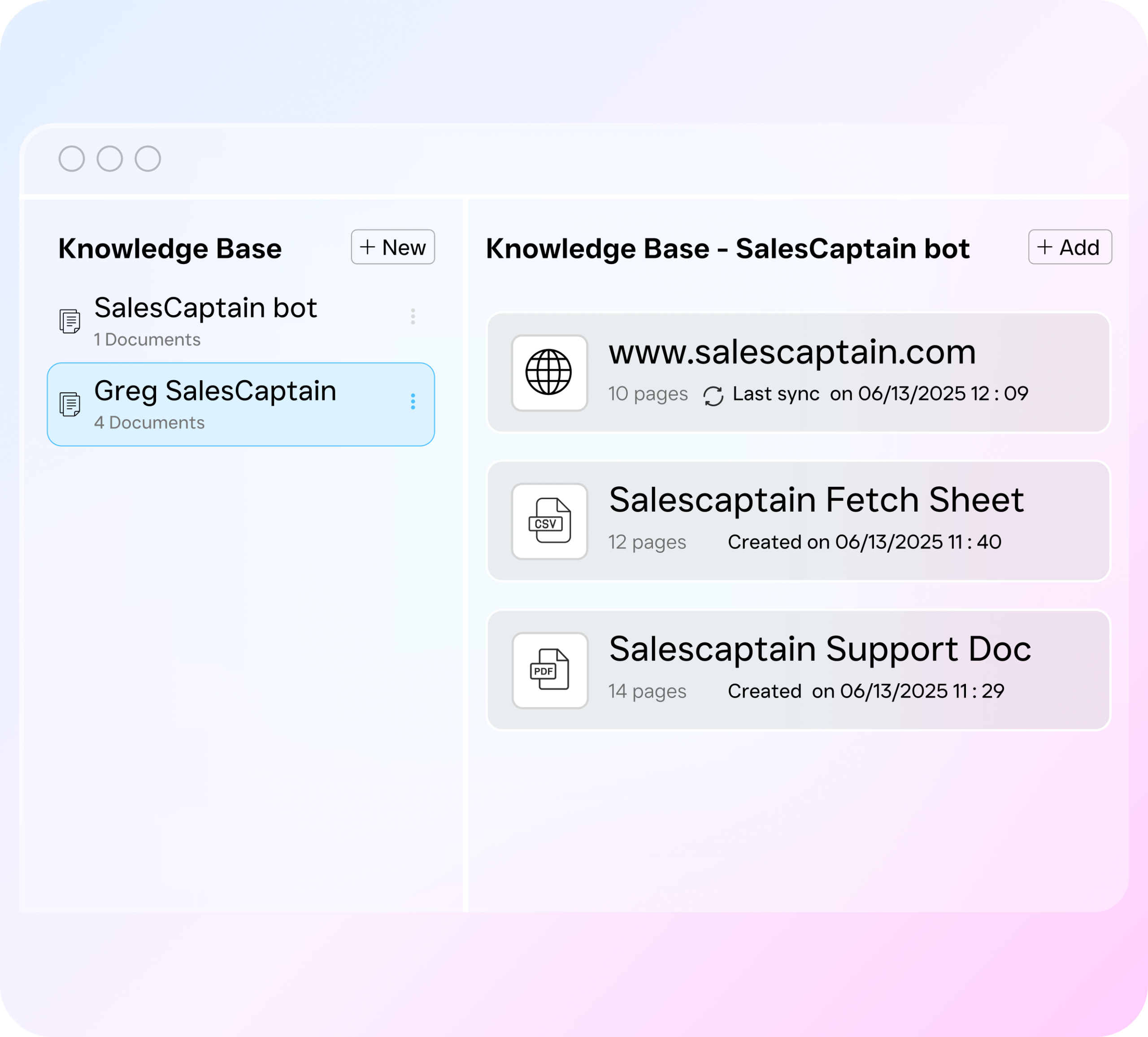
Every call, text, webchat, and social media conversation generates structured data: transcriptions, AI summaries, sentiment analysis, lead qualification scores, response times, and booking outcomes. All of this flows into your CRM or reporting tool through native integrations or Zapier, giving your BI layer the raw material it needs.
Can I use CRM BI features on the free plan?
The free Startup plan includes core communication features for one location. AI call minutes are billed at $0.12/minute. For full workflow automation, advanced analytics, and multi-location support, the Business plan at $159/month per location unlocks the complete feature set.
How does AI transcription improve my CRM data quality?
Manual call logging is inconsistent. Reps forget details, skip entries, or summarize inaccurately. SalesCaptain’s AI transcription captures every word with speaker distinction, then generates a summary highlighting decisions, objections, and next steps. That structured, accurate data feeds directly into your CRM, so you’re analyzing reality, not approximations. According to industry CRM research, data quality remains one of the biggest barriers to effective CRM adoption among small businesses.
Turn Your Customer Communication Into Business Intelligence
SalesCaptain gives service businesses the AI-powered communication platform they need to capture every interaction, structure it automatically, and feed it into the tools that drive smarter decisions. Stop losing leads to disconnected systems and start building a data-driven operation.