
AI-powered customer experience marketing (CXM) platform that helps local businesses win.



A CRM virtual assistant handles the repetitive data work that bogs down your team: logging calls, updating contact records, scheduling follow-ups, and keeping your pipeline clean. For service businesses running on tight margins, that’s time you can’t afford to waste. Sound familiar? SalesCaptain’s AI agents act as your always-on CRM virtual assistant, automatically capturing every customer interaction across calls, texts, webchat, and social media, then syncing it all to your CRM without anyone lifting a finger.
What Is a CRM Virtual Assistant?
A CRM virtual assistant is any tool or service that manages your customer relationship data on your behalf. Traditionally, businesses hired human virtual assistants to manually enter call notes, update deal stages, tag contacts, and send follow-up reminders. That model works, but it’s slow, expensive, and error-prone. According to Freshworks’ CRM statistics report, sales reps spend roughly 17% of their day on data entry alone. That’s nearly a full day every week lost to admin work.
AI-powered CRM virtual assistants flip this model on its head. Instead of a person typing notes after every call, an AI agent listens to the conversation, transcribes it, summarizes key details, and pushes structured data into your CRM automatically. The result? Your records stay current. Your team spends time selling and serving instead of typing. And nothing falls through the cracks.
Human VAs vs. AI-Powered CRM Assistants
Human virtual assistants still have a place for complex, judgment-heavy tasks. But for repetitive, high-volume work? AI wins. A human VA can handle maybe 50-80 records per hour. An AI assistant processes interactions in real time, across every channel, 24/7. There’s no lag between when a customer calls and when that data hits your CRM. According to SchedulingKit’s CRM statistics for small businesses, companies that use automation in their CRM see significantly higher adoption rates and cleaner data overall.
The distinction matters because dirty CRM data costs you deals. When a returning customer calls and your team has no record of the last conversation, that customer feels forgotten. A hot lead doesn’t get a follow-up because nobody logged the call? That revenue walks. It’s that simple.
How a CRM Virtual Assistant Works in SalesCaptain
SalesCaptain doesn’t just offer a standalone CRM tool. It functions as a full communication platform where every customer touchpoint is captured, processed, and synced automatically. Here’s how the CRM virtual assistant workflow operates:
- Customer reaches out on any channel. Whether it’s a phone call, SMS, Instagram DM, Facebook Messenger, or webchat, SalesCaptain’s AI agents pick up the interaction instantly. The AI Phone Agent answers calls with natural-sounding voice responses, while AI Chat Agents handle text-based conversations across every messaging platform.
- AI captures and structures the data. During the interaction, SalesCaptain’s AI Summaries and Transcriptions feature records the full conversation, identifies the speakers, and generates a concise summary. Key details like appointment requests, service needs, contact information, and follow-up items are extracted automatically.
- Data syncs to your CRM. Through native integrations with HubSpot, Salesforce, Zoho, and 50+ other tools, the structured data flows directly into your CRM. Contact records update. Notes attach. Deal stages advance. No manual entry required.
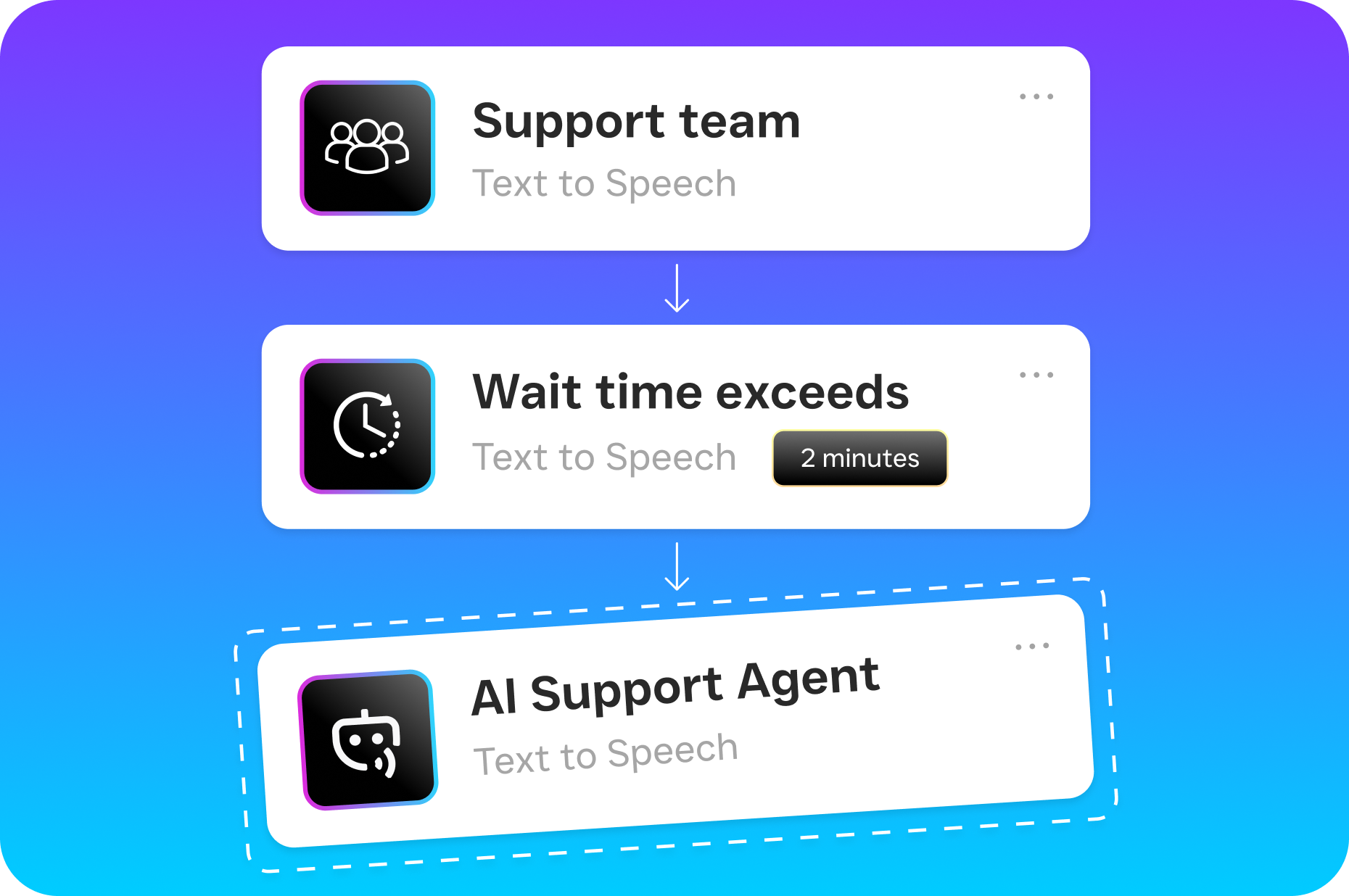
- Automated workflows trigger next steps. SalesCaptain’s Workflow Automation builder kicks in based on what happened during the conversation. A new lead gets an instant text follow-up. An appointment request triggers a booking confirmation. A service inquiry routes to the right team member with full context in the Unified Inbox.
- Your team picks up with full context. When a team member opens a conversation in the Unified Inbox, they see the complete history: call transcripts, chat messages, AI summaries, and CRM data, all in one place. No switching between apps. No asking the customer to repeat themselves.
Key Capabilities
- Automatic call transcription and summarization. Every phone call gets a full text transcript with speaker identification, plus an AI-generated summary highlighting decisions, action items, and customer concerns. Your CRM receives structured notes instead of blank fields.
- Real-time lead capture across channels. The AI Chat Agents don’t just respond to messages. They qualify leads by asking the right questions, collecting contact details, and assessing intent. That data flows into your CRM pipeline before your team even opens their laptop.
- Missed call text-back with data logging. According to research from Aira, a large percentage of business calls go unanswered. SalesCaptain’s missed call text-back feature instantly sends a text to anyone who doesn’t connect, captures their response, and logs the entire exchange in your CRM.
- Appointment booking with CRM sync. Both the AI Phone Agent and AI Chat Agents can book appointments directly, then sync those appointments to your CRM and calendar tools. No double-booking. No forgotten entries.
- Trigger-based follow-up automation. The drag-and-drop Workflow Automation builder lets you create sequences that fire based on CRM events: new contact created, deal stage changed, appointment confirmed, or any custom trigger you define.
- Multi-location data management. For businesses with multiple locations, SalesCaptain’s per-location pricing means each branch gets its own communication flow while all data rolls up into your central CRM. Clean segmentation without the chaos.
Who Needs This?
Not every business needs a CRM virtual assistant at the same level. But if you’re in a service industry where customer communication volume is high and your team is small, the ROI becomes obvious fast. Pipedrive’s annual State of Sales report found that small businesses are leading the AI revolution, largely because they feel the pain of manual processes more acutely than enterprises with dedicated data teams.
- Home service businesses (roofing, plumbing, HVAC, landscaping, appliance repair) where field teams can’t answer calls or update CRMs while on a job site.
- Healthcare and wellness practices (dental offices, MedSpas, therapy practices) that handle dozens of patient inquiries daily and need accurate records for compliance and continuity of care.
- Legal practices where every client interaction must be documented, and missed follow-ups can mean lost cases or ethical issues.
- Appointment-heavy businesses (salons, gyms, fitness studios) juggling hundreds of bookings per week across multiple staff members.
- Real estate agencies where lead response time directly correlates with conversion rates, and agents are often away from their desks.
- Operations managers and business owners who are tired of being the bottleneck for every customer question and follow-up task.
Benefits of a CRM Virtual Assistant for Your Business
Reclaim Hours Every Week
Your staff shouldn’t be spending their best hours copying call notes into a database. When SalesCaptain’s AI handles transcription, summarization, and CRM updates automatically, your team gets that time back. For revenue-generating work. Think about what even five extra hours per week means for a small team. That’s more quotes sent, more appointments kept, more customers served well. It adds up fast.
Faster Lead Response Without Adding Staff
Speed kills in lead response. Research from Voksha shows that the cost of missed and slow-responded calls quietly drains significant revenue from service businesses every year. SalesCaptain’s AI agents respond to inquiries in seconds, 24/7, across every channel. Because the response includes real qualification questions and appointment booking, your CRM fills with warm, structured leads instead of vague voicemail messages. That’s the difference.
Cleaner Data, Better Decisions
Dirty CRM data compounds over time. Duplicate contacts, missing notes, outdated deal stages. These problems make reporting useless and forecasting unreliable. An AI-powered CRM virtual assistant eliminates the human errors that cause data decay. Every interaction gets logged consistently, with the same structure, every single time. So when you pull a report on lead sources or conversion rates, you’re working with data you can actually trust.
Consistent Customer Experience at Scale
Customers notice when they have to repeat their story. It signals disorganization. And it hurts. With every interaction captured in SalesCaptain’s Unified Inbox and synced to your CRM, any team member can pick up a conversation with full context. That consistency builds trust. Trust drives retention. For multi-location businesses especially, this consistency across branches becomes a real competitive advantage.
How SalesCaptain Compares
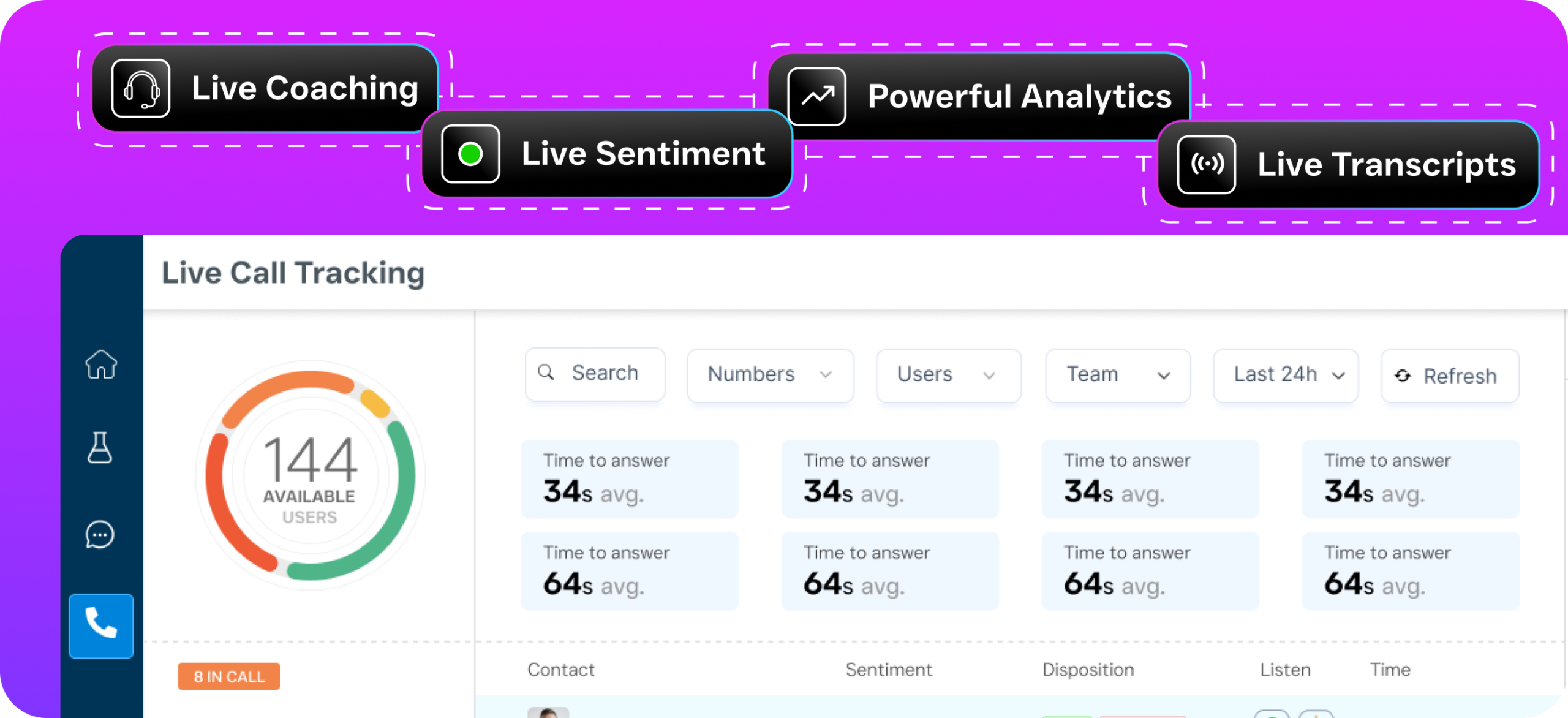
Most communication platforms offer pieces of what a CRM virtual assistant needs to do. Few bring it all together. Birdeye, for instance, is primarily a reputation management tool. It doesn’t offer call routing, IVR, call flow builders, or AI-powered call handling, which means there’s no automated way to capture call data for your CRM. Similarly, OpenPhone provides a basic phone app with minimal AI capabilities, and according to Feather’s review of AI receptionist software, it lacks the call coaching, voicemail drop, and real-time speech analytics that SalesCaptain includes.
Aircall sits at the expensive end at $30 per license per month and focuses on call center teams, not service business automation. It doesn’t offer webchat, WhatsApp, or missed-call text-back. Nextiva caps SMS at 250 messages per user per month, which makes it impractical for high-volume service businesses, and it doesn’t include payment collection via text or lead capture forms.
SalesCaptain is the only platform that combines AI voice agents, AI chat agents, and a unified inbox in one tool, all built specifically for SMBs and service businesses. Your CRM virtual assistant isn’t a bolt-on feature. It’s built into every layer of the platform, from the moment a customer reaches out to the moment their data lands in your CRM. Pricing starts free for one location, with the Business plan at $159 per month per location and AI calls at $0.12 per minute. You know exactly what you’re paying.
Frequently Asked Questions
Can SalesCaptain replace a human virtual assistant for CRM management?
For the repetitive tasks that consume most of a VA’s time, yes. SalesCaptain’s AI handles call transcription, contact updates, lead capture, follow-up scheduling, and appointment booking automatically. You won’t need a human to manually log calls or update records. But for complex relationship management or strategic CRM decisions, human oversight still adds value.
Which CRMs does SalesCaptain integrate with?
SalesCaptain offers native integrations with HubSpot, Salesforce, Zoho, and dozens of other business tools including ServiceFusion, HousecallPro, Mindbody, Shopify, QuickBooks, and Clio. For anything else, Zapier connectivity opens up thousands of additional apps. According to Fit Small Business, CRM adoption among small businesses continues to grow rapidly, and integration capability is one of the top factors in choosing a platform.
How quickly does customer data sync to my CRM?
Data syncs in near real-time. When SalesCaptain’s AI agent completes a call or chat interaction, the transcript, summary, and extracted data points push to your CRM within moments. There’s no batch processing or end-of-day sync delay. It’s instant.
Is this suitable for businesses with multiple locations?
Absolutely. SalesCaptain’s per-location pricing model means each branch gets its own phone numbers, AI agents, and communication flows. All data rolls up into your CRM with clear location tagging, so you can report on performance across the entire business or drill into individual branches.
What happens with calls after business hours?
The AI Phone Agent answers every call 24/7 with natural voice responses. It can answer FAQs, book appointments, qualify leads, and block spam calls, all while logging everything to your CRM. According to Safina AI’s missed call statistics, after-hours calls represent a major share of missed revenue opportunities for small businesses. SalesCaptain makes sure those calls still convert.
Do I need technical skills to set up the CRM virtual assistant features?
No. SalesCaptain uses drag-and-drop builders for call flows and workflow automation. Setting up your AI agents, connecting your CRM, and configuring automated follow-ups doesn’t require coding or technical background. It’s designed for business owners, not engineers.
Turn Every Customer Interaction Into Clean CRM Data
SalesCaptain’s AI agents answer calls, capture leads, book appointments, and sync everything to your CRM automatically. Stop losing time to manual data entry and start closing more deals with the information you already have.