
AI-powered customer experience marketing (CXM) platform that helps local businesses win.



enterprise communications platforms give growing businesses a single system to manage every customer conversation, whether it’s a phone call, a text, a webchat, or a social media DM. If your team juggles multiple tools to keep up with customer inquiries, you’re losing time, leads, and money. SalesCaptain brings AI-powered voice agents, chat agents, and a unified inbox together in one platform built for service businesses that need to scale without adding headcount. It’s not a stitched-together suite of disconnected tools. It’s one system where every channel lives, every conversation is tracked, and AI handles the repetitive work your staff shouldn’t be doing.
What Are Enterprise Communications Platforms?
An enterprise communications platform consolidates all of your business communication channels into a single environment. Instead of using one tool for phone calls, another for texting, a third for webchat, and yet another for social media messages, everything runs through one system. Your team sees every interaction in one place, and customers get faster, more consistent responses regardless of how they reach you.
But here’s the reality: most platforms marketed as “enterprise” were built for companies with 500+ employees and dedicated IT departments. They’re complex, expensive, and packed with features that a 15-person HVAC company or a multi-location dental practice will never use. According to Grand View Research, SME adoption of communication platforms is growing rapidly as smaller businesses demand the same capabilities without the enterprise complexity.
What service businesses actually need is enterprise-grade reliability with SMB-friendly setup and pricing. That means 99.99% uptime, AI automation, multi-channel coverage, and drag-and-drop configuration rather than months of IT implementation. SalesCaptain was purpose-built for exactly this scenario.
How Enterprise Communications Work in SalesCaptain
Setting up a full communications platform sounds complicated. With SalesCaptain, the process takes minutes, not months. Here’s how it works from signup to live operation:
- Connect your business phone number or get a new one. SalesCaptain provides business phone numbers with IVR, call routing, voicemail, and call recording built in. Your number works for calls, SMS, and fax through a single unified line.
- Build your AI Phone Agent. Using a visual call flow builder, you configure how incoming calls are handled. Set greetings, route by department or location, add after-hours capture, and deploy your AI voice agent to answer calls, book appointments, qualify leads, and block spam. No coding required.
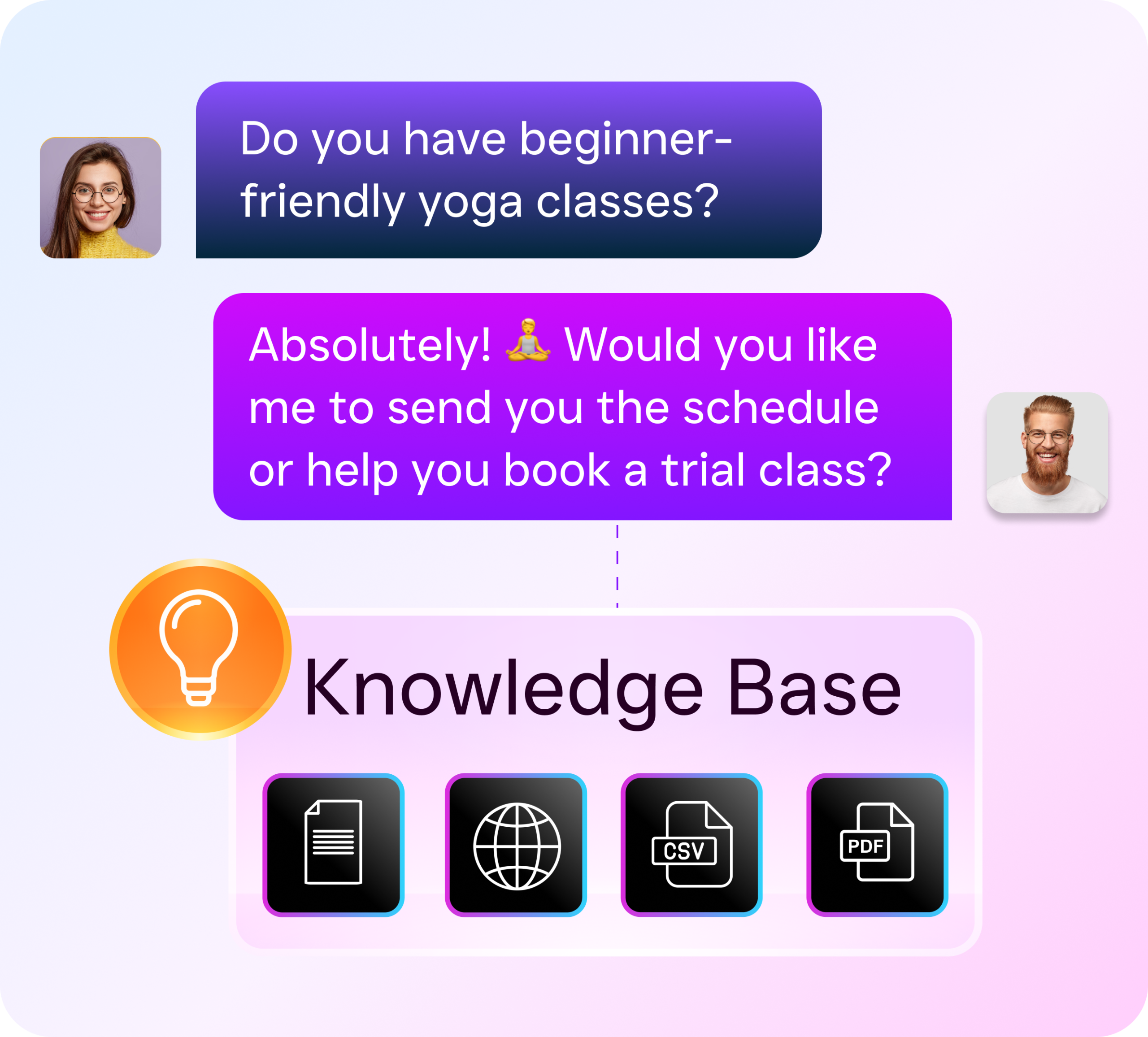
- Activate AI Chat Agents across SMS, webchat, Instagram DMs, and Facebook Messenger. Each agent responds instantly, captures lead information, sends appointment reminders, and handles missed-call text-back automatically.
- Open your Unified Inbox. Every conversation from every channel appears in one collaborative workspace. Your team sees call transcripts alongside text threads, social DMs, webchat logs, email, and internal notes. Contact history is always visible.
- Set up Workflow Automations. Use the drag-and-drop builder to create follow-up sequences, appointment reminders, CRM updates, and internal notifications. Connect to HubSpot, Salesforce, Zoho, HousecallPro, Clio, or any of 50+ integrations.
- Go live. Your AI agents start handling calls and messages 24/7. AI summaries and transcriptions log every interaction automatically, so nothing falls through the cracks.
Once operational, your business runs a fully automated communication system that captures every lead, responds instantly, and frees your staff to focus on revenue-generating work.
Key Capabilities
- AI Phone Agent with 24/7 Coverage: A natural-sounding voice agent answers every call, day or night. It books appointments, qualifies leads, answers common questions, and routes callers based on custom call flows. Research from Aira shows that 62% of business calls go unanswered, and each missed call carries significant revenue cost. SalesCaptain’s AI agent eliminates that problem entirely.
- Multi-Channel AI Chat Agents: Automated agents operate across SMS, webchat, Instagram DMs, and Facebook Messenger simultaneously. They don’t just respond; they capture lead data, trigger workflows, and book appointments without any human involvement.
- Unified Collaborative Inbox: Calls, texts, social messages, webchat, email, and internal notes all appear in a single threaded view per contact. Your team collaborates in real time with full context on every customer interaction.
- Drag-and-Drop Call Flow Builder: Visually design the exact path each incoming call follows. Add IVR menus, route by time of day or location, set up hold music, warm and cold transfers, and voicemail-to-text. Every call gets handled consistently.
- AI Transcription and Summaries: Every call is transcribed with speaker distinction and summarized into key action items. Your team skips replaying recordings and goes straight to the insights that matter for follow-up, coaching, and quality control.
- Workflow Automation Engine: Trigger-based automations handle follow-ups, reminders, CRM syncs, and notifications. With over 50 native integrations including Zapier, the system connects to your existing tools without manual data entry.
Who Needs This?
Enterprise communications platforms aren’t just for Fortune 500 companies. Any business managing high volumes of customer conversations across multiple channels benefits from unification and AI automation. SalesCaptain is specifically built for:
- Home service companies (roofing, plumbing, HVAC, landscaping, appliance repair) that miss calls when crews are on-site and lose jobs to competitors who respond faster
- Healthcare and wellness practices (dental offices, medical clinics, MedSpas, therapy practices) that need HIPAA-conscious communication and appointment scheduling at scale
- Legal practices where every missed call could represent a significant case, and intake needs to happen around the clock
- Multi-location businesses (salons, gyms, fitness studios, real estate agencies) that need consistent communication standards across every site without hiring a receptionist at each one
- Operations managers and business owners who are tired of their team toggling between five different apps to manage one customer relationship
- Sales managers tracking lead response times and follow-up consistency, who need real-time visibility into every conversation happening across the organization
According to SkipCalls’ industry data, small businesses lose over $26,000 per year to missed calls alone. For multi-location operations, that figure multiplies fast. The businesses that benefit most from SalesCaptain are those where every unanswered call or slow text reply represents real revenue walking out the door.
Benefits of an Enterprise Communications Platform
Capture Every Lead Without Hiring More Staff
The biggest constraint for growing service businesses isn’t demand. It’s capacity. You can’t answer phones at 9 PM, respond to Instagram DMs on weekends, or follow up with every web inquiry within five minutes. Your competitors can’t either, unless they’re using AI. SalesCaptain’s AI Phone Agent and Chat Agents handle these interactions 24/7 at $0.12 per minute for voice, which is a fraction of the cost of a single receptionist. According to the U.S. Chamber of Commerce’s technology impact report, small businesses adopting AI tools are seeing measurable gains in productivity and customer response capacity.
Eliminate the Communication Chaos
When your phone system, texting platform, social media inboxes, and CRM all live in separate tools, information gets lost. A customer calls, leaves a voicemail, then sends a Facebook message, and your team has no idea these are the same person. SalesCaptain’s Unified Inbox creates a single threaded view for each contact across every channel. That means your team always has full context, and your customers never have to repeat themselves.
Consistent Follow-Up That Actually Happens
Most service businesses don’t have a follow-up problem because they don’t care. They have one because it’s manual, tedious, and easy to forget. Workflow Automation in SalesCaptain triggers follow-up sequences, appointment reminders, and CRM updates based on specific events. A missed call triggers a text-back. A completed appointment triggers a review request. In fact, a new lead triggers an intake sequence. None of it requires someone to remember or click a button.
Scale Multi-Location Operations Affordably
Per-user pricing kills multi-location businesses. Five locations with five staff each at $20-30 per user adds up fast. SalesCaptain uses per-location pricing: $159/month for the Business plan or $300/month for Enterprise, regardless of how many team members use the platform at each site. For growing businesses, that pricing model alone can save thousands annually compared to per-seat alternatives. And there’s a free Startup plan for businesses testing the waters with a single location.
How SalesCaptain Compares
Most platforms in this space were built for a specific use case and then bolted on adjacent features. RingCentral and Nextiva are phone systems that added messaging. Podium is a reputation tool that added texting. Birdeye is a review platform that added limited VoIP. SalesCaptain was designed from the ground up as a unified AI communication platform for service businesses.
Consider the practical differences. Birdeye offers no call routing, no IVR, no call flow builder, no AI for calls, and no hold music. It’s a reputation management tool, not a communications platform. Nextiva caps SMS at 250 messages per user per month and doesn’t offer WhatsApp, leads forms, or payments via text. Aircall charges $30 per license and still lacks a Voice AI Agent, webchat channel, or missed-call text-back. According to Fit Small Business’s UCaaS research, businesses increasingly demand AI-native features in their communication stack, yet most legacy platforms haven’t delivered.
OpenPhone is popular among startups, but it scores poorly on AI capabilities, offers only seven integrations, and lacks call coaching, power dialer, or review management features. SalesCaptain provides all of these plus voicemail drop, call queueing, real-time speech analytics, and sentiment analysis. Dialpad and Podium both lack audio conferencing and internet fax capabilities that SalesCaptain includes natively. Where Podium and Dialpad focus on narrow use cases, SalesCaptain covers the full communication lifecycle for service businesses.
The core difference is philosophy. Legacy platforms sell seats. SalesCaptain sells outcomes: every call answered, every lead captured, every follow-up automated. According to IDC’s SMB Communications Services Forecast, the market is shifting toward integrated, AI-first platforms. SalesCaptain is already there.
How much does SalesCaptain cost compared to traditional enterprise platforms?
SalesCaptain offers a free Startup plan for one location, a Business plan at $159/month per location, and an Enterprise plan at $300/month per location. AI voice minutes are $0.12/minute. Because pricing is per-location rather than per-user, multi-location businesses save significantly compared to platforms like Aircall ($30/license) or RingCentral ($20/user) where costs scale with every team member added.
Can SalesCaptain replace my current phone system and texting tools?
Yes. SalesCaptain includes a full business phone system with 99.99% uptime, IVR, call routing, voicemail, call recording, and a unified number for calls, SMS, and fax. You also get AI Chat Agents for SMS, webchat, Instagram DMs, and Facebook Messenger. Most businesses consolidate three to five separate tools into SalesCaptain.
Do I need technical skills to set up AI agents?
No. SalesCaptain uses a drag-and-drop call flow builder and visual workflow editor. You configure your AI Phone Agent’s behavior, set up chat agents across channels, and build automations without writing any code. The platform was designed specifically for business owners and operations managers, not IT departments.
What integrations does SalesCaptain support?
SalesCaptain natively integrates with over 50 tools including HubSpot, Salesforce, Zoho, ServiceFusion, HousecallPro, Mindbody, Rezdy, Shopify, QuickBooks, and Clio. Zapier connectivity extends that to thousands more. CRM syncs, appointment data, and customer records flow automatically between systems through the workflow automation engine.
How does the AI Phone Agent sound to callers?
SalesCaptain’s AI Phone Agent uses natural-sounding voice technology. Callers experience a conversational interaction, not a robotic menu. The agent books appointments, qualifies leads, answers FAQs, and routes calls based on your custom call flows. Every call is transcribed and summarized with AI, so your team always knows what happened without listening to recordings.
Run Your Business on One Communications Platform
SalesCaptain gives you AI voice agents, AI chat agents, a unified inbox, and workflow automation in one system built for service businesses. Stop paying for five tools that don’t talk to each other.