
AI-powered customer experience marketing (CXM) platform that helps local businesses win.


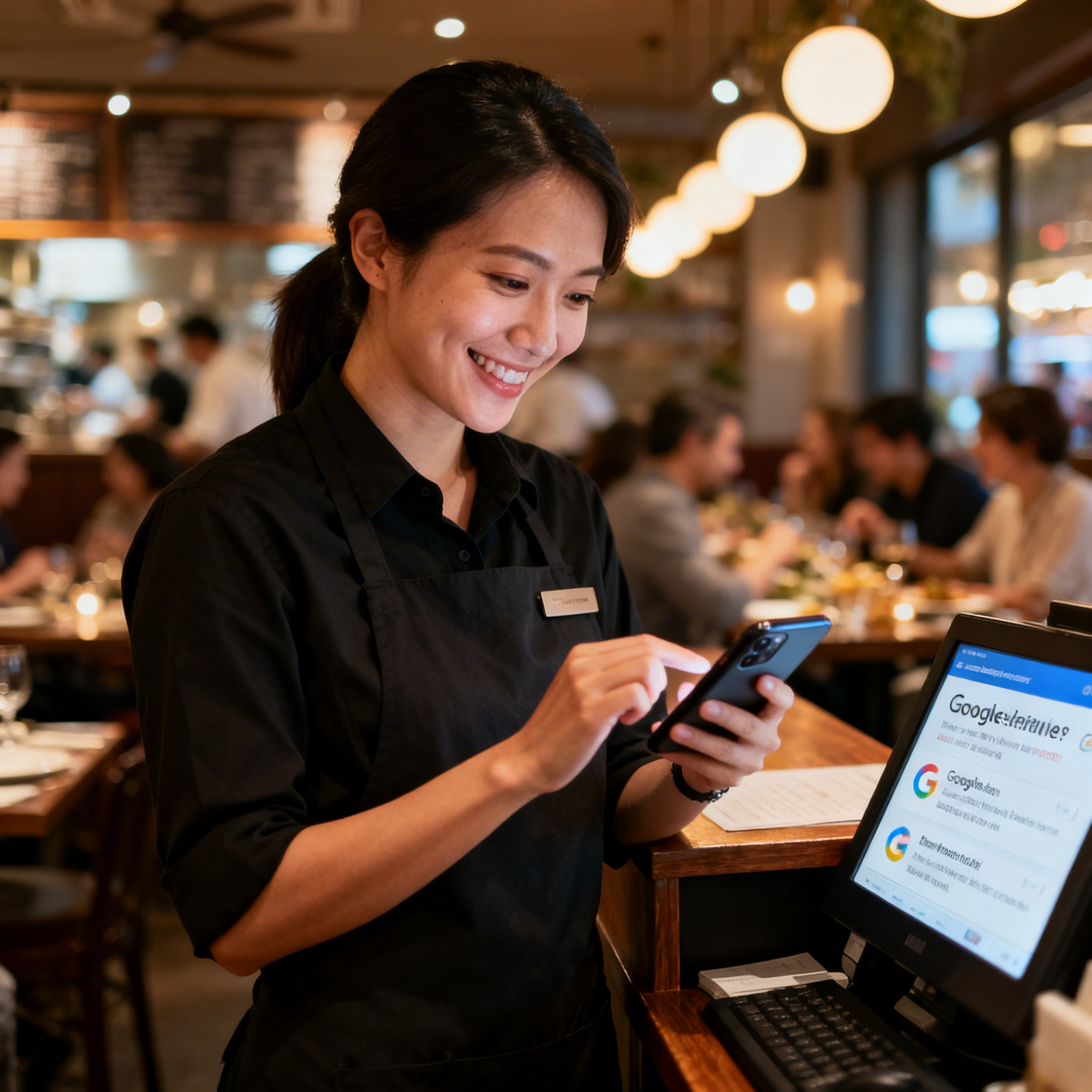
A family finishes a great meal at your restaurant, leaves happy, and never tells anyone about it online. That’s the norm, not the exception. For most restaurant owners, figuring out how restaurants can get more Google reviews is one of the most frustrating parts of running the business, because you know the food and service are good, but your review count doesn’t reflect it.
What Are Google Reviews and Why Do They Matter for Restaurants?
Google reviews are public ratings and written feedback that customers leave on your Google Business Profile. They show up directly in search results and Google Maps, which means they’re often the very first impression a potential diner gets of your restaurant. Unlike Yelp or TripAdvisor, Google reviews are baked into the search experience itself, so they influence whether someone clicks on your listing or scrolls past it.
For restaurants specifically, reviews carry outsized weight. The restaurant industry is projected to hit $1.1 trillion in sales in 2024, and competition for every dollar is fierce. A strong review profile doesn’t just build trust. It directly affects your local search ranking, which determines how many people even find your restaurant when they search “best Italian near me” or “brunch spots open now.” According to BrightLocal’s consumer review survey, the vast majority of consumers read online reviews before visiting a local business, and restaurants are one of the most reviewed categories.
Why Most Restaurants Struggle to Collect Reviews
Here’s the thing: satisfied customers rarely leave reviews on their own. People who had a great experience tend to simply come back next week. Those who had a bad one? They’re far more motivated to write about it. That’s the review gap, and it skews your rating downward unless you’ve a system for asking happy customers to share their experience.
The Timing Problem
Restaurants have an incredibly narrow window to ask for a review. The ideal moment is right after the meal, while the experience is still fresh. But your staff is clearing tables, seating the next party, and running food. Nobody has time to hand out a card or send a follow-up text. Once a customer walks out the door, the odds of them remembering to leave a review drop sharply with every passing hour.
The Volume Problem
Even restaurants that try to collect reviews often do it inconsistently. A manager might remember to ask on a slow Tuesday, then forget for the rest of the week. Consistency matters here because Google’s algorithm rewards businesses that receive a steady stream of recent reviews, not just a high total count. A restaurant with 40 reviews from last month looks healthier to Google than one with 200 reviews, all from two years ago.
The Staff Problem
Your servers and hosts already juggle a dozen tasks per shift. Adding “ask every table for a Google review” to their responsibilities is easy to say and hard to enforce. Restaurant management data from Toast shows that labor is consistently one of the top challenges for operators. Piling on more work isn’t realistic, especially during peak hours when the best review opportunities happen.
Proven Strategies for How Restaurants Can Get More Google Reviews
The restaurants that consistently grow their review count aren’t doing anything magical. They’ve built repeatable systems that run without requiring constant attention from ownership or management. Here’s what works.
Make the Ask Effortless for Customers
Friction kills review completion. If a customer has to search for your restaurant on Google, find the review button, and then figure out how to write something, you’ve already lost most of them. Remove every possible step between “I had a great meal” and “I just left a review.”
- QR codes on receipts and table tents: Link directly to your Google review page, not your general profile. Google lets you generate a short review link from your Business Profile dashboard.
- Text-based review requests: Send an SMS after the meal with a direct link. Texts have dramatically higher open rates than email, and the customer can tap once to start writing.
- NFC tap cards: Place near-field communication cards at the register or host stand. Customers tap their phone, and the review page opens instantly.
The common thread is reducing the number of taps between intention and action. Every extra step costs you a percentage of potential reviewers.
Time Your Requests Perfectly
Asking at the right moment is everything. Too early feels pushy. Too late means the customer has moved on mentally. For dine-in, the sweet spot is between dropping the check and the customer leaving. For delivery and takeout, it’s within 30 to 60 minutes after the order arrives.
Automated follow-up messages work well here because they don’t depend on a staff member remembering. A system that sends a friendly text one hour after a reservation or order completion catches the customer while the experience is still vivid. That automation also ensures every single customer gets asked, not just the ones your staff remembers to approach.
Respond to Every Review You Already Have
This might seem unrelated to getting more reviews, but it isn’t. When potential reviewers see that you respond to existing feedback, both positive and negative, they’re more likely to leave their own. It signals that someone actually reads and values the input.
- For positive reviews: Thank the customer by name, mention something specific about their visit if possible, and invite them back.
- For negative reviews: Acknowledge the concern, apologize without being defensive, and offer to make it right offline. Never argue publicly.
According to Harvard Business Review research, businesses that respond to reviews see their ratings increase over time. Your replies also show up in search results, so they’re a form of content that works in your favor.
Train Your Team Without Overloading Them
Your staff doesn’t need a script. They need a single, natural sentence and permission to use it. Something like “If you enjoyed tonight, we’d love a Google review, there’s a QR code on the receipt” takes five seconds and feels genuine. The key is making it part of the closing routine, not an awkward interruption.
Buy-in comes from showing your team how reviews help the business. When staff understand that more reviews mean more customers, which means more tips and more stable employment, the motivation clicks. Some restaurants even run friendly competitions: the server whose table mentions leave the most reviews in a month gets a small bonus or a gift card. Keep it simple and low-pressure.
Common Mistakes That Hurt Your Review Strategy
Not every approach to collecting reviews is a good one. Some tactics can actually backfire and damage your reputation or violate Google’s terms of service.
- Offering incentives for reviews: Google explicitly prohibits businesses from offering discounts, free items, or money in exchange for reviews. Even if you say “leave us an honest review for 10% off,” you’re risking having those reviews flagged and removed.
- Review gating: This means asking customers about their experience first and only directing happy ones to Google. Google banned this practice, and platforms like Yelp penalize it too.
- Buying fake reviews: It’s tempting when a competitor has hundreds more reviews than you. Don’t do it. Google’s algorithms are increasingly good at detecting fake reviews, and the penalties include profile suspension.
- Only asking once: A single review push, like a “leave us a review” sign you hung up six months ago, isn’t a strategy. Consistent, repeated asks through multiple channels produce results.
The restaurant industry is incredibly competitive, and cutting corners with your review strategy creates risk you don’t need. Organic, steady growth in reviews is always safer and more sustainable.
How SalesCaptain Helps
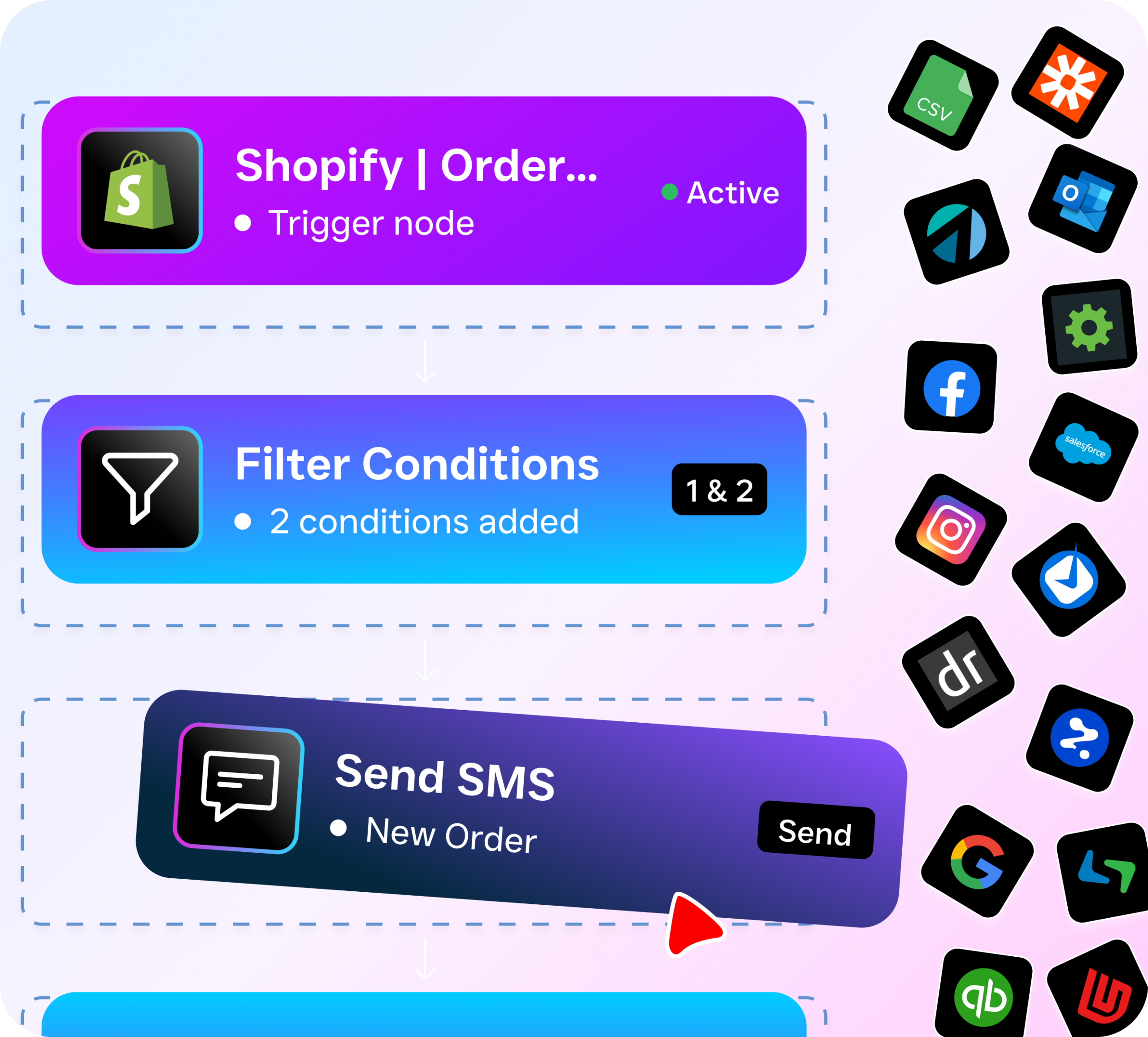
Building a consistent review collection system is hard when your team is already stretched thin. That’s where SalesCaptain fits in. The platform’s workflow automation lets you set up trigger-based sequences that automatically send review request texts to customers after their visit, with a direct link to your Google review page. No staff involvement required after the initial setup.
SalesCaptain’s AI Chat Agents can handle the follow-up conversation if a customer replies to the text with a question or concern, routing them to the right person on your team through the unified inbox. If someone calls with an issue mentioned in a negative review, the AI Phone Agent can answer 24/7, capture the details, and make sure nothing slips through the cracks. Because everything lives in one inbox, your team sees calls, texts, social media messages, and review-related conversations in a single view.
For multi-location restaurants, the per-location pricing means you can run location-specific review campaigns without paying for a bloated enterprise tool. And with integrations into systems like HubSpot, Zapier, and QuickBooks, your review follow-up workflow connects to the tools you’re already using. Industry data from Fishbowl shows that restaurants leaning into digital operations outperform those that don’t, and automated review collection is one of the highest-ROI digital investments you can make.
Key Takeaways
Understanding how restaurants can get more Google reviews comes down to building a system, not relying on hope. Remove friction for customers by using direct links and QR codes. Automate your follow-up so every guest gets asked, not just the ones your staff remembers. Respond to every review, positive and negative, because it signals to future reviewers that their voice matters.
Avoid shortcuts like incentivized reviews or review gating, both of which violate Google’s policies. Instead, focus on consistency. A steady trickle of authentic reviews over time builds a stronger, more resilient online reputation than any one-time push ever could. Train your staff with a simple, low-friction ask and give them a reason to care about the outcome.
The restaurants winning the review game aren’t necessarily the best restaurants in town. They’re the ones that made asking for feedback a built-in part of how they operate. That’s the difference, and it’s entirely within your control.
Frequently Asked Questions
How many Google reviews does a restaurant need to rank well locally?
There’s no magic number, but research from BrightLocal suggests that businesses in the top local search positions tend to have significantly more reviews than those below them. More important than a specific count is the recency and frequency of your reviews. Google favors businesses that receive reviews consistently rather than in sporadic bursts.
Can I ask customers to leave a Google review in person?
Absolutely. A verbal ask from your server or host is one of the most effective methods. Just keep it casual and don’t pressure anyone. Pair it with a QR code on the receipt or a table card so the customer doesn’t have to remember later.
What should I do about fake negative reviews from competitors?
Google allows you to flag reviews that violate their policies, including fake reviews from people who were never customers. Go to your Google Business Profile, find the review, click the three-dot menu, and select “Flag as inappropriate.” Google doesn’t remove every flagged review, but clearly fake ones often get taken down within a few weeks.
Is it better to ask for reviews via text or email?
Text wins for restaurants. SMS open rates are dramatically higher than email open rates, and a text with a direct review link takes the customer fewer steps to complete. Email works as a backup channel, but if you’re choosing one, go with text.
How quickly should I respond to a negative Google review?
Within 24 to 48 hours. A fast, professional response shows potential customers that you take feedback seriously. Don’t get defensive or argue. Acknowledge the issue, apologize, and offer to resolve it offline. That response is really for the hundreds of people who’ll read it later, not just the one person who wrote the review.
See How SalesCaptain Can Help
SalesCaptain automates review requests, follow-ups, and customer communication so your restaurant team can focus on what they do best. Set up trigger-based workflows, manage every conversation from one inbox, and never miss another opportunity to turn a happy customer into a five-star review.
Start your free account at SalesCaptain.com and build your review collection system today.