
AI-powered customer experience marketing (CXM) platform that helps local businesses win.



Every service business runs differently, and your CRM should reflect that. The ability to customize CRM software means you’re not forcing your team into rigid workflows or paying for features you’ll never touch. SalesCaptain gives you the tools to shape your communication system, automations, and customer data around how your business actually operates. Whether you’re a roofing company managing leads across five locations or a dental office tracking patient follow-ups, the right CRM customization turns a generic tool into your competitive edge.
What Is Customizable CRM Software?
Customizable CRM software lets you modify the system’s fields, workflows, pipelines, and automations to match your specific business processes. Instead of adapting your team’s habits to fit the software, you adapt the software to fit your team. That’s a critical distinction. A recent analysis of CRM customization for SMBs found that businesses using tailored CRM setups see significantly higher adoption rates among their staff, simply because the tool feels like it was built for them.
There’s an important difference between “customizable” and “custom-built.” A custom CRM is coded from scratch, which costs tens of thousands of dollars and takes months to deploy. Customizable CRM software, on the other hand, gives you a flexible foundation you can configure yourself. Think of it as the difference between building a house from lumber and choosing your own floor plan from a builder’s catalog. Both get you a home, but one takes a fraction of the time and budget.
Why Off-the-Shelf CRMs Fall Short for Service Businesses
Most CRM platforms were originally designed for enterprise sales teams managing long deal cycles. They’re packed with pipeline stages, forecasting dashboards, and features that a plumber or med spa owner simply doesn’t need. Yet they’re missing what service businesses actually rely on: appointment scheduling, missed-call follow-ups, review requests, and multi-channel messaging. According to practical guidance from Optrua on CRM customization, the biggest mistake small businesses make is choosing a CRM based on brand recognition rather than configurability for their actual use case.
How Customizing CRM Software Works in SalesCaptain
SalesCaptain isn’t just a CRM. It’s a unified communication platform with CRM capabilities built in, so customization extends beyond contact records into your entire customer communication system. Here’s how you’d set it up:
- Define your contact fields and tags. Start by creating custom properties that matter to your business. A landscaping company might add “property size” and “service frequency.” A law firm might track “case type” and “referral source.” You’re building the data model your team actually needs.
- Build your communication channels. Connect your phone number, SMS, webchat widget, Instagram DMs, Facebook Messenger, and email into SalesCaptain’s Unified Inbox. Every channel feeds into one view, but you control which team members see which conversations.
- Configure your AI agents. Set up an AI Phone Agent with custom call flows tailored to your business. A dental office might route new patient calls differently from existing patients. An HVAC company might qualify emergency calls and book same-day appointments automatically.
- Design your automations. Use the drag-and-drop Workflow Automation builder to create follow-up sequences, appointment reminders, review requests, and CRM updates. Each automation triggers based on conditions you define, so no two businesses need identical workflows.
- Integrate your existing tools. Connect SalesCaptain to HubSpot, Salesforce, Zoho, HousecallPro, ServiceFusion, Clio, QuickBooks, Shopify, or any of 50+ supported integrations. Your CRM data stays synchronized without manual entry.
- Test and refine. Run your setup for a week, review AI call summaries and transcriptions, then adjust. Because everything is code-free, you can tweak call flows, update automation triggers, or add new custom fields in minutes.
Key Capabilities
- Custom Call Flows with Drag-and-Drop Builder: Design exactly how incoming calls are handled. Route by time of day, caller type, or department. Add IVR menus, voicemail fallbacks, or hand off directly to an AI Phone Agent. Every path is visual and editable without touching code.
- AI Agents Trained on Your Business: Both the AI Phone Agent and AI Chat Agents can be configured with your FAQs, booking rules, and qualification criteria. They don’t give generic responses. They sound like your business because you’ve shaped what they know and how they respond.
- Workflow Automation with Conditional Logic: Trigger-based automations let you create multi-step sequences. For example, a missed call could automatically send a text-back, create a lead record, notify your team, and schedule a follow-up task. You decide the conditions and the actions.
- Unified Inbox with Team Permissions: Customize who sees what. Assign conversations by channel, location, or team member. Add internal notes, track contact history, and collaborate in real time. Your inbox adapts to your team structure, not the other way around.
- Per-Location Configuration: Multi-location businesses can customize settings independently for each location. Different phone numbers, different AI agent scripts, different automations. Pricing scales at $159/month per location, so you’re not overpaying for a one-size-fits-all setup.
- 50+ Native Integrations: Sync your CRM data with the tools you already use. Whether it’s Zapier for custom connections or direct integrations with platforms like Mindbody, Rezdy, or Salesforce, your customized CRM fits into your existing tech stack.
Who Needs This?
Not every business requires the same level of CRM customization. However, if any of these descriptions sound familiar, you’re likely outgrowing a one-size-fits-all tool.
- Home service companies (roofing, HVAC, plumbing, landscaping): You need lead qualification on incoming calls, job-type tracking, and automated follow-ups that differ by service category. Generic CRMs don’t handle this well.
- Healthcare and wellness practices (dental, MedSpa, therapy, medical offices): Patient communication requires appointment reminders, intake workflows, and HIPAA-conscious messaging across multiple channels.
- Legal practices: Case type routing, referral source tracking, and consultation booking need custom fields and automations that legal-specific CRMs often lock behind expensive tiers.
- Appointment-heavy businesses (salons, gyms, fitness studios): High booking volume means you can’t afford missed calls or slow text responses. AI agents customized with your scheduling rules handle the volume without extra staff.
- Multi-location businesses: Each location may serve different markets or have different hours. Per-location CRM customization ensures your system reflects reality, not a corporate average.
- Operations managers and business owners: If you’re the one building processes, you need a platform that bends to your vision without requiring a developer.
Benefits of Customizing CRM Software with SalesCaptain
Stop Losing Revenue to Missed Communication
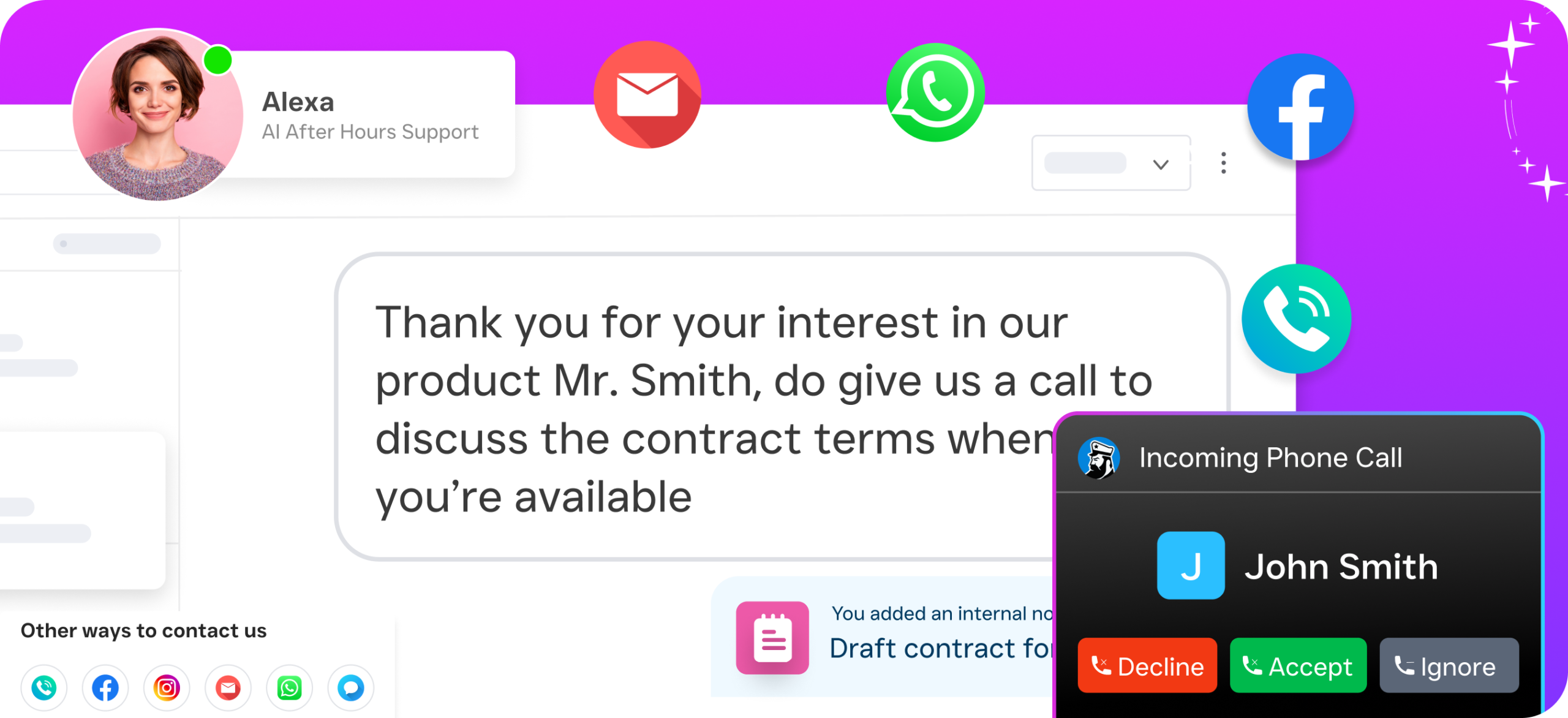
According to industry data from SkipCalls, small businesses lose over $26,000 per year from missed calls alone. That number climbs fast for service businesses where a single job can be worth hundreds or thousands of dollars. When you customize CRM software to include AI call answering, missed-call text-back, and automated lead capture, those losses shrink dramatically. SalesCaptain’s AI Phone Agent answers every call 24/7, so after-hours inquiries don’t disappear into voicemail purgatory.
Scale Without Hiring More Staff
Hiring another receptionist or customer service rep costs $35,000-$45,000 per year according to Bureau of Labor Statistics data. For many SMBs, that’s not feasible. A customized SalesCaptain setup handles repetitive calls, texts, and follow-ups at a fraction of that cost. AI voice minutes run $0.12/minute, and the platform starts with a free plan. As a result, your team focuses on high-value work while the system manages routine communication.
Faster Lead Response, Higher Conversion
Speed matters. CRM statistics compiled by Freshworks consistently show that responding to leads within five minutes makes you dramatically more likely to convert them. When your CRM is customized with instant text-back on missed calls, AI chat agents that respond in seconds, and automated follow-up sequences, you’re always fast. Your competitors using manual processes simply can’t keep up.
One System Instead of Five
Many service businesses cobble together a phone system, a texting platform, a chatbot, a CRM, and an automation tool. Each one costs money, requires its own login, and creates data silos. SalesCaptain combines AI voice agents, AI chat agents, a unified inbox, a phone system, and workflow automation in one platform. Customizing one system is far easier than trying to duct-tape five together. Plus, your data stays in one place, which means better reporting and fewer mistakes.
How SalesCaptain Compares
The CRM and communication space is crowded, but most tools force you to choose between customization and simplicity. HubSpot offers deep customization, but it’s complex to set up and expensive at scale, with no AI voice agent or missed-call text-back. HighLevel provides flexibility, yet it was designed for marketing agencies, and the steep learning curve frustrates most service business owners. According to CRM adoption statistics from LinkPoint360, a significant percentage of CRM implementations fail due to complexity, which is exactly the problem these platforms create for SMBs.
On the communication side, platforms like Aircall charge $30 per license per month but don’t include AI voice agents, webchat, or email channels. Nextiva caps SMS at 250 messages per user per month and lacks WhatsApp support, leads forms, and payments via text. OpenPhone keeps pricing low at $15 per user, but its AI capabilities are minimal, it supports only seven integrations, and it doesn’t offer call coaching or a power dialer.
SalesCaptain is the only platform that combines AI phone agents, AI chat agents, and a unified inbox in one tool, built specifically for service businesses. You don’t need technical expertise to set it up. Pricing is transparent and per-location, starting free and scaling to $159/month for the Business tier or $300/month for Enterprise. That structure works far better for multi-location service businesses than per-user pricing models that balloon as your team grows.
Frequently Asked Questions
Can I customize CRM software in SalesCaptain without any coding knowledge?
Yes. Everything from call flows to workflow automations to AI agent configuration uses drag-and-drop builders and visual interfaces. You won’t need a developer to set up or modify your system. Most businesses have their customized setup running within a day.
How does per-location pricing work for multi-location businesses?
Each location gets its own configuration, including separate phone numbers, AI agent scripts, automations, and team permissions. The Startup plan is free for one location, the Business plan is $159/month per location, and the Enterprise plan is $300/month per location. AI call minutes are billed at $0.12/minute across all plans.
What integrations does SalesCaptain support for CRM customization?
SalesCaptain offers 50+ native integrations including HubSpot, Salesforce, Zoho, ServiceFusion, HousecallPro, Mindbody, Rezdy, Shopify, QuickBooks, and Clio. For anything not natively supported, Zapier connectivity lets you connect to thousands of additional tools.
How is SalesCaptain different from a traditional CRM like Salesforce or HubSpot?
Traditional CRMs focus on storing contact data and managing deal pipelines. SalesCaptain is a unified communication platform with CRM capabilities, meaning it also handles your phone system, AI call answering, SMS automation, webchat, social media messaging, and workflow automation. You’re customizing your entire customer communication system, not just a database.
Customize Your CRM and Communication System Today
SalesCaptain gives service businesses the power to customize CRM software, AI agents, call flows, and automations in one unified platform. No coding required. No per-user pricing traps. Start with the free Startup plan and build the system your business actually needs.
Start customizing your SalesCaptain setup now at salescaptain.com