
AI-powered customer experience marketing (CXM) platform that helps local businesses win.



How to Manage Customer Communication Across Multiple Channels Without Losing Your Mind
Your phone rings. A Facebook message pops up. At the same time, a webchat visitor asks about pricing, someone texts you for an appointment, and three emails sit unanswered from yesterday. Sound familiar? If this is a typical Tuesday at your business, you aren’t alone. Learning how to manage customer communication across multiple channels is one of the biggest operational challenges facing service businesses today. And ignoring it’s costing you real money.
The problem isn’t that customers are reaching out, that’s actually great news. The problem is that every channel operates in its own silo. Messages slip through cracks. Your team spends more time switching between apps than actually helping people. This guide breaks down exactly what multichannel communication management means, why it matters for your bottom line, and how to build a system that works even when you’re off the clock.
What Is Multichannel Customer Communication Management?
Multichannel customer communication management is the practice of handling all customer interactions in an organized, consistent way. That means phone calls, text messages, emails, social media DMs, webchat, and more. Instead of treating each channel as a separate island, you create one unified system where every conversation is tracked, every lead is followed up on, and no message gets lost. The goal is simple. Give every customer a fast, helpful response no matter how they choose to reach you.
Why does this matter? Customers no longer stick to one channel. Someone might find you on Instagram, text you a question, then call to book an appointment. If your team can’t see that full history in one place, you end up asking the customer to repeat themselves, or worse, you lose them entirely. According to research from recent small business trends data, customer expectations around response speed and convenience have risen sharply, and businesses that fail to meet those expectations lose out to competitors who do.
Think of it this way: multichannel communication management isn’t about being everywhere at once. It’s about being reachable everywhere without creating chaos behind the scenes. Many business owners hear “multichannel” and think they need to be active on every platform. In reality, you’re choosing the channels your customers prefer and then connecting those channels so your team can manage them efficiently. That’s the distinction that matters.
Why Most Small Businesses Struggle With Multiple Communication Channels
Before diving into solutions, it helps to understand why this problem is so common and so costly. Most service businesses didn’t start out planning to manage five or six communication channels. You probably started with a phone number and maybe an email address. Then you added a website with a chat widget. Then customers started DMing you on Facebook and Instagram. Each channel got added one at a time, and nobody built a system to connect them. Sound like your business?
The Hidden Cost of Missed Messages
When messages fall through the cracks, the cost compounds fast. A missed call during business hours might mean a $500 roofing job goes to your competitor. A late response to a text inquiry might mean a dental patient books with the practice down the street. According to industry analysis from SkipCalls, small businesses can lose over $26,000 per year from missed phone calls alone. Multiply that across texts, DMs, and webchats that also go unanswered? The number becomes staggering.
But there’s more. Every unanswered message signals to that customer, and anyone they talk to, that your business is unreliable. Research on the cost of missed calls for SMBs shows the ripple effect includes negative reviews, reduced referrals, and lower lifetime customer value. These aren’t theoretical losses. They show up in your revenue reports quarter after quarter.
Staff Burnout and Context Switching
Even when your team does their best, the constant switching between platforms is exhausting. Your receptionist checks the phone, then opens Facebook Messenger, then refreshes the email inbox, then looks at the webchat dashboard. By the time they circle back, two more calls came in. Studies on workplace productivity consistently show that context switching reduces efficiency by a significant margin. Your team isn’t slow. They’re stuck in a system that was never designed for this volume of communication.
This is particularly painful for small teams. If you’ve got two or three people handling all customer communication, they can’t realistically monitor six different platforms simultaneously while also doing their actual jobs. Response times creep up. Follow-ups get forgotten. Your best employees burn out. Hiring more staff seems like the obvious solution, but here’s the thing: the budget usually isn’t there. And honestly, the real problem is the system, not the people.
How to Manage Customer Communication Across Multiple Channels: A Step-by-Step Approach
Now for the practical part. Managing customer communication across multiple channels doesn’t require a massive budget or a dedicated IT team. It does require intentional decisions about your tools, processes, and priorities. Here’s how to build a system that actually works.
Step 1: Audit Your Current Channels and Response Times
Start by listing every channel where customers currently reach you. Phone. Text. Email. Webchat. Instagram DMs. Facebook Messenger. Google Business Profile messages. Write them all down. Next to each one, note your average response time honestly. If it takes you four hours to respond to a webchat inquiry, write that down. If you miss 30% of after-hours calls, write that down too. You can’t fix what you haven’t measured, and most business owners are surprised by how slow their response times actually are once they look at the data.
This audit also reveals which channels matter most for your specific business. A landscaping company might get most leads through phone calls and Google Business Profile, while a MedSpa might see heavy traffic through Instagram DMs and webchat. Using key performance indicators to guide decisions is essential here. Track where your highest-value leads come from and prioritize those channels first. There’s no point in optimizing a channel that generates little revenue for your business.
Step 2: Consolidate Into a Unified Inbox
The single most impactful change you can make is moving from multiple disconnected tools to one unified inbox. A unified inbox pulls all your communication channels into one screen. Calls, texts, webchat, social media DMs, and email all live in the same place. When a customer texts you and then calls the next day, your team sees both interactions in the same thread. No more hunting through five different apps. No more asking the customer, “Can you remind me what we discussed?”
This fundamentally changes how your team operates. With a unified inbox, any team member can pick up a conversation where someone else left off. If your receptionist is out sick, your office manager can see every open conversation and respond without missing a beat. The customer never knows the difference. This kind of continuity is what separates businesses that grow from businesses that plateau, because it creates a professional, reliable experience without requiring you to hire more staff.
Step 3: Automate Repetitive Responses and Follow-Ups
Look at your communication volume. Identify the questions and tasks that repeat over and over. How much does a service cost? What are your hours? Can I book an appointment? Do you service my area? These repetitive interactions eat up hours of staff time every week, and they don’t require a human brain to answer. Automating these responses through AI chat agents, automated text replies, or workflow-triggered follow-ups frees your team to focus on conversations that actually need a human touch.
Automation also solves the after-hours problem. According to data on missed business calls by industry, a significant percentage of customer calls come in outside of normal business hours. If nobody is there to answer, you lose those leads. Automated systems can answer calls, respond to texts, and capture lead information around the clock, then hand off to your team the next morning with full context. The customer gets an instant response. You don’t lose the opportunity.
Step 4: Set Up Workflow Triggers for Lead Follow-Up
Capturing a lead is only half the battle. Following up is where the money is made. Build automated workflows that trigger based on customer actions. When someone fills out a webchat form, they should immediately receive a confirmation text. When a call goes to voicemail, an automated text-back should go out within seconds. When an appointment is booked, send a reminder 24 hours before and again one hour before. These workflows eliminate the “I forgot to follow up” problem that plagues every small business.
The key is making these workflows feel personal, not robotic. Use the customer’s name. Reference what they asked about. Give them a clear next step. A well-designed follow-up sequence converts significantly more leads than a single touchpoint because most customers need multiple interactions before they commit. Leveraging data to drive business growth means tracking which follow-up sequences convert best and continuously refining them based on real results.
Step 5: Train Your Team on the New System
Technology only works if your team actually uses it. When you roll out a unified communication system, invest time in proper training. Show every team member how to view all channels in one place, how to tag and assign conversations, and how to use internal notes so colleagues have context. Set clear expectations about response time goals, for example, all text inquiries answered within five minutes during business hours, and all voicemails returned within one hour.
Make it easy by choosing tools that don’t require technical expertise. The biggest mistake business owners make is buying a powerful platform that their team finds intimidating and never fully adopts. The best system is one your least tech-savvy team member can learn in an afternoon. Keep training focused on the daily workflows your team will actually use, and schedule a brief check-in after two weeks to address any friction points before bad habits form.
Best Practices for Long-Term Multichannel Communication Success
Getting the system set up is the first milestone. But maintaining it over time is what separates businesses that thrive from those that slip back into chaos. Here are the practices that keep your multichannel communication running smoothly month after month.
Measure What Matters
Track three core metrics consistently: average response time per channel, lead-to-appointment conversion rate, and missed communication rate. These three numbers tell you almost everything you need to know about the health of your customer communication system. Review them weekly, not monthly. Waiting too long to spot problems means you’ve already lost revenue. As outlined in resources on essential KPIs for small and medium businesses, tracking the right indicators gives you the ability to course-correct quickly instead of guessing at what’s working.
Beyond the numbers, pay attention to qualitative signals. Are customers complimenting how fast you respond? Are they frustrated about being asked to repeat information? Is your team calmer or still overwhelmed? The data tells you what’s happening. The human feedback tells you why. Both matter, and checking in on both regularly prevents small problems from becoming big ones.
Keep Your Channel Strategy Focused
You don’t need to be on every platform. You need to be excellent on the platforms your customers actually use. If your ideal customers never use Twitter, don’t waste resources maintaining a Twitter presence. If 80% of your leads come through phone calls and text messages, invest heavily in making those two channels as responsive and automated as possible before adding a fifth or sixth channel. Depth of service on fewer channels beats shallow presence on many channels every time.
Review your channel mix quarterly. Customer behavior shifts over time, and a channel that wasn’t important last year might become critical this year. Many home service businesses are seeing increasing lead volume through Google Business Profile messaging and Instagram, channels that barely existed for them five years ago. Stay flexible. But stay focused. Adding a new channel should only happen once you’ve got the infrastructure to handle it well, not just because it exists.
Integrate Your Communication With Your CRM
Your communication system should feed directly into your customer relationship management tool. When a customer calls, their record should update automatically. When an appointment is booked through webchat, it should sync to your calendar and CRM without anyone typing it in manually. This integration eliminates double data entry, reduces errors, and gives your team a complete picture of every customer relationship. Platforms that connect with tools like HubSpot, Salesforce, Zoho, ServiceFusion, or HousecallPro make this seamless rather than manual.
The CRM integration also powers smarter automation. When your system knows that a customer last booked a service six months ago, it can automatically trigger a re-engagement text. When a lead has been contacted three times without booking, it can flag them for a personal follow-up call. This kind of intelligent automation only works when your communication and customer data live in the same ecosystem. That’s why choosing integrated tools matters more than choosing the cheapest or flashiest ones.
How SalesCaptain Helps You Manage Customer Communication Across Multiple Channels
SalesCaptain was built specifically to solve the multichannel communication problem for service businesses and SMBs. Instead of piecing together separate tools for phone, text, webchat, and social media, SalesCaptain brings everything into one platform with a collaborative Unified Inbox. Every call, text, webchat message, Instagram DM, Facebook Messenger conversation, and email shows up in a single screen, with full contact history and team notes attached. Any team member can pick up any conversation with complete context.
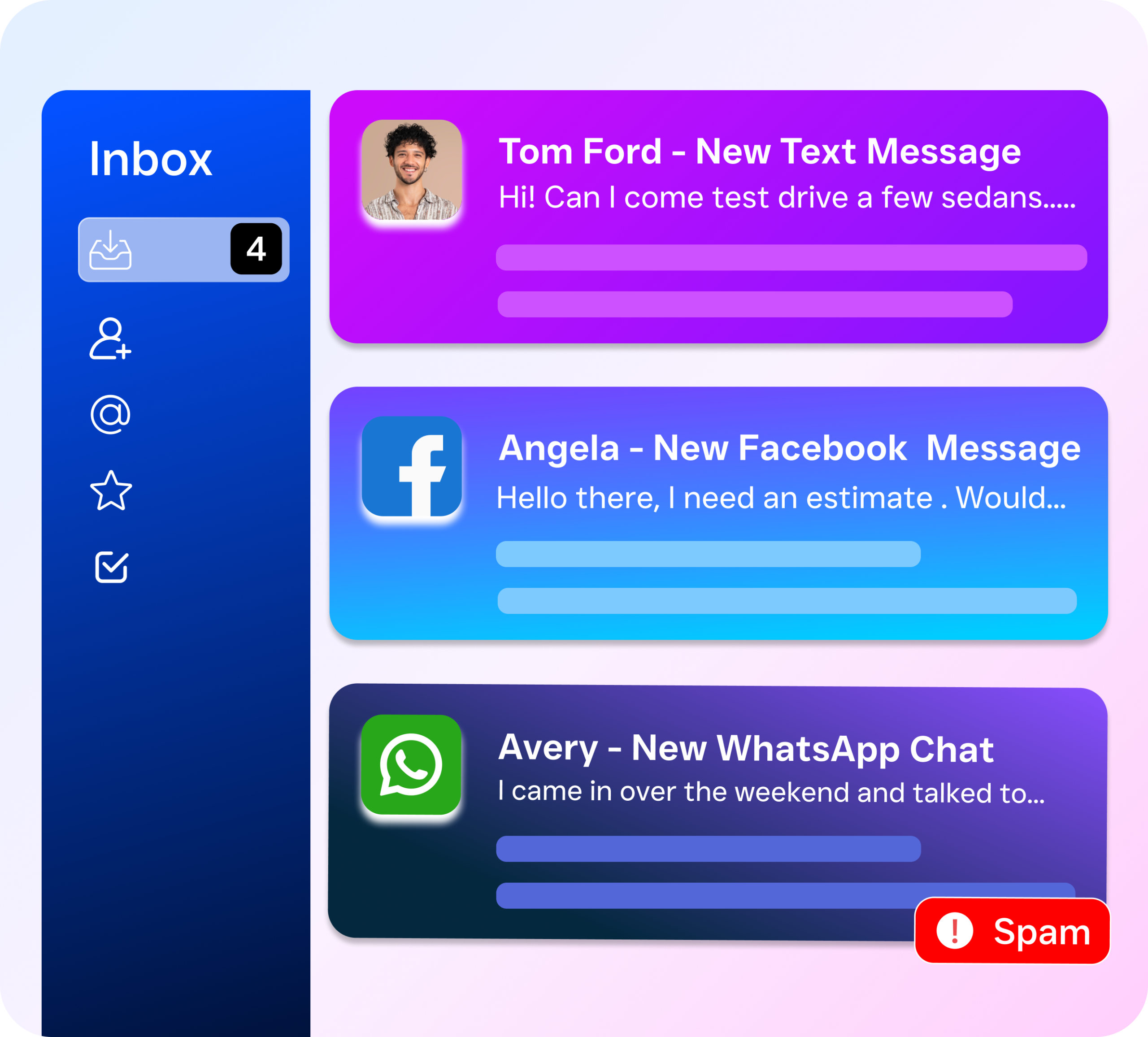
What makes SalesCaptain different is the combination of AI Phone Agents and AI Chat Agents built directly into the system. The AI Phone Agent answers calls 24/7 with natural-sounding voice conversation, books appointments, qualifies leads, answers FAQs, and blocks spam without any human involvement. AI Chat Agents do the same across SMS, webchat, Instagram DMs, and Facebook Messenger, responding instantly to customer inquiries at any hour. For businesses that miss after-hours calls or can’t respond to texts fast enough? This changes everything.
The platform also includes a drag-and-drop Workflow Automation builder that handles follow-ups, appointment reminders, CRM updates, and notifications automatically. With over 50 native integrations, including HubSpot, Salesforce, Zoho, HousecallPro, ServiceFusion, Mindbody, Shopify, QuickBooks, and Clio, SalesCaptain fits into the tools you already use. Pricing starts with a free plan for one location, and paid plans are priced per location at $159/month for the Business tier, making it accessible for single-location businesses and scalable for multi-location operations. There’s no steep learning curve. The system is designed so non-technical business owners can set up AI agents and automations without any coding or IT support.
Key Takeaways
Audit first. Map every communication channel your customers use