
AI-powered customer experience marketing (CXM) platform that helps local businesses win.



Many small business owners start with Mailchimp for email marketing, then realize they need a way to track contacts, segment audiences, and manage customer relationships. That’s where the idea of using Mailchimp as a CRM enters the conversation. And while Mailchimp has added audience management features over the years, it wasn’t built to handle the full scope of customer communication that service businesses need. If you’re running a plumbing company, dental practice, law firm, or any appointment-driven business, you need more than email tags and campaign reports. You need a platform that connects calls, texts, chat, and social messages in one place, with AI handling the repetitive work so your team can focus on revenue.
What Is Mailchimp as a CRM?
Mailchimp started as an email marketing tool in 2001, and for years that’s exactly what it did best. Around 2019, the company began positioning itself as an “all-in-one marketing platform” with contact management, audience segmentation, and basic CRM-like features baked into its free and paid plans. As Sprout24’s analysis of Mailchimp’s evolution explains, these additions were designed to help small businesses organize contacts and send targeted campaigns without needing a separate CRM.
So what does “Mailchimp as a CRM” actually give you? You get contact profiles, tags, audience segments, purchase history tracking, and some behavioral data based on email engagement. There’s also a basic dashboard for viewing subscriber activity. According to BrainwaveTrail’s detailed breakdown, Mailchimp can function as a lightweight CRM for businesses that primarily interact with customers through email campaigns and e-commerce.
Where It Falls Short
Here’s the problem. Service businesses don’t primarily interact with customers through email. They interact through phone calls, text messages, Instagram DMs, Facebook Messenger, and webchat. A roofer’s lead doesn’t fill out a Mailchimp form and wait for a drip campaign. They call. They text. In fact, they message on Facebook at 9 PM. And if nobody responds quickly, they move on to the next contractor. Mailchimp doesn’t have a phone system. It doesn’t have SMS automation for two-way conversations. It can’t answer a call at midnight when a homeowner’s pipe bursts. These aren’t edge cases for service businesses. They’re the core customer journey.
As Startup Savant’s CRM review notes, Mailchimp works best for businesses whose sales cycle revolves around email marketing. For everyone else, the gaps are significant.
How Unified Communication Works in SalesCaptain
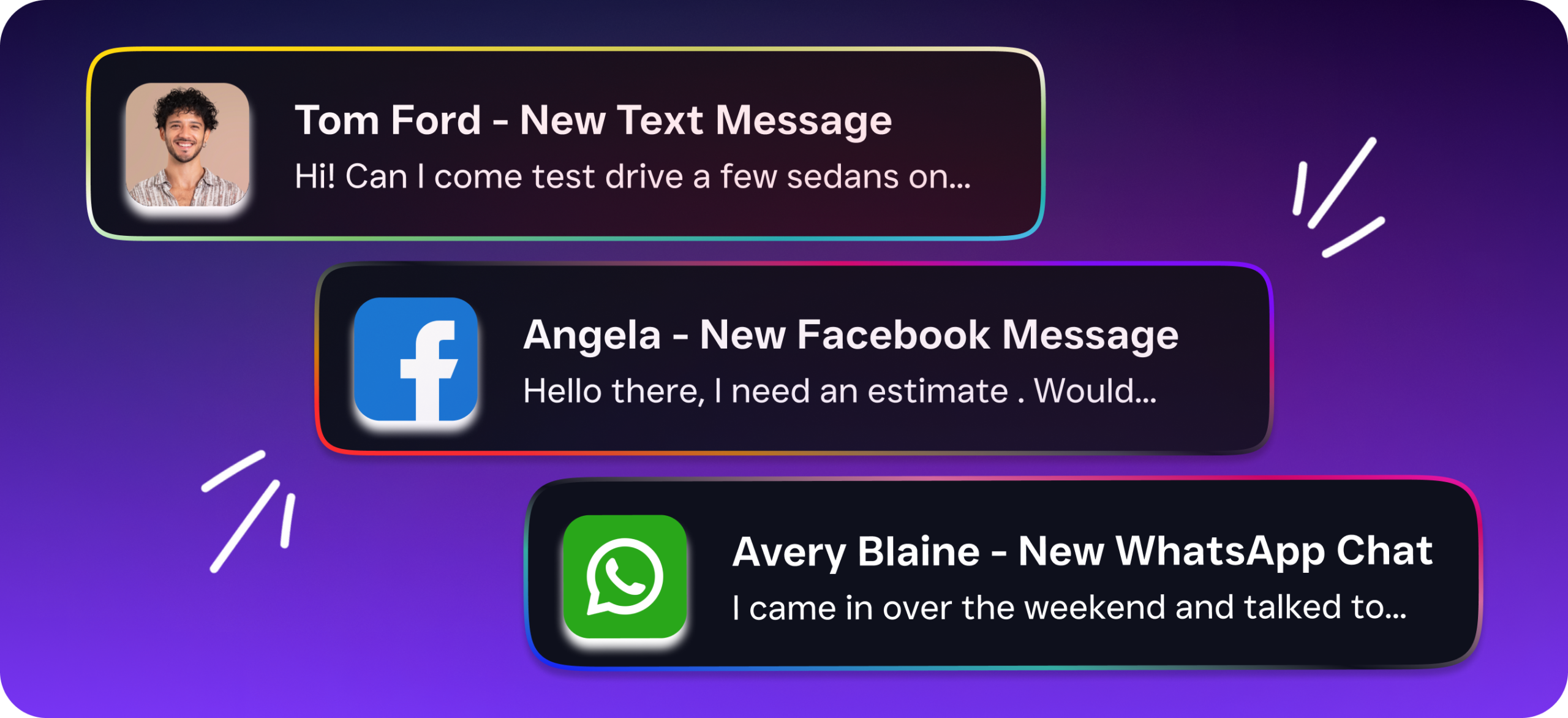
Instead of trying to stretch an email tool into a CRM, SalesCaptain was built from the ground up as a unified communication platform for service businesses. Every customer interaction, whether it’s a phone call, SMS, webchat message, Instagram DM, or Facebook Messenger conversation, flows into one collaborative inbox. Your team sees the full picture for every contact without switching between apps.
- Connect your channels. Set up your business phone number, enable SMS, link your webchat widget, and connect Instagram and Facebook. Everything runs through a single dashboard.
- Deploy AI agents. Build an AI Phone Agent that answers calls 24/7, books appointments, qualifies leads, and answers FAQs. Set up AI Chat Agents for text, webchat, and social DMs with instant responses and lead capture.
- Automate follow-ups. Use the drag-and-drop workflow builder to trigger appointment reminders, missed-call text-backs, CRM updates, and notifications. Connect to HubSpot, Salesforce, Zoho, HousecallPro, ServiceFusion, or 50+ other integrations.
- Review and refine. Every call gets an AI-generated transcription and summary. Your team can review what was said, identify follow-up items, and coach new staff, all without listening to full recordings.
- Scale per location. Add locations at $159/month each on the Business plan or $300/month on Enterprise. No per-user pricing traps that balloon your costs as you hire.
The result? You aren’t stitching together Mailchimp, a separate phone service, a texting app, a chatbot tool, and a CRM. One platform handles it all.
Key Capabilities
- AI Phone Agent with 24/7 coverage. Your AI agent picks up every call, day or night. It books appointments, qualifies leads, answers common questions, blocks spam, and routes callers based on custom call flows. According to SkipCalls’ industry research, small businesses lose over $26,000 per year from missed calls alone. An AI agent eliminates that gap entirely.
- Multichannel AI Chat Agents. Respond instantly to SMS, webchat, Instagram DMs, and Facebook Messenger. Leads get captured and appointments get booked even when your team’s offline. Mailchimp doesn’t offer any of this.
- Unified Inbox for every channel. Calls, texts, social messages, webchat, email, and internal notes all live in one collaborative inbox. Your entire team can see contact history and pick up conversations without asking “did anyone call this person back?”
- Call Flows with drag-and-drop builder. Design the exact path an incoming call follows: greetings, IVR menus, routing rules, after-hours handling, voicemail-to-text, and SMS follow-ups. No coding required.
- AI Summaries and Transcriptions. Every call is automatically transcribed with speaker identification, then summarized into key decisions, action items, and follow-up tasks. Your team saves hours every week by scanning summaries instead of replaying recordings.
- Workflow Automation with 50+ integrations. Trigger-based automations sync with your existing CRM (HubSpot, Salesforce, Zoho), scheduling tools (Mindbody, Rezdy), field service platforms (HousecallPro, ServiceFusion), and more through Zapier or native connections.
Who Needs This?
If you’ve been using Mailchimp as a CRM and finding yourself frustrated by its limitations, the question isn’t whether to switch. It’s what to switch to. SalesCaptain is purpose-built for these audiences:
- Home service businesses (roofing, HVAC, plumbing, landscaping, appliance repair) that rely on inbound calls and need after-hours coverage to capture emergency jobs.
- Healthcare and wellness practices (dental offices, medical clinics, MedSpas, therapy practices) that handle high appointment volumes and need automated reminders plus HIPAA-aware communication.
- Legal practices where every missed intake call could be a lost retainer, and call recording with transcription supports client documentation.
- Appointment-heavy businesses (salons, gyms, fitness studios) that need instant booking from any channel, not just email opt-in forms.
- Real estate agencies juggling leads from multiple sources who need fast response times to beat competing agents.
- Multi-location operations where per-location pricing makes more sense than per-seat pricing that spirals as teams grow.
The common thread? These businesses lose revenue when communication is slow, fragmented, or limited to email. Mailchimp can’t solve that. A unified communication platform can.
Benefits of Moving Beyond Mailchimp as a CRM
Capture Revenue You’re Currently Losing
Every call that goes to voicemail is a potential customer who might never call back. Research from VoiceFleet shows that the cost of missed calls for small businesses adds up fast, particularly in industries where each job is worth hundreds or thousands of dollars. With SalesCaptain’s AI Phone Agent answering every call and its missed-call text-back feature re-engaging callers who don’t leave a voicemail, you’re recovering revenue that Mailchimp never could have touched.
Respond Faster Without Hiring More Staff
Speed-to-lead matters enormously. A prospect who texts your business and gets a reply in 30 seconds is far more likely to book than one who waits four hours. AI Chat Agents handle that instant response across SMS, webchat, Instagram, and Facebook Messenger simultaneously. You don’t need to hire a receptionist, a social media manager, and a text message coordinator. One platform handles what would otherwise require three or four new hires.
Eliminate the App-Switching Tax
Using Mailchimp as a CRM usually means you’ve also got a separate phone provider, a texting tool, maybe a chatbot, and a scheduling app. Each has its own login, its own contact list, and its own gaps. According to Harvard Business Review, employees lose significant time and cognitive energy toggling between applications. SalesCaptain’s unified inbox eliminates that overhead by putting every conversation, across every channel, in one place.
Scale Affordably Across Locations
SalesCaptain charges per location, not per user. That’s a meaningful difference. A five-person team at one location pays $159/month total on the Business plan, plus $0.12/minute for AI calls. Compare that to per-seat tools where adding a third receptionist or a new sales rep means another monthly charge. For multi-location businesses, the economics are even more favorable: each new location adds a flat rate rather than multiplying by headcount.
How SalesCaptain Compares
Mailchimp excels at email marketing. Nobody’s arguing otherwise. But the moment you need phone calls answered, texts automated, social DMs managed, or leads qualified in real time, you’re outside what Mailchimp was designed to do. As Mayple’s analysis points out, Mailchimp’s CRM features work best when email is your primary customer touchpoint. For service businesses, it rarely is.
Other platforms have tried to solve pieces of this puzzle. Birdeye focuses on reputation management but lacks call routing, IVR, call flow builders, AI for calls, and a power dialer. Nextiva offers a phone system but caps SMS at 250 messages per user per month and doesn’t include a leads form, text-to-pay, or live transcription. Aircall is built for call center teams at $30 per license but has no webchat, no email channel, no missed-call text-back, and no real-time AI for calls.
SalesCaptain is the only platform that combines AI voice agents, AI chat agents, and a unified inbox in one tool, built specifically for service businesses and SMBs. You won’t find that combination in Mailchimp, and you won’t find it in any single competitor either. Plus, setup doesn’t require technical expertise. The drag-and-drop call flow builder and visual workflow editor mean you can configure your entire communication system in an afternoon.
Frequently Asked Questions
Can Mailchimp really work as a CRM for my service business?
Mailchimp offers basic contact management, tags, and audience segmentation, which can function as a lightweight CRM if your business primarily communicates through email. However, service businesses that depend on phone calls, texts, and social media messages will find critical gaps. There’s no phone system, no SMS automation for two-way conversations, and no way to handle inbound calls or after-hours inquiries. For email-centric e-commerce, it can work. For appointment-driven service businesses, it likely won’t.
What’s the biggest limitation of using Mailchimp as a CRM?
The biggest limitation is channel coverage. Mailchimp doesn’t handle phone calls, live chat, social media DMs, or SMS conversations. So while you can tag contacts and send targeted email campaigns, you can’t manage the communication channels where most service business customers actually reach out. That means missed calls, slow responses, and lost leads that no email drip campaign can recover.
How much does SalesCaptain cost compared to Mailchimp?
SalesCaptain offers a free Startup plan for one location. The Business plan is $159/month per location, and Enterprise is $300/month per location. AI calls cost $0.12/minute. Mailchimp’s Standard plan starts at $20/month but only covers email marketing and basic audience tools. When you factor in the separate phone system, texting tool, chatbot, and scheduling app you’d need alongside Mailchimp, SalesCaptain often costs less overall while doing far more.
Do I need technical skills to set up SalesCaptain?
No. The platform uses drag-and-drop builders for call flows, workflow automations, and AI agent configuration. You can connect your business phone number, deploy an AI Phone Agent, and set up chat automations without writing any code. Most businesses are fully operational within a day.
Can I keep using Mailchimp for email marketing alongside SalesCaptain?
Absolutely. SalesCaptain integrates with Zapier and 50+ native integrations, so you can continue running email campaigns in Mailchimp while using SalesCaptain to handle calls, texts, chat, and social messages. Many businesses use this approach during their transition, keeping Mailchimp for newsletters while SalesCaptain handles all real-time customer communication.
Stop Losing Customers to Missed Calls and Slow Responses
If you’ve been stretching Mailchimp into a CRM role it wasn’t built for, it’s time for a platform designed around how your customers actually communicate. SalesCaptain gives you AI-powered phone and chat agents, a unified inbox for every channel, and workflow automation that keeps leads moving, all without hiring additional staff.
Start free at SalesCaptain.com and see what a purpose-built communication platform can do for your service business.