
AI-powered customer experience marketing (CXM) platform that helps local businesses win.



Optimizing Patient Communication: A Comprehensive Guide to Modern Phone Systems for Medical Offices
In a healthcare environment, the telephone remains the primary gateway for patient care. Whether it is a new patient seeking a specialist, an established patient calling for lab results, or a pharmacy verifying a prescription, the reliability and intelligence of your phone system directly impact your practice’s clinical outcomes and operational reputation.
As medical practices scale, traditional landlines often become a significant bottleneck. Busy signals, long hold times, and fragmented after-hours communication do more than frustrate patients; they can lead to delayed care and increased administrative burden on your staff. Transitioning to a modern, integrated communication platform is no longer just a technical upgrade—it is a strategic necessity for patient-centered care.
Quick Answer
A modern phone system for medical offices routes incoming calls intelligently, offers 24/7 availability through automated scheduling, reduces no-shows with appointment reminders, and integrates with existing practice management software. These systems handle routine inquiries, transfer urgent cases to staff, and capture patient information automatically, freeing your team to focus on care rather than call management.
The Limitations of Traditional Telephony in Healthcare
Many medical practices continue to operate on legacy hardware that was not designed for the complexities of modern healthcare. This creates several persistent challenges:
1. The Patient Access Gap
When a practice relies on a limited number of analog lines, patients frequently encounter busy signals during peak hours, such as Monday mornings. Research indicates that patients who cannot reach their provider on the first attempt are significantly more likely to seek care elsewhere, particularly in competitive urban markets.
Free weekly newsletter
Growth tips for dental & medical practices
Every Tuesday — actionable ideas to get more leads, reviews, and repeat customers. No fluff.
2. Administrative Burnout and Staff Attrition
Front-desk staff often find themselves caught in a cycle of “phone tag.” When a system lacks integrated features like automated routing or text-back capabilities, staff must spend a disproportionate amount of their day on routine inquiries—such as confirming office hours or directions—leaving them with less time for complex patient intake and insurance verification.
3. Disconnected After-Hours Care
For many offices, after-hours care is managed by third-party answering services that may not have access to the practice’s scheduling logic or patient records. This results in a disjointed experience where the patient must repeat their information multiple times, and the practice receives a transcribed message that may lack critical clinical context.
4. Regulatory and Privacy Concerns
In an era of strict data protection, using unencrypted or non-compliant communication channels to relay patient information is a significant liability. Legacy systems often lack the audit trails and security protocols required to ensure that patient identifiers remain protected during every interaction.
How SalesCaptain Enhances Medical Office Operations
SalesCaptain provides a sophisticated, HIPAA-ready communication layer that integrates with your existing infrastructure to streamline the patient journey. By combining AI-driven voice agents with intelligent routing, the platform transforms the phone from a simple utility into a strategic asset.
1. Intelligent AI Reception and Triage
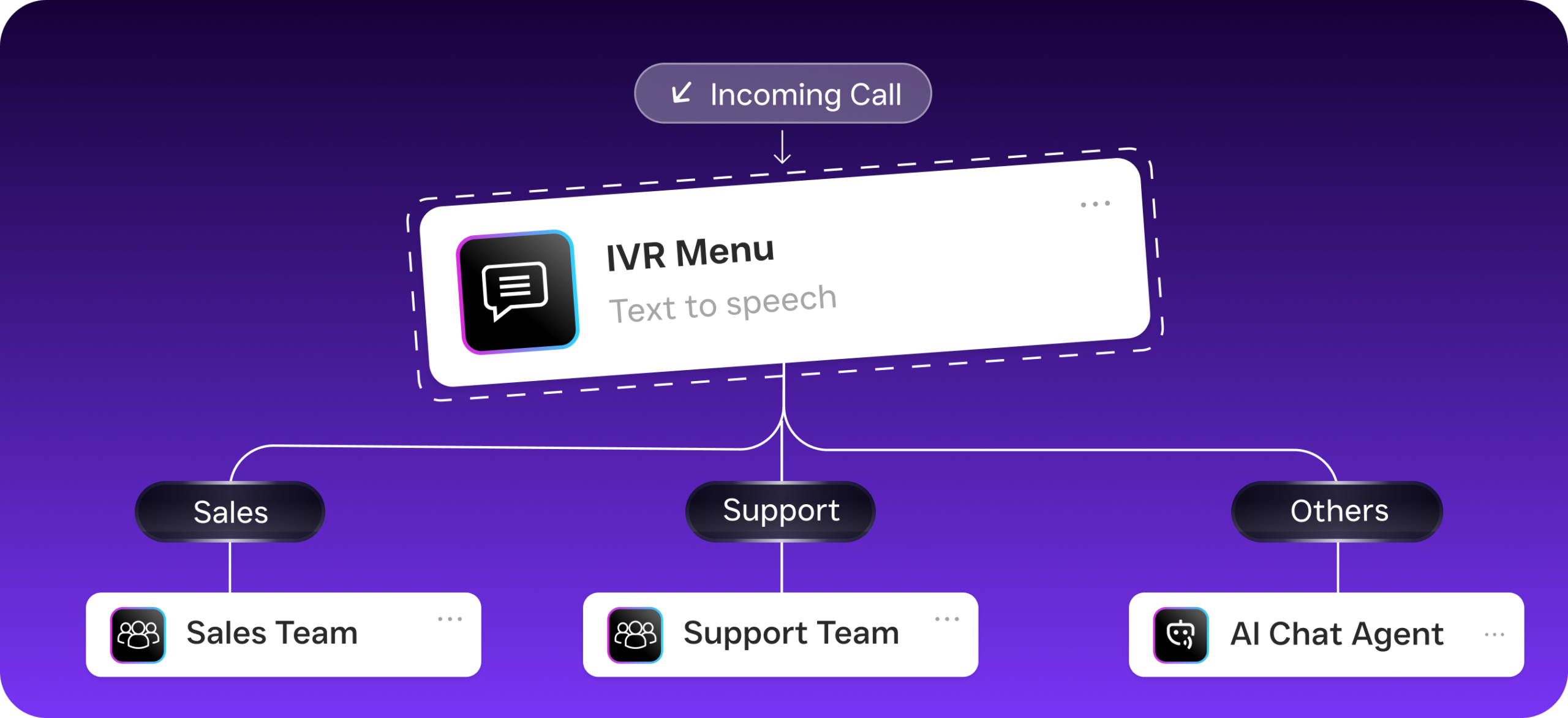
Unlike a standard “auto-attendant” that simply offers a menu of options, SalesCaptain utilizes natural language processing to understand patient intent. The system can distinguish between a patient requesting a routine refill and one describing urgent symptoms. By triaging calls at the point of entry, the system ensures that urgent clinical matters are routed to a nurse or provider immediately, while administrative tasks are handled through automation.
2. Automated Patient Interaction and Text-Back
Recognizing that many patients prefer digital communication, SalesCaptain includes a “Missed Call Text-Back” feature. If the office lines are busy or it is after-hours, the system can automatically send a secure text message to the caller. This allows the patient to state their needs immediately, effectively capturing the inquiry and preventing the patient from calling a competing practice.
3. Integrated Scheduling and EMR Sync
One of the most significant advantages of a modern system is the ability to bridge the gap between the phone and the Practice Management System (PMS). SalesCaptain can be configured to allow patients to schedule or reschedule appointments via the automated system. By viewing real-time provider availability, the platform reduces the need for human intervention in routine scheduling tasks.
Key Features for Healthcare Communication
High-Fidelity Voice Over IP (VoIP)
SalesCaptain utilizes cloud-based VoIP technology to ensure crystal-clear audio quality. This is particularly important in a medical context where clear communication regarding dosages and instructions is vital for patient safety.
Secure, HIPAA-Ready Messaging
The platform is built with healthcare regulations in mind. All text-based communications and call recordings are stored with enterprise-grade encryption, ensuring that your practice remains compliant while offering the convenience of modern messaging.
Unified Communication Dashboard
Staff members no longer need to check multiple devices or apps. Every call, text, and voicemail is centralized in a single, secure dashboard. This allows for better continuity of care, as any authorized staff member can view the history of a patient’s interactions.
Automated Appointment Reminders
To combat the high cost of “no-shows,” the system can be programmed to send automated reminders via voice or text. Patients can confirm their attendance with a simple response, which then updates the practice’s schedule automatically.
Detailed Analytics and Reporting
Practice managers can access data on call volumes, average wait times, and peak inquiry hours. These insights allow for more informed staffing decisions and help identify areas where the patient experience can be improved.
Implementation and Integration Strategy
Transitioning to an advanced phone system is an organized process designed to minimize disruption to your clinical workflow.
Needs Assessment: We begin by analyzing your practice’s current call flow, identifying peak hours and common patient inquiries to customize the AI’s training.
Configuration and Training: The AI is “onboarded” with your practice’s specific policies, including accepted insurance, provider specialties, and office protocols.
Systems Integration: We establish secure connections between SalesCaptain and your Electronic Medical Record (EMR) or Practice Management System (PMS) to enable features like direct booking.
Staff Training and Go-Live: Your team is trained on the unified dashboard to ensure they can easily manage patient communications. Once the system is live, our support team provides ongoing monitoring to optimize performance.
Investing in the Future of Patient Access
A medical office’s phone system is more than a utility; it is the foundation of the patient’s experience with your practice. By moving away from legacy hardware and adopting an AI-enhanced, integrated platform, practices can reduce administrative friction, protect patient privacy, and—most importantly—ensure that every patient receives a timely and professional response.
In a competitive healthcare landscape, the ability to be accessible 24/7 is a hallmark of a premier practice. SalesCaptain provides the tools necessary to meet modern patient expectations without increasing the workload on your dedicated staff.

Ready to see it in action?
See how medical offices use SalesCaptain to answer calls and book appointments automatically.
Frequently Asked Questions (FAQ)
Q. What is the difference between a standard VoIP system and a medical-grade system?
A standard VoIP system provides basic calling features over the internet. A medical-grade system, such as SalesCaptain, includes specific features designed for healthcare, including HIPAA-compliant data handling, integration with medical scheduling software, and intelligent triage capabilities to manage clinical versus administrative inquiries.
Q. How does an AI Voice Agent handle an actual medical emergency?
The system is configured with specific protocols for emergency situations. If the AI detects keywords associated with a medical crisis (e.g., “chest pain,” “difficulty breathing”), it is programmed to immediately route the caller to an emergency line or advise them to dial 911, ensuring that critical situations are never delayed by automation.
Q. Will our existing phone numbers be affected?
No. Practices are able to port their existing professional phone numbers to the SalesCaptain platform. The transition is managed by our technical team to ensure there is no downtime or interruption in patient access.
Q. Does this system require expensive new hardware?
Because the system is cloud-based, it can often work with your existing hardware or be accessed via computers and mobile devices. This reduces the capital expenditure typically associated with installing a new PBX system in a medical office.
Q. How does the system improve the patient experience for elderly callers?
While the system offers modern features like texting, it is designed to be accessible to all demographics. Elderly patients can interact with the AI using natural speech, or they can opt to be connected directly to a live staff member at any point during the call.