
AI-powered customer experience marketing (CXM) platform that helps local businesses win.



Every medical practice, whether it’s a solo physician or a multi-location clinic, faces the same grinding problem: the phone won’t stop ringing, and the front desk can’t keep up. Patients call to book appointments, confirm times, ask about insurance, and reschedule. Many of those calls go unanswered. The ones that do get answered eat up staff time that could go toward patient care. Missed calls mean missed revenue, and slow follow-ups push patients toward competitors. Finding the right scheduling software for medical practice operations isn’t just about filling calendar slots. It’s about fixing the entire communication breakdown that starts the moment a patient picks up their phone.
Why Medical Practices Struggle With Customer Communication
Front desk staff at most practices juggle a dozen responsibilities at once. They’re checking patients in, verifying insurance, answering phones, and managing the schedule. When call volume spikes, something gives. Usually, it’s the phone. According to a breakdown of top patient scheduling challenges, practices routinely lose patients because callers can’t get through or experience long hold times. That’s not a staffing problem you can solve by hiring one more person. It’s a systems problem.
After-Hours Gaps Cost You Patients
Most practices close at 5 or 6 PM. But patients don’t stop needing appointments after business hours. They search for providers in the evening, on weekends, and during lunch breaks. If your phones go to a generic voicemail after hours, a significant chunk of those callers won’t leave a message. They’ll call the next practice on the list instead. A recent analysis of why practices fail at online scheduling found that the gap between patient expectations and what most offices actually offer is widening, especially when patients want immediate self-service options.
Fragmented Channels Create Chaos
Patients today don’t just call. They text, send messages through your website, reach out on Facebook, or reply to appointment reminders via SMS. Most practices handle each channel separately, if they handle them at all. That fragmentation means messages slip through cracks, response times vary wildly, and no single team member has full visibility into a patient’s communication history. The result? Duplicate conversations, frustrated patients, and staff who spend more time managing tools than helping people.
Research from Hyperleap AI on healthcare patient communication confirms that patients increasingly expect rapid, multichannel responses from their providers. Practices that can’t deliver on that expectation lose retention and referrals over time.
How SalesCaptain Solves This
SalesCaptain isn’t a traditional scheduling app. It’s a unified communication platform with built-in AI agents that handle the entire patient interaction, from first call to booked appointment, across every channel your practice uses. Here’s what that looks like in a real medical office.
AI Phone Agent Handles Calls Around the Clock
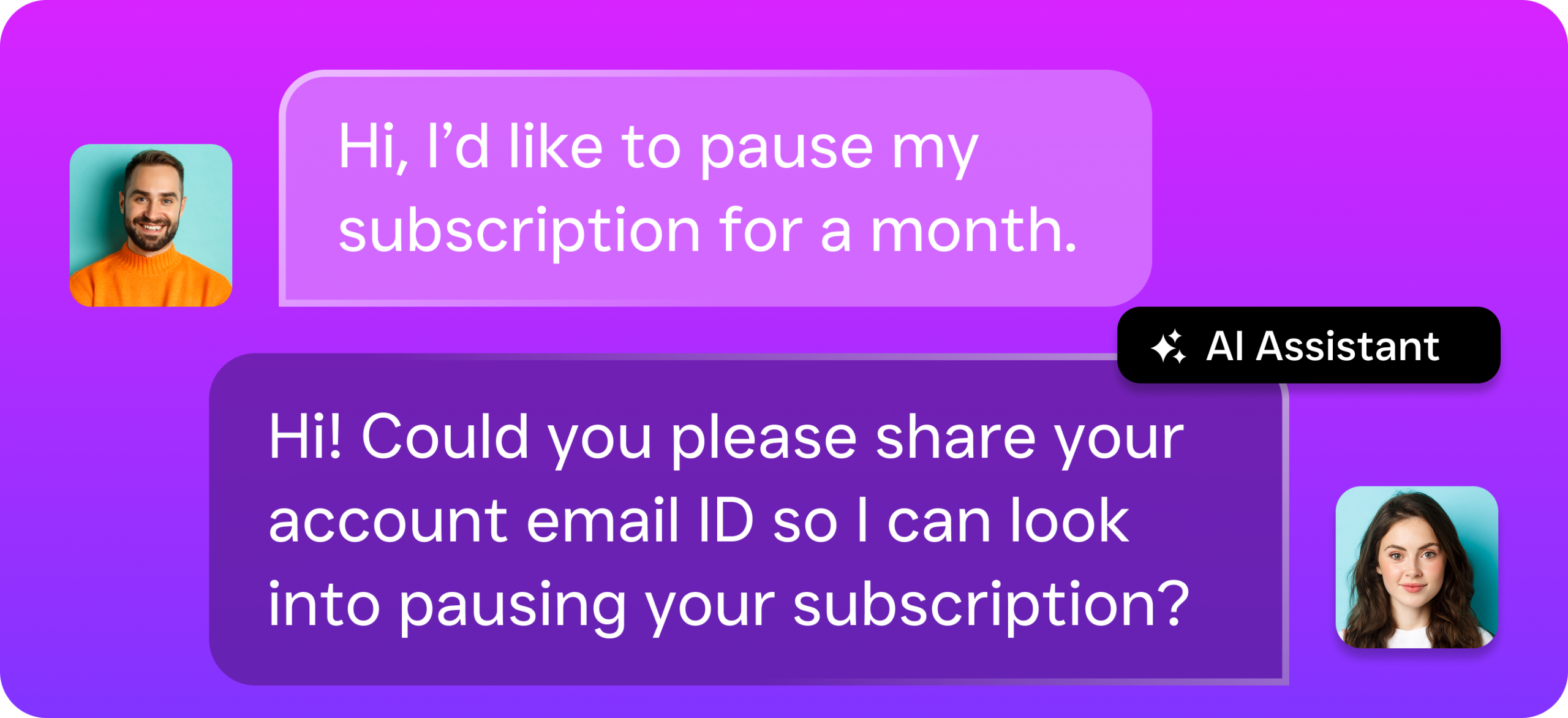
SalesCaptain’s AI Phone Agent picks up every incoming call, 24 hours a day, 7 days a week. It sounds natural, not robotic. When a patient calls to schedule, the agent checks availability, books the appointment, and confirms the details. It can answer common questions about office hours, accepted insurance, or directions to your location. Spam calls? Blocked automatically. Complex situations that need a human? The agent routes them to the right person on your team.
This isn’t a glorified voicemail tree. The AI Phone Agent conducts real conversations, qualifies new patients, and captures lead information even at 10 PM on a Saturday. For practices evaluating scheduling software for medical practice workflows, that after-hours capture alone can change the math on new patient acquisition. A review of AI receptionists in 2026 highlights how AI-driven call handling is quickly becoming the standard for practices that want to compete.
AI Chat Agents Cover Every Digital Channel
Beyond phone calls, SalesCaptain deploys AI Chat Agents across your website, SMS, Instagram DMs, and Facebook Messenger. When a patient texts your office to ask about availability, the chat agent responds instantly, captures their information, and books directly onto your calendar. Missed a call? The system automatically sends a text-back so the patient can continue the conversation in the channel they prefer.
All of this feeds into SalesCaptain’s Unified Inbox, where your team sees every patient interaction in one place. Calls, texts, website chats, social messages, and internal notes all appear in a single timeline per patient. No more switching between five different apps to figure out what a patient asked yesterday.
Workflow Automation Eliminates Manual Follow-Up
Once an appointment is booked, SalesCaptain’s drag-and-drop Workflow Automation takes over. Appointment reminders go out via text automatically. No-show follow-ups trigger without your staff lifting a finger. New patient intake forms can be sent before the visit. CRM records update in real time. Because SalesCaptain integrates with tools like HubSpot, Salesforce, Zoho, and QuickBooks, your existing systems stay in sync without manual data entry.
Key Features for Medical Practice Businesses
SalesCaptain brings several capabilities together that medical practices typically need separate tools to cover. Here are the features that matter most for healthcare environments.
- 24/7 AI Call Answering and Appointment Booking: Every call gets answered, every potential appointment gets captured. The AI Phone Agent handles scheduling, FAQs, and lead qualification without putting anyone on hold.
- Missed Call Text-Back: When a call does go unanswered during peak times, SalesCaptain automatically sends an SMS so the patient can book via text. That safety net prevents lost opportunities.
- Unified Inbox Across All Channels: Phone calls, SMS conversations, webchat messages, social media DMs, and email all live in one collaborative inbox. Your team gets full context on every patient without digging through separate systems.
- AI Summaries and Transcriptions: Every call is transcribed and summarized by AI. Staff can quickly review what was discussed, what follow-ups are needed, and what the patient’s concerns were. Especially useful for compliance, training, and quality assurance.
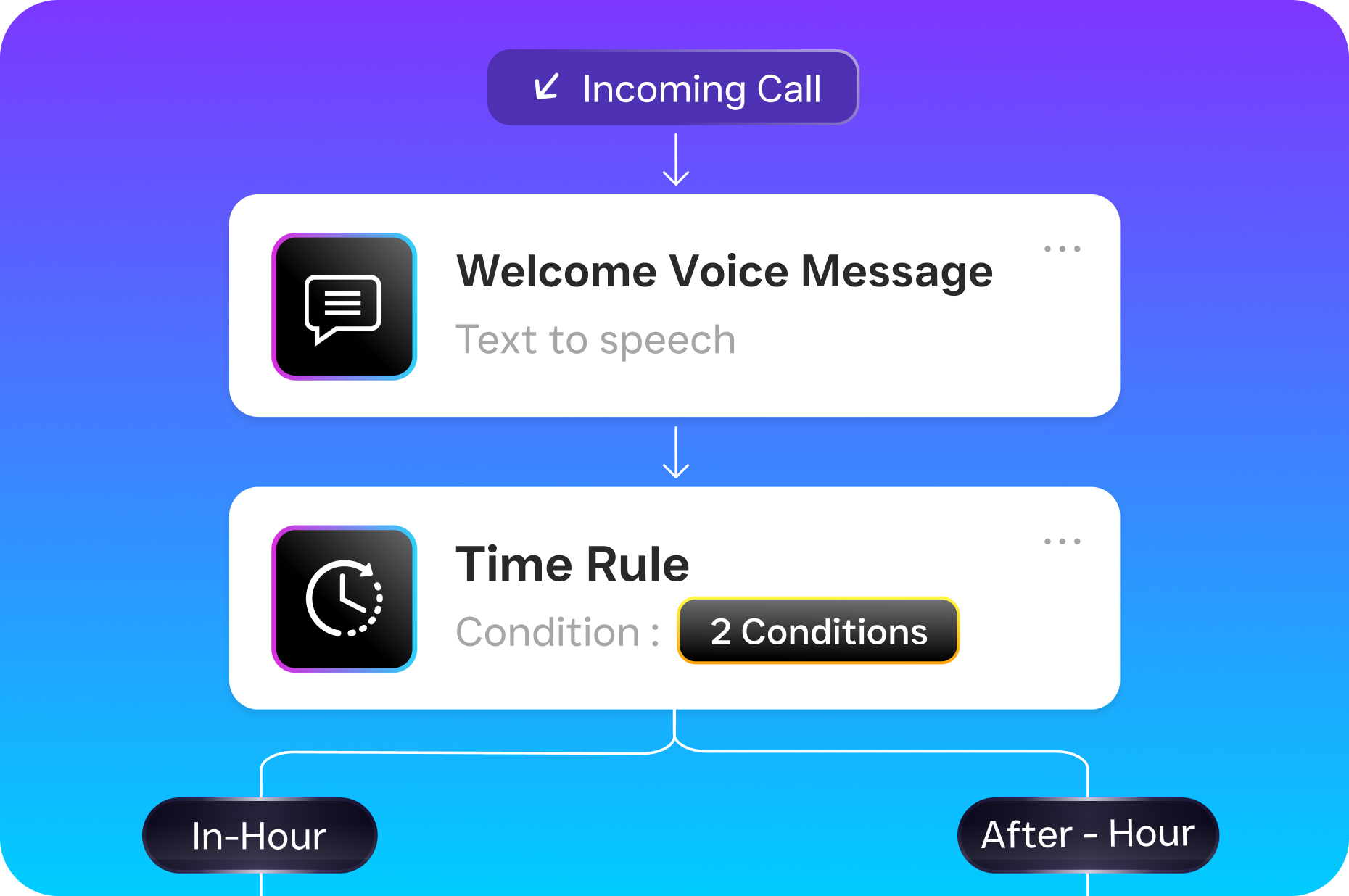
- Custom Call Flows: SalesCaptain’s visual call flow builder lets you design exactly how incoming calls are routed. Set up different paths for new patients versus existing patients, after-hours versus business hours, or urgent versus routine inquiries.
- Automated Appointment Reminders and Follow-Ups: Reduce no-shows with automated text and message reminders triggered at the intervals you choose. Post-visit follow-ups can also be automated to improve retention and satisfaction.
The KLAS 2024 report on small practice technology needs notes that smaller practices often struggle with functionality gaps beyond their core EHR. SalesCaptain fills that gap on the communication and scheduling side without requiring any technical expertise to set up.
Real Results You Can Expect
Switching to an AI-powered communication platform doesn’t just feel different. It changes measurable outcomes in your practice.
Fewer Missed Calls, More Booked Patients
When every call gets answered, your conversion rate from inquiry to appointment naturally climbs. Practices that rely on voicemail or hold queues lose a percentage of callers who simply hang up. With SalesCaptain’s AI Phone Agent and missed call text-back working together, that leakage stops. You’re capturing demand that already exists but currently goes to competitors.
Lower Front Desk Burden Without Hiring
Your front desk staff shouldn’t spend their day answering the same ten questions over and over. AI agents handle those repetitive interactions, freeing your team to focus on in-office patient care, insurance coordination, and the tasks that actually require a human touch. You grow your capacity without growing your payroll. According to MGMA’s 2024 data on practice productivity, most practices are already pushing their teams to meet aggressive goals. Removing communication bottlenecks gives staff room to perform at those levels sustainably.
Consistent Patient Experience Across Every Touchpoint
Whether a patient calls at 2 PM or texts at 9 PM, they get the same quality response. The AI doesn’t have a bad day, forget to follow up, or put someone on hold for six minutes. That consistency builds trust, and trust drives retention and referrals. Plus, with every interaction logged in the Unified Inbox, any team member can pick up a conversation with full context.
Reduced No-Shows Through Automated Reminders
No-shows are one of the most expensive problems in medical scheduling. Automated reminders sent via text at strategic intervals before an appointment significantly cut that rate. SalesCaptain’s Workflow Automation handles this entirely in the background, so your staff doesn’t need to make reminder calls manually. As healthcare scheduling best practices from SchedulingKit outline, proactive patient communication is one of the most effective levers for reducing empty appointment slots.
How to Get Started
Setting up SalesCaptain for your medical practice doesn’t require a developer or an IT department. Here’s the process from signup to live AI agents.
- Sign up for the free Startup plan. You get one location at no cost, with no credit card required. This lets you explore the platform and test features before committing.
- Set up your business phone number. SalesCaptain provides business phone numbers with 99.99% uptime, crystal-clear audio, and full call routing capabilities. Port an existing number or get a new one.
- Build your AI Phone Agent. Use the no-code builder to configure how your AI agent greets callers, answers questions, books appointments, and routes calls. You can customize scripts for new patients, existing patients, and after-hours scenarios.
- Deploy AI Chat Agents on your channels. Connect SalesCaptain to your website, SMS, Facebook Messenger, and Instagram. Each channel gets instant AI responses and lead capture without any coding.
- Create your call flows and automations. Use the drag-and-drop builder to design call routing, appointment reminder sequences, and follow-up workflows. Connect to your existing tools through native integrations with HubSpot, Zoho, QuickBooks, or 50+ other platforms.
- Go live and monitor from the Unified Inbox. Once everything is configured, your AI agents start handling patient communication immediately. Monitor conversations, review AI transcriptions and summaries, and step in whenever you need to.
Most practices are fully operational within a day or two. The platform is designed so a practice manager or office administrator can handle the entire setup without outside help.
Frequently Asked Questions
Can SalesCaptain replace my existing scheduling software for medical practice operations?
SalesCaptain focuses on the communication layer: answering calls, responding to messages, capturing leads, and booking appointments through AI agents. It integrates with your existing scheduling and EHR tools rather than replacing them. Think of it as the front door that gets patients onto your calendar, while your clinical systems handle what happens after they arrive.
Is SalesCaptain HIPAA-compliant for handling patient communication?
SalesCaptain is built with security and privacy in mind for service businesses including healthcare. If your practice has specific compliance requirements, contact the SalesCaptain team directly to discuss your needs and confirm that the platform meets your regulatory obligations before going live.
How does the AI Phone Agent sound to patients?
The AI Phone Agent uses natural-sounding voice technology. Most callers won’t realize they’re speaking to an AI. It handles conversational back-and-forth, answers follow-up questions, and adjusts based on what the caller says. You can customize the greeting, tone, and information the agent provides to match your practice’s brand.
What happens if the AI can’t handle a caller’s request?
You configure escalation rules using SalesCaptain’s call flow builder. If a caller asks something outside the AI’s scope or requests a human, the system routes them to the appropriate team member immediately. Custom call flows ensure urgent calls get handled differently than routine scheduling inquiries.
How much does SalesCaptain cost for a medical practice?
The Startup plan is free for one location. The Business plan runs $159 per month per location, and the Enterprise plan is $300 per month per location. AI call minutes are billed at $0.12 per minute. Compared to hiring additional reception staff or outsourcing to a human answering service, the cost is dramatically lower while providing broader coverage.
Stop Losing Patients to Missed Calls and Slow Responses
Your medical practice deserves a communication system that works as hard as your clinical team does. SalesCaptain gives you AI-powered call answering, multichannel chat agents, automated scheduling workflows, and a unified inbox, all in one platform built for service businesses like yours. Every missed call is a patient you didn’t have to lose.