
AI-powered customer experience marketing (CXM) platform that helps local businesses win.


How Auto Repair Shops Can automate follow ups and Stop Losing Customers
A customer brings their car in for brake work. You fix it, they pay, and they leave. Six months later, those brakes need checking again. But you never reached out, so they drove past three other shops and picked the one that sent them a reminder. That’s not a hypothetical scenario. It’s happening every single day at auto repair shops across the country, and it’s costing real money. Understanding how auto repair shops can automate follow ups is the difference between a shop that grows and one that stays stuck chasing new customers while old ones quietly disappear.
The auto care industry is massive and getting bigger. According to the Auto Care Association’s latest research, the industry is expected to grow 5.7% and reach over $617 billion by 2027. Yet most independent shops still handle follow-ups the old-fashioned way: sticky notes, memory, or not at all. If you’re running a shop and want a bigger piece of that growing pie, automation isn’t optional anymore. It’s how you compete.
Quick Answer
Auto repair shops automate follow-ups by implementing CRM systems that send scheduled reminders for service appointments, maintenance needs, and payment confirmations. These platforms track customer history, trigger emails or texts at optimal times, and manage multi-step campaigns without manual effort. The result is consistent customer contact that drives repeat visits and increases lifetime value.
What Does Automating Follow Ups Actually Mean for Auto Repair Shops?
Let’s clear up a common misunderstanding first. Automating follow-ups doesn’t mean blasting every customer with the same generic text. It means setting up systems that send the right message, to the right customer, at the right time, without you or your service advisors having to remember anything. Think of it like putting your customer communication on autopilot while you focus on fixing cars.
Free weekly newsletter
Growth tips for auto dealerships & repair shops
Every Tuesday — actionable ideas to get more leads, reviews, and repeat customers. No fluff.
In practice, automated follow-ups cover several types of outreach. There are post-service thank-you messages that go out the day after a repair. There are maintenance reminders triggered by mileage intervals or time since the last visit. Appointment confirmation texts reduce no-shows. Review requests help build your online reputation. And re-engagement messages reach out to customers who haven’t visited in a while. All of these can run in the background once you set them up, firing off based on triggers you define rather than requiring someone to manually send each one.
The key difference between good automation and annoying spam is personalization. When a message says “Hi Dave, your oil change is due based on your last visit in January,” that feels helpful. When it says “Dear Valued Customer, schedule your next service today,” that feels like junk mail. Modern automation tools let you pull in customer names, vehicle details, and service history so every message feels personal even though nobody typed it by hand.
Why Auto Repair Shops Lose Customers Without Automated Follow Ups
The Silent Bleed of Forgotten Customers
Here’s something most shop owners don’t track closely enough: customer retention rate. Acquiring a new customer costs five to seven times more than keeping an existing one, according to research published by the Harvard Business Review. Yet the average auto repair shop loses a significant chunk of its customer base each year simply because nobody followed up. Customers don’t leave because they’re unhappy. They leave because they forgot about you. And when they need a repair, they search Google and pick whoever shows up first.
Without a system in place, follow-ups depend entirely on your front desk staff remembering to call or text. But your service advisors are already juggling walk-ins, phone calls, parts orders, and warranty questions. Follow-up calls fall to the bottom of the priority list every single time. So the customer who came in for transmission work eight months ago never hears from you, drives past a competitor’s billboard, and books there instead. You never even knew you lost them.
Missed Calls Make the Problem Worse
Follow-ups aren’t just about reaching out. They’re also about being reachable when customers respond. According to missed business call data compiled by Aira, small businesses miss a shocking percentage of incoming calls. And research from Phone2 shows the true cost of those missed calls adds up fast, with some estimates suggesting small businesses lose tens of thousands of dollars per year. So even if a customer gets your reminder text and calls back, there’s a good chance nobody picks up because your techs are elbow-deep in an engine bay. That customer then calls the next shop on their list.
The combination of no proactive outreach and missed inbound calls creates a double problem. You’re not reaching out, and when customers try to reach you, you’re not answering. Automation solves both sides of this equation by handling outbound messages on a schedule and capturing inbound responses instantly, even outside business hours.
📺 Watch: How to Create a Lead Follow-Up Sequence
How Auto Repair Shops Can Automate Follow Ups in Five Practical Steps
Step 1: Build Your Customer Database With Clean Data
Automation is only as good as the data feeding it. Before you can automate anything, you need a clean, organized record of every customer, their vehicle, their service history, and their contact info. If you’re still running paper tickets or a spreadsheet, step one is getting that information into a digital system that can actually trigger automations. Most modern shop management software can export customer data, which you can then import into a communication platform that handles messaging.
Pay special attention to phone numbers and email addresses. A wrong digit means your reminder goes nowhere. Also, make sure you’re collecting opt-in consent for text messages. The FCC’s rules around texting require businesses to get permission before sending automated messages. A simple checkbox on your intake form handles this, but you need to have it in place before you start sending.
Step 2: Map Out Your Follow Up Triggers and Timing
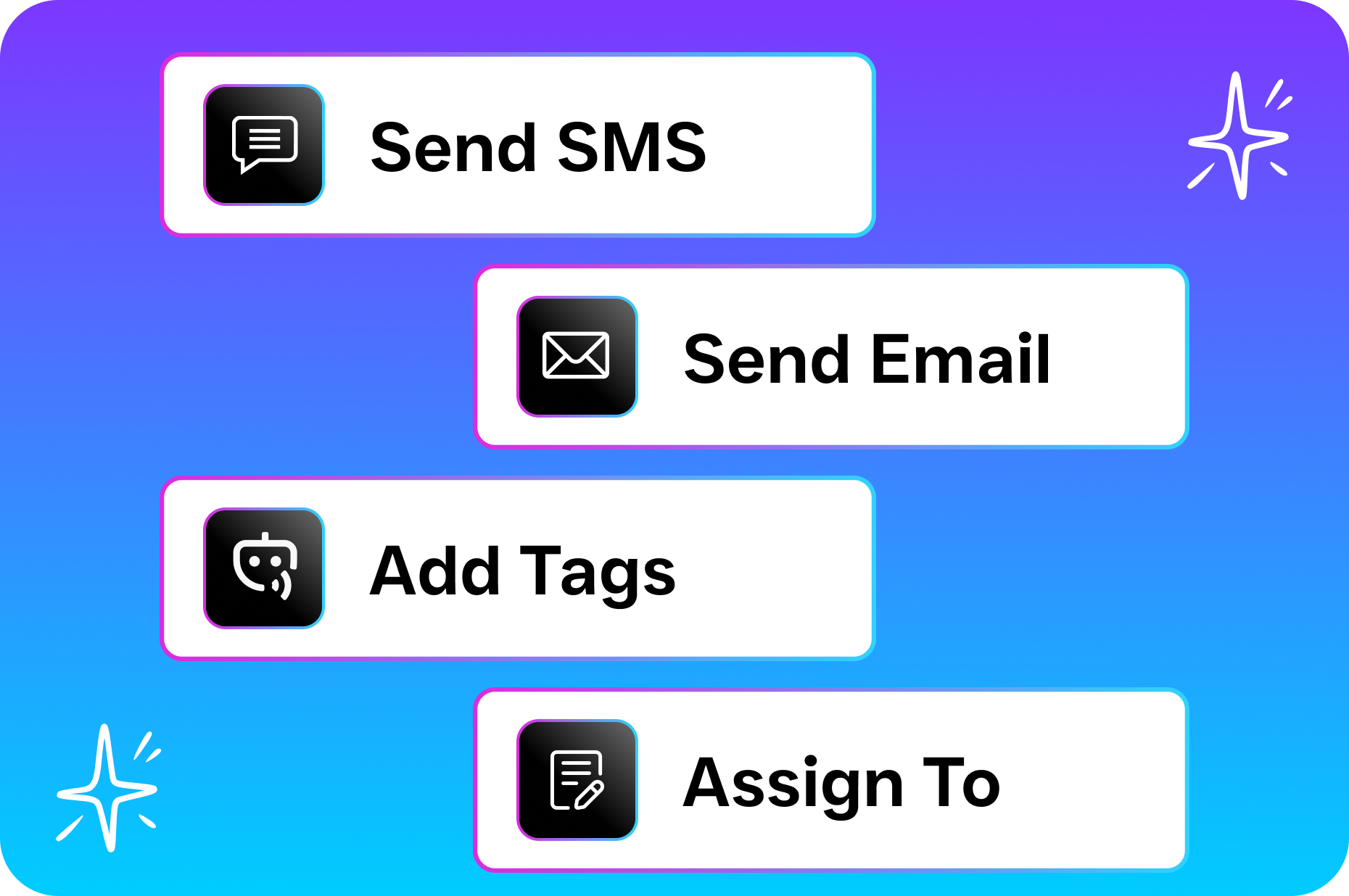
Not every customer should get the same message at the same time. Sit down and map out the key moments when a follow-up makes sense for your shop. A post-service thank-you text should go out within 24 hours of pickup. A review request works best two to three days later, when the customer has had time to drive the car and confirm everything’s working. Maintenance reminders should fire based on the service type: oil changes every three months, brake inspections every six, tire rotations every 5,000 miles.
Write down these triggers and the timing for each one before you touch any software. Knowing exactly what you want to automate makes the setup process ten times faster. Also think about what happens if a customer doesn’t respond. Should they get a second reminder a week later? What about a phone call from your AI agent after two missed texts? Layering your follow-ups across channels, like text first and then a call, dramatically increases your response rate compared to a single message.
Step 3: Write Messages That Sound Human
Template messages don’t have to sound like templates. Use the customer’s first name, reference their specific vehicle, and mention the service they received. Keep it short. Nobody wants to read a paragraph on their phone. Something like “Hey Mike, just checking in on the alternator we replaced last Tuesday. Everything running smooth? Reply if you need anything” works far better than a formal corporate message. Casual, friendly, and specific wins every time.
Also, give customers an easy way to respond and take action. If your reminder says “time for an oil change,” include a link to book online or simply tell them to reply “yes” and your system will schedule it. Reducing friction matters. Every extra step a customer has to take lowers the chance they’ll follow through. The best automated messages feel like they’re coming from a real person at your shop who genuinely cares about their car.
Step 4: Connect Your Channels So Nothing Falls Through the Cracks
Customers reply on whatever channel is easiest for them. Some will text back. Others might call. A few might message you on Facebook. If each of those responses lands in a different place, your team will miss things. Connecting all your communication channels into one system means every response, regardless of how it comes in, shows up in the same place where your team can see and act on it.
According to the 2024 Ratchet+Wrench Industry Survey, shop owners are increasingly looking at technology to improve operations and customer experience. Unifying your communication is one of the highest-impact changes you can make because it eliminates the chaos of checking five different apps throughout the day. Your service advisor sees every text, call, and social message in one view and can respond in seconds.
Step 5: Set It and Improve It Over Time
Once your automations are running, don’t just forget about them. Check your numbers monthly. How many customers are opening your texts? How many are booking from your reminders? What’s your no-show rate compared to before? These numbers tell you what’s working and what needs tweaking. Maybe your oil change reminder at 90 days isn’t getting responses, but one at 75 days performs better because it catches people before they start thinking about other shops.
Small adjustments compound over time. Changing the wording of a single message can improve response rates significantly. Adding a second follow-up for non-responders can recover customers you’d otherwise lose. Automation isn’t a “set it and forget it” magic button. It’s a system that gets better the more attention you give it, while still saving you hours of manual work every week.
Common Mistakes Shops Make When Automating Follow Ups
Sending Too Many Messages Too Fast
Enthusiasm is great, but bombarding customers with daily texts will get you blocked faster than anything. A good rule of thumb is no more than one automated message per week to any single customer, and usually far less than that. Space out your touchpoints so each message feels helpful rather than annoying. If someone just got an oil change, they don’t need to hear from you again for a couple of months unless there’s something genuinely useful to share, like a seasonal inspection reminder before winter.
Also, make sure your system doesn’t stack messages. If a customer has both a maintenance reminder and a review request triggered in the same week, pick one and delay the other. Overlapping automations are a sign of poor planning, and they’ll hurt your reputation more than they help. Quality and timing matter more than volume when it comes to automated outreach.
Ignoring Responses After Sending Automated Messages
This mistake is shockingly common. A shop sets up automated reminders, a customer replies “yes I’d like to schedule,” and nobody responds for two days because the reply went to an unmonitored inbox. That’s worse than never sending the reminder in the first place. You created an expectation and then failed to meet it, which actively damages trust. Every automated message you send must have a clear response path that your team actually monitors, ideally in real time.
Some shops solve this by having an AI agent handle initial responses. When a customer replies to a reminder, the AI can confirm the appointment, ask clarifying questions, or route the conversation to a human when needed. That way, even if your front desk is slammed, the customer gets an instant acknowledgment instead of silence. Speed of response directly correlates with whether that customer books or bounces to a competitor.
How SalesCaptain Helps Auto Repair Shops Automate Follow Ups
SalesCaptain was built specifically for service businesses like auto repair shops that need to communicate with customers across multiple channels without hiring extra staff. The platform combines an AI Phone Agent, AI Chat Agents, a Unified Inbox, and a drag-and-drop Workflow Automation builder into a single tool. For a shop owner trying to figure out how auto repair shops can automate follow ups, it handles the entire process from trigger to response to booking.
Here’s what that looks like in practice. You set up a workflow that automatically sends a text to every customer 90 days after their last oil change. The message includes their name, vehicle info, and a prompt to reply to schedule. When the customer replies, SalesCaptain’s AI Chat Agent picks up the conversation instantly, confirms availability, and books the appointment. If the customer calls instead of texting, the AI Phone Agent answers with natural-sounding voice, checks the schedule, and books them in. All of this happens without your service advisor touching anything. The conversation, whether it started as a text or a call, shows up in the Unified Inbox so your team has full visibility.
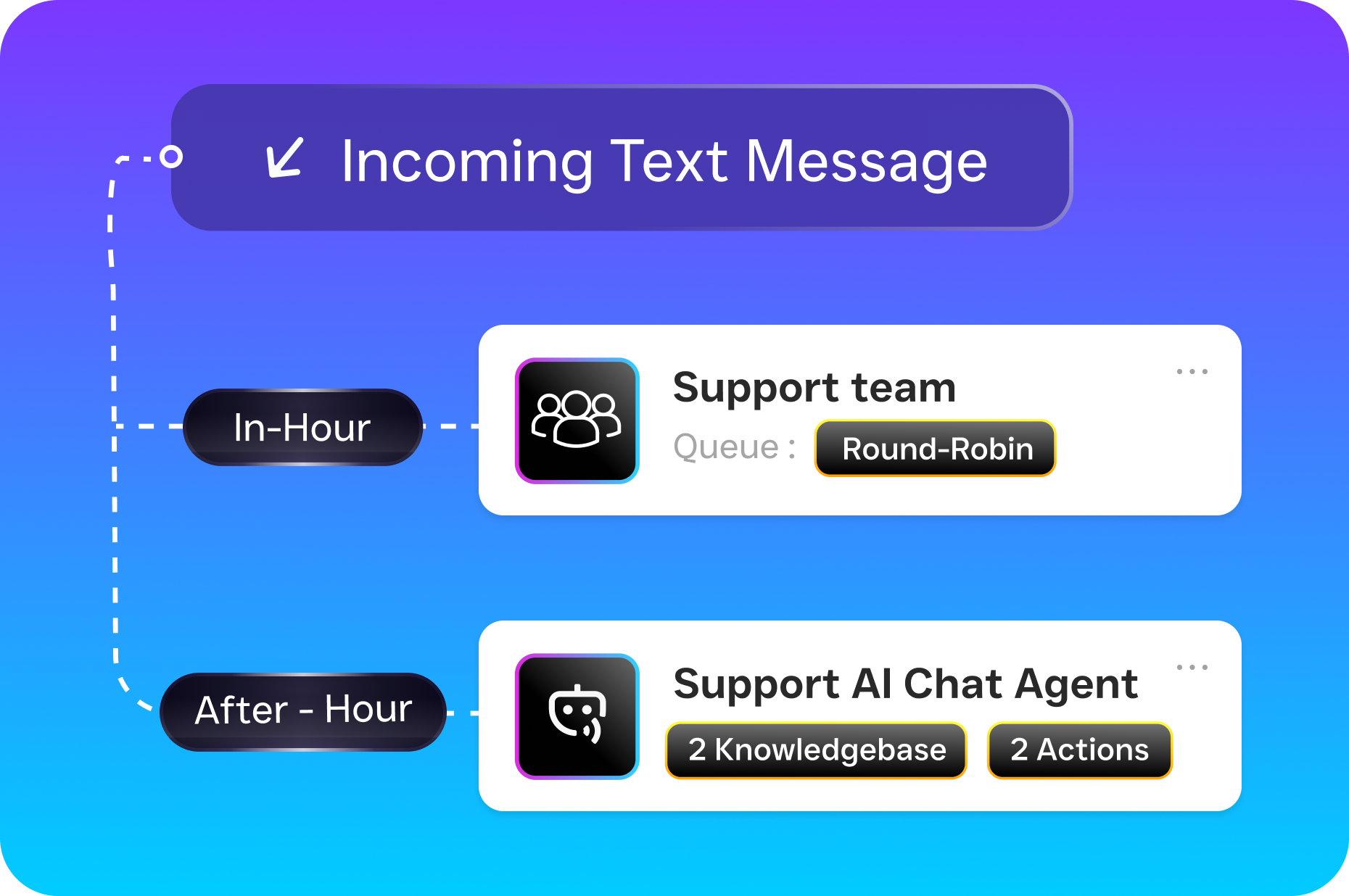
The Workflow Automation builder uses a visual drag-and-drop interface, so you don’t need any technical skills to set up triggers, delays, and message sequences. You can create flows for post-service follow-ups, maintenance reminders, no-show re-engagement, review requests, and more. SalesCaptain also integrates with tools like HubSpot, Salesforce, QuickBooks, and Zapier, which means it can pull data from your existing systems. Because pricing starts with a free plan for a single location and scales to $159 per month per location for the business tier, it’s built for the kind of budget a typical independent shop is working with.
Compare that to platforms like Podium, which doesn’t offer outbound workflow automation and keeps its pricing hidden, or Birdeye, which lacks AI for calls, call routing, and a proper call flow builder. With SalesCaptain, you get the AI voice and text agents alongside the automation engine in one platform. There’s no stitching together three different tools and hoping they talk to each other. And with data from SharpSheets showing the scale and competition in the auto repair industry, having a system that handles communication while you focus on repairs gives you a real edge over shops that still rely on sticky notes and memory.
Key Takeaways
Learning how auto repair shops can automate follow ups isn’t about replacing the personal touch that makes independent shops special. It’s about making sure that personal touch actually reaches every customer, every time, without depending on someone remembering to pick up the phone. Automated post-service messages, maintenance reminders, review requests, and re-engagement campaigns keep your shop top of mind. When you combine that with AI-powered responses that handle replies instantly across text, phone, and social media, you eliminate the two biggest leaks in your revenue: forgotten customers and missed calls.
The steps are straightforward. Clean up your customer data, map out your triggers, write messages that sound like a real person, connect all your channels into one place, and keep refining based on results. Avoid the common traps of over-messaging and ignoring replies. Choose a platform that’s built for service businesses, priced for independent shops, and capable of handling both the outbound reminders and the inbound responses without requiring extra staff.
Auto repair shops that automate their follow-ups will retain more customers, fill more bays, and grow without adding headcount. The shops that don’t will keep losing customers to competitors who simply showed up in their inbox at the right time. The tools exist, the setup isn’t hard, and the payoff is immediate.
Frequently Asked Questions
How much does it cost to automate follow ups for an auto repair shop?
Costs vary depending on the platform you choose. Some tools charge per message, others charge a flat monthly fee. SalesCaptain, for example, offers a free plan for one location and a business plan at $159 per month per location that includes workflow automation, AI agents, and a unified inbox. The real question isn’t what automation costs, but what you’re losing without it. Even recovering two or three customers per month from automated reminders can more than cover the expense.
Won’t automated messages feel impersonal to my customers?
Only if you make them impersonal. Good automation tools let you insert customer names, vehicle details, and service history into every message. A text that says “Hi Sarah, your Civic’s brake inspection is coming up” doesn’t feel automated. It feels attentive. The key is writing templates that sound conversational and specific rather than generic and corporate. Most customers appreciate the reminder and never think twice about whether a person or a system sent it.
Do I need technical skills to set up automated follow ups?
Not with modern platforms. Tools like SalesCaptain use drag-and-drop workflow builders where you pick a trigger (like “90 days after last oil change”), set a delay, and choose what message to send. There’s no coding involved. If you can send an email, you can set up an automation. Most shop owners get their first workflow running in under an hour.
What types of follow up messages should auto repair shops automate first?
Start with three high-impact automations: a post-service thank-you text within 24 hours of pickup, a review request two to three days after service, and a maintenance reminder based on the service interval. These three alone cover your most critical touchpoints. Once those are running smoothly, you can add no-show follow-ups, seasonal reminders, and re-engagement campaigns for customers who haven’t visited in six months or more.
Can automated follow ups help with online reviews for my shop?
Absolutely. Timing a review request for a couple of days after service, when the customer has confirmed everything works well, is one of the most effective ways to build your Google reviews. Automated review requests consistently outperform asking in person because the message arrives with a direct link that makes leaving a review easy. More reviews improve your local search ranking, which brings in new customers on top of the ones you’re retaining through follow-ups.
Ready to see it in action?
See how auto repair shops use SalesCaptain to automate follow-ups and boost customer retention.
Book a Free Demo →See How SalesCaptain Can Help
SalesCaptain gives auto repair shops everything they need to automate follow-ups, capture every customer response, and book more appointments without adding staff. From AI phone and text agents to drag-and-drop workflow automation and a unified inbox for every channel, it’s one platform built for exactly the kind of work your shop needs. Start your free account at SalesCaptain.com today.