
AI-powered customer experience marketing (CXM) platform that helps local businesses win.



How to automate customer follow up for Small Business: A Complete Guide
You just missed three calls while you were on a job site. By the time you check your phone, those leads already called your competitor. Sound familiar? For most small business owners, following up with every customer and lead manually is basically a second full-time job. The good news? You don’t have to keep doing it this way. Learning how to automate customer follow up for small business is one of the highest-ROI moves you can make, and it’s far easier than most owners think.
Quick Answer
Set up automated follow-ups by implementing CRM software that sends scheduled emails, SMS, or calls based on customer actions like purchases or abandoned carts. Create templates for common scenarios, use triggers to initiate contact at optimal times, and segment your audience for personalized messaging. This reduces manual work, ensures consistent communication, and increases conversion rates without requiring technical expertise.
What Is Automated Customer Follow-Up?
Automated customer follow-up is the process of using software to send messages, make calls, or trigger actions based on customer behavior, without a human pressing “send” every time. When a new lead fills out a form on your website, an automated system can instantly text them, send an email, or even call them with an AI voice agent. When an existing customer is due for their annual service, the system sends a reminder on schedule. No lead or customer slips through the cracks because you got busy.
This is different from generic marketing automation. Customer follow-up automation is specifically about responding to individual people at the right moment. After they call. After they visit your site. After they book an appointment. After a job is completed. It covers the entire lifecycle: first contact, appointment confirmation, post-service check-in, and re-engagement months later. According to a practical guide to small business automation from Beancount, businesses that automate repetitive communication tasks reclaim significant hours each week that would otherwise be spent on manual outreach.
Free weekly newsletter
Growth tips for service businesses
Every Tuesday — actionable ideas to get more leads, reviews, and repeat customers. No fluff.
Think of it as hiring a tireless employee who never forgets to call back, never takes a day off, and never lets a hot lead go cold. That “employee” is software. And it works 24/7. For a small business without a dedicated sales team, this kind of automation can be the difference between steady growth and stagnation.
Why Follow-Ups Are the Most Valuable Activity Your Business Ignores
Most small business owners already know follow-up matters. The problem isn’t awareness, it’s execution. You’re managing crews. Handling customer complaints. Ordering materials. Trying to keep the lights on. Follow-up calls fall to the bottom of the list every single day. And every day that happens, revenue quietly walks out the door.
The Real Cost of Missed Follow-Ups
When you miss a call or forget to text a lead back, you’re not just losing one sale. You’re losing the lifetime value of that customer, plus every referral they would have sent your way. According to research published by Anthrova, SMBs can lose tens of thousands of dollars annually from missed calls alone. Now add in the leads who filled out your web form and never heard back. The customers who needed a reminder to rebook. The estimates you sent but never followed up on. The total cost of inconsistent follow-up is staggering.
The data from a 2026 SkipCalls study on missed business calls shows that small businesses lose significant revenue each year specifically because calls go unanswered. That’s not a marketing problem. It’s not a pricing problem either. It’s a follow-up problem. And it’s entirely fixable with the right systems in place.
Speed Wins: Why Response Time Is Everything
Research from the Harvard Business Review found that companies who contact leads within the first hour are nearly seven times more likely to qualify that lead than businesses that wait even one hour longer. For small businesses that can’t staff someone to monitor incoming leads around the clock, this is a nearly impossible standard to meet manually. Automation closes that gap instantly. By responding within seconds, day or night, weekday or weekend, holiday or not.
Consider what happens when a homeowner searches for “emergency plumber near me” at 9 PM and fills out contact forms on three different websites. The first business to respond wins that job almost every time. Even with just an automated text saying “Got your message, we can have someone out first thing tomorrow morning.” Speed doesn’t mean you need to be personally available 24/7. It means your system needs to be.
📺 Watch: How to Create a Lead Follow-Up Sequence
How to Automate Customer Follow Up for Small Business: A Step-by-Step System
Knowing you need automation is one thing. Building a system that actually works is another. The businesses that get the best results from follow-up automation don’t just set up one sequence and forget about it. They build a layered system that covers every stage of the customer relationship. Here’s how to do it, broken into three campaigns that work together.
Step 1: Build a Lead Response Campaign (First 5 Minutes)
Your lead response campaign is the most important automation you’ll ever set up. It’s simple: respond to every new lead immediately, no matter when they reach out. This campaign should trigger the instant someone calls your business and doesn’t reach a person, fills out a form on your website, sends a message through social media, or texts your business number. The response should acknowledge their inquiry, let them know you’re on it, and ideally give them a next step like booking an appointment or answering a qualifying question.
For phone calls, this means having a system that either answers the call with an AI agent or immediately sends a text-back when the call is missed. For web forms and chat messages, it means an instant automated reply via SMS or the same channel they used. Here’s the critical part: no lead should wait more than 60 seconds for some form of acknowledgment. You can always follow up with a personal touch later, but that first instant response prevents the lead from moving on to your competitor.
A strong lead response campaign also includes a short qualification step. Instead of just saying “we’ll call you back,” your automated message can ask: “What service are you looking for?” or “What’s the best time for us to visit?” This moves the conversation forward even while you’re unavailable. It also gives you the information you need to prioritize your callback list. As Inkle’s guide to business automation explains, the most effective automations don’t just save time, they collect data that makes every subsequent interaction smarter.
Step 2: Create a Welcome and Nurture Sequence (Days 1 to 14)
Once a lead has responded to your initial message, the welcome sequence takes over. It’s a planned series of messages, usually a mix of texts and emails, sent over the first one to two weeks. The goal is to move the lead from “interested” to “booked” or “sold.” Each message should offer something useful: a link to book an appointment, a short explainer about your process, a customer review, or an answer to a common question about pricing or timelines.
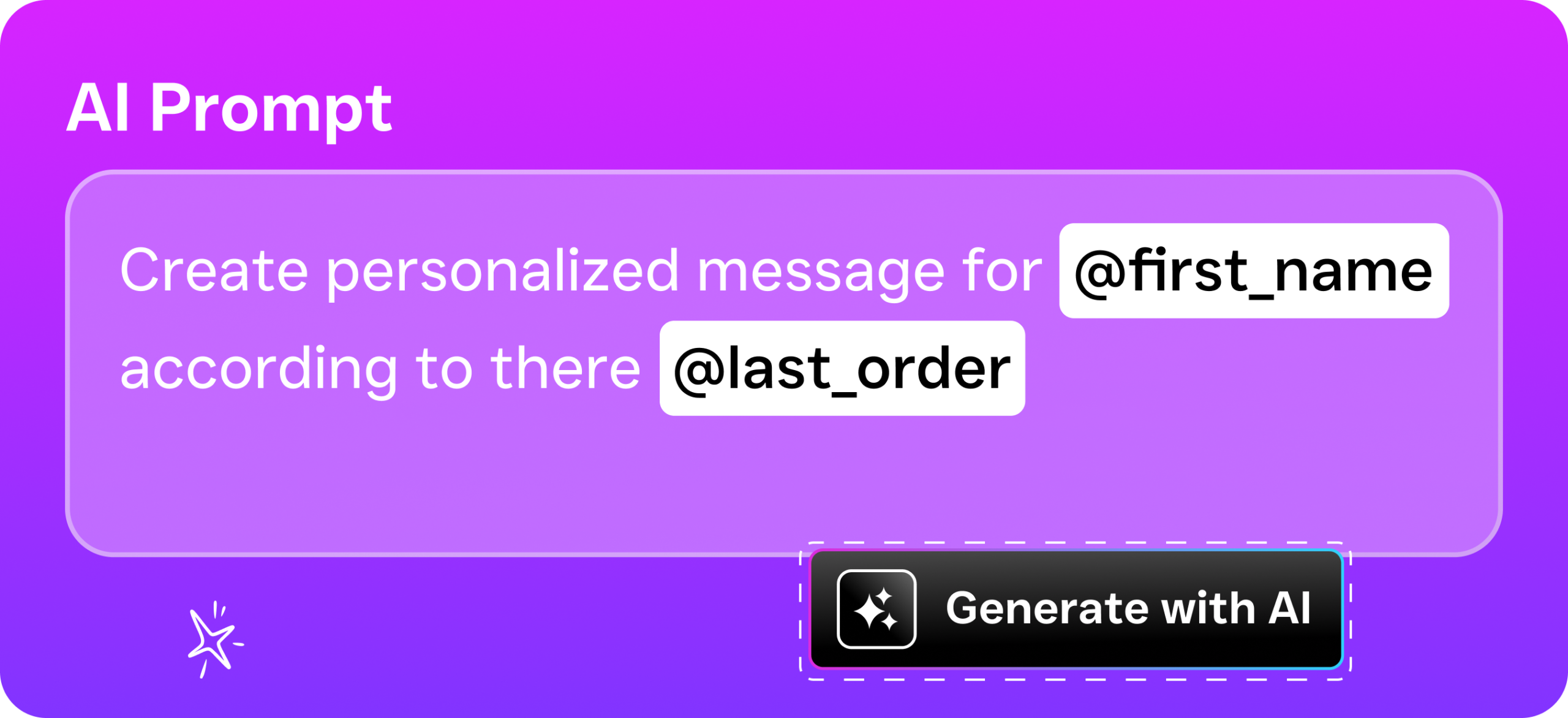
The best welcome sequences feel personal even though they’re automated. Use the lead’s first name. Reference the specific service they asked about. What does that actually look like? If they inquired about roof repair, don’t send them a generic message about all your services. Talk about roof repair. This level of personalization at scale is what separates businesses that grow from businesses that plateau. Modern automation tools let you set up conditional logic so that different leads receive different message tracks based on what they’re interested in, how they found you, or what stage they’re in.
Timing matters too. Don’t blast five messages in one day. A proven cadence might look like: instant response on day one, a follow-up text on day two, an email with social proof on day four, a “still interested?” text on day seven, and a final check-in on day fourteen. Each message should have a clear call to action. Book now. Reply to this text. Call us. And here’s the thing: if the lead books at any point, the sequence should automatically stop so they don’t keep getting “are you still interested?” messages after they’ve already scheduled.
Step 3: Set Up a Long-Term Re-Engagement Campaign (Months 1 to 12+)
Not every lead buys right away. Not every customer is a one-time transaction. Your long-term campaign is designed to stay in touch with people who didn’t convert during the welcome sequence and with past customers who might need your services again. This is where most small businesses drop the ball completely. They either forget about old leads entirely or spam them so aggressively that people unsubscribe.
A well-designed long-term campaign sends one or two messages per month. These aren’t hard sells. They’re gentle reminders that your business exists and is ready to help. Seasonal maintenance tips. Limited-time offers. “It’s been six months since your last service” reminders. Or quick surveys asking how their last experience went. The content should be genuinely useful. A landscaping company might send a spring lawn care checklist in March. A dental practice might send a reminder about insurance benefits expiring in December. This keeps you top-of-mind without being annoying.
The financial value here’s enormous. Acquiring a new customer costs five to seven times more than retaining an existing one, according to widely cited data from Forbes. A long-term nurture campaign that automatically re-engages past customers can drive repeat bookings without you spending a dollar on advertising. It’s the closest thing to free revenue you’ll find in business.
Where Things Go Wrong, and How to Fix Them
Automation isn’t magic. Done poorly, it can hurt your reputation just as easily as it can help your bottom line. The most common mistake? Setting up automation that feels robotic and impersonal. When every message reads like it was written by a machine, or worse, when customers receive messages that are clearly irrelevant to their situation, trust erodes fast. The fix is straightforward: write your automated messages the same way you’d write a text to a friend. Keep them short. Keep them conversational. And make them specific to the recipient’s situation.
The second most common mistake is automating too much without any human touchpoint. Automation should handle the repetitive, time-sensitive parts of follow-up. The instant response. The appointment reminder. The check-in text. But there are moments where a personal phone call from the business owner closes the deal in a way no automated text ever could. The best systems flag high-value leads for personal follow-up while handling routine communication automatically. Think of automation as your first line, not your only line.
A third pitfall? Failing to update your automations over time. Your services change. Your pricing changes. Your availability changes. But your automated messages keep sending outdated information. Build a quarterly review into your calendar where you read through every active automation sequence and update anything that’s stale. This takes less than an hour and prevents embarrassing situations like promoting a service you no longer offer or listing hours you no longer keep. According to Plat.ai’s analysis of small business automation, regularly reviewing and refining your automated workflows based on performance data is one of the key factors that separates successful implementations from abandoned ones.
Choosing the Right Channels: Phone, Text, and Email
Not all follow-up channels are equal. The right mix depends on your customers and your industry. Text messages have the highest open rates. Most are read within three minutes of delivery. Email works well for longer content like estimates, receipts, and detailed information. Phone calls, especially from AI voice agents, are best for high-intent situations where a conversation moves things forward faster than a text thread. The strongest follow-up systems use all three channels in coordination rather than relying on just one.
For service businesses specifically, SMS tends to be the workhorse channel. Your customers are busy homeowners, patients, or clients who are on their phones constantly but rarely check email during the day. A quick text that says “Hi Sarah, your HVAC tune-up is confirmed for Thursday at 2 PM, reply C to confirm or R to reschedule” gets a response far faster than the same message buried in an inbox between promotional emails from retailers. Phone follow-up, meanwhile, is ideal for leads who’ve expressed strong interest but haven’t booked yet. An AI phone agent can call, ask a few qualifying questions, and schedule the appointment. All without pulling you away from your current job.
The channel you use should also match the urgency and stage of the interaction. Instant lead response works best via text or phone. Welcome sequences typically combine text and email. Long-term nurture campaigns can lean more on email since the frequency is lower and the content is less time-sensitive. Whatever channels you choose, make sure they’re all feeding into one place where you can see the full conversation history. Because nothing frustrates a customer more than repeating themselves because your left hand doesn’t know what your right hand is doing.
How Data Makes Your Follow-Up Smarter Over Time
One of the underrated benefits of automating your follow-up is the data it generates. When every interaction is tracked, you start to see patterns. Which messages get opened? Which get replied to? Do leads book after the second text or the fifth? You might discover that leads from Google Ads respond best to a phone call within five minutes, while leads from Instagram prefer a DM conversation. You might find that your Day 7 follow-up text has a 40% response rate but your Day 3 email gets ignored completely.
This data lets you continuously optimize. Drop the messages that don’t perform. Double down on the ones that drive bookings. Test different wording, different timing, different offers. Over a few months, your follow-up system evolves from a basic “something is better than nothing” setup into a finely tuned revenue engine. Without automation, you’d never have this data because manual follow-up is too inconsistent to measure. You can’t optimize what you can’t track.
The businesses that win long-term treat their follow-up system as a living process, not a one-time setup. Every quarter, review your numbers. How many leads came in? How many got an instant response? How many booked? Where did people drop off? These answers are sitting in your automation platform. You just need to look at them and act on what they tell you.
How SalesCaptain Helps You Automate Customer Follow-Up
SalesCaptain was built specifically for service businesses that need to automate customer follow-up across every channel without hiring a tech team to set it up. The platform combines an AI Phone Agent that answers calls 24/7, qualifies leads, and books appointments with AI Chat Agents that handle SMS, webchat, Instagram DMs, and Facebook Messenger automatically. Everything flows into a single Unified Inbox where your team can see every conversation, calls, texts, social messages, emails, in one place with full contact history.
The Workflow Automation builder lets you create the exact three-campaign system described above using a visual drag-and-drop interface. Set triggers for new leads, missed calls, completed appointments, or any custom event. The system handles the rest. It sends texts, makes AI calls, updates your CRM, and notifies your team when human follow-up is needed. SalesCaptain integrates with over 50 tools including HubSpot, Salesforce, ServiceFusion, HousecallP
Ready to see it in action?
See how small businesses use SalesCaptain to automate follow-ups and never lose a lead.
Book a Free Demo →Frequently Asked Questions
What is automated customer follow-up and how does it work?
Automated customer follow-up uses software to send messages, make calls, or trigger actions based on customer behavior without manual intervention each time. When a lead fills out a form or a customer is due for service, the system automatically sends texts, emails, or AI-powered calls at the right moment, covering the entire customer lifecycle from first contact through re-engagement.
How is customer follow-up automation different from regular marketing automation?
Customer follow-up automation is specifically designed to respond to individual people at critical moments in their journey—after they call, visit your site, book an appointment, or complete a job. Unlike generic marketing automation, it focuses on timely, personalized responses to customer actions rather than broad campaigns, ensuring no lead goes cold because you got busy.
Why should small business owners prioritize automating customer follow-ups?
Automating follow-ups is one of the highest-ROI moves a small business can make because it reclaims significant hours each week spent on manual outreach. For small businesses without dedicated sales teams, this automation prevents hot leads from going to competitors and ensures steady growth by catching every opportunity.
What are the consequences of not following up with customers?
Missing follow-ups causes revenue to quietly walk out the door as leads call competitors instead, and existing customers slip through the cracks when you’re busy with other priorities. Without systematic follow-up, even though most owners know it matters, execution fails due to juggling crews, complaints, ordering, and operations.
How can I get started with automating customer follow-ups for my small business?
Getting started involves choosing software that can automatically send messages, emails, or make calls triggered by customer actions on your website or after key touchpoints. The article emphasizes that automation is far easier than most small business owners think and works 24/7 like a tireless employee who never forgets to follow up.