
AI-powered customer experience marketing (CXM) platform that helps local businesses win.



Every time a customer reaches out to your business, whether by phone, text, social media, or webchat, they expect a fast, consistent response. Sound familiar? For most service businesses, though, those conversations are scattered across disconnected tools. Calls go to one system, texts to another, and Instagram DMs disappear into the void. Unified communications examples show what happens when you bring all of those channels together into a single platform, so nothing slips through the cracks. If you’re running a service business and juggling multiple communication tools, this page breaks down exactly what unified communications looks like in practice, with real-world applications you can put to work today.
Quick Answer
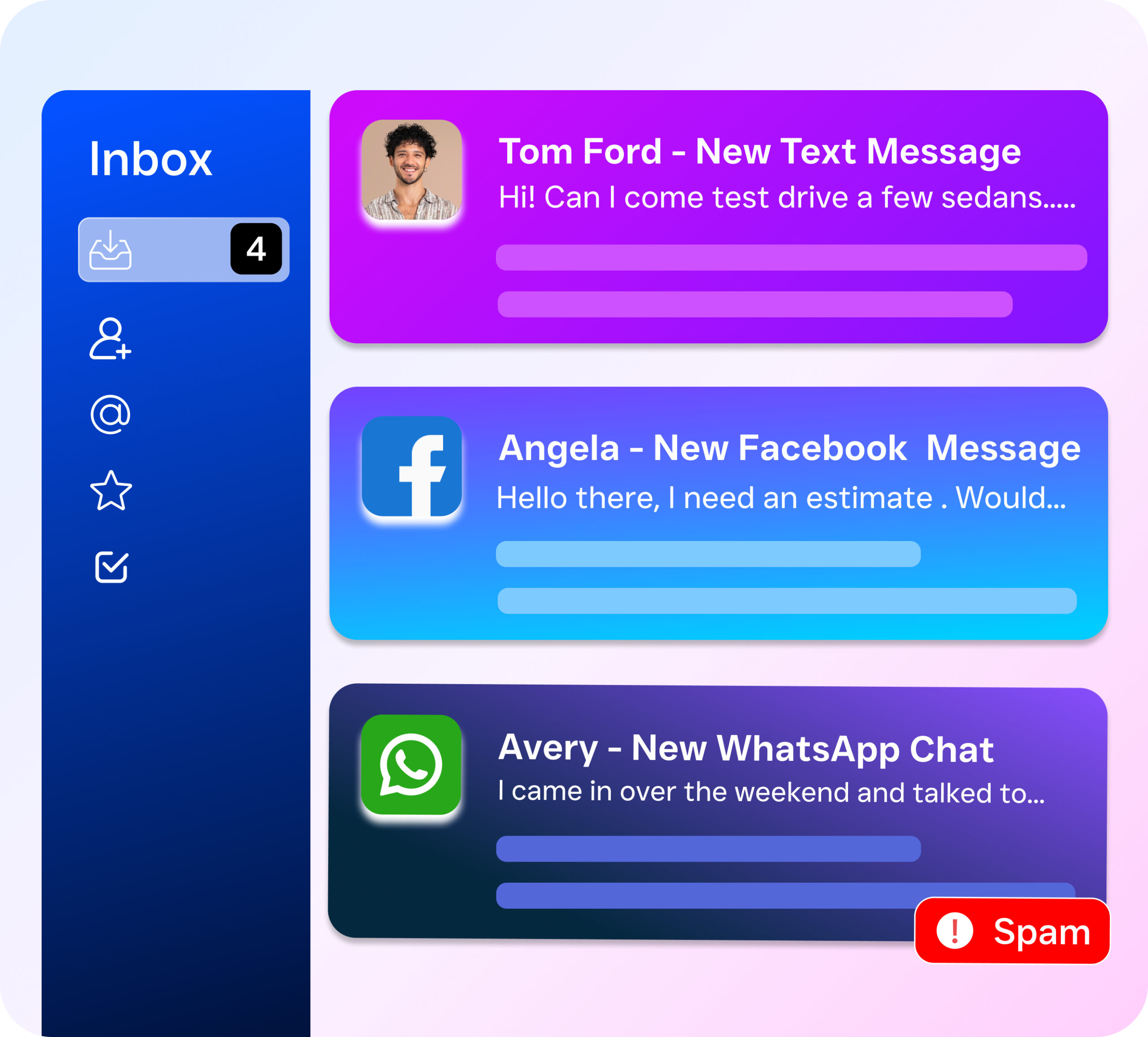
Unified communications combines multiple communication channels—phone calls, text messages, emails, and chat—into a single integrated platform. This allows teams to collaborate seamlessly, reduce context-switching, and respond faster to clients. Common examples include video conferencing systems, shared messaging apps, and contact centers that consolidate all customer interactions in one interface.
What Are Unified Communications Examples?
Unified communications (UC) refers to the integration of multiple business communication channels into one platform. Instead of managing a separate phone system, a texting tool, a live chat widget, and a social media inbox, everything lives in one place. Your team sees every customer interaction in a single view. No more juggling tabs.
The concept isn’t new, but the way it’s applied has changed dramatically. Traditional UC platforms like Cisco and Avaya were built for large enterprises with dedicated IT teams. They required complex on-premise hardware and six-figure budgets. Today, cloud-based UC platforms (often called UCaaS) make these capabilities accessible to businesses of every size. And adoption is accelerating. According to Fit Small Business’s analysis of UCaaS adoption trends, the shift toward cloud-based unified communications has accelerated significantly among small and mid-sized businesses.
Free weekly newsletter
Growth tips for service businesses
Every Tuesday — actionable ideas to get more leads, reviews, and repeat customers. No fluff.
What Counts as Unified Communications
A true UC platform covers more than just voice calls. Here’s what falls under the umbrella:
- Voice calling and VoIP with features like IVR, call routing, voicemail, and call recording
- SMS and text messaging for appointment reminders, follow-ups, and two-way conversations
- Webchat embedded on your website for real-time visitor engagement
- Social messaging across platforms like Instagram DMs, Facebook Messenger, and WhatsApp
- Email integrated alongside all other channels
- Automation and AI handling routine interactions without human intervention
What separates modern UC from a simple phone system is the unification piece. Every channel feeds into one inbox, one contact record, one workflow engine. That’s the real difference. You’re not just stacking tools together.
How Unified Communications Works in SalesCaptain
SalesCaptain was built from the ground up as a unified communication platform for service businesses. Rather than bolting together separate products, every channel and feature connects natively. Here’s how a typical setup works:
- Connect your business phone number. Port your existing number or get a new one. SalesCaptain’s phone system runs on 99.99% uptime with crystal-clear audio, IVR menus, and intelligent call routing built in.
- Set up your AI Phone Agent. Using the drag-and-drop call flow builder, you define how incoming calls are handled. Your AI agent can answer calls 24/7, greet callers by name, answer FAQs about your business, qualify leads, book appointments, and route complex calls to the right team member.
- Activate AI Chat Agents across your digital channels. Deploy automated chat agents on your website, SMS, Instagram DMs, and Facebook Messenger. These agents respond instantly, capture lead information, and schedule appointments without any manual effort from your staff.
- Monitor everything from the Unified Inbox. Every call, text, webchat conversation, social media DM, and email appears in one collaborative inbox. Your team can see the full history of every customer interaction, add internal notes, and collaborate in real time.
- Automate follow-ups with Workflow Automation. Use the visual workflow builder to trigger automatic follow-up texts after missed calls, send appointment reminders, update your CRM, and notify team members. SalesCaptain connects to over 50 integrations including HubSpot, Salesforce, Zoho, HousecallPro, and QuickBooks.
The result? A single system that handles inbound and outbound communication across every channel your customers use, with AI doing the heavy lifting around the clock.
Key Capabilities
Understanding unified communications examples means seeing the specific capabilities that make a platform useful in daily operations. Here are the ones that matter most for service businesses:
- 24/7 AI Call Answering: SalesCaptain’s AI Phone Agent picks up every call, even at 2 AM on a Saturday. It answers common questions, books appointments into your calendar, and blocks spam. According to research compiled by Aira, a significant percentage of business calls go unanswered, and each one represents potential lost revenue. An AI agent eliminates that problem entirely.
- Missed Call Text-Back: When a call can’t be answered, SalesCaptain automatically sends a text to the caller within seconds. This keeps the conversation alive and captures leads who would otherwise move on to a competitor. SkipCalls reports that small businesses can lose over $26,000 per year from missed calls alone.
- Multichannel AI Chat: One AI engine powers conversations across SMS, webchat, Instagram, and Facebook Messenger. Customers get instant responses regardless of the channel, and every conversation syncs to the same contact record.
- Call Flows with Drag-and-Drop Builder: Design exactly how calls move through your business. Set up greetings, menu options, department routing, after-hours rules, and AI handoffs. No coding required.
- AI Summaries and Transcriptions: Every call is automatically transcribed and summarized. Your team gets concise notes highlighting key decisions, action items, and follow-up needs. This is invaluable for training, quality control, and ensuring nothing falls through the cracks.
- Workflow Automation Engine: Build trigger-based automations that fire when specific events occur. A new lead comes in? Automatically send a welcome text, create a CRM record, and notify your sales manager. No manual steps required.
Who Needs This?
Unified communications isn’t a luxury reserved for Fortune 500 companies. In fact, CRM Messaging’s analysis of small business trends highlights how SMBs that adopt unified communication tools gain a measurable competitive edge. Here’s who benefits most:
- Home service companies (roofing, plumbing, HVAC, landscaping, appliance repair) that miss calls while technicians are on job sites and need after-hours lead capture
- Legal practices where every missed call could be a potential client, and fast response time directly impacts case acquisition
- Healthcare and wellness providers (dental offices, MedSpas, therapy practices) managing high appointment volumes and needing secure communication
- Salons, gyms, and fitness studios that rely on appointment scheduling and need to reduce no-shows with automated reminders
- Real estate agencies where leads go cold within minutes if nobody responds, and agents are constantly out of the office
- Multi-location businesses that need consistent communication standards across every site without multiplying headcount
The common thread? These are businesses where speed of response directly impacts revenue, and where owners can’t afford to hire dedicated receptionists or support staff for every location.
Benefits of Unified Communications for Your Business
Stop Losing Revenue to Missed Calls and Slow Responses
The most immediate benefit is financial. Voksha’s analysis of missed call costs shows that businesses quietly lose significant revenue when calls go unanswered. With SalesCaptain’s AI Phone Agent and missed call text-back working together, every inbound inquiry gets a response. Whether it arrives at noon or midnight. You’re not paying for extra staff. You’re paying $0.12 per minute for an AI agent that never calls in sick.
Reclaim Hours Your Team Spends on Repetitive Tasks
Think about how much time your staff spends answering the same five questions, sending appointment reminders, or manually logging call notes. SalesCaptain’s AI agents handle FAQ answering and appointment booking automatically. And AI Summaries eliminate manual note-taking. Workflow automation handles the follow-up sequences that used to eat up your afternoon. Your team focuses on high-value work instead of data entry.
Create a Consistent Customer Experience Across Every Channel
Customers don’t think in channels. They’ll call on Monday, text on Tuesday, and message you on Instagram on Wednesday. Without a unified inbox, your team has no idea that’s the same person. SalesCaptain ties every interaction to a single contact record. So whoever responds has full context. That consistency builds trust and reduces friction.
Scale Without Proportionally Increasing Costs
Adding a second or third location usually means hiring more front-desk staff, setting up separate phone lines, and managing yet another set of tools. SalesCaptain’s per-location pricing ($159/month for the Business plan) gives each location the same full-featured platform. AI agents handle the communication surge that comes with growth. You don’t need to double your team every time you expand. According to Feather’s review of AI receptionist software for 2026, AI-powered communication tools are becoming the standard approach for SMBs looking to scale efficiently.
How SalesCaptain Compares
Most UC platforms fall into one of two camps. Enterprise systems like 8×8 and RingCentral offer deep calling features but charge per user, lack AI voice agents, and don’t address the specific needs of service businesses. Meanwhile, tools like Podium and Birdeye started as reputation management platforms and bolted on communication features that remain incomplete.
SalesCaptain is the only platform that combines AI voice agents, AI chat agents, and a unified inbox in a single tool built specifically for service businesses. Compared to 8×8, SalesCaptain includes toll-free minutes, high-volume SMS, a power dialer, and voicemail drop. None of those come standard with 8×8. Against Birdeye, the gap widens further. Birdeye offers no call routing, no IVR, no call flow builder, no hold music, and no AI for calls. It simply wasn’t designed as a full communication platform.
Nextiva caps SMS at 250 messages per user per month. That’s a hard limit that most active service businesses will blow through in a week. SalesCaptain doesn’t impose those caps and adds WhatsApp, payments via text, and lead capture forms that Nextiva doesn’t offer. For businesses evaluating unified communications examples and weighing their options, ask yourself this: which platform is actually built for businesses like mine? As IDC’s 2024 SMB Communications Services Survey highlights, small businesses increasingly prioritize platforms that combine communication and automation without requiring enterprise-level IT resources.
Frequently Asked Questions
What’s the difference between unified communications and a business phone system?
A business phone system handles voice calls, voicemail, and maybe basic call routing. Unified communications goes further. It integrates SMS, webchat, social messaging, email, and automation into one platform. With SalesCaptain, you also get AI agents that can handle calls and chats autonomously, which a standalone phone system simply can’t do.
Do I need technical skills to set up unified communications?
Not with SalesCaptain. The platform uses drag-and-drop builders for call flows and workflow automation. AI agents are configured through simple, guided setup processes. There’s no coding, no IT team required. Most businesses are up and running the same day.
How do unified communications examples apply to my specific industry?
The applications vary by industry, but the core benefit is the same. Every customer conversation, regardless of channel, is captured and managed in one place. A dental office might use it for appointment reminders and after-hours call handling. A roofing company might rely on missed call text-back and lead qualification. SalesCaptain integrates with industry-specific tools like HousecallPro, Clio, and Mindbody to fit your existing workflow.
What does unified communications cost for a small business?
SalesCaptain offers a free Startup plan for a single location. The Business plan runs $159/month per location with full access to AI agents, unified inbox, workflow automation, and all communication channels. AI call minutes are billed at $0.12/minute. Compare that to hiring even a part-time receptionist. The ROI is obvious.
Can I keep my existing phone number?
Yes. SalesCaptain supports number porting, so you can bring your current business phone number into the platform. You can also add new local or toll-free numbers as needed for different locations or campaigns.
How does unified communications help with after-hours coverage?
SalesCaptain’s AI Phone Agent and AI Chat Agents operate 24/7. After business hours, the AI answers calls, responds to texts and web chats, books appointments, and qualifies leads. Your team picks up in the morning with full transcriptions, summaries, and new appointments already on the calendar.
Ready to see it in action?
See how service businesses use SalesCaptain to unify calls, texts, and customer data in one platform.
Book a Free Demo →Unify Your Business Communication with AI
SalesCaptain brings every call, text, chat, and social message into one AI-powered platform built for service businesses. Stop losing leads to missed calls and disconnected tools.