
AI-powered customer experience marketing (CXM) platform that helps local businesses win.


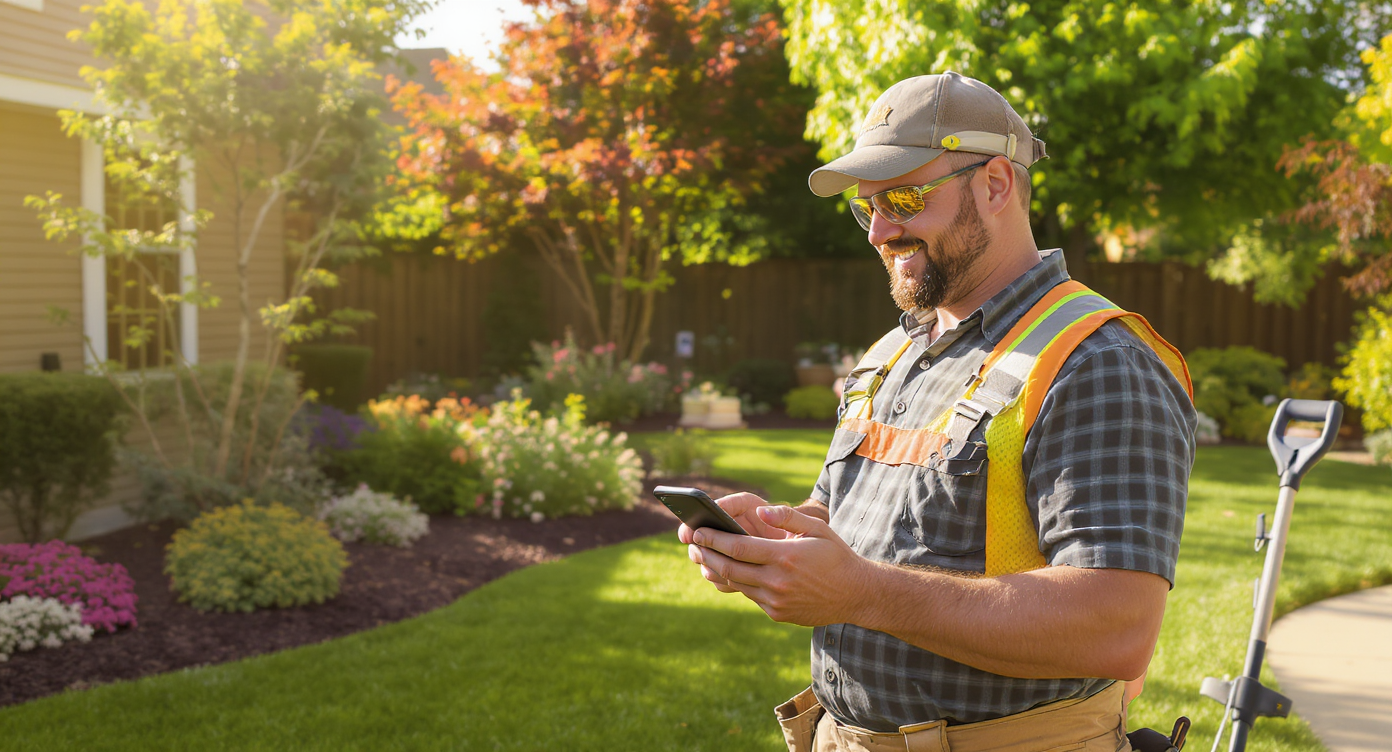
It’s 4 PM on Friday. Your crew’s finishing a backyard patio install, and three voicemails from new leads are sitting unanswered. One prospect already called a competitor. Another wanted to confirm Monday’s lawn treatment but couldn’t reach anyone, so they’ll probably skip it. A third had a question about their quote and gave up after two rings. Sound familiar? These missed connections aren’t rare for landscaping companies. They’re the daily reality. Between managing crews in the field, juggling seasonal demand spikes, and keeping up with existing client schedules, customer communication falls through the cracks constantly. That’s exactly why appointment reminder software for landscaping companies has become essential, not optional. The businesses that automate reminders, confirmations, and follow-ups don’t just save time. They keep more customers, close more jobs, and stop losing revenue to no-shows and missed calls.
Appointment reminder software for landscaping companies automatically sends SMS, email, or phone reminders to clients before scheduled services. It reduces no-shows, confirmations, and missed appointments while freeing your team from manual follow-up calls—helping you retain customers and prevent lost revenue.
Why Landscaping Businesses Struggle With Customer Communication
Landscaping is one of those industries where your best people are never near a phone. Crew leaders are running equipment. Office staff, if you even have them, are buried in scheduling and invoicing. Meanwhile, customers expect fast responses. Really fast. According to phone statistics compiled for landscaping contractors, a significant share of inbound calls to landscaping businesses go unanswered during peak hours, especially in spring and summer when call volume surges alongside demand.
Free weekly newsletter
Growth tips for home service businesses
Every Tuesday — actionable ideas to get more leads, reviews, and repeat customers. No fluff.
The problem compounds quickly. A missed call isn’t just a missed call. It’s often a lost estimate request worth hundreds or thousands of dollars. And for existing clients, a missed reminder means a no-show, which means your crew drives to a property for nothing, wastes fuel, and loses a billable time slot. That’s money gone. As industry research on automated follow-ups shows, landscaping companies that don’t follow up with leads within the first hour lose the majority of those opportunities to competitors who do.
The Seasonal Capacity Crunch
Unlike a dental office or a law firm, landscaping businesses face dramatic volume swings. Spring brings a flood. Winter slows to a trickle. Hiring a full-time receptionist to handle peak-season call volume doesn’t make financial sense when that person sits idle for months. Yet without someone handling communication, you’re leaving money on the table during your most profitable months. The National Association of Landscape Professionals (NALP) consistently highlights workforce challenges as a top concern for the industry, which makes automation even more critical for filling the communication gap.
Scattered Communication Channels
Your customers don’t all reach out the same way. Some call. Some text. Others send a Facebook message or fill out a website form. Managing five different apps means things slip. A text gets buried, an Instagram DM goes unseen for days, and a lead that came through your website form doesn’t get a follow-up until it’s too late. This is chaos. For landscaping companies running multiple crews across different service areas, this scattered communication creates the kind of mess no amount of sticky notes can fix.
How SalesCaptain Solves This
SalesCaptain was built for exactly this scenario: service businesses that can’t afford to miss calls or forget follow-ups but also can’t afford to hire a full-time office team. It combines AI-powered phone answering, automated text reminders, and a unified inbox into one platform. Every customer interaction gets handled. Whether your team is on a job site or off the clock.
AI Phone Agent for After-Hours and Overflow Calls
When a homeowner calls at 7 PM to ask about weekly mowing packages, SalesCaptain’s AI Phone Agent picks up. It sounds natural, answers common questions about your services, and can book an estimate appointment right on the spot. No voicemail. No delays. The caller gets an immediate, professional experience, and you wake up to a new appointment on your calendar. This matters because, as research on after-hours virtual receptionists confirms, businesses that capture after-hours calls see measurable increases in booked jobs compared to those relying on voicemail alone.
Automated Appointment Reminders via Text
No-shows are expensive. Really expensive. You’ve dispatched a crew, loaded a trailer, and driven across town, only to find the homeowner forgot and isn’t home to unlock the gate. SalesCaptain’s AI Chat Agents send automated text reminders before scheduled appointments. Customers can confirm, reschedule, or ask questions. Your team doesn’t lift a finger. According to data on text reminders for landscapers, automated reminders dramatically reduce no-show rates for service businesses. That translates directly to more billable hours and fewer wasted truck rolls.
Missed Call Text-Back
Here’s a feature that pays for itself almost immediately. Every time a call goes unanswered, SalesCaptain automatically sends the caller a text message. Something like: “Hey, sorry we missed your call! How can we help?” This keeps the conversation alive instead of letting the lead go cold. Most people won’t leave a voicemail. But they’ll respond to a text. So a call that would’ve been lost turns into a real conversation and, often, a booked job.
Unified Inbox Across Every Channel
Texts, calls, Facebook messages, Instagram DMs, webchat inquiries, and emails all land in one place. Your office manager, or even you on your phone between jobs, can see every conversation in a single view. No more switching between apps or wondering if someone already replied to that Facebook lead. SalesCaptain’s Unified Inbox keeps your whole team on the same page. Every customer record has full contact history and notes attached.
Key Features for Landscaping Businesses
SalesCaptain isn’t a generic communication tool. Several features align specifically with how landscaping companies operate, from seasonal demand patterns to field-based crews who can’t be tethered to a desk.
- 24/7 AI Call Answering: Captures leads and books appointments around the clock, including weekends and holidays when homeowners are home thinking about their yards.
- Automated Appointment Reminders: Sends SMS confirmations and reminders before scheduled services, reducing no-shows and keeping your crew’s schedule tight.
- Missed Call Text-Back: Instantly texts any caller you can’t answer, converting would-be lost leads into active conversations.
- Workflow Automation: Triggers follow-up sequences automatically. For example, after sending a quote, SalesCaptain can send a check-in text two days later if the customer hasn’t responded.
- Spam Call Blocking: Filters out robocalls and spam so your team isn’t wasting time picking up junk calls, a bigger problem than most business owners realize.
- Integration with Field Service Tools: Connects with platforms like HousecallPro, ServiceFusion, and Zapier so appointment data flows into the tools your crew already uses.
These features work together. A new lead calls after hours. The AI Phone Agent books them. A confirmation text goes out immediately. A reminder fires the day before the appointment. If they don’t show, a follow-up workflow kicks in. That entire chain runs without anyone on your team doing a thing.
Real Results You Can Expect
What does this look like for an actual landscaping operation? The outcomes are concrete and measurable. Whether you’re a two-person crew or a 50-employee multi-location company.
Fewer No-Shows, Fuller Schedules
Automated reminders keep your calendar packed. When clients confirm ahead of time, your dispatcher knows exactly which jobs are solid and can fill gaps proactively. One less no-show per week across a busy season adds up to thousands in recovered revenue. Your crews spend more time working and less time sitting in driveways waiting.
Faster Lead Response Without Hiring
Speed wins in landscaping sales. The company that responds first usually gets the job. With AI handling initial responses instantly, day or night, you’re always first. You don’t need to hire a receptionist or answer service to make that happen. That’s the beauty here. As landscaping industry scheduling statistics indicate, response time is one of the strongest predictors of whether a prospect books with you or moves on to someone else.
Less Administrative Overhead
Every minute your office staff spends manually texting reminders, returning calls, and chasing down confirmations is a minute they’re not spending on invoicing, routing, or customer service. Automation handles the repetitive communication tasks. Your people can focus on higher-value work instead. For solo operators who wear every hat, this is even more impactful because it gives you back hours every week.
Consistent Customer Experience
Whether a customer calls on a Monday morning or texts at 10 PM on a Saturday, they get a professional, immediate response. That consistency builds trust. And in an industry where reviews and referrals drive growth, every positive interaction compounds over time. Your Google reviews improve. Customers feel taken care of from the first point of contact through service completion.
How to Get Started
Setting up SalesCaptain doesn’t require technical skills. Most landscaping business owners have their AI agent running within a day. Here’s what the process looks like:
- Sign up for a free account. No credit card required. You’ll get access to the platform immediately with a free plan that covers one location.
- Set up your business phone number. Either port your existing number or get a new local number. SalesCaptain’s phone system runs on 99.99% uptime with crystal-clear audio.
- Configure your AI Phone Agent. Tell it about your services (mowing, hardscaping, seasonal cleanups, whatever you offer), your hours, and your booking preferences. The drag-and-drop call flow builder makes this straightforward.
- Turn on automated reminders. Set up SMS reminder sequences for appointments, whether it’s a 24-hour advance notice, a same-morning confirmation, or both.
- Connect your existing tools. Sync with HousecallPro, ServiceFusion, QuickBooks, or any of 50+ integrations through Zapier so data flows where it needs to go.
- Go live. Your AI agent starts answering calls and your reminders start firing. Monitor everything through the Unified Inbox and adjust as needed.
The whole setup is designed for business owners, not IT departments. If you can set up a smartphone, you can configure SalesCaptain. That’s the whole idea. And as a recent landscaping automation guide emphasizes, the businesses adopting communication automation now are positioning themselves ahead of competitors who are still relying on voicemail and manual callbacks.
Ready to see it in action?
See how landscaping companies use SalesCaptain to reduce no-shows with automated appointment reminders.
Book a Free Demo →Frequently Asked Questions
Can SalesCaptain’s AI agent handle questions about specific landscaping services like hardscaping or irrigation?
Yes. When you set up your AI Phone Agent, you provide details about your service offerings, pricing ranges, service areas, and any other information callers typically ask about. The agent uses this to answer questions naturally during calls. You can customize it for seasonal services too. So it promotes spring cleanups in March and leaf removal in October.
What happens if a customer wants to talk to a real person instead of the AI?
SalesCaptain’s call flow builder lets you set up routing rules. If a caller asks for a human or the conversation requires escalation, the AI can transfer the call to your cell phone, office line, or any team member. You control when and how transfers happen. The AI can even brief your team before connecting with a warm transfer.
Does the reminder system work for recurring lawn care appointments?
Absolutely. You can set up automated reminder workflows that fire before every recurring visit. Whether it’s weekly mowing or monthly treatments. The workflow automation builder lets you create sequences that repeat on any schedule. So your recurring clients always get a heads-up before their next service.
How much does appointment reminder software for landscaping companies cost with SalesCaptain?
SalesCaptain offers a free plan for one location that includes core features. Paid plans start at $159/month per location, which includes the full communication suite: AI phone agent, chat agents, unified inbox, workflow automation, and phone system. AI call minutes are billed at $0.12/minute. For most landscaping companies, this costs a fraction of what a part-time receptionist or answering service would run.
Will SalesCaptain integrate with my current landscaping business software?
SalesCaptain offers native integrations with popular field service platforms including HousecallPro and ServiceFusion, plus business tools like QuickBooks, HubSpot, Salesforce, and Zoho. For anything else, Zapier connectivity opens up hundreds of additional integrations. So your appointment data, customer records, and communication history all stay synced across your existing tech stack.
Landscaping companies that automate their appointment reminders and customer communication don’t just save time. They protect revenue, reduce no-shows, capture more leads, and deliver a professional experience that earns referrals. SalesCaptain gives you every tool to make that happen. No added headcount. No added complexity.
Start free, no credit card needed.
Get started with SalesCaptain today →