
AI-powered customer experience marketing (CXM) platform that helps local businesses win.



Best Live Chat Software for Small Business: A Complete Guide for 2025
A potential customer lands on your website at 9 PM, ready to book a service. They have a quick question about pricing. Nobody’s there to answer. They leave, and that revenue goes with them. According to research from SkipCalls, small businesses lose over $26,000 per year from missed communication opportunities alone. The best live chat software for small business changes this equation. It ensures every visitor gets an instant response, whether your team is working or sleeping.
But here’s the thing: “live chat” in 2025 isn’t what it was five years ago. The category has evolved dramatically. Today’s solutions include AI-powered agents, multichannel messaging, appointment booking, and deep integrations with your existing tools. This guide breaks down what actually matters when choosing a live chat platform. We’ll cover how to evaluate your options, and what separates good software from great software when you’re running a service business with limited staff and budget.
Quick Answer
Live chat software helps small businesses engage visitors in real-time, converting browsers into customers. The best options for tight budgets offer affordable pricing, ease of setup, and essential features like chat history and visitor tracking. Look for platforms that integrate with your existing tools, provide mobile apps, and deliver solid customer support without requiring a dedicated IT team to manage the system.
What Is Live Chat Software for Small Business?
Live chat software is a tool that lets website visitors start a real-time text conversation with your business, directly from your site, without picking up the phone or sending an email. A chat widget appears on your webpage. A visitor types a question. Someone (or something) on your end responds. For small businesses, these tools have become a frontline communication channel. They handle everything from simple FAQ answers to lead capture and appointment scheduling.
Free weekly newsletter
Growth tips for service businesses
Every Tuesday — actionable ideas to get more leads, reviews, and repeat customers. No fluff.
The “small business” distinction matters. Not all live chat tools are designed for companies with lean teams. Enterprise-grade platforms like Zendesk or Intercom come loaded with features you may never use, at price points that don’t make sense when you’ve five employees. The best live chat software for small business strikes a balance: powerful enough to handle real customer conversations, simple enough that you don’t need a dedicated IT person to manage it, and affordable enough that ROI shows up in your first month.
Modern live chat solutions have blurred the line between “live” and “automated.” Many now include AI chatbots that can answer common questions, qualify leads, and even book appointments without any human involvement. According to data compiled by G2, businesses using live chat see meaningful improvements in customer satisfaction and conversion rates. For a small business owner wearing multiple hats, this kind of automation isn’t a luxury. It’s how you compete with larger companies that have dedicated support teams.
Why Live Chat Matters More Than Ever for Small Businesses
Speed Is the New Currency of Customer Service
The biggest reason live chat has exploded in popularity? Customer expectations around response time. When someone fills out a contact form, they might wait hours or days. When they call and hit voicemail, many just hang up and try your competitor. Live chat sits in a sweet spot: it’s immediate, low-friction, and doesn’t interrupt what the customer’s doing. Fit Small Business reports that live chat consistently achieves the highest satisfaction ratings among customer service channels. It outperforms both phone and email for resolution speed.
For service businesses, plumbers, roofers, dental offices, salons, this speed advantage is directly tied to revenue. A homeowner searching for an emergency plumber at 7 AM isn’t waiting until your office opens at 9. The first business that responds gets the job. Live chat, especially when paired with AI automation, lets you be that first responder even when your staff hasn’t clocked in yet. Sound familiar? The businesses that understand this are capturing leads their competitors literally sleep through.
Your Website Visitors Are Already Expecting It
Chat widgets have become so common on business websites that their absence now feels like something’s missing. ServiceBell’s compilation of live chat statistics highlights that a significant and growing percentage of consumers now prefer chat over other communication methods for business interactions. This is especially true for younger demographics. But it’s rapidly becoming the norm across all age groups. If your competitor has a chat widget and you don’t, you’re at a measurable disadvantage before the conversation even starts.
Here’s what many small business owners miss: live chat also reduces the load on your phone lines. Every question answered through chat is one fewer phone call your staff has to handle. For businesses that already struggle to answer every call, and Aira’s research on missed calls shows that small businesses miss a staggering portion of incoming calls, adding chat as a channel doesn’t create more work. It redistributes existing demand into a channel that’s easier and cheaper to manage, especially with automation.
📺 Watch: How to Add Live Chat to Your Website
What Makes the Best Live Chat Software for Small Business
Not every live chat tool is worth your money. And the flashiest marketing doesn’t always signal the best fit. After evaluating what service-focused SMBs actually need from these tools, here are the criteria that separate the best options from the rest.
AI Automation That Goes Beyond Canned Responses
The biggest dividing line in modern live chat software is between tools that simply connect a visitor to a human and tools that use AI to handle conversations autonomously. For a small business, this distinction is make-or-break. You probably can’t afford to have someone monitoring the chat widget during every business hour, let alone around the clock. The best platforms use AI agents that understand what a customer’s asking. They provide accurate answers pulled from your business information. They capture contact details. They even book appointments. All without a team member lifting a finger.
Canned responses and basic chatbot flows? They’re a step above nothing. But they frustrate visitors who have questions that don’t fit neatly into your pre-written scripts. Look for software that uses conversational AI capable of handling natural language, not just keyword matching. What does that actually look like? The chat experience should feel like talking to a knowledgeable receptionist, not navigating an automated phone menu in text form. If the AI can’t handle a question, it should easily escalate to a human, with full conversation context so the customer doesn’t have to repeat themselves.
Multichannel Reach, Not Just Website Chat
A chat widget on your website is a starting point. A chat widget on your website is where most businesses stop, but it shouldn’t be where they finish. Your customers are also messaging you on Instagram, Facebook, SMS, and other platforms. The best live chat software for small business brings all of these conversations into one place. You’re not logging into five different apps to keep up with customer messages. When a lead sends a Facebook DM, that message lands in the same inbox as your website chats, text messages, and even phone call records.
This multichannel approach isn’t about vanity. It’s about practicality. A customer who texts you a question on Tuesday and then visits your website on Thursday should be recognized as the same person. Their full conversation history should be intact. Most standalone chat widgets can’t do this. They treat every interaction as isolated, which means your team wastes time re-collecting information and the customer gets a disjointed experience. Platforms that unify these channels into a single view give small teams the operational efficiency they need. They handle high volumes without adding headcount.
Easy Setup and Low Maintenance
If a live chat tool takes more than a day to set up and train, it’s probably not built for small businesses. The best platforms let you install a chat widget in minutes. Configure your AI agent’s knowledge base with plain-language instructions. Start handling real conversations the same day. You shouldn’t need to write code, hire a consultant, or watch hours of training videos. Tools like HighLevel, for example, are powerful but notoriously complex. According to reviews on G2, steep learning curves are one of the most common complaints among SMB users of enterprise-oriented platforms.
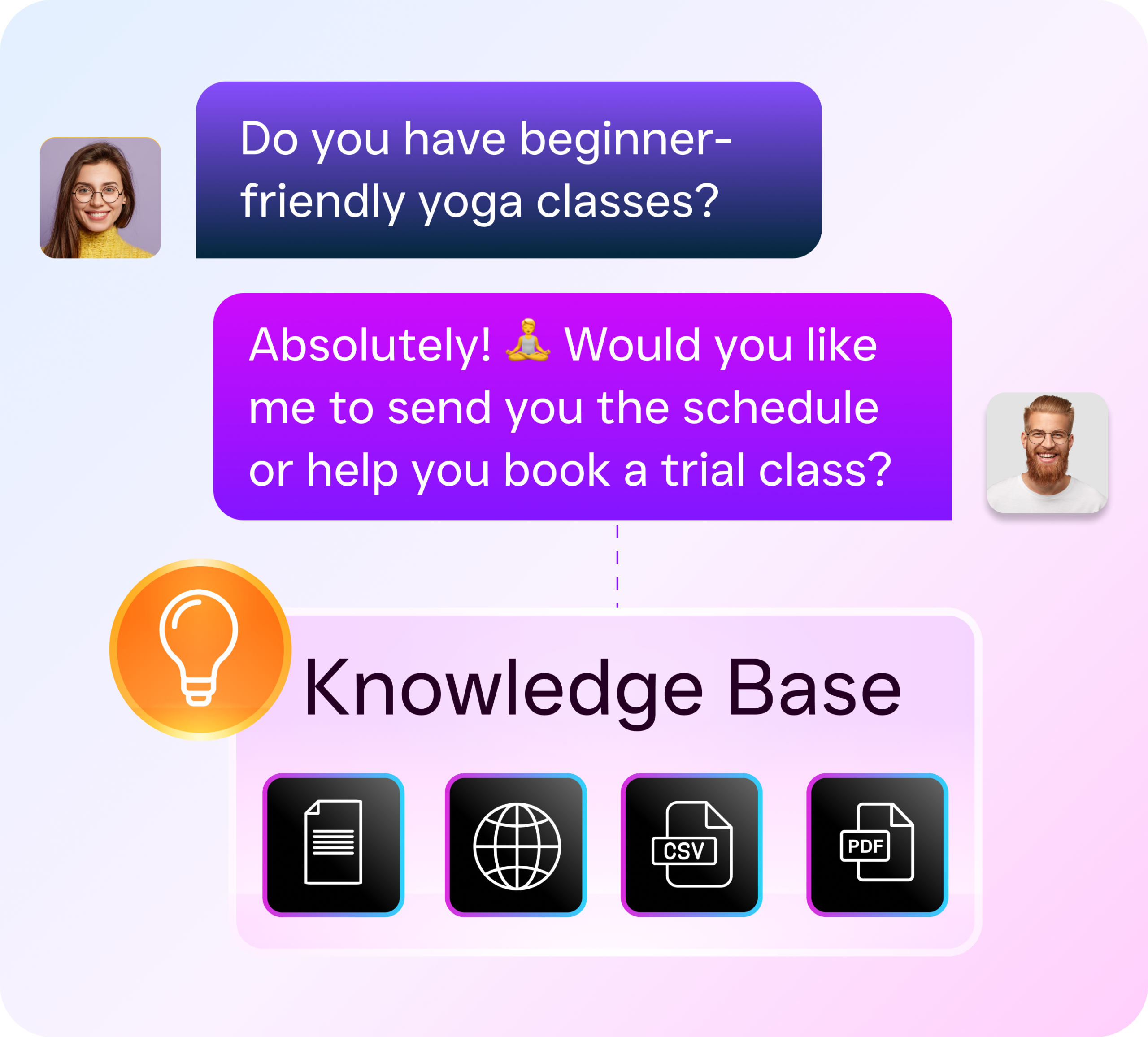
Maintenance matters just as much as setup. Your live chat software should get smarter over time as it handles more conversations. It shouldn’t require you to manually update scripts every week. Platforms with AI learning capabilities improve their responses based on real interactions. That reduces the ongoing management burden. For a business owner already juggling operations, marketing, and customer service, the best tool is one you can largely set and forget. You step in only for conversations that genuinely need a human touch.
Transparent Pricing That Scales
Pricing in the live chat space ranges from free to hundreds of dollars per month. And the differences aren’t always obvious from a features list. Some tools lure you in with a free tier, then gate critical features, like AI automation, CRM integration, or removing branding, behind expensive upgrades. Others charge per agent seat, which gets costly fast if you’ve multiple team members who need access. The most SMB-friendly pricing models charge per location or offer flat monthly rates with generous feature access. You know exactly what you’re paying before you commit.
Pay attention to hidden costs. Some platforms charge extra for each AI conversation. They tack on fees for SMS messages sent through the chat system. Or they require annual contracts to access their best rates. For a small business evaluating options, the total cost of ownership matters far more than the sticker price on the sales page. A tool that costs $50/month but nickel-and-dimes you on usage can easily end up more expensive than one with a clear $159/month rate and no surprises.
Comparing Popular Live Chat Platforms for Small Business
To make your evaluation easier, here’s how the most commonly recommended live chat platforms stack up across the criteria that matter most for small businesses. Each tool has strengths. But they serve different types of users. Understanding those differences saves you from expensive trial-and-error.
| Platform | Best For | AI Automation | Multichannel | Free Plan | SMB-Friendly Pricing |
|---|---|---|---|---|---|
| SalesCaptain | Service businesses (home services, healthcare, legal, salons) | Full AI chat + voice agents | SMS, webchat, Instagram, Facebook, phone | Yes (1 location) | $159/mo per location |
| LiveChat | E-commerce customer support | Basic chatbot builder | Website, Facebook, email | No | $20+/agent/month |
| tawk.to | Budget-conscious startups | Minimal | Website only | Yes (fully free) | Free (paid add-ons) |
| Intercom | SaaS and tech companies | Strong AI (Fin) | Website, email, in-app | No | Starts at $39/seat/mo |
| Zendesk | Enterprise support teams | AI add-on available | Website, email, phone, social | No | $55+/agent/month |
| Podium | Reputation management + messaging | Limited (inbound only) | SMS, webchat, Google | No | Custom pricing |
| HubSpot | Businesses already using HubSpot CRM | Basic chatbot builder | Website, Facebook, email | Yes (limited) | Expensive at scale |
A few takeaways jump out from this comparison. Free tools like tawk.to are genuinely free. But they lack the AI automation that makes live chat worthwhile for a business that can’t dedicate staff to monitor conversations all day. Platforms like Intercom and Zendesk are excellent products. But they were built for tech companies and large support teams. Their per-seat pricing and feature complexity don’t map well to a roofing company or dental practice with a small team. Podium is popular in the service industry but focuses heavily on reviews and reputation. It’s limited on automation for outbound follow-up.
There’s a gap in this market. The gap is a platform that combines genuine AI automation (not just simple chatbot flows), covers the channels where service business customers actually communicate (SMS, social media DMs, phone, not just website widgets), and prices itself in a way that makes sense for a business with one to five locations. That gap is exactly where SalesCaptain positions itself. It’s worth examining in more detail.
How SalesCaptain Helps Small Businesses With Live Chat and Beyond
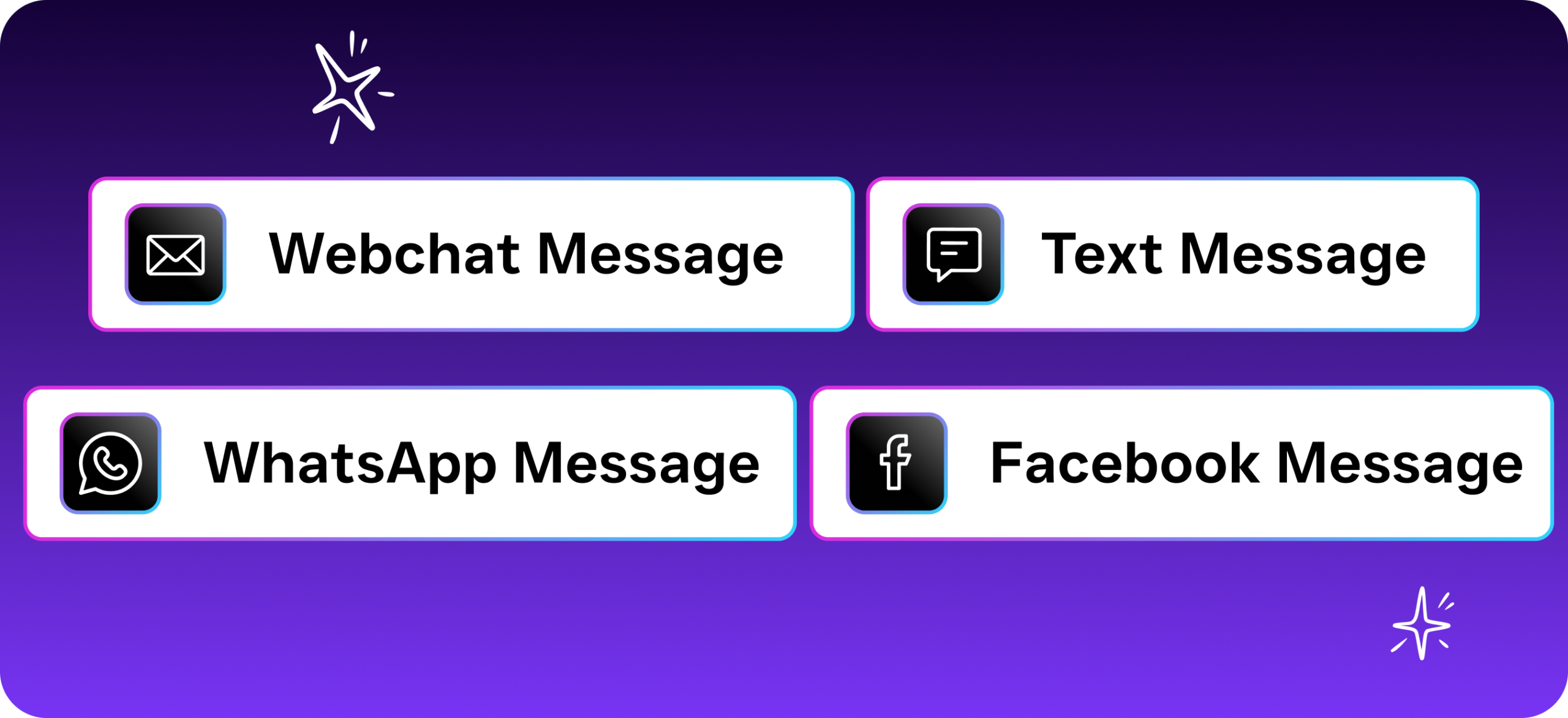
SalesCaptain approaches the live chat problem differently than most platforms on this list. Instead of offering a standalone website chat widget, it provides AI Chat Agents that work across SMS, webchat, Instagram DMs, and Facebook Messenger. All of these feed into a single Unified Inbox. This means a customer who starts a chat on your website, then follows up via text message the next day, shows up as one continuous conversation for your team. There’s no need to switch between tabs or platforms. And no risk of a message slipping through the cracks because it came in on a channel nobody was monitoring.
What sets SalesCaptain apart? The AI Phone Agent. Most live chat tools ignore phone calls entirely. They treat them as a separate problem. But for service businesses, the HVAC company, the MedSpa, the law office, phone calls are still a primary way customers reach out. SalesCaptain’s AI Phone Agent answers calls 24/7 with a natural-sounding voice. It qualifies leads. It books appointments. It answers FAQs. It blocks spam. Combined with the AI Chat Agents, this creates a system where every customer touchpoint is covered by automation. Humans step in only when genuinely needed.
The platform also includes a drag-and-drop Workflow Automation builder that triggers follow-up sequences based on
Ready to see it in action?
See how small businesses use SalesCaptain to handle customer chats without hiring extra staff.
Book a Free Demo →Frequently Asked Questions
What is live chat software for small business?
Live chat software is a tool that lets website visitors start real-time text conversations with your business directly from your site, without calling or emailing. For small businesses, these tools serve as a frontline communication channel that handles everything from answering FAQs to capturing leads and scheduling appointments.
How does live chat software work?
A chat widget appears on your webpage, allowing visitors to type questions that are answered in real-time by your team or an AI chatbot. Modern live chat solutions include AI-powered agents that can automatically answer common questions, qualify leads, and even book appointments without human involvement.
Why should small businesses use live chat?
Small businesses lose over $26,000 per year from missed communication opportunities, according to research cited in the article. Live chat software ensures every website visitor gets an instant response whether your team is working or sleeping, which leads to meaningful improvements in customer satisfaction and conversion rates.
What should I look for when choosing live chat software?
The best live chat software for small business strikes a balance between being powerful enough to handle real customer conversations, simple enough that you don’t need dedicated IT staff to manage it, and affordable enough to show ROI in your first month. Look for features like AI chatbots, multichannel messaging, appointment booking, and integrations with your existing tools.
How is live chat different from email support?
Live chat provides real-time responses to customer questions directly on your website, whereas email is asynchronous and slower. This immediate availability means potential customers get answers instantly rather than waiting for a reply, dramatically reducing the chance they’ll leave your site and take their business elsewhere.