
AI-powered customer experience marketing (CXM) platform that helps local businesses win.



Client Follow Up Software for Accountants
Every accounting firm loses clients. Not because of bad work, but because of slow follow-up. A prospect calls during tax season, nobody picks up, and they move on to the next firm in their search results. An existing client sends a message about quarterly bookkeeping, waits two days for a reply, and starts wondering if they should switch. These aren’t rare events. They’re happening in accounting practices every single week. Client follow up software for accountants solves this problem by making sure no lead, no question, and no reminder ever falls through the cracks. SalesCaptain was built for exactly this kind of challenge, giving accounting firms an AI-powered platform that handles follow-ups across calls, texts, webchat, and social messages without adding a single person to payroll.
What Is Client Follow Up Software for Accountants?
At its core, client follow up software is a system that tracks every client interaction and makes sure your firm responds on time, every time. For accountants specifically, that means managing a mix of recurring touchpoints: tax season reminders, quarterly review check-ins, document collection requests, invoice follow-ups, and new client onboarding. Without a system, these tasks pile up and get missed. According to a Lifewire report, 27% of small businesses fail at customer follow-up, which directly costs them revenue and retention.
What makes follow-up software different from a basic CRM or task list? Automation. Instead of relying on your front desk person to remember to call Mrs. Chen about her K-1 documents, the software sends a text automatically. Instead of hoping a new prospect calls back after leaving a voicemail, the system fires off a reply within seconds. For accountants, who often juggle hundreds of active clients during peak periods, this kind of automation isn’t a luxury. It’s the only way to maintain quality communication without burning out your team.
Good follow-up software also works across multiple channels. Your clients don’t all prefer the same method of contact. Some want a phone call, others prefer text, and a growing number reach out through your website’s chat widget or even Instagram. A proper client follow up software for accountants brings all of these conversations into one place so nothing gets lost between platforms. That’s the exact problem SalesCaptain’s unified inbox was designed to solve.
How Client Follow Up Software Works in SalesCaptain
Capturing Every Inbound Lead and Client Request
The process starts the moment someone contacts your firm. Whether it’s a phone call, a text message, a webchat inquiry, or a Facebook Messenger question, SalesCaptain captures the interaction and logs it in your unified inbox. If your team is busy or it’s after hours, the AI Phone Agent picks up the call, answers common questions about your services, and can even book a consultation on your calendar. Meanwhile, missed call text-back ensures that anyone who calls and doesn’t get through receives an instant text reply, keeping them engaged instead of calling your competitor. According to Phone2’s research on missed calls, small businesses lose significant revenue from unanswered calls alone.
Setting Up Automated Follow-Up Workflows
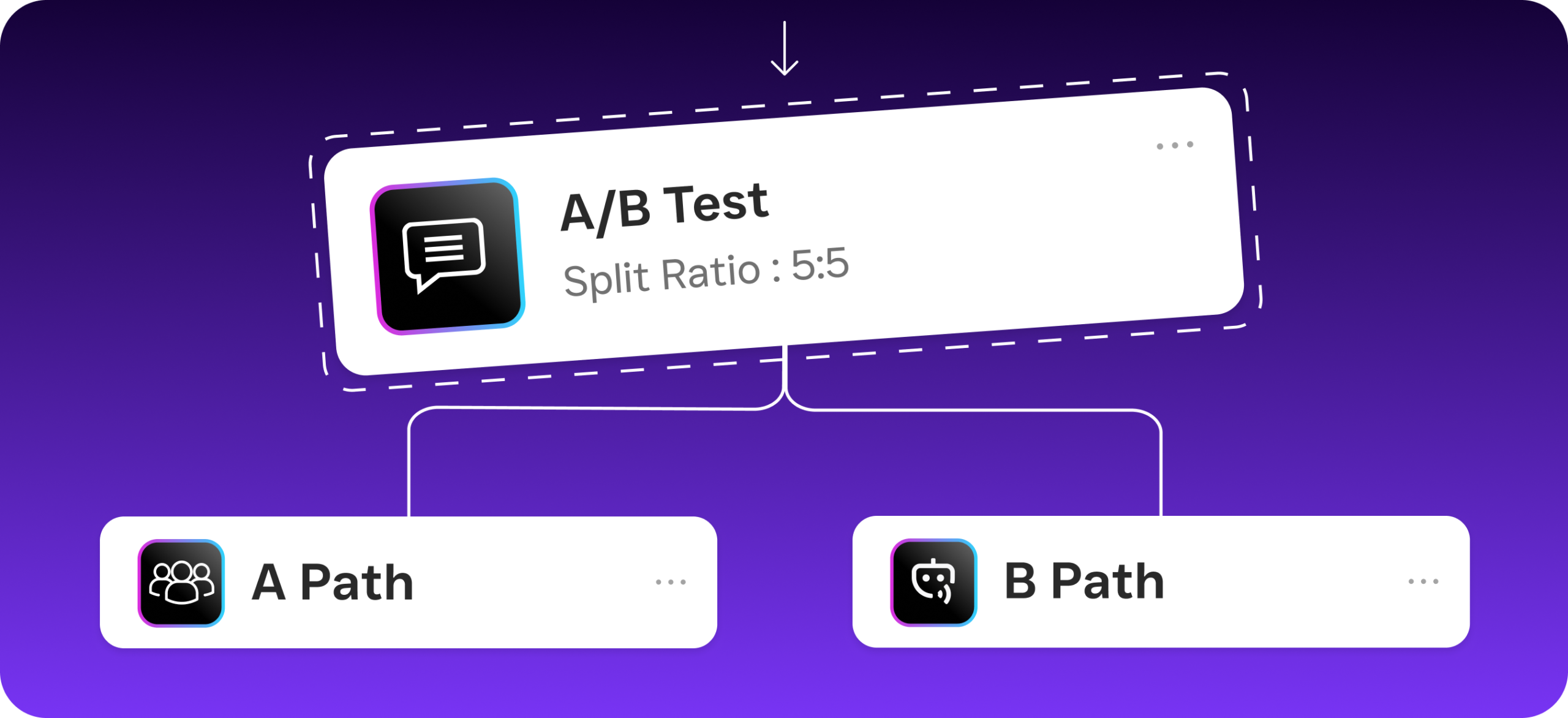
Once a contact is in the system, SalesCaptain’s drag-and-drop workflow automation takes over. You can build custom follow-up sequences for different situations. For new leads, you might set up a three-touch sequence: an immediate text thanking them for reaching out, a follow-up email the next day with a link to schedule a consultation, and a final text two days later if they haven’t responded. For existing clients, you might create a recurring workflow that sends document collection reminders 60 days before tax filing deadlines. Each workflow runs automatically based on triggers you define, so your team doesn’t have to remember a thing.
Keeping Conversations Organized Across Channels
Here’s where most accounting firms get into trouble. A client texts about a question, then calls later that week, then sends an email with documents attached. If those three interactions live in three different tools, your team wastes time hunting for context. SalesCaptain’s unified inbox puts every conversation from every channel into one timeline per client. So when your bookkeeper opens the conversation with a client, they see the full history: the original text, the call recording, the email, and any internal notes from colleagues. That means faster responses and fewer embarrassing “sorry, I didn’t see your message” moments.
Key Capabilities of SalesCaptain for Accounting Firms
AI Phone Agent That Never Misses a Call
Tax season is chaos for accounting firms. Phones ring constantly, and your team can only handle so many calls at once. SalesCaptain’s AI Phone Agent answers every call with a natural-sounding voice, 24 hours a day. It can tell callers your office hours, answer frequently asked questions about your services and pricing, qualify whether someone is a good fit for your firm, and book appointments directly on your calendar. It also blocks spam calls, which is a bigger time-waster than most accountants realize. The result is that every real prospect gets a professional response, even at 9 PM on a Saturday when they’re finally thinking about their taxes.
Multichannel AI Chat Agents
Not everyone wants to pick up the phone. Younger clients especially tend to reach out through text or webchat first. SalesCaptain’s AI Chat Agents handle conversations across SMS, webchat, Instagram DMs, and Facebook Messenger with instant responses. If a prospect visits your website and asks “Do you handle small business bookkeeping?”, the chat agent responds immediately, captures their contact info, and offers to schedule a meeting. According to Fit Small Business’s research on follow-up statistics, the speed of your first response is one of the biggest factors in whether a lead converts. These AI chat agents make sure your response time is measured in seconds, not hours.
Workflow Automation Built for Recurring Tasks
Accounting is full of recurring deadlines and predictable touchpoints. Quarterly estimated tax payment reminders, annual engagement letter renewals, document request sequences before filing season: these are all repetitive tasks that eat up your admin team’s time. SalesCaptain’s visual workflow builder lets you create automated sequences for each of these scenarios without writing any code. You set the trigger, define the steps, and the system handles the rest. Plus, with over 50 integrations including QuickBooks, HubSpot, and Zapier, your follow-up workflows can sync with the tools you already use for billing and client management.
Appointment Reminders That Reduce No-Shows
No-shows cost accounting firms real money, especially during busy season when every open slot matters. SalesCaptain sends automated appointment reminders via text and email, with the option for clients to confirm or reschedule with a quick reply. Because these reminders come through channels clients actually check (like SMS), they’re far more effective than a calendar email that sits unread in a cluttered inbox. And if a client does need to reschedule, the system captures that interaction in the unified inbox so your team sees it right away.
Who Needs Client Follow Up Software?
Any accounting firm that handles more than a handful of clients will benefit, but certain firms feel the pain more acutely than others. Solo practitioners and small firms with two to five CPAs often don’t have dedicated admin staff to manage follow-ups. The partners themselves end up chasing clients for documents, sending reminder texts between meetings, and losing evenings to returning calls. For these firms, automation isn’t about scale. It’s about survival. SalesCaptain’s free startup plan makes it accessible even for a one-person practice, while the per-location pricing works well for firms with multiple offices.
Mid-size accounting firms face a different version of the same problem. They might have a receptionist or office manager, but that person is already juggling phones, scheduling, filing, and client correspondence. During peak season, follow-ups slip because there simply aren’t enough hours. These firms often consider hiring another admin, but at a median salary of over $44,000 per year for administrative assistants according to the Bureau of Labor Statistics, that’s a significant expense. SalesCaptain’s Business plan at $159 per month gives you AI-powered call answering, automated text follow-ups, and a unified inbox for a fraction of that cost.
Operations managers and firm administrators are typically the decision-makers for this kind of software. They’re the ones who see the gaps firsthand: the prospect who never got called back, the client who complained about waiting three days for a response, the stack of voicemails that piled up over a long weekend. If you’re in that role and you’ve been duct-taping together email reminders, sticky notes, and calendar alerts to manage follow-ups, you already know it’s not working. The question isn’t whether you need better software. It’s which one actually fits how accounting firms work.
Benefits of Client Follow Up Software for Accountants
Faster Response Times That Win More Clients
Speed matters more than most accountants think. When someone is shopping for a new CPA or bookkeeper, they’re usually contacting multiple firms. The firm that responds first has a massive advantage. Research compiled by Data.com and Salesgenie shows that the odds of qualifying a lead drop dramatically after just the first few minutes. With SalesCaptain’s AI agents responding to calls and chats instantly, your firm is always the first to answer. That alone can change your close rate on new client inquiries.
Consistent Communication Without Extra Headcount
Hiring another person to handle phones and follow-ups sounds like the obvious fix, but it comes with overhead: salary, benefits, training, and the inevitable sick days and turnover. SalesCaptain gives you consistent, around-the-clock communication without any of that. Your AI Phone Agent doesn’t call in sick during filing season. Your automated text sequences don’t forget to send a reminder because they got pulled into another task. And your unified inbox keeps every team member on the same page without needing a 30-minute morning huddle to review who talked to which client yesterday.
Better Client Retention Through Proactive Outreach
Most accounting firms are reactive. A client calls, you respond. But the firms that grow fastest are proactive. They reach out before the client has to ask. SalesCaptain’s workflow automation lets you build proactive touchpoints into your client relationships. Send a “happy anniversary” text one year after a client signed on. Trigger a check-in message when quarterly estimated payments are due. Follow up automatically after a meeting to ask if they have questions. These small touches build loyalty and reduce churn, which is especially important in an industry where switching costs are low and clients can easily find another accountant through a quick search.
How SalesCaptain Compares to Other Options
Accounting firms looking at client follow up software for accountants often evaluate general communication platforms as well. However, most of those platforms weren’t built with service businesses in mind. Nextiva, for instance, caps SMS at 250 messages per user per month, which can be a real constraint for a busy accounting firm sending document reminders and appointment confirmations during tax season. SalesCaptain doesn’t impose that kind of limit. On top of that, SalesCaptain offers features Nextiva lacks, including WhatsApp messaging, a Leads Form for capturing inquiries from your website, and Payments via Text so clients can pay invoices right from a text conversation.
Dialpad is another name that comes up, especially for firms that want a phone system with AI features. But Dialpad doesn’t include toll-free minutes, doesn’t support social chat natively, and can’t send high-volume SMS campaigns. For an accounting firm that needs to blast out tax deadline reminders to 500 clients at once, those gaps matter. SalesCaptain also includes audio conferencing, which is useful for client meetings where multiple stakeholders need to join a call to discuss complex tax situations or business entity structuring.
Then there are tools like traditional answering services, which charge per minute and rely on human operators. Services like Smith.ai and Ruby provide live receptionists, but at premium per-call pricing that adds up fast. They also can’t automate text follow-ups, run workflow sequences, or bring all your channels into one inbox. SalesCaptain’s AI Phone Agent costs $0.12 per minute and handles the same call answering tasks with the added benefit of full integration into your follow-up automation. For accounting firms watching their margins, that cost difference is significant over thousands of calls per year.
What really sets SalesCaptain apart is the combination of AI voice agents, AI chat agents, and a unified inbox in a single platform. Most competitors offer one or two of those pieces, but not all three. As Growth List reports in their analysis of follow-up statistics, persistence across multiple channels is what actually converts leads. Having your phone, text, chat, and social all feeding into one system with automated workflows running behind the scenes gives accounting firms a follow-up engine that works around the clock.
Frequently Asked Questions
Can SalesCaptain integrate with accounting software like QuickBooks?
Yes. SalesCaptain integrates natively with QuickBooks and connects to over 50 other tools, including HubSpot, Salesforce, Zoho, and Zapier. That means your follow-up workflows can trigger actions based on events in your accounting software, like sending a payment reminder when an invoice becomes overdue. These integrations work without any coding, so your team can set them up without hiring a developer or IT consultant.
Is SalesCaptain secure enough for handling client communications in accounting?
SalesCaptain provides a business-grade phone system with 99.99% uptime, call recording, and a secure unified inbox. All client conversations are stored in one place with full contact history, so your team can maintain proper records of every interaction. For firms with compliance requirements, having a centralized, searchable communication log is far more secure than scattered text messages and sticky notes.
How long does it take to set up follow-up workflows?
Most accounting firms can build their first follow-up workflow in under an hour using SalesCaptain’s visual drag-and-drop builder. You don’t need any technical skills. Common workflows like new client onboarding sequences, document collection reminders, and appointment confirmations can be configured by selecting triggers, adding message steps, and setting time delays between each step. Once a workflow is live, it runs automatically for every client who matches the trigger conditions.
What happens when a client calls outside of business hours?
SalesCaptain’s AI Phone Agent picks up the call, no matter what time it’s. It greets the caller professionally, can answer common questions about your firm, and books appointments directly on your calendar. If the caller needs to speak with a human, the system logs the request and notifies your team so they can follow up first thing in the morning. Meanwhile, missed call text-back sends an immediate text to the caller so they know their message was received, which dramatically reduces the chance of them calling another firm instead.
Stop Losing Clients to Slow Follow-Up
Your accounting firm deserves a follow-up system that works as hard as you do. SalesCaptain gives you AI-powered call answering, automated text and email follow-ups, and a unified inbox for every channel, all starting with a free plan. Build your first automated workflow today and make sure no client or prospect ever slips through the cracks again.