
AI-powered customer experience marketing (CXM) platform that helps local businesses win.


How to Automate Appointment Booking for Small Business: A Complete Guide
You just missed another call while you were with a customer. Two hours later, you check your voicemail and realize that lead already booked with your competitor. According to industry data from SkipCalls, small businesses lose over $26,000 per year from missed calls alone, and a huge chunk of those are people trying to schedule an appointment. If you run a service business, learning how to automate appointment booking for small business operations isn’t just a nice upgrade, it’s a survival strategy.
What Does It Mean to Automate Appointment Booking?
Automating appointment booking eliminates the inefficiencies of manual coordination and repeated back-and-forth communication. It removes the need for constant phone calls or message exchanges to confirm availability. Instead, an automated system manages the entire process—capturing customer requirements, checking real-time availability, confirming appointments, and sending timely reminders—without requiring manual intervention. This ensures that bookings can be made seamlessly at any time, whether during business hours or late at night.
This approach extends beyond simply offering an online booking option on a website. While that is an important component, comprehensive appointment automation encompasses all customer touchpoints, ensuring that inquiries from every channel are efficiently captured and converted into confirmed bookings, phone calls, text messages, website chat, social media DMs. It handles the scheduling conversation on each one and it includes what comes after: It also includes sending confirmation messages, timely reminders before the appointment, and providing flexible rescheduling options in case plans change. When implemented effectively, the entire process feels seamless and effortless for the customer, while operating quietly in the background without requiring active involvement from your team.
For appointment-driven small businesses—such as HVAC companies, dental clinics, salons, law firms, and fitness studios—this level of automation has a direct impact on revenue. Each appointment that is scheduled automatically eliminates the need for staff to spend valuable time coordinating bookings. When scaled across dozens of daily inquiries, this results in significant time savings, allowing businesses to reclaim several hours of productive work each week and allocate those resources to higher-value tasks. As Beancount’s guide to small business automation, this highlights a key advantage: businesses that adopt automation for repetitive tasks early are better positioned to scale efficiently without significantly increasing their payroll.
Why Manual Appointment Scheduling Costs You More Than You Think
Most small business owners significantly underestimate the true cost of manual scheduling. It extends beyond the receptionist’s salary to include the broader impact of delayed response times, human errors, and limited availability. When a potential customer calls and reaches voicemail, the likelihood of them calling back is minimal, often resulting in lost opportunities and revenue. Research compiled by Aira on missed business call statistics shows that the revenue impact varies by industry, but the pattern is consistent: missed calls mean missed money, especially for appointment-driven businesses.
The Hidden Cost of Slow Response Times
Speed is critical. When a customer searches for a plumber, dentist, or personal injury lawyer, they typically reach out to multiple businesses simultaneously. The business that responds first with a concrete appointment time is far more likely to secure the booking. If your process relies on a staff member to check the calendar, call back, and confirm, that can result in a delay of 10 to 30 minutes at best—or even hours if your team is busy. In contrast, an automated system responds within seconds, often making the difference between winning the appointment and losing it to a competitor.
The Staffing Trap
Hiring an additional employee to handle phone calls and manage scheduling might seem like the straightforward solution. However, for most small businesses, the numbers rarely justify the expense. A full-time receptionist typically costs between $30,000 and $40,000 per year, not including benefits, training, and overhead—making automation a far more cost-effective alternative. According to data from the Bureau of Labor Statistics, even then a human employee cannot cover nights, weekends, or holidays without incurring overtime costs. Additionally, factors like sick days, training, and staff turnover further limit availability and efficiency. Automation doesn’t replace your team; rather, it handles routine scheduling tasks, freeing your staff to focus on higher-value work and providing exceptional service to customers who are already in your office or shop.
No-Shows and Forgotten Appointments
Manual scheduling often extends into manual follow-up—and that’s where inefficiencies really add up. When reminders rely on a staff member to remember to send them, some inevitably slip through the cracks. No-shows can be costly: an empty appointment slot for an HVAC technician, dental hygienist, or personal trainer represents both direct revenue lossand the opportunity cost of someone else who could have booked that time. Automated reminder sequences via text and email address this problem by being relentless, consistent, and timely, dramatically reducing no-show rates and protecting revenue.
How to Automate Appointment Booking for Small Business: Step by Step
The good news is that automating your appointment booking doesn’t require a computer science degree or a large budget. Approach the process in layers: capture the request, check availability, confirm the booking, and follow up. Each step can be automated using the right tools, making the system practical, manageable, and highly effective. Here’s a straightforward way to implement it.
Step 1: Map Out Every Way Customers Request Appointments
Before implementing automation, it’s essential to understand where your appointment requests are coming from. Take a moment to list every channel: phone calls, website contact forms, text messages, Instagram DMs, Facebook messages, walk-ins asking about future appointments, emails, and Google Business Profile messages. Many small businesses are surprised to discover they are managing five or more channels, often handling each differently. Conducting this audit highlights the largest gaps in your process and identifies where automation can have the most immediate impact.
For many service businesses, phone calls remain the dominant channel. Roofing companies, law firms, and other industries still see most new customers initiate contact by phone. However, younger customers and those researching services outside regular hours increasingly prefer texting or messaging via social media. An effective automation strategy must cover all these entry points. Any channel left unautomated represents missed opportunities and revenue during those hours or on those platforms.
Step 2: Choose the Right Type of Automation for Each Channel
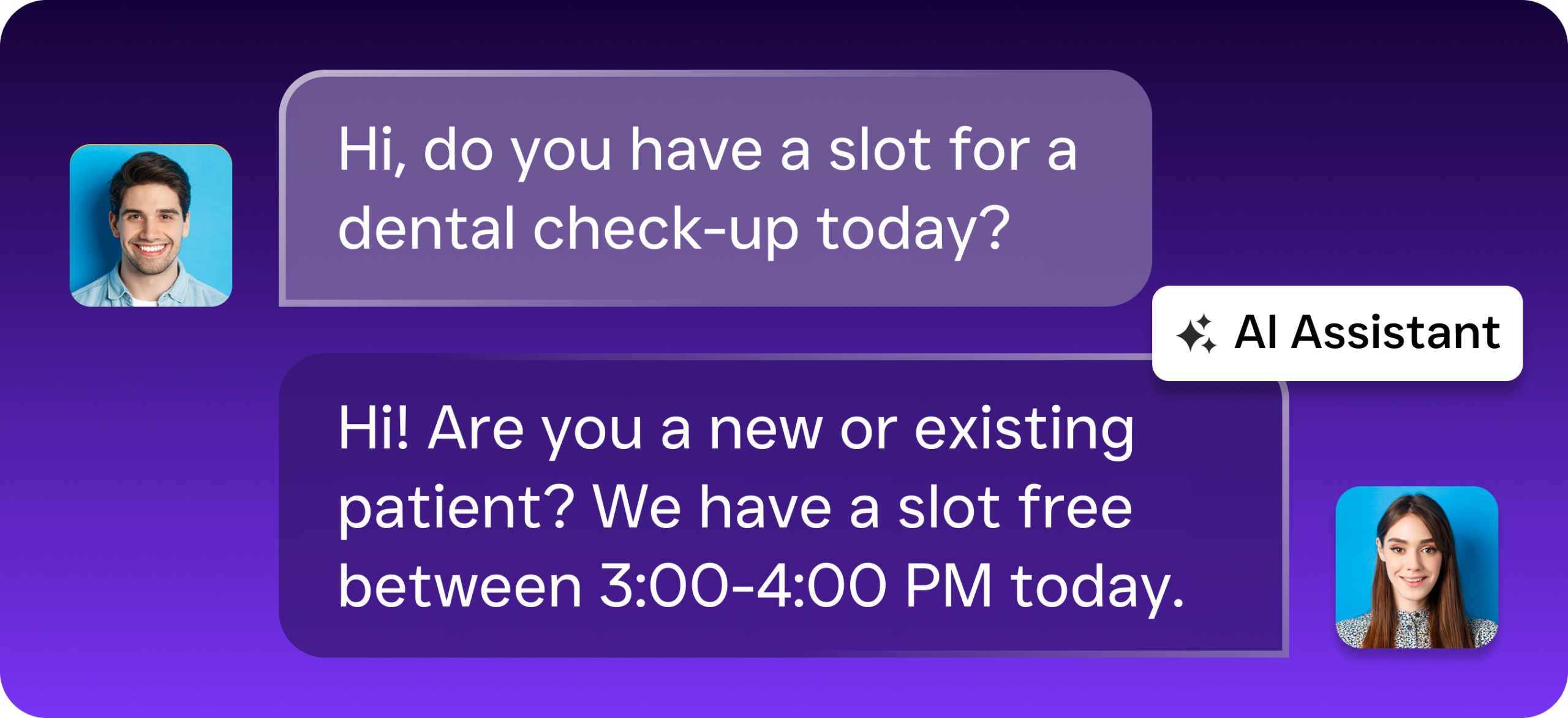
Different channels require tailored solutions. On your website, an AI-powered chat widget can engage visitors, ask qualifying questions, and display available time slots—all without human intervention. For phone calls, an AI voice agent can answer, understand the caller’s needs, and schedule appointments conversationally. For text messages and social media DMs, automated chat agents respond instantly, either providing booking links or guiding the customer through scheduling directly within the conversation. The key is to meet customers where they already are rather than forcing them to a single booking page.
This is where many businesses stumble. They install an online scheduling tool on their website and call it done. But if 60% of your leads come in by phone and your scheduling tool only works on the web, you’ve solved a fraction of the problem. As Inkle’s business automation guide points out, the most effective automation covers the full customer journey, not just one touchpoint. Think about scheduling the way your customer experiences it, from first contact through confirmation, and automate every step.
Step 3: Connect Your Calendar and CRM
Automation is effective only when it syncs with your real-time availability. Regardless of the tools you use—Google Calendar, Outlook, or a field service management platform like ServiceFusion or HousecallPro—your automated booking system must connect directly with them. This prevents double-bookings, ensures customers see accurate availability, and updates your schedule automatically when new appointments are confirmed. If you use a CRM such as HubSpot, Salesforce, or Zoho, the integration should also create or update contact records, giving your team the necessary context before the appointment.
The integration layer is what separates basic automation from a system that truly saves time. Without it, appointments booked in one system may not appear in another, leading to confusion and missed commitments. Look for tools that offer native integrations with the software you already use, avoiding complex workarounds. The fewer manual data transfers required, the fewer errors occur—and the more time your team saves.
Step 4: Set Up Automated Confirmations and Reminders
Once an appointment is confirmed, automation should seamlessly manage all subsequent steps. Send an immediate confirmation via text and email, including the date, time, and any necessary preparation instructions. Then schedule reminders—typically 24 hours before and optionally 2 hours prior to the appointment. Providing a simple way to reschedule or cancel—ideally through a reply-to-text option—reduces friction and makes it easy for customers to adjust their plans. This automated sequence alone can significantly reduce no-show rates while running entirely on autopilot.
Automation can go even further by incorporating post-appointment follow-ups. A quick text asking how the service went, a link to leave a review, or a prompt to schedule their next visit keeps the customer relationship active without any manual effort from staff. These touchpoints compound over time, converting one-time customers into repeat clients. From the first contact to rebooking, the entire customer lifecycle can be managed through automated workflows that trigger based on customer actions, ensuring consistency, efficiency, and revenue growth.
Step 5: Handle After-Hours and Overflow Intelligently
This is the step most small businesses skip. And it’s arguably the most valuable. According to Phone2’s analysis of missed call costs, a significant percentage of customer calls happen outside business hours. In practice, limited-hour automation still leaves opportunities unclaimed. Leads that arrive during evenings, weekends, or holidays may go unanswered, resulting in lost business. By contrast, AI-powered phone and chat agents that operate continuously can capture these opportunities by handling calls, responding to messages, and scheduling appointments at any time. This ensures that no inquiry is missed and provides a distinct competitive advantage over businesses that restrict communication to standard office hours.
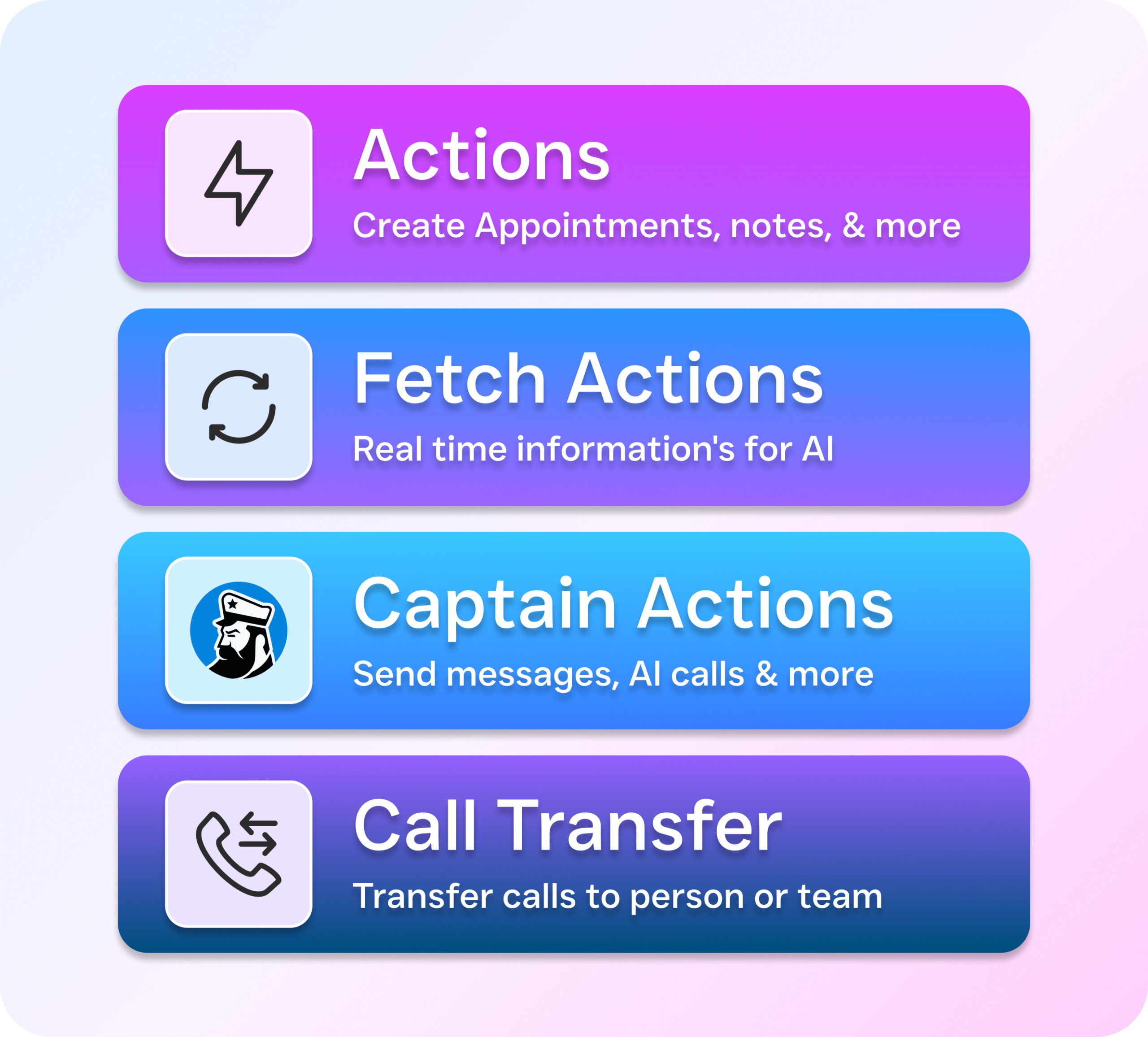
Effective overflow handling is critical even during regular business hours. When staff are occupied with in-person customers, incoming calls can go unanswered, resulting in missed opportunities. An AI agent can act as a backup by responding when your team is unavailable, capturing caller information, qualifying leads, and either booking appointments directly or routing urgent calls to the appropriate staff member. This layered approach ensures that no opportunity is lost—whether it’s a busy Tuesday afternoon or a Sunday evening inquiry, every customer interaction is addressed promptly and efficiently.
Best Practices for Appointment Booking Automation
Understanding how to automate appointment booking for a small business is one thing; executing it effectively is another. The difference between automation that enhances the customer experience and automation that frustrates customers often comes down to a few simple, yet frequently overlooked, best practices that are easy to implement.
Keep It Conversational, Not Robotic
Customers don’t want to feel like they’re navigating a phone tree from 2005. The best automated booking experiences feel natural. Whether it’s a voice agent on the phone or a chat agent in a text thread, people should feel like they’re talking to something intelligent. The AI should understand context, handle reasonable variations in how people ask for things, and gracefully pass to a human when the request goes beyond its capabilities. Avoid rigid scripts that break when a customer says something unexpected. Modern AI agents can handle open-ended conversation while still guiding toward the booking you want.
Qualify Before You Book
Not every appointment request should automatically occupy a spot on your calendar. Effective automated booking includes a qualification step—a brief set of questions designed to determine whether the lead is a suitable fit. For example, a roofing company might confirm the customer’s service area; a law firm could identify the type of case; and a MedSpa might check whether the client has previously received the treatment. This filtering ensures that your calendar remains focused on high-value, revenue-generating appointments, preventing time from being wasted on leads that are unlikely to convert.
Monitor and Refine Regularly
The “set-it-and-forget-it” approach may seem convenient, but it can be risky. It’s essential to review your automated booking data regularly, ideally on a monthly basis. Track metrics such as the number of appointments booked through each channel, changes in no-show rates before and after automation, and whether customers are dropping off at any particular step. Use these insights to refine your AI agent’s responses, adjust reminder timing, and optimize qualification questions. Businesses that achieve the best results treat automation as a dynamic, evolving system rather than a one-time setup. Plat AI’s research on business intelligence automation highlights how even simple data analysis of your automated workflows can uncover significant improvement opportunities.
How SalesCaptain Helps Automate Appointment Booking
SalesCaptain was designed specifically for service businesses that need to automate appointment booking across every customer channel, not just a single platform. Its AI Phone Agent answers calls 24/7 using natural-sounding voice interactions, qualifies callers, checks availability, and books appointments—all without human involvement. Unlike basic scheduling tools that only operate on a website, SalesCaptain’s AI handles the phone conversations that still drive the majority of leads for businesses such as HVAC companies, dental practices, law firms, and salons.
In addition to phone calls, SalesCaptain’s AI Chat Agents manage SMS, web chat, Instagram DMs, and Facebook Messenger, responding instantly on the customer’s preferred channel. All interactions funnel into a single Unified Inbox, giving your team full visibility across every channel, complete with contact history and context. This ensures nothing slips through the cracks, and staff always know what has been communicated and scheduled.
The platform’s Workflow Automation Builder manages confirmations, reminders, follow-ups, and CRM updates automatically, with native integrations for tools such as HubSpot, Salesforce, HousecallPro, ServiceFusion, Clio, and more.
What sets SalesCaptain apart from tools like Podium (inbound-only, limited AI) or HighLevel (steep learning curve, expensive) is the combination of AI voice agents, AI chat agents, and a unified inbox in a single platform built for non-technical business owners—with no complex setup required. Pricing begins with a free plan for single-location businesses, while paid plans start at $159 per month per location, a fraction of the cost of a part-time receptionist. AI call minutes are billed at $0.12 per minute, making it practical for businesses of any size or volume.
Comparison: Appointment Automation Approaches
When evaluating appointment automation solutions, it’s important to understand how different approaches handle multi-channel booking, customer interactions, and workflow automation. Not all tools are created equal, and choosing the right solution can dramatically impact efficiency, customer experience, and revenue.
1. Basic Scheduling Tools
These are often simple calendar plug-ins for websites. They allow customers to select available time slots, but their capabilities are limited:
-
Typically only work on a website or single channel.
-
No AI-powered phone or chat support.
-
Cannot manage after-hours inquiries or overflow.
-
Minimal integration with CRMs or field service software.
While affordable, basic tools only solve a fraction of the scheduling problem, leaving most phone, text, and social media leads unaddressed.
2. HighLevel
HighLevel offers multi-channel messaging and some automation features, but it comes with limitations:
-
Steep learning curve for setup and management.
-
Expensive for small businesses, especially at scale.
-
AI functionality is limited compared to fully automated voice and chat agents.
-
Can manage reminders, follow-ups, and workflows, but requires significant configuration.
HighLevel may suit technically savvy users who want a flexible but complex platform, but it can overwhelm small teams with limited resources.
3. Podium
Podium is primarily an inbound communication tool with a focus on messaging and reviews:
-
Handles text, webchat, and some social media channels.
-
Limited AI capabilities; relies heavily on manual responses.
-
Primarily inbound-focused—does not actively book appointments via phone calls.
-
Easier to use than HighLevel but less comprehensive in automation.
Podium works well for businesses wanting to centralize messages and collect reviews, but it doesn’t fully automate the appointment booking lifecycle.
4. SalesCaptain
SalesCaptain is a comprehensive appointment automation platform designed specifically for service businesses:
-
AI Phone Agent: Answers calls 24/7, qualifies leads, checks availability, and books appointments.
-
AI Chat Agents: Handle SMS, webchat, Instagram DMs, and Facebook Messenger instantly.
-
Unified Inbox: Consolidates all interactions with full context and contact history.
-
Workflow Automation: Manages confirmations, reminders, follow-ups, and CRM updates automatically.
-
Native Integrations: Works seamlessly with HubSpot, Salesforce, HousecallPro, ServiceFusion, Clio, and more.
-
Designed for non-technical business owners, with minimal setup required.Pricing starts at $159/month per location, plus AI call minutes at $0.12/minute—significantly cheaper than hiring additional staff. Key Advantage: SalesCaptain combines voice, chat, multi-channel support, and automation in a single platform, ensuring no lead is missed and the customer experience remains seamless.
Ready to Feel the Difference?
Still have questions? Reach out to our team here, or schedule a free demo of all the ways SalesCaptain can help your business grow.