
AI-powered customer experience marketing (CXM) platform that helps local businesses win.


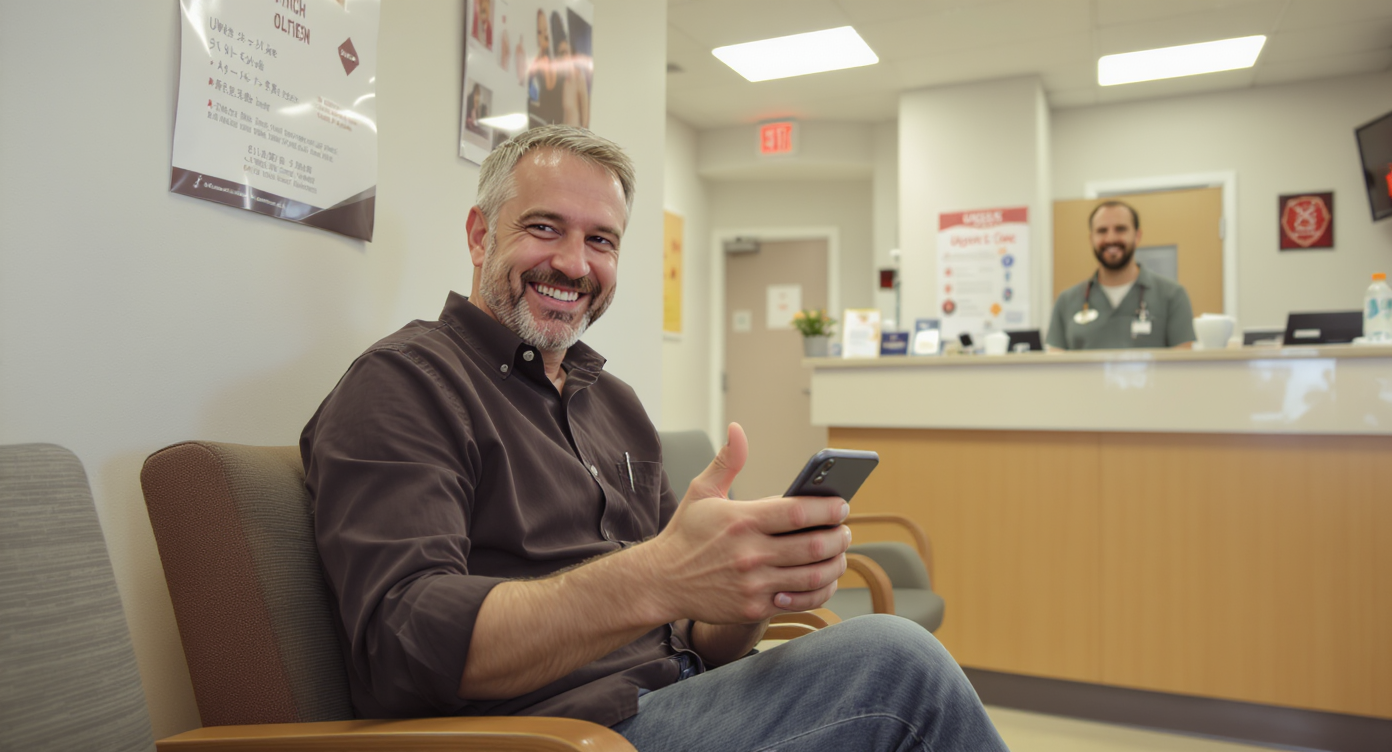
A patient walks into your urgent care clinic with a sore throat. Gets treated in 20 minutes. Leaves satisfied. But they never leave a review. Multiply that by hundreds of visits per month, and you’ve got a serious visibility problem. Sound familiar? Learning how to get more reviews for urgent care clinics isn’t just a marketing exercise. It’s the difference between showing up on page one of Google and being invisible to patients who need care right now.
Getting more reviews for urgent care clinics means actively encouraging satisfied patients to leave feedback on Google, Yelp, and Healthgrades. Since urgent care patients choose providers on-the-spot while sick, online reviews heavily influence their decisions. Strategic review requests at checkout and follow-up texts can significantly boost your visibility and patient volume.
Quick Answer
Urgent care clinics gain more reviews by implementing a systematic approach: send review requests immediately after patient visits via text and email, make the process frictionless with direct links to Google and Yelp, offer small incentives like appointment discounts, train staff to ask satisfied patients in-person, and create a consistent follow-up routine. Clinics using this method typically see 300+ new reviews within 90 days.
What Are Online Reviews for Urgent Care Clinics?
Online reviews are public ratings and written feedback that patients leave on platforms like Google Business Profile, Yelp, Healthgrades, and Facebook after visiting your clinic. For urgent care specifically, these reviews carry outsized weight because patients rarely have a pre-existing relationship with the provider. They’re choosing between options in real time, often from a phone while feeling unwell. That’s the reality you’re facing.
Free weekly newsletter
Growth tips for dental & medical practices
Every Tuesday — actionable ideas to get more leads, reviews, and repeat customers. No fluff.
Unlike primary care, where referrals and long-term relationships drive patient volume, urgent care operates more like a retail business. According to the SBA’s 2024 Small Business Profile, small healthcare establishments make up a significant share of the U.S. small business landscape, and competition among them is fierce. Your Google star rating, review volume, and recency of feedback directly influence whether a new patient picks your clinic or the one two miles down the road. So a review strategy isn’t optional. It’s infrastructure.
Why Reviews Matter More for Urgent Care Than Almost Any Other Practice
Urgent care patients make fast decisions. Someone with a sprained ankle or a child with a fever isn’t spending three weeks researching providers. They’re Googling “urgent care near me” and picking from the top results. Google’s local pack algorithm weighs review quantity, quality, and freshness heavily. And here’s the problem: if your competitor has 400 reviews with a 4.7 average and you’ve got 38 reviews from two years ago, you’re losing patients before they even see your address.
Reviews Build Trust Before the First Interaction
A 2024 industry study by Biz2Credit found that healthcare and social assistance businesses are among the fastest-growing small business categories. That growth means more clinics competing for the same patients. Reviews act as social proof. They’re often the only differentiator a patient sees. When 50 people say your front desk staff was friendly and wait times were short, that message carries more credibility than any ad you could run.
Reputation Is a Growth Strategy, Not a Vanity Metric
Think about this: every 5-star review is essentially a free advertisement written by someone your future patients trust more than they trust you. Research from Harvard Business Review has shown that a one-star increase in Yelp rating can lead to a 5-9% increase in revenue for independent businesses. For an urgent care clinic processing hundreds of visits weekly, even a small uptick in patient volume compounds quickly. That’s not vanity. That’s money.
📺 Watch: How to Automate Review Requests After a Job
How to Get More Reviews for Urgent Care Clinics in Practice
Getting more reviews isn’t about pestering patients. It’s about building the ask into your workflow so it happens consistently, without burdening your staff. Here’s what actually works.
Set Expectations Before the Patient Leaves
The best time to mention reviews is while the patient is still in the building and feeling good about their experience. Your checkout process should include a brief, natural mention: “We’d love to hear about your visit. You’ll get a quick text with a link to leave a review.” That’s it. No hard sell. No guilt trip. Just a heads-up so the text they receive 30 minutes later doesn’t feel random.
Automate the Ask With SMS
Manual review requests don’t scale. If your front desk has to remember to ask every patient, the process breaks down by lunchtime. Instead, automate a text message that goes out shortly after checkout. The message should be short, include the patient’s first name, and link directly to your Google review page. Here’s what a strong automated review request includes:
- Personalization: Use the patient’s first name so it doesn’t feel like spam.
- Timing: Send within 1-2 hours of the visit while the experience is fresh.
- Direct link: One tap to your Google Business Profile review form, not a landing page with multiple options.
- Brevity: Two to three sentences maximum. Anything longer gets ignored.
According to a missed call revenue study by PCN, most small businesses already struggle with basic call handling. Piling manual review requests on top of that workload is unrealistic. Automation solves this problem. You’ll actually get consistent requests sent instead of depending on staff memory.
Remove Friction From the Review Process
Every extra step between “I’d like to leave a review” and actually submitting one costs you completions. Don’t send patients to a generic page where they have to choose a platform, scroll to find a button, or log in. A direct Google review link eliminates all of that friction. You can generate this link from your Google Business Profile dashboard. It works on both mobile and desktop.
Train Staff for Empathy, Not Scripts
Your clinical and front desk staff interact with every patient. Those interactions shape the review more than any follow-up text. Staff who make eye contact, acknowledge wait times honestly, and explain next steps clearly generate better reviews without even asking. Invest in brief training sessions focused on:
- Greeting patients by name when possible
- Proactively communicating wait time estimates
- Providing clear discharge instructions
- Acknowledging frustration without being defensive
Empathy isn’t a soft skill here. It’s a revenue driver. Patients who feel heard leave positive reviews. Patients who feel ignored leave negative ones. Or nothing at all.
Respond to Every Review You Receive
Responding to reviews signals to both Google and future patients that you’re paying attention. Thank positive reviewers specifically for what they mentioned. For negative reviews, acknowledge the concern, avoid HIPAA violations (never confirm someone is a patient), and offer to resolve the issue offline. Clinics that respond to reviews consistently tend to receive more of them. Patients see that their feedback actually gets read.
Follow Through After the Visit to Keep Momentum
The patient experience doesn’t end at checkout. What happens in the hours and days after the visit often determines whether someone leaves a review. A well-timed follow-up sequence can turn a one-time patient into a repeat visitor and a vocal advocate for your clinic.
Use Post-Visit Communication Strategically
Beyond the initial review request, consider sending a second touchpoint 24-48 hours later. This message can ask how they’re feeling, remind them of aftercare instructions, or simply thank them for choosing your clinic. Even if they don’t leave a review from the first text, this follow-up keeps you top of mind. Some patients need two nudges. That’s normal.
However, don’t overdo it. Three or more messages about reviews will annoy patients and could trigger opt-outs from your SMS list. Two touchpoints is the sweet spot. The key is that each message provides value beyond just “please review us.” A recovery check-in that also includes a review link feels helpful. A standalone third review request? That feels pushy.
Gather and Act on Patient Feedback Internally
Not all feedback should be public. Give patients an easy way to share concerns privately before they resort to a 1-star Google review. A simple “How was your visit?” text with a rating scale can route unhappy patients to a private feedback form while directing satisfied patients to your public review page. This isn’t about filtering out negative reviews dishonestly. It’s about giving dissatisfied patients a channel where their issue can actually be resolved. That’s better for everyone.
Data from the Federal Reserve’s 2024 Small Business chartbooks shows that customer-facing small businesses increasingly rely on digital tools to manage operations. Review management is no exception. Clinics that track satisfaction internally and fix problems quickly tend to see their public ratings improve over time without any gimmicks.
How SalesCaptain Helps
Most urgent care clinics already know they need more reviews. The problem is execution. Staff forget to ask. Texts don’t get sent. Follow-ups fall through the cracks. SalesCaptain’s workflow automation and AI messaging tools solve this by building the review request into your existing communication flow.
With SalesCaptain’s AI Chat Agents, you can automatically send personalized SMS messages after each visit. These agents handle the timing, personalization, and follow-up without any manual effort from your front desk. Because everything flows through a Unified Inbox, your team can see every patient conversation across SMS, webchat, and social media in one place. If a patient replies to a review request with a question or concern, it doesn’t get lost.
The platform’s Workflow Automation builder lets you create trigger-based sequences. For example, a patient marked as “checked out” in your system could automatically receive a satisfaction check at the one-hour mark, followed by a review request link at the two-hour mark. Unhappy responses route to a private feedback form. Happy responses go straight to Google. All of this runs on autopilot.
SalesCaptain also offers missed call text-back, which is particularly relevant for urgent care. When a potential patient calls and doesn’t get through, they automatically receive a text, and that text can include a link to book or come in. Once they’ve visited, they’re already in your communication flow and primed for a review request. Platforms like Birdeye and Podium offer some review management features, but neither provides the full combination of AI voice agents, AI chat agents, and a unified inbox that SalesCaptain does in a single tool. Plus, SalesCaptain’s pricing starts free for one location and scales at $159/month per location, which is far more transparent than competitors with hidden pricing.
Key Takeaways
Getting more reviews for your urgent care clinic comes down to three things: making the experience worth reviewing, asking at the right time, and removing every possible barrier between the patient and the review form. Here’s the short version:
- Automate SMS review requests within 1-2 hours of patient checkout.
- Use direct Google review links to eliminate friction.
- Train staff to deliver empathetic, communicative care that naturally generates positive feedback.
- Respond to every review, positive or negative, to signal engagement.
- Route unhappy patients to private feedback channels before they post publicly.
- Follow up once after the initial ask, but don’t bombard patients.
Reviews aren’t a one-time campaign. They’re an ongoing system that compounds over months and years. Build the system once, automate the execution, and your clinic’s online reputation will grow alongside your patient volume.
Frequently Asked Questions
How many reviews does an urgent care clinic need to rank well on Google?
There’s no magic number, but clinics with at least 50-100 recent reviews tend to perform significantly better in local search results than those with fewer than 20. Recency matters as much as volume. A clinic with 200 reviews that are all over a year old may rank lower than one with 80 reviews from the past six months. Focus on consistent weekly volume. Don’t chase a specific count.
Is it okay to offer incentives for patient reviews?
Google’s terms of service explicitly prohibit incentivized reviews, and doing so can get your listing penalized or reviews removed. Beyond platform rules, the FTC’s endorsement guidelines require disclosure of any material connection between a reviewer and a business. Instead of incentives, focus on making the ask easy and timely. Most satisfied patients are willing to leave a review. They just need a nudge.
What should I do about negative reviews?
Respond professionally within 24-48 hours. Acknowledge the patient’s experience without confirming or denying they visited your clinic, as HIPAA applies even in public review responses. Offer to continue the conversation privately. Often, a thoughtful response to a negative review impresses future patients more than the negative review itself deters them.
Which review platform matters most for urgent care?
Google Business Profile is the most impactful because it directly influences local search rankings and the map pack. Healthgrades and Yelp also carry weight, particularly for patients who search specifically on those platforms. If you’ve got to prioritize one, start with Google. Once you’ve built momentum there, expand to secondary platforms.
How soon after a visit should I send a review request?
Between 30 minutes and 2 hours after checkout is the ideal window. The experience is still fresh, and the patient has had enough time to settle in at home or work. According to research on communication timing from Synvola, prompt follow-up across all business communication channels correlates strongly with higher engagement rates. Waiting more than 24 hours drops completion rates significantly.
Ready to see it in action?
See how urgent care clinics use SalesCaptain to automatically request reviews from every patient.
Book a Free Demo →See How SalesCaptain Can Help Your Clinic Get More Reviews on Autopilot
SalesCaptain automates review requests, follow-ups, and patient communication across SMS, webchat, and phone from one platform. Start free with one location and see the difference consistent review generation makes for your urgent care clinic.