
AI-powered customer experience marketing (CXM) platform that helps local businesses win.



An omnichannel messaging platform brings every customer conversation into one place, whether it starts as a phone call, a text, a webchat bubble, an Instagram DM, or a Facebook message. For service businesses juggling five different apps just to keep up with leads, that fragmentation isn’t just annoying. It’s expensive. Every time a message slips through the cracks, you’re losing revenue you already paid to generate. SalesCaptain was built to solve exactly this problem, giving SMBs a single platform where AI agents and human team members work side by side across every channel.
What Is an Omnichannel Messaging Platform?
The term gets thrown around loosely, so let’s be precise. An omnichannel messaging platform unifies all your customer communication channels into a single interface, with shared context. That last part is what separates omnichannel from multichannel. A multichannel setup might let you send texts and respond to Instagram DMs, but each channel operates in its own silo. Your team has no way to see that the person texting about an appointment is the same one who called yesterday.
True omnichannel means the full conversation history follows the customer, regardless of how they reach out. When a homeowner texts your plumbing company at 9 PM, then calls the next morning, whoever picks up already knows what was discussed. According to recent omnichannel research from Fit Small Business, companies with strong omnichannel strategies retain significantly more customers than those without one. That retention gap widens every year as consumers expect faster, more connected experiences.
Why “Multichannel” Falls Short
Most small businesses already operate across multiple channels, even if they don’t realize it. You’ve got a business phone number, maybe a Google Business listing with messaging enabled, a Facebook page, and a website with a contact form. But these channels rarely talk to each other. Your receptionist checks voicemail in one app, a marketing assistant handles social DMs in another, and text messages live on someone’s personal phone. Context gets lost constantly.
The result? Customers repeat themselves. Leads fall through the cracks. And your team wastes hours piecing together who said what, where. According to Firework’s analysis of omnichannel data, businesses that connect their channels see measurably higher customer satisfaction scores compared to those running disconnected tools. For a five-person HVAC company or a two-location dental practice, that difference translates directly into repeat bookings and referrals.
How an Omnichannel Messaging Platform Works in SalesCaptain
Setting up SalesCaptain’s omnichannel messaging doesn’t require a developer or a weekend of configuration. Here’s how businesses go from fragmented communication to a unified system:
- Connect your channels. Link your business phone number, SMS, webchat widget, Instagram, Facebook Messenger, and email to SalesCaptain. Each channel feeds into the same Unified Inbox, so nothing arrives in a separate app.
- Deploy AI agents. Configure your AI Phone Agent and AI Chat Agents with your business information, FAQs, service offerings, and booking rules. These agents handle incoming messages and calls 24/7, qualifying leads, answering common questions, and booking appointments without human involvement.
- Set up automation workflows. Use the drag-and-drop Workflow Automation builder to trigger follow-ups, appointment reminders, CRM updates, and internal notifications. For example, a missed call can automatically fire off a text-back message within seconds.
- Collaborate as a team. Your staff sees every conversation in the Unified Inbox, with full contact history and AI-generated summaries. Anyone on the team can pick up where a colleague or an AI agent left off, without asking the customer to start over.
- Review and improve. AI Summaries and Transcriptions capture the substance of every call and chat. Use these for training, quality control, and spotting patterns in what customers are asking for most.
Once connected, the system runs continuously. Your AI Phone Agent answers after-hours calls while your AI Chat Agents handle the late-night Instagram DM from a potential client comparing landscaping quotes. By morning, your team opens the Unified Inbox to find qualified leads already booked on the calendar.
Key Capabilities
- Unified Inbox across all channels: Calls, texts, webchat, Instagram DMs, Facebook Messenger, email, and internal notes all appear in one collaborative view. Your team never has to switch apps to find a conversation.
- AI Phone Agent with 24/7 call handling: A natural-sounding voice agent answers calls around the clock, books appointments, qualifies leads, blocks spam, and routes callers using custom call flows. According to Aira’s research on missed call costs, businesses lose substantial revenue from unanswered calls, particularly after hours.
- AI Chat Agents for instant text and social responses: Automated agents respond to SMS, webchat, and social media DMs in seconds. They capture lead information and schedule appointments before a human ever needs to step in.
- Missed call text-back: Every unanswered call triggers an immediate SMS so the caller knows you’re responsive, even when your team can’t pick up. This single feature recovers leads that would otherwise disappear to a competitor.
- Drag-and-drop Workflow Automation: Build trigger-based sequences for follow-ups, reminders, and CRM syncing without writing code. SalesCaptain integrates with over 50 tools including HubSpot, Salesforce, Zoho, ServiceFusion, HousecallPro, and Shopify.
- AI Summaries and Transcriptions: Every call and conversation gets automatically transcribed and summarized. Your team gets a concise record of what was discussed, what the customer needs, and what follow-up actions are required.
Who Needs This?
An omnichannel messaging platform isn’t a luxury reserved for enterprise companies with dedicated IT teams. It’s a practical necessity for any business where customer communication happens across more than one channel, which, realistically, is every service business today.
- Home services companies (roofing, plumbing, HVAC, landscaping, appliance repair) that field calls, texts, and web inquiries from homeowners who expect fast responses.
- Healthcare and wellness practices (dental offices, medical clinics, MedSpas, therapy practices) that manage appointment scheduling, patient follow-ups, and intake across phone, text, and web.
- Legal practices where every missed call could be a high-value client seeking representation, and response time directly affects conversion.
- Appointment-heavy businesses (salons, gyms, fitness studios) dealing with constant scheduling, rescheduling, and reminder communication.
- Real estate agencies that need to capture and respond to buyer and seller leads across social media, phone, and web instantly.
- Multi-location businesses with 2-5+ locations where communication volume makes it impossible for a small team to keep up without automation.
The common thread? These are businesses where slow response time costs real money. Research from OnceHub on missed call costs shows that small businesses routinely lose thousands of dollars each month from calls they simply don’t answer fast enough. Decision-makers at these companies, whether they’re the business owner, an operations manager, or a sales manager, are looking for a way to handle more volume without hiring more staff.
Benefits of an Omnichannel Messaging Platform
Faster Lead Response Without More Headcount
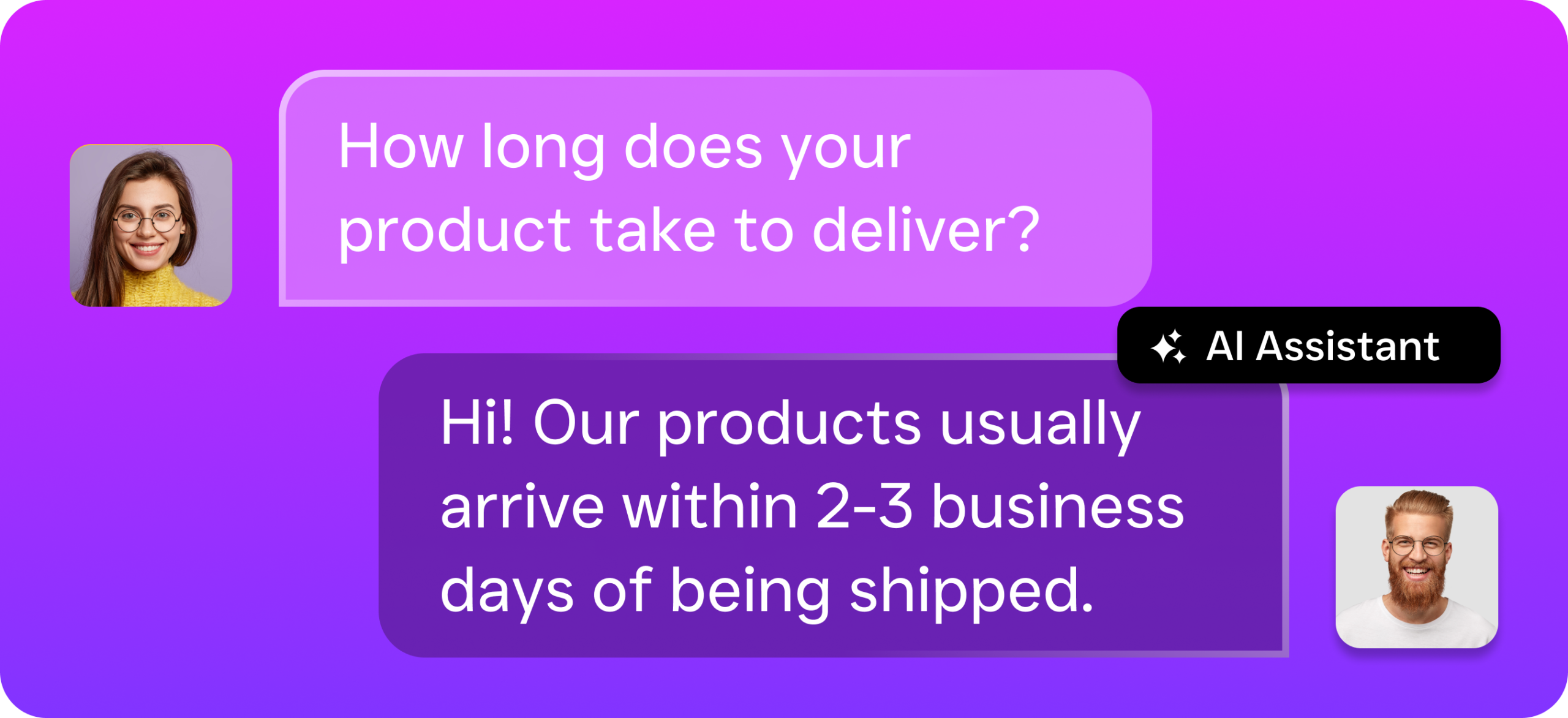
Speed kills in lead conversion. Not your speed. Your competitor’s. When someone requests a quote from three roofers, the first one to respond wins the job more often than not. SalesCaptain’s AI agents respond to calls, texts, and social messages within seconds, any time of day. That means your 11 PM Facebook inquiry gets an immediate, intelligent reply instead of sitting until your office opens at 8 AM. You’re capturing leads your competitors are sleeping through, without hiring a night shift.
One View of Every Customer Interaction
Imagine a customer who texted last week about pricing, then called yesterday to ask about scheduling, and just sent an Instagram DM this morning to confirm. In a disconnected setup, three different team members handle these touchpoints with zero shared context. With SalesCaptain’s Unified Inbox, the full conversation history is visible to everyone. Your team responds faster because they aren’t digging through multiple apps to piece together what’s already been discussed. According to Contact Pigeon’s compilation of omnichannel data, customers who experience connected service across channels show significantly higher lifetime value.
Consistent Follow-Up That Actually Happens
Most service businesses know they should follow up with every lead. Few actually do it consistently. Manual follow-up depends on your team remembering, having time, and using the right channel. SalesCaptain’s Workflow Automation removes the human bottleneck entirely. Set a trigger, and the follow-up happens. A missed call gets an instant text-back. A booked appointment triggers a reminder sequence. In fact, a completed job kicks off a review request. These aren’t aspirational workflows; they’re running in the background 24/7 once you set them up.
Affordable Growth for Multi-Location Operations
SalesCaptain prices per location, starting with a free plan for one location. The Business plan runs $159/month per location, and the Enterprise plan is $300/month per location. AI call minutes cost $0.12/minute. For a three-location dental group or a plumbing company expanding to its second city, this structure scales predictably. You’re not paying per user or per seat, which means adding team members to your inbox doesn’t increase your bill.
How SalesCaptain Compares
The market isn’t short on platforms that claim to be omnichannel. However, most are either built for a narrow use case or require enterprise budgets. Podium, for instance, lacks outbound workflow automation and doesn’t offer the real-time speech analytics or post-call analytics that SalesCaptain includes. Birdeye is primarily a reputation management tool; it doesn’t provide call routing, IVR, call flow building, hold music, or AI-powered call handling. And while Nextiva is a well-known name in business phones, its SMS is capped at 250 messages per user per month, with no WhatsApp support, no review management, and no text-to-pay capability.
Aircall charges $30 per license per month and still doesn’t include a Voice AI Agent, webchat, email channel, or missed-call text-back. OpenPhone offers minimal AI features (often rated low in capability), supports only seven integrations, and lacks call coaching or power dialing. According to G2’s unified communications category reviews, small business users consistently cite ease of setup and channel breadth as their top priorities when choosing a platform.
SalesCaptain is the only platform that combines AI voice agents, AI chat agents, and a true unified inbox in a single tool built specifically for service businesses. There’s no steep learning curve like you’d find with HighLevel, and no healthcare-only limitation like Weave or Solutionreach. The 50+ native integrations, including HubSpot, Salesforce, HousecallPro, Clio, QuickBooks, and Zapier, connect SalesCaptain to the tools your business already runs on.
Frequently Asked Questions
What’s the difference between omnichannel and multichannel messaging?
Multichannel means you’re present on several channels, like phone, text, and social media. Omnichannel means those channels are connected with shared context so your team and your customers don’t have to repeat themselves. SalesCaptain’s Unified Inbox ties every channel together with full conversation history, making it a true omnichannel messaging platform rather than a collection of separate tools.
Can I use SalesCaptain if I only have one location?
Yes. SalesCaptain offers a free Startup plan for businesses with a single location. You can access the Unified Inbox and core features without any monthly cost, then upgrade to the Business plan at $159/month per location as you grow.
How does the AI Phone Agent handle calls it can’t answer?
The AI Phone Agent follows custom call flows you build using SalesCaptain’s drag-and-drop builder. If a call requires human attention, the agent can route it to the right team member, capture a voicemail, or trigger an immediate text-back so the caller isn’t left waiting. Every interaction is transcribed and summarized for easy review. According to Phone2’s analysis of missed call impacts, even recovering a fraction of missed calls can meaningfully increase monthly revenue for small businesses.
Does SalesCaptain integrate with my existing CRM or scheduling software?
SalesCaptain offers 50+ native integrations, including HubSpot, Salesforce, Zoho, ServiceFusion, HousecallPro, Mindbody, Clio, Shopify, QuickBooks, Rezdy, and Zapier. Workflow automations can sync data bidirectionally, so appointment bookings, lead updates, and customer notes flow between systems automatically.
Bring Every Customer Conversation Into One Inbox
SalesCaptain gives your service business a true omnichannel messaging platform with AI agents that handle calls, texts, and social messages 24/7. Stop losing leads to slow responses and scattered communication. Start for free at SalesCaptain.com