AI-powered customer experience marketing (CXM) platform that helps local businesses win.

unified inbox for small business
Every small business owner knows the frustration of juggling multiple communication tools at once. You check your phone for missed calls, then flip to your email, then remember you’ve unread Facebook messages, and somewhere in between a text comes in that you forget to answer. Sound familiar? A unified inbox for small business solves this exact problem by pulling every customer conversation, calls, texts, webchat, social media DMs, and email, into a single screen. If you run a service business and you’re tired of losing leads because messages slip through the cracks, this feature was built for you.
What Is a Unified Inbox for Small Business?
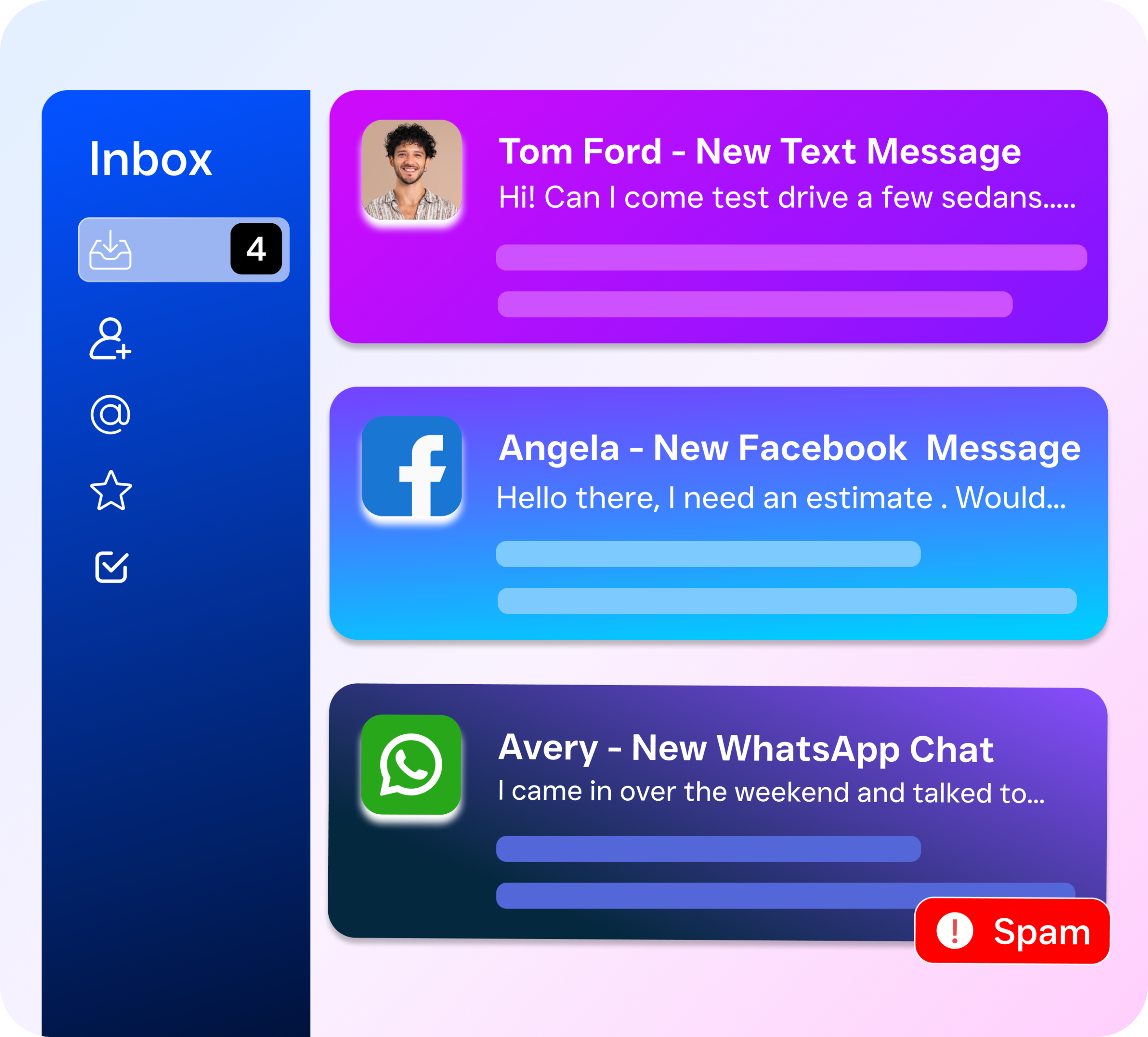
A unified inbox is simple. It’s a single, centralized place where all your customer communication lives. Instead of switching between your phone app, email client, Instagram DMs, Facebook Messenger, webchat widget, and SMS platform, every message from every channel shows up in one view. Think of it as a master control center for every conversation your business has with customers, prospects, and vendors. Nothing gets missed because nothing is hidden in a separate app or tool.
For small businesses specifically, this matters more than most people realize. Unlike large enterprises that can afford dedicated staff for each channel, most small businesses have one or two people handling all customer communication. According to the U.S. Chamber of Commerce Small Business Index, small business owners consistently cite staffing and workload management as top operational challenges. When you’re the owner, the receptionist, and the sales team all at once, you can’t afford to monitor six different platforms throughout the day. A unified inbox eliminates that chaos. Everything’s in one place.
The concept isn’t new. Enterprise companies have used unified communication platforms for years. But what’s changed is that tools like SalesCaptain now make this accessible and affordable for businesses with as few as one location. You don’t need an IT team to set it up, and you don’t need to pay enterprise-level prices to benefit from it. The result? A communication workflow that’s faster, more organized, and far less likely to let a customer fall through the cracks.
How the Unified Inbox Works in SalesCaptain
SalesCaptain’s unified inbox isn’t just a message aggregator. It’s a collaborative workspace designed around how small service businesses actually operate. Here’s what the workflow looks like from start to finish.
Step 1: All Channels Feed Into One Screen
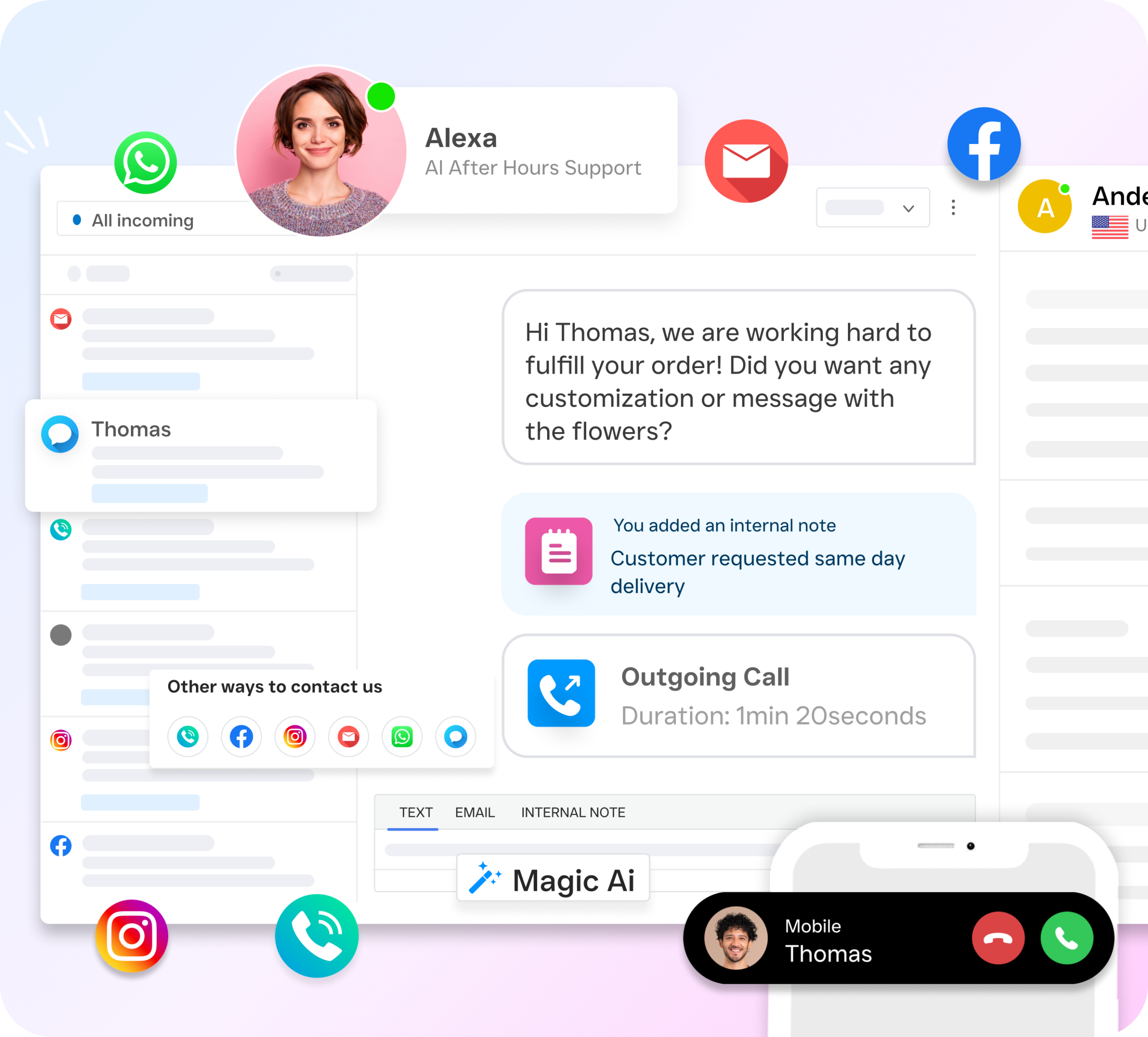
When a customer calls your business number, sends an SMS, messages you on Instagram or Facebook, submits a webchat inquiry, or emails you, that conversation appears as a single thread in your SalesCaptain inbox. You see the customer’s name, contact history, and every previous interaction regardless of which channel they used. So if someone called you last week and then texts you today, you’ve got full context without searching through different apps or asking the customer to repeat themselves.
Step 2: Your Team Collaborates in Real Time
Unlike a personal inbox that only one person can see, this inbox is built for teams. Multiple team members can view, assign, and respond to conversations simultaneously. Internal notes can be attached to any thread so your team stays aligned without needing a side conversation on Slack or a sticky note on someone’s desk. If your office manager starts a conversation and your technician needs to follow up, the handoff is seamless. The entire history is right there.
Step 3: AI Agents Handle Routine Communication Automatically
This is where SalesCaptain’s unified inbox really stands out. AI Phone Agents and AI Chat Agents can respond to incoming communication automatically, answering FAQs, booking appointments, qualifying leads, and sending follow-ups, without anyone on your team lifting a finger. These AI-handled conversations still appear in the unified inbox so you’ve got complete visibility. But your staff only needs to step in for complex or high-value interactions. The inbox becomes a monitoring dashboard, not a burden.
Step 4: Track and Follow Up Without Guesswork
Every conversation in the unified inbox is tracked with timestamps, response times, and resolution status. You can see at a glance which conversations need attention, which were handled by AI, and which are waiting on a customer reply. And with SalesCaptain’s workflow automation, you can trigger automatic follow-ups, CRM updates, and appointment reminders directly from the inbox. No manual data entry required.
Key Capabilities of SalesCaptain’s Unified Inbox
The unified inbox isn’t a stripped-down message viewer. It’s a full communication command center with features specifically designed for the way small businesses operate. What does that actually look like?
All channels in one place: Phone calls (with transcripts), SMS, webchat, Instagram DMs, Facebook Messenger, email, and internal notes, every channel feeds into a single threaded view per contact. Team collaboration: Assign conversations to specific team members, leave internal notes visible only to your staff, and track who responded to what. No more “I thought you handled that” moments. Real-time tracking: See live updates as conversations come in, get notified of new messages across any channel, and monitor response times to make sure no lead waits too long. Complete contact history: Every interaction a customer has ever had with your business, across every channel, is stored in one timeline. Pull up a contact and see their full story in seconds. AI agent integration: Conversations handled by AI Phone Agents and AI Chat Agents appear in the inbox automatically, giving you oversight of automated interactions without needing to manage them manually. Missed call text-back: When a call goes unanswered, SalesCaptain can automatically send a text to that caller. The resulting text conversation shows up in the unified inbox alongside the missed call record. CRM and tool sync: With 50+ integrations including HubSpot, Salesforce, Zoho, HousecallPro, and Clio, your inbox conversations can sync to your existing tools through native connections or Zapier.
These capabilities work together to create a system where no message gets lost, no lead goes cold, and no team member has to wonder what’s already been said to a customer. The National Federation of Independent Business regularly highlights communication inefficiencies as a drain on small business productivity. A unified inbox directly addresses that problem.
Who Needs a Unified Inbox for Small Business?
Not every business has the same communication challenges. But if you match any of the profiles below, a unified inbox will make an immediate impact on how you operate.
Service Businesses That Live on the Phone
Roofing companies, plumbing shops, HVAC contractors, appliance repair services, and landscaping businesses depend on answering every call. That’s survival. According to research from Aira on missed business call statistics, the financial cost of unanswered calls for small businesses is staggering. When you combine phone calls with the texts, emails, and social media messages these businesses also receive, having one inbox instead of five isn’t a luxury. A plumber who misses a call at 8 PM and doesn’t see the follow-up Facebook message the next morning just lost a job to someone who responded faster.
Appointment-Heavy Businesses
Salons, dental practices, MedSpas, therapy offices, fitness studios, and gyms deal with a high volume of booking-related communication. Clients reach out to schedule, reschedule, confirm, or cancel. And they do it across whatever channel is most convenient for them. One person texts, another calls, a third sends a DM. Without a unified inbox, your front desk staff spends half their day switching between platforms just to manage the schedule. With SalesCaptain, every booking-related conversation arrives in one place. AI agents can even handle routine scheduling automatically.
Legal Practices and Professional Services
Law firms, accounting offices, and real estate agencies handle sensitive client communication that demands organization and follow-through. A missed message isn’t just bad service. It can be a liability. These businesses need a complete record of every interaction, and they need it accessible in one search. SalesCaptain’s integration with tools like Clio (for legal) and Salesforce (for professional services) means conversations flow into existing case management or CRM systems without manual effort.
Multi-Location Businesses
If you run two, three, or five locations, the communication problem multiplies with each one. Each location has its own phone number, its own social media presence, and its own customer base. SalesCaptain’s per-location pricing model lets you give every location its own unified inbox without paying enterprise rates. The data from the National Association of Women Business Owners’ small business statistics shows that multi-location businesses are growing across the U.S. and their communication needs are growing with them.
Decision Makers: Owners, Operations Managers, and Sales Managers
Whether you’re the business owner trying to do everything yourself, an operations manager trying to keep the team organized, or a sales manager making sure leads get followed up on, the unified inbox gives you visibility to do your job. You can see every conversation in real time, check response quality, and identify bottlenecks. All from a single screen.
Benefits of a Unified Inbox for Small Business
Understanding the features is one thing. Understanding what they do for your bottom line is what actually matters when you’re deciding whether to invest.
Stop Losing Leads to Slow Response Times
When a potential customer reaches out and doesn’t hear back quickly, they move on. It’s that simple. Research published by SkipCalls on the true cost of missed calls found that small businesses can lose significant revenue annually from unanswered communications. A unified inbox makes sure you see every message the moment it arrives, regardless of channel. Combined with AI agents that respond instantly when your team is busy, the gap between “customer reaches out” and “customer gets a response” shrinks from hours to seconds.
Handle More Volume Without Hiring More Staff
Hiring another receptionist or customer service rep costs real money. Salary, benefits, training, management time. A unified inbox for small business lets your existing team handle significantly more communication because they’re not wasting time switching platforms, searching for context, or duplicating effort. When AI handles the routine stuff and the inbox organizes everything else, one person can do the work that used to require two or three. That efficiency gain matters. Especially on tight margins.
Create a Consistent Customer Experience
Customers don’t think in channels. They don’t care if they called you on Tuesday and texted you on Thursday. They expect you to know what’s going on either way. A unified inbox ensures that no matter who on your team picks up the conversation, they have full context. This eliminates the “can you repeat that?” problem that frustrates customers and makes your business look disorganized. Consistency builds trust. Trust builds repeat business.
Get Visibility Into Your Communication Performance
When your conversations are scattered across six different apps, you’ve no way to measure how well your team communicates. How fast are you responding? How many leads are getting followed up on? Which channels generate the most inquiries? SalesCaptain’s unified inbox gives you real-time tracking and a complete conversation history, turning your communication data into something you can actually analyze. Operations managers and business owners finally get the oversight they need. No hovering required.
How SalesCaptain Compares to Other Unified Inbox Solutions
Several platforms offer some form of unified messaging. But they differ significantly in scope, pricing, and who they’re built for. Here’s how SalesCaptain stacks up.
Podium focuses heavily on inbound messaging and review management. It lacks outbound automation and the ability to build custom AI agents. Need a tool that not only collects messages but also responds to them intelligently? Podium leaves a gap. Birdeye is similar. Its strength is reputation management, not end-to-end communication automation. You’ll still need separate tools to handle phone calls and automated follow-ups. HighLevel offers extensive features but comes with a steep learning curve and higher costs. For many SMBs without a marketing team to configure it, that doesn’t make sense.
Weave is strong if you run a dental or medical practice. But it’s narrowly focused on healthcare and doesn’t serve home services, legal, or other industries well. Kenect handles texting but doesn’t offer AI voice agents or phone system features. You’re still managing calls separately. According to CRM Messaging’s analysis of unified communications for small businesses, the biggest mistake companies make is stitching together multiple single-channel tools instead of investing in a truly unified platform.
SalesCaptain is different. It’s the only platform that combines AI phone agents, AI chat agents, a full business phone system, and a collaborative unified inbox in a single tool. All priced for small businesses. You don’t need technical expertise to set it up. You don’t need to hire a consultant to configure it. And you don’t need to pay enterprise pricing to get enterprise-level communication infrastructure. For SMBs that want one tool instead of five, it’s the most complete option on the market.
Frequently Asked Questions
What channels does SalesCaptain’s unified inbox support?
SalesCaptain’s unified inbox pulls in conversations from phone calls (with transcripts and recordings), SMS, webchat, Instagram DMs, Facebook Messenger, email, and internal team notes. Every channel appears in one threaded view per contact. You never have to switch between apps to find a conversation. If a customer reaches out on multiple channels, all of those interactions are visible in a single timeline.

Can my whole team use the unified inbox at the same time?
Yes. The inbox is built for team collaboration. Multiple team members can be logged in simultaneously, view all conversations, assign threads to specific people, and leave internal notes that only staff can see. This eliminates the problem of two people accidentally responding to the same customer or a conversation sitting in someone’s personal inbox where no one else can see it. Real-time updates ensure everyone stays on the same page.
How does the unified inbox work with AI agents?
When SalesCaptain’s AI Phone Agent answers a call or an AI Chat Agent handles a text or webchat conversation, that interaction is automatically logged in the