
AI-powered customer experience marketing (CXM) platform that helps local businesses win.



Call Tracking Software for Small Business
Every phone call your small business receives tells a story. Where did the caller find you? What do they actually need? And here’s the real question: are your marketing dollars even working? Call tracking software for small business connects every inbound call to the marketing source that generated it, so you stop guessing and start making smarter decisions about where to spend your budget. For service businesses that rely on phone calls to book appointments and close deals, this isn’t a nice-to-have. It’s the difference between growing profitably and wasting money on campaigns that don’t convert.
Most small business owners know they’re getting calls. But they have no idea which ad, landing page, or Google search actually drove those calls. Without that data, you’re flying blind. SalesCaptain’s phone system and AI-powered call handling give you complete visibility into your call activity while simultaneously ensuring you never miss a lead, even at 2 a.m. on a Saturday. This page breaks down exactly what call tracking software does, how it works inside SalesCaptain, and why it matters for businesses like yours.
Quick Answer
Call tracking software assigns unique phone numbers to different marketing campaigns, allowing businesses to measure which ads, channels, or sources generate the most valuable calls. By recording and analyzing caller data, small businesses can identify high-performing campaigns, optimize ad spending, and calculate precise return on investment for each marketing initiative.
What Is Call Tracking Software for Small Business?
Call tracking software assigns unique phone numbers to different marketing channels. Your Google Ads get one number. Your Facebook campaigns get another. Your website gets a third. Even your yard signs get tracked. So when someone calls, you know exactly which source prompted them to pick up the phone. It’s the offline equivalent of tracking clicks and conversions in Google Analytics, except it works for the phone calls that still drive the majority of revenue for local service businesses. According to LocalSplash’s guide on call tracking for local businesses, understanding which channels generate actual phone leads is critical for local businesses that depend on inbound calls to fill their schedules.
Free weekly newsletter
Growth tips for service businesses
Every Tuesday — actionable ideas to get more leads, reviews, and repeat customers. No fluff.
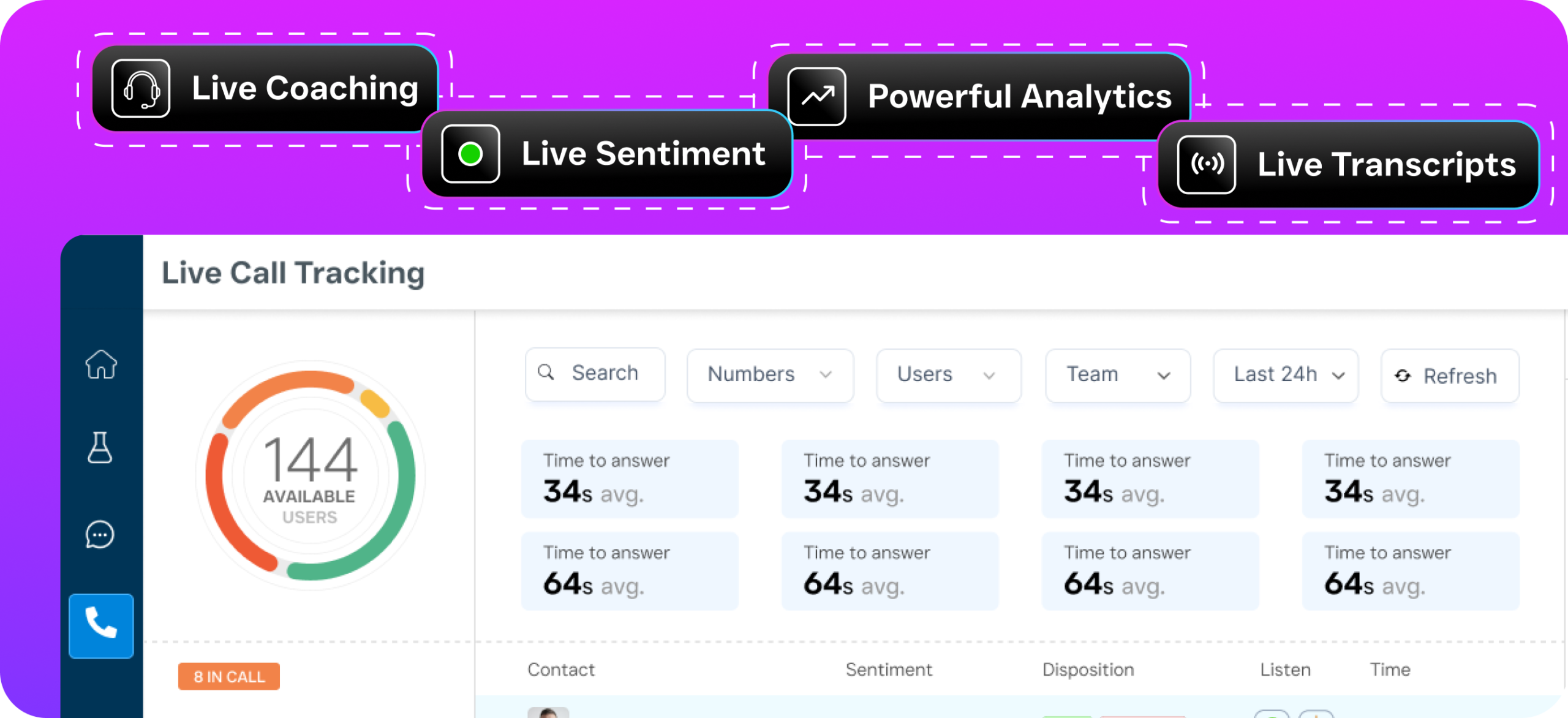
At its core, call tracking software records which number was dialed and matches it to a marketing source. It logs data like call duration, caller location, time of day, and whether the call was answered or missed. More advanced platforms layer on AI-driven insights, call recording, automatic lead qualification, sentiment analysis, and real-time routing. That turns raw call data into actionable business intelligence. For a small business spending even a few hundred dollars a month on advertising, knowing which channels actually produce paying customers can save thousands over the course of a year.
The concept isn’t new. But the technology has matured dramatically. What used to require enterprise budgets and dedicated analytics teams is now accessible to any SMB with a phone line and a marketing budget. Modern call tracking software for small business integrates directly with your CRM, your ad platforms, and your scheduling tools. It creates a closed loop from “ad impression” to “booked appointment” without requiring you to manually connect the dots. As Mediahawk’s State of Call Tracking report highlights, the industry trend is moving toward AI-driven insights that help businesses understand not just which calls came in, but what motivated those callers to convert.
How Call Tracking Works in SalesCaptain
SalesCaptain isn’t a standalone call tracking tool. It’s a unified communication platform with a full business phone system, AI agents, and workflow automation built in. That means call tracking isn’t bolted on as an afterthought; it’s woven into every layer of how your business handles communication. Here’s how it works in practice, step by step.
Step 1: Set Up Trackable Phone Numbers
You start by provisioning local or toll-free business phone numbers directly inside SalesCaptain. Assign different numbers to different marketing sources. One for your Google Ads campaigns. Another for your website header. A third for your Yelp listing. Each number routes to the same destination, your AI Phone Agent or your team, but the system logs which number was dialed so you always know the source. There’s no limit to the number of tracking numbers you can set up, and the process takes minutes rather than hours.
Step 2: Route Calls Through Your AI Phone Agent
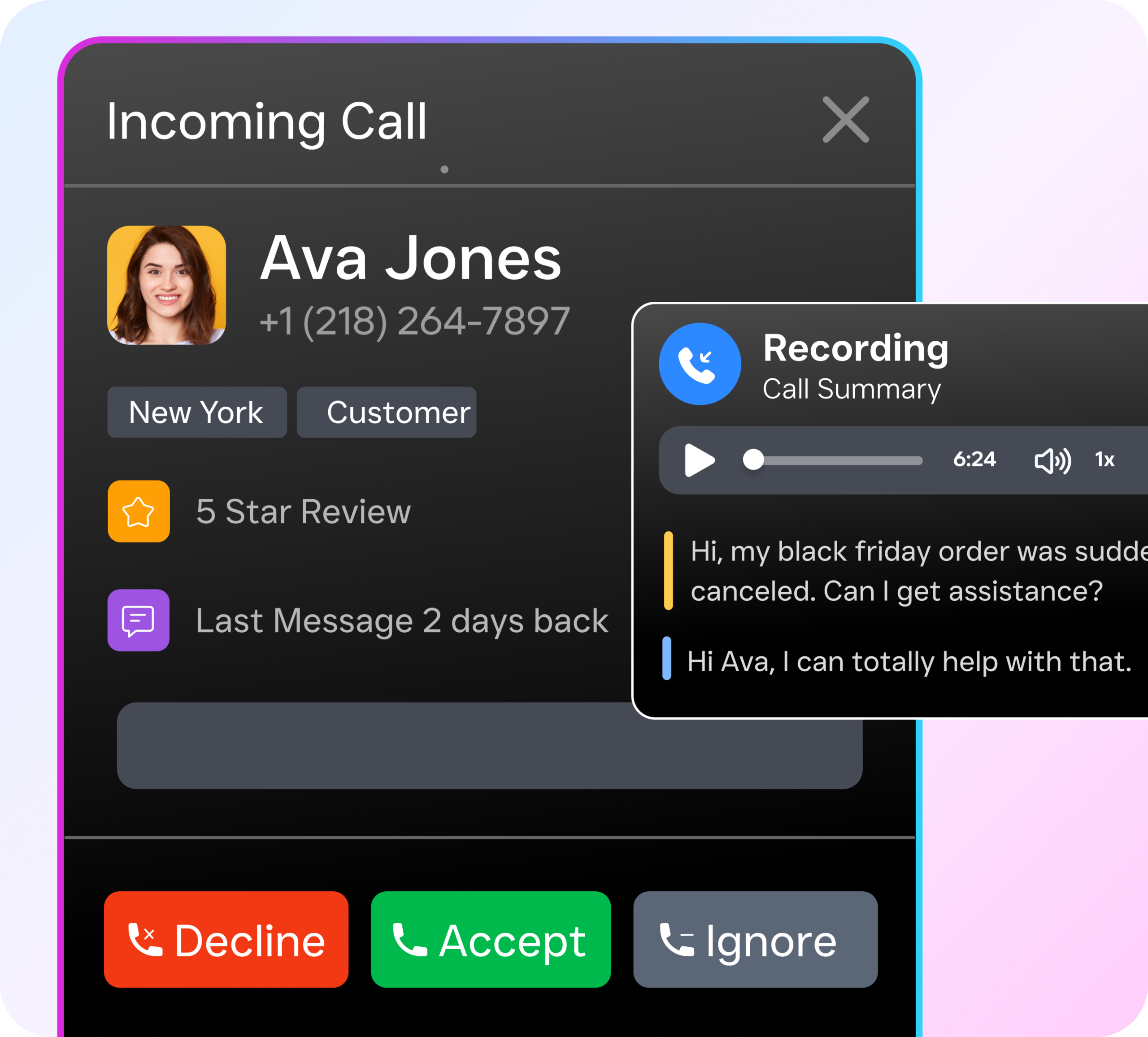
When a call comes in on any of your tracking numbers, SalesCaptain’s AI Phone Agent picks up immediately. Twenty-four hours a day, seven days a week. The AI agent answers in a natural-sounding voice and greets the caller by context. It knows which number they dialed. It qualifies them by asking relevant questions, answers FAQs about your services, and books appointments directly into your calendar. Meanwhile, every detail gets logged automatically. The marketing source. Call duration. Caller intent. Outcome. This eliminates both the tracking problem and the missed-call problem in a single workflow.
Step 3: Analyze and Optimize
All call data flows into your SalesCaptain dashboard alongside your texts, webchat conversations, social media DMs, and email threads. You can see at a glance which marketing channels are generating the most calls. Which calls converted into booked appointments. Which sources are producing low-quality leads or spam. And because SalesCaptain integrates with tools like HubSpot, Salesforce, Zoho, and Google Ads via native connectors and Zapier, you can push this data into your existing reporting stack without manual exports or spreadsheet gymnastics.
Step 4: Automate Follow-Up
SalesCaptain’s workflow automation builder lets you trigger automatic follow-up actions based on call outcomes. If a caller doesn’t book an appointment, the system can send a follow-up text message within minutes. If a lead comes from a high-value channel, you can automatically tag them as a priority in your CRM. If someone calls after hours and the AI Phone Agent captures their information, a reminder can be pushed to your team first thing in the morning. Every step happens without manual intervention, which means your team stays focused on the work that actually generates revenue.
Key Capabilities of SalesCaptain’s Call Tracking Software for Small Business
SalesCaptain combines call tracking with AI-powered call handling and multi-channel communication in ways that standalone tracking tools simply can’t match. Here’s what you get under the hood, and why each capability matters for a small business trying to grow without ballooning its payroll.
Source-Level Call Attribution: Assign unique phone numbers to every marketing channel, paid ads, organic search, social media, direct mail, referral partners, and see exactly which sources drive real calls. No more asking every caller “how did you hear about us?” and getting vague answers. 24/7 AI Phone Agent: Every tracked call is answered instantly by an AI voice agent that sounds natural, qualifies leads, answers common questions, and books appointments. According to research from SkipCalls, small businesses can lose over $26,000 per year from missed calls alone. SalesCaptain’s AI agent ensures that never happens. Spam Call Blocking: The AI Phone Agent identifies and blocks spam callers before they waste your time or skew your call data. Clean data means better decisions about your marketing budget. Call Recording and Transcription: Every call is recorded and transcribed. You get a searchable log of customer conversations. Use these to train your team, spot trends in customer questions, and verify lead quality from different channels. Custom Call Flows and IVR: Build intelligent call routing with SalesCaptain’s IVR builder. Route callers to specific departments, locations, or AI agents based on the tracking number they dialed, the time of day, or their responses to prompts. Missed Call Text-Back: If a call is missed for any reason, SalesCaptain’s AI Chat Agent automatically sends a text message to the caller within seconds. It re-engages them before they call a competitor. This bridges the gap between call tracking and lead recovery. Unified Inbox with Full Contact History: Every call, text, chat, and social media message lives in one collaborative inbox. When a caller who originally found you through a Google Ad later texts you a question, your team sees the complete history in one place. No switching between apps. 50+ Native Integrations: Push call data directly into HubSpot, Salesforce, Zoho, ServiceFusion, HousecallPro, QuickBooks, Shopify, Clio, and dozens of other tools your business already uses. Zapier connectivity extends this to thousands more apps. Workflow Automation Triggers: Use call outcomes as triggers in SalesCaptain’s visual workflow builder to automate follow-ups, CRM updates, appointment reminders, and team notifications. All without writing a single line of code.
Who Needs Call Tracking Software for Small Business?
Call tracking delivers the most value for businesses where phone calls represent a significant portion of revenue. For most service businesses, that means nearly all of them. If your customers pick up the phone to book appointments, request quotes, or ask questions before buying, you need visibility into which marketing efforts are actually driving those calls. The Nimbata guide on call tracking for small businesses outlines how even basic call attribution can reveal that some of your highest-spend campaigns are producing your lowest-quality leads. Sound familiar? A blind spot that’s impossible to fix without tracking.
Home Service Businesses
Roofers, plumbers, HVAC technicians, appliance repair companies, and landscapers spend heavily on local advertising. Google Local Service Ads. Pay-per-click campaigns. Yard signs. Truck wraps. Without call tracking, a plumbing company has no way to know whether the $2,000 it spent on Google Ads last month generated more business than the $500 it spent on a neighborhood mailer. SalesCaptain lets these businesses assign different numbers to each channel, then track which calls turned into booked jobs and actual revenue.
Healthcare, Dental, and Wellness Practices
Dental offices, medical practices, MedSpas, therapy clinics, and wellness centers receive dozens of calls daily. New patient inquiries. Appointment confirmations. Insurance questions. Knowing which marketing efforts bring in new patients versus existing patients calling to reschedule is essential for efficient patient acquisition. SalesCaptain’s AI Phone Agent handles the high call volume, while the tracking data reveals which campaigns deserve more budget.
Legal Practices
For law firms, a single missed call from a potential client can represent thousands of dollars in lost fees. That’s huge. Legal practices advertising across Google, social media, and legal directories need to know which channels produce quality consultations, not just call volume. SalesCaptain integrates with Clio and other legal practice management tools, pushing call tracking data directly into the workflows attorneys already use.
Appointment-Heavy and Multi-Location Businesses
Salons, gyms, fitness studios, real estate agencies, and any business with multiple locations face a compounded version of the tracking problem. You need to attribute calls not just by marketing channel, but by location. SalesCaptain’s per-location pricing model, starting free for one location, makes it straightforward to roll out call tracking and AI phone agents across every branch without the cost spiraling out of control. Operations managers can compare marketing performance across locations from a single dashboard.
Benefits of Call Tracking Software for Small Business
The ROI of call tracking is both immediate and compounding. In the first month, you’ll likely discover that at least one marketing channel you’ve been funding is producing far fewer quality leads than you assumed. Over time, the data reveals patterns that let you continually reallocate budget toward what works and away from what doesn’t. Here are the concrete outcomes SalesCaptain users experience.
Eliminate Wasted Marketing Spend
Small businesses typically operate on tight marketing budgets. Every dollar counts. According to SimpleTexting’s research on small business marketing trends, many small businesses struggle to measure the effectiveness of their advertising spend. Call tracking closes this gap by showing you exactly which ads, keywords, and channels generate phone leads. When you can see that your Facebook ads produced 40 calls last month but your Google Ads produced 120, the budget reallocation becomes obvious. So do the savings.
Never Lose a Lead to a Missed Call
Tracking calls is only valuable if you’re also answering them. And that’s where SalesCaptain stands out. The biggest advantage of using SalesCaptain as your call tracking platform is that the AI Phone Agent ensures every single call is answered, qualified, and acted on. Whether it comes in during business hours, at midnight, or on a holiday weekend. Research from Phone2 on the true cost of missed calls shows that the financial impact of unanswered calls is significant for small businesses. Often amounting to thousands in lost revenue per month. Combining call tracking with guaranteed call answering means you capture the data and the customer.
Make Confident, Data-Backed Decisions
Without call tracking, marketing decisions are based on gut feeling. Or worse, on vanity metrics like impressions and clicks that don’t translate to actual business. With SalesCaptain, you can trace the full path from ad click to phone call to booked appointment to completed job. This level of clarity allows business owners and operations managers to have honest conversations about marketing performance with their agencies, their teams, and themselves. It also makes it easier to set realistic growth targets because you understand your true cost-per-lead by channel.
Scale Without Hiring More Staff
The traditional answer to handling more call volume? Hiring more receptionists or office staff. SalesCaptain’s AI Phone Agent removes that bottleneck entirely. As your call tracking data shows you which channels to scale up, the AI agent absorbs the increased call volume without adding headcount. You get the intelligence to grow faster and the infrastructure to handle that growth. In one platform. At a fraction of the cost of additional employees.
How SalesCaptain Compares to Other Call Tracking Software for Small Business
Most call tracking tools do exactly one thing. Assign numbers to sources and report which ones ring. That’s useful. But it leaves a massive gap between “knowing where the call came from” and “actually converting that caller into a customer.” SalesCaptain fills that gap by combining call tracking with AI-powered call answering, multi-channel communication, and workflow automation. All in a single platform built specifically for small service businesses.
Standalone call tracking solutions like CallRail or CallTrackingMetrics give you strong attribution data and analytics. But they don’t answer your phone, book your appointments, or send follow-up texts. You still need separate tools (and separate budgets) for those functions. Platforms like Podium offer some communication features but focus primarily on inbound interactions and lack outbound automation or AI agent capabilities. HighLevel attempts to be an all-in-one solution. But it comes with a steep
Ready to see it in action?
See how small businesses use SalesCaptain to track every call and never lose a lead again.
Book a Free Demo →Frequently Asked Questions
What is call tracking software and why do small businesses need it?
Call tracking software assigns unique phone numbers to different marketing channels so you can see exactly which ads, landing pages, or Google searches generated each inbound call. For service businesses that rely on phone calls to book appointments and close deals, this data is essential for understanding which marketing campaigns actually convert and where to invest your budget.
How does call tracking software work?
The software assigns different phone numbers to each of your marketing sources—one for Google Ads, another for Facebook, a third for your website, and so on. When someone calls, the system records which number was dialed and matches it to that specific marketing source, while also logging data like call duration, caller location, time of day, and whether the call was answered.
Can call tracking software help me if I miss calls?
Yes, advanced call tracking platforms like SalesCaptain use AI-powered call handling to ensure you never miss a lead, even outside business hours like 2 a.m. on a Saturday. This means you capture call data and lead information regardless of whether someone is available to answer.
What data does call tracking software actually provide?
Call tracking software logs basic information like call duration, caller location, and time of day, along with whether calls were answered or missed. More advanced platforms add AI-driven insights, call recording, automatic lead qualification, and sentiment analysis to turn raw call data into actionable business intelligence.
Is call tracking software worth it for small businesses spending just a few hundred dollars on advertising?
Call tracking software is valuable for small businesses spending even a few hundred dollars monthly on advertising because it shows which channels actually produce phone leads, helping you stop wasting money on campaigns that don’t convert. Without this visibility, you’re making marketing decisions blind.