
AI-powered customer experience marketing (CXM) platform that helps local businesses win.



Every missed call at a medical practice is a patient who might not reschedule. A dental office that can’t confirm tomorrow’s appointments loses revenue to no-shows. A MedSpa that takes 20 minutes to reply to an Instagram DM watches that prospect book with a competitor down the street. For healthcare and wellness businesses, medical scheduling systems aren’t just about calendars. They’re about the entire communication chain that starts the moment a patient reaches out and doesn’t end until they walk through the door. Yet most practices still rely on front-desk staff juggling phone lines, sticky notes, and three different software tabs. The result? Burned-out teams, long hold times, and a scheduling process that leaks patients at every step.
Why Healthcare and Wellness Businesses Struggle With Customer Communication
The core problem isn’t a lack of effort. It’s fragmentation. A typical medical or wellness practice handles patient inquiries across phone calls, text messages, website chat widgets, social media DMs, and email. Each channel lives in its own silo, so the receptionist answering the phone has no idea a patient also sent a Facebook message an hour ago. According to Curogram’s research on healthcare communication failures, disconnected channels are one of the clearest signs a practice’s communication system is breaking down.
The Volume Problem
Small and mid-size practices rarely have enough front-desk staff to answer every call during peak hours, let alone after 5 PM. One receptionist handling check-ins, insurance questions, and a ringing phone can’t also respond to web-chat leads. Calls go to voicemail. Voicemails pile up. And a significant share of new patients who reach voicemail simply don’t leave a message, choosing to call the next provider on their list instead.
Free weekly newsletter
Growth tips for dental & medical practices
Every Tuesday — actionable ideas to get more leads, reviews, and repeat customers. No fluff.
Slow Follow-Up Kills Conversion
Speed matters enormously in healthcare scheduling. When someone searches for a dentist or dermatologist and fills out a contact form, they expect a quick reply. But most practices take hours or even a full business day to respond. By that point, the patient has already booked elsewhere. The global medical scheduling software market is growing at a 13.2% CAGR precisely because practices recognize this gap and are investing in faster, automated solutions.
Multi-Channel Chaos
Patients don’t stick to one communication channel. They might call to ask about availability, text to confirm, and DM on Instagram to ask about pricing for a cosmetic procedure. Without a unified view of these conversations, your team answers the same question multiple times or, worse, gives conflicting information. That erodes trust quickly. A TigerConnect report on clinical communication workflows found that fragmented communication remains one of the most persistent operational challenges across healthcare organizations of all sizes.
How SalesCaptain Solves This
SalesCaptain replaces the patchwork of scheduling tools, phone systems, and messaging apps with a single platform built for service businesses, including medical and wellness practices. Rather than bolting AI onto an existing CRM or phone system, it was designed from the ground up to handle the full patient communication lifecycle: from first inquiry to appointment confirmation to follow-up.
AI Phone Agent for 24/7 Call Handling
The AI Phone Agent answers every call with a natural-sounding voice, whether it’s 2 PM or 2 AM. It can book appointments directly, answer common questions about office hours or accepted insurance, qualify new patient leads, and route urgent calls to the right person. Spam calls get blocked automatically. For practices that lose patients simply because no one picked up, this single feature changes the math entirely.
What makes this different from a traditional answering service? There’s no per-call fee structure that balloons as your practice grows. SalesCaptain charges $0.12 per minute for AI calls, which is a fraction of what human receptionist services like Smith.ai or Ruby charge. And unlike those services, the AI agent doesn’t need breaks, training, or PTO.
AI Chat Agents Across Every Channel
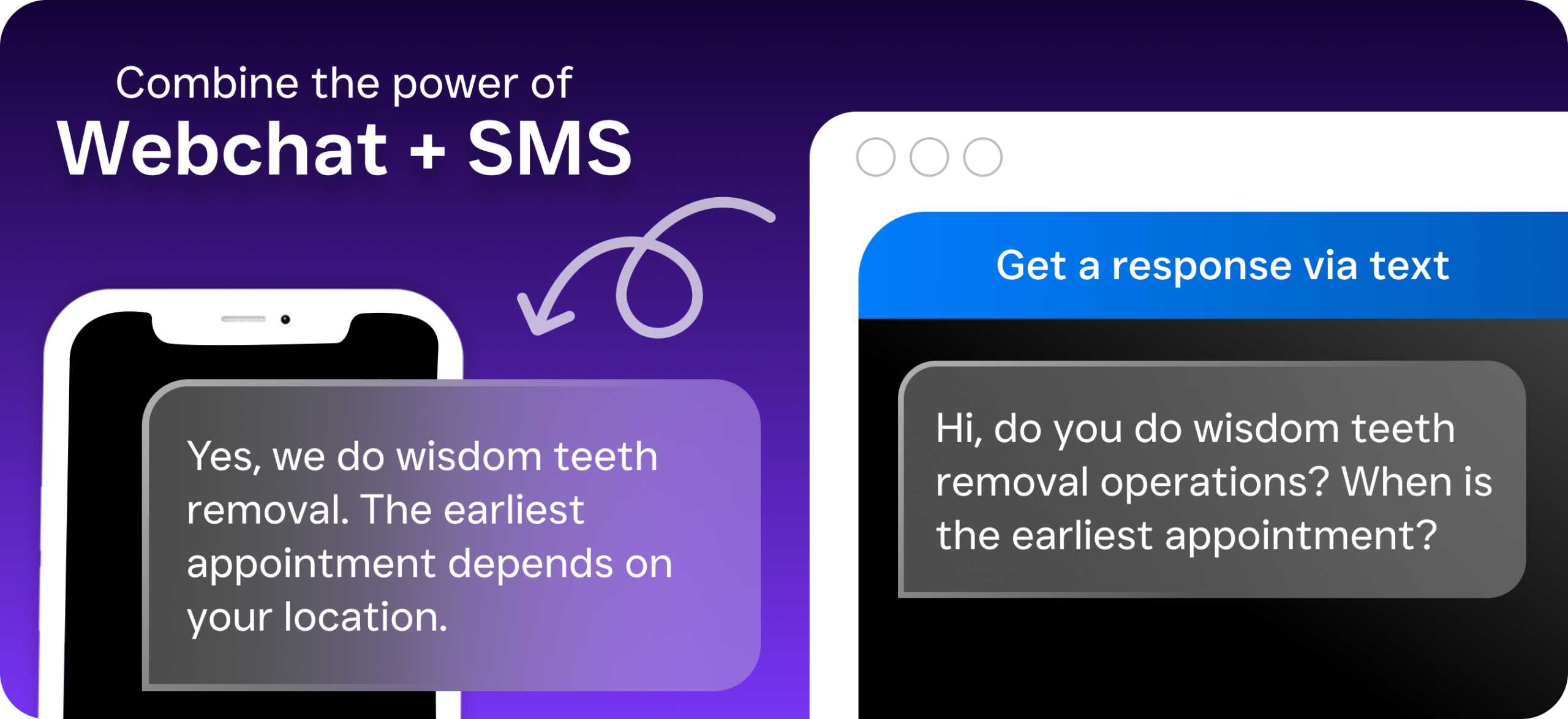
Patients who prefer texting over calling get the same instant experience. SalesCaptain’s AI Chat Agents work across SMS, webchat, Instagram DMs, and Facebook Messenger. When a prospective patient sends a message asking “Do you take Blue Cross?” at 9 PM, the AI responds immediately, captures their information, and can book them into the next available slot. Missed-call text-back ensures that even when a call can’t be answered, the patient receives an automatic text within seconds, keeping the conversation alive.
Unified Inbox Ends the Chaos
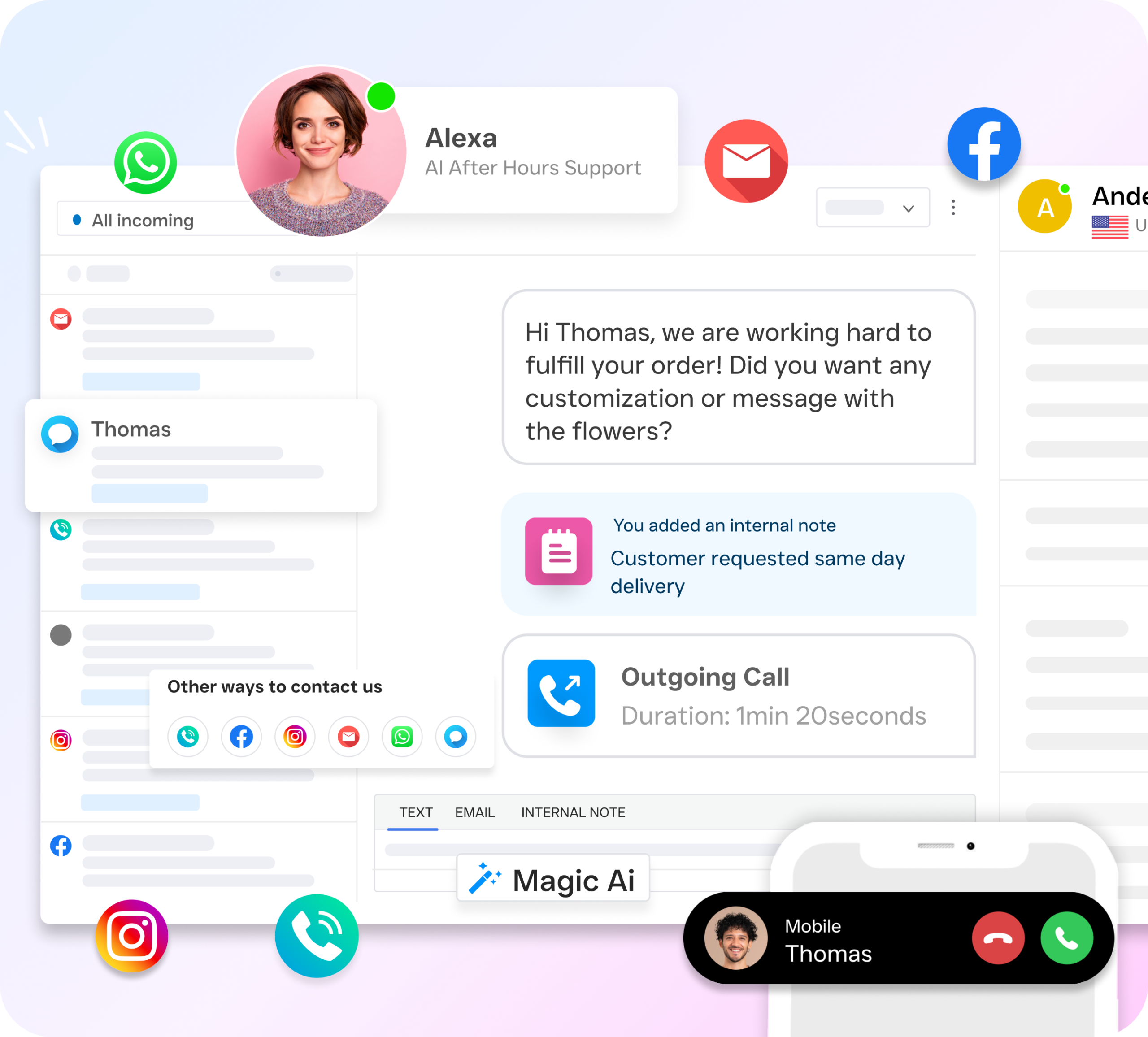
Every interaction, whether it’s a phone call transcript, a text thread, a webchat conversation, or a social media DM, lands in one collaborative inbox. Your front-desk team sees the complete history for each patient contact. So when Maria calls to confirm her Tuesday cleaning, your receptionist already sees the Instagram DM she sent asking about teeth whitening pricing. No duplicate questions. No lost context. This is what separates a true medical scheduling system from a basic calendar tool.
Workflow Automation for Confirmations and Follow-Ups
No-shows are expensive. SalesCaptain’s drag-and-drop workflow builder lets you set up automated appointment reminders via text and email, triggered at intervals you choose. You can also automate post-visit follow-ups, review requests, and re-engagement messages for patients who haven’t booked in 90 days. Because the platform integrates natively with tools like HubSpot, Zoho, and QuickBooks, patient data stays synchronized without manual entry.
Key Features for Healthcare and Wellness Businesses
While SalesCaptain serves many service industries, several features align particularly well with the demands of medical practices, dental offices, MedSpas, therapy practices, and fitness studios.
- After-Hours Call Capture: The AI Phone Agent picks up every call outside business hours, books appointments, and sends a summary to your team for morning review. No more lost evening and weekend leads.
- AI Summaries and Transcriptions: Every patient call is transcribed and summarized automatically. Your team can review key details, action items, and follow-up needs without listening to full recordings. This is especially valuable for compliance documentation and quality control.
- Custom Call Flows: A visual drag-and-drop builder lets you design exactly how calls are routed. New patient inquiries go to one path, existing patient rescheduling to another, urgent matters to a direct line. IVR menus, hold music, and voicemail fallbacks are all configurable without any technical skill.
- Appointment Reminders via SMS: Automated text reminders reduce no-shows significantly. Patients can confirm, cancel, or request a reschedule by simply replying to the text.
- Multichannel Lead Capture: Whether a lead comes from a Google ad that lands on your webchat, an Instagram DM, or a phone call, it’s captured in one system with full contact history and source tracking.
- 50+ Integrations: Native connections to HousecallPro, Mindbody, Salesforce, Clio, Zapier, and dozens more mean SalesCaptain fits into your existing tech stack rather than replacing it.
The Credence Research report on the medical scheduling software market highlights that cloud-based, multi-feature platforms are gaining share over single-purpose tools. SalesCaptain fits squarely into that trend by combining scheduling, communication, and AI automation in one platform.
Real Results You Can Expect
Practices that move from disconnected phone lines and manual scheduling to a unified, AI-powered system typically see measurable improvements across several areas. Here’s what that looks like in practice.
Fewer Missed Calls, More Booked Appointments
When every call is answered, whether by staff or by AI, the percentage of inquiries that convert to appointments goes up. It’s straightforward math. A practice that previously missed 30% of incoming calls during peak hours and 100% after hours suddenly captures all of them. According to CCD Care’s State of Healthcare Operations Report, scheduling inefficiency and patient access gaps remain top operational challenges, and automated call handling directly addresses both.
Lower Staffing Pressure
You don’t need to hire a second or third receptionist to handle growing call volume. The AI Phone Agent and AI Chat Agents absorb the repetitive, high-volume work: confirming appointments, answering FAQs, capturing new patient information. Your existing team focuses on in-office patient care and complex cases that actually require a human touch. For a practice paying $35,000+ per year for an additional front-desk hire, that’s a meaningful savings.
Faster Response Times
Instant responses on chat and text, plus zero hold time on calls, dramatically improve the patient experience. Faster response also means you’re more likely to capture patients who are comparison-shopping between providers. The Hyperleap AI report on healthcare patient communication underscores how response speed directly correlates with patient acquisition and retention rates.
Reduced No-Shows
Automated SMS reminders, sent at the right intervals with easy confirmation replies, address one of the most costly problems in medical scheduling. Practices that rely on manual reminder calls often can’t reach every patient. Automated workflows ensure no one slips through the cracks.
How to Get Started
Setting up SalesCaptain doesn’t require a consultant, an IT team, or weeks of configuration. Most practices are up and running quickly. Here’s the process.
- Sign up for a free account. The Startup plan costs nothing and covers one location, so you can test the full platform without financial risk.
- Set up your business phone number. Port your existing number or get a new one. SalesCaptain’s phone system runs on 99.99% uptime with crystal-clear audio.
- Build your call flow. Use the visual drag-and-drop builder to design how incoming calls are routed. Assign greetings, IVR menus, after-hours rules, and AI agent handling.
- Configure your AI agents. Train your AI Phone Agent and Chat Agents with your practice’s FAQs, services, hours, and booking rules. No coding required.
- Connect your existing tools. Link SalesCaptain to your practice management software, CRM, or calendar through native integrations or Zapier.
- Launch and monitor. Go live, then use the unified inbox and AI transcription summaries to track every patient interaction and refine your setup over time.
For multi-location practices, the Business plan at $159/month per location or the Enterprise plan at $300/month per location scales affordably. That’s a stark contrast to competitors with opaque or per-user pricing that becomes unpredictable as you grow.
What about medical scheduling systems that I’m already using?
SalesCaptain isn’t designed to replace your EHR or practice management software. It sits on top of your existing stack, handling the communication and scheduling intake layer that those tools don’t do well. Think of it as the front door: it captures the patient, books the appointment, and syncs the data to wherever you need it. The Allo AI receptionist comparison guide provides useful context on how AI-powered reception tools complement rather than replace existing practice software.
Ready to see it in action?
See how medical practices use SalesCaptain to schedule more patients without hiring staff.
Book a Free Demo →Frequently Asked Questions
Can SalesCaptain’s AI Phone Agent handle medical scheduling for multiple providers?
Yes. You can configure custom call flows that route patients to different scheduling paths based on the provider they need, the type of appointment, or even the time of day. The AI agent collects the necessary information and books into the correct calendar slot.
Is SalesCaptain secure for healthcare practices?
SalesCaptain takes data security seriously and provides features suitable for healthcare communication. However, practices with strict HIPAA requirements should contact SalesCaptain directly to discuss their specific compliance needs and confirm the appropriate plan and configuration.
How does the AI handle complex patient questions it can’t answer?
The AI agent is trained on your practice’s specific information, but when a question falls outside its knowledge, it routes the caller to a live team member or takes a detailed message for follow-up. You control the escalation rules through the call flow builder.
Will patients know they’re talking to an AI?
The AI Phone Agent uses natural-sounding voice technology. Many callers won’t realize they’re speaking with AI. However, you can configure the agent to disclose that it’s an automated assistant if your practice policy or local regulations require transparency.
How quickly can I set up automated appointment reminders?
The workflow automation builder is drag-and-drop, so most practices configure their reminder sequences in under an hour. You choose the timing, message content, and channels (SMS, email, or both), then the system runs automatically from that point forward.
Medical scheduling systems should do more than manage a calendar. They should capture every patient inquiry, respond instantly, and keep your team focused on care instead of phone tag. SalesCaptain delivers exactly that, combining AI voice and chat agents with a unified inbox and powerful automation, all in one affordable platform built for practices like yours.
Start free, no credit card needed. Sign up at SalesCaptain.com and see how your practice runs when every call gets answered and every patient gets a fast reply.