
AI-powered customer experience marketing (CXM) platform that helps local businesses win.


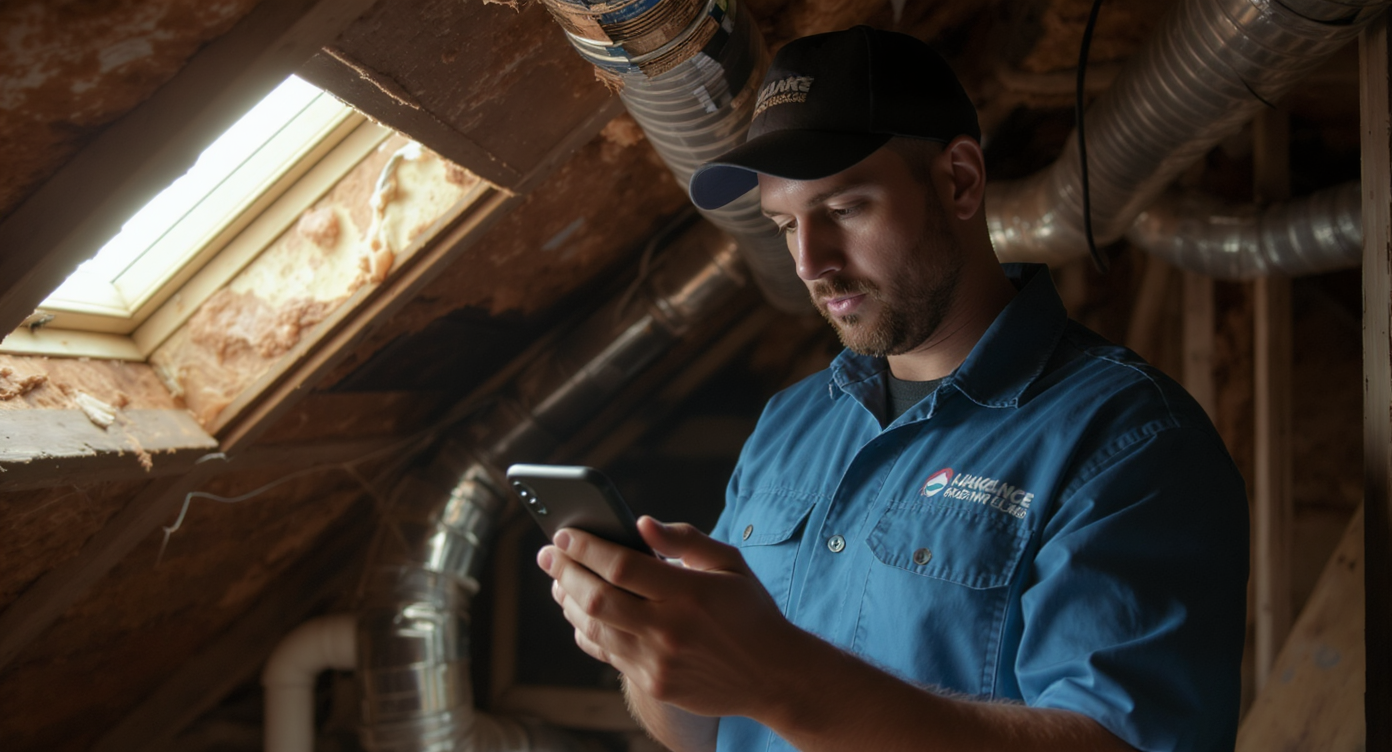
Every HVAC company knows the frustration. A technician shows up to a job site, and the homeowner isn’t home. The appointment was booked three days ago, but the customer forgot. Your tech loses an hour of billable time, your dispatcher scrambles to fill the gap, and the customer calls back annoyed that “nobody showed up.” Sound familiar? Now multiply that across a full week. Missed appointments, late cancellations, and no-shows quietly drain revenue from HVAC businesses every single season. The right appointment reminder software for HVAC companies can stop that cycle, but most scheduling tools weren’t built for the way HVAC operations actually work. You’ve got emergency calls, seasonal surges, and multi-tech routing to juggle. You need something that handles the complexity without adding more work to your team’s plate.
Appointment reminder software for HVAC companies automatically sends SMS, email, or phone notifications to customers before scheduled service visits. It reduces no-shows and missed appointments by keeping customers informed, cuts wasted technician time, and helps HVAC businesses maintain steady revenue throughout the year.
Why HVAC Businesses Struggle With Customer Communication
HVAC is one of the most appointment-dependent industries out there. A single missed visit doesn’t just cost you the service fee. It creates a domino effect: wasted drive time, an idle technician, a frustrated customer who may not rebook, and a scheduling hole that’s nearly impossible to fill same-day. According to Meridian Gable’s HVAC business benchmarks, no-show rates in home services can significantly impact seasonal revenue targets. Peak cooling and heating months are when every slot matters most.
Free weekly newsletter
Growth tips for home service businesses
Every Tuesday — actionable ideas to get more leads, reviews, and repeat customers. No fluff.
The Seasonal Pressure Problem
HVAC demand spikes hard twice a year. During those windows, your schedule is packed. One no-show doesn’t just waste 30 minutes; it wastes a slot that three other customers wanted. But here’s the thing: most HVAC businesses still rely on manual confirmation calls or a single text the day before. That’s not enough. customers book maintenance weeks in advance and genuinely forget, especially for routine tune-ups. They don’t feel urgent.
After-Hours Communication Gaps
Here’s another pain point that compounds the problem. A huge portion of HVAC calls come in after business hours. Homeowners notice their AC isn’t working at 9 PM, not 9 AM. When they call and get voicemail, many won’t leave a message. They’ll call the next company on Google instead. So you’re not just losing appointments to no-shows. You’re also losing bookings because nobody answered the phone in the first place. Research on after-hours AI receptionists shows that businesses capturing calls outside office hours see measurable improvements in booking rates.
Disconnected Tools Create Chaos
Many HVAC companies use one tool for scheduling, another for texting, a separate phone system, and maybe a CRM that nobody updates consistently. When your reminder workflow depends on a dispatcher remembering to send a text, things slip through the cracks. And when a customer replies to a reminder with “Can we reschedule to Thursday?”, that message might sit unread in an SMS inbox while your team works from a different screen entirely. Information gets lost everywhere.
How SalesCaptain Solves This
SalesCaptain combines appointment reminder software for HVAC companies with AI-powered communication tools. It handles much more than simple text notifications. It’s a unified platform where reminders, confirmations, rescheduling, and follow-ups all happen automatically. Calls, texts, webchat, and social media—all in one place.
Automated Multi-Touch Reminders
Rather than sending one reminder and hoping for the best, SalesCaptain’s workflow automation lets you build multi-step reminder sequences. What does that look like in practice? A typical HVAC setup might look like this: an SMS confirmation right after booking, an email reminder three days before the appointment, a text reminder the morning of, and a final “we’re on our way” message when the tech is dispatched. Each step triggers automatically based on your schedule. No dispatcher intervention needed.
These workflows are built with a visual drag-and-drop builder. You don’t need technical skills to set them up. You pick the trigger (appointment booked), define the timing, write the message, and let it run. If a customer replies “cancel” or “reschedule,” the system captures that response in the unified inbox. Your team can act on it immediately.
AI Phone Agent for Missed Calls and Confirmations
What makes SalesCaptain different from basic reminder tools? The AI Phone Agent. This isn’t a robocall. It’s a natural-sounding voice agent that can answer inbound calls 24/7, book appointments, qualify whether a caller needs emergency service or routine maintenance, and confirm upcoming visits. For HVAC companies that miss calls after hours or during peak season when the phones are ringing nonstop, this changes the math on lost revenue.
The AI agent also handles outbound appointment confirmation calls for customers who don’t respond to text reminders. Some homeowners, particularly older demographics common in HVAC, prefer a phone call over a text. Your office staff aren’t spending hours on confirmation duty anymore.
Unified Inbox Keeps Everything Visible
Every reminder sent, every customer reply, every call transcript, and every rescheduling request lands in one collaborative inbox. Your dispatcher sees the full picture without switching between apps. If a customer texts back asking to move their Tuesday maintenance to Wednesday, it shows up right next to their call history, previous service notes, and booking details. That context prevents miscommunication and speeds up response time considerably.
Key Features for HVAC Businesses
SalesCaptain isn’t a generic scheduling tool with reminders bolted on. Here are the specific capabilities that matter for HVAC operations:
- Missed Call Text-Back: When a call goes unanswered, the system automatically sends an SMS to the caller within seconds. For HVAC companies, this recovers leads that would otherwise call a competitor. The customer gets an immediate response, and your team can follow up as soon as they’re available.
- AI Summaries and Transcriptions: Every call your AI agent handles or your team takes gets transcribed and summarized automatically. This is particularly useful for HVAC dispatchers who need to know whether a caller described an emergency (no heat in January) versus a routine request (annual tune-up). The summary captures key details so technicians arrive prepared.
- Workflow Automation for Seasonal Campaigns: HVAC maintenance reminder automation is critical for filling your calendar during shoulder seasons. SalesCaptain’s workflow builder lets you create campaigns that automatically reach out to past customers when it’s time for their annual furnace or AC check, then book them directly into your schedule.
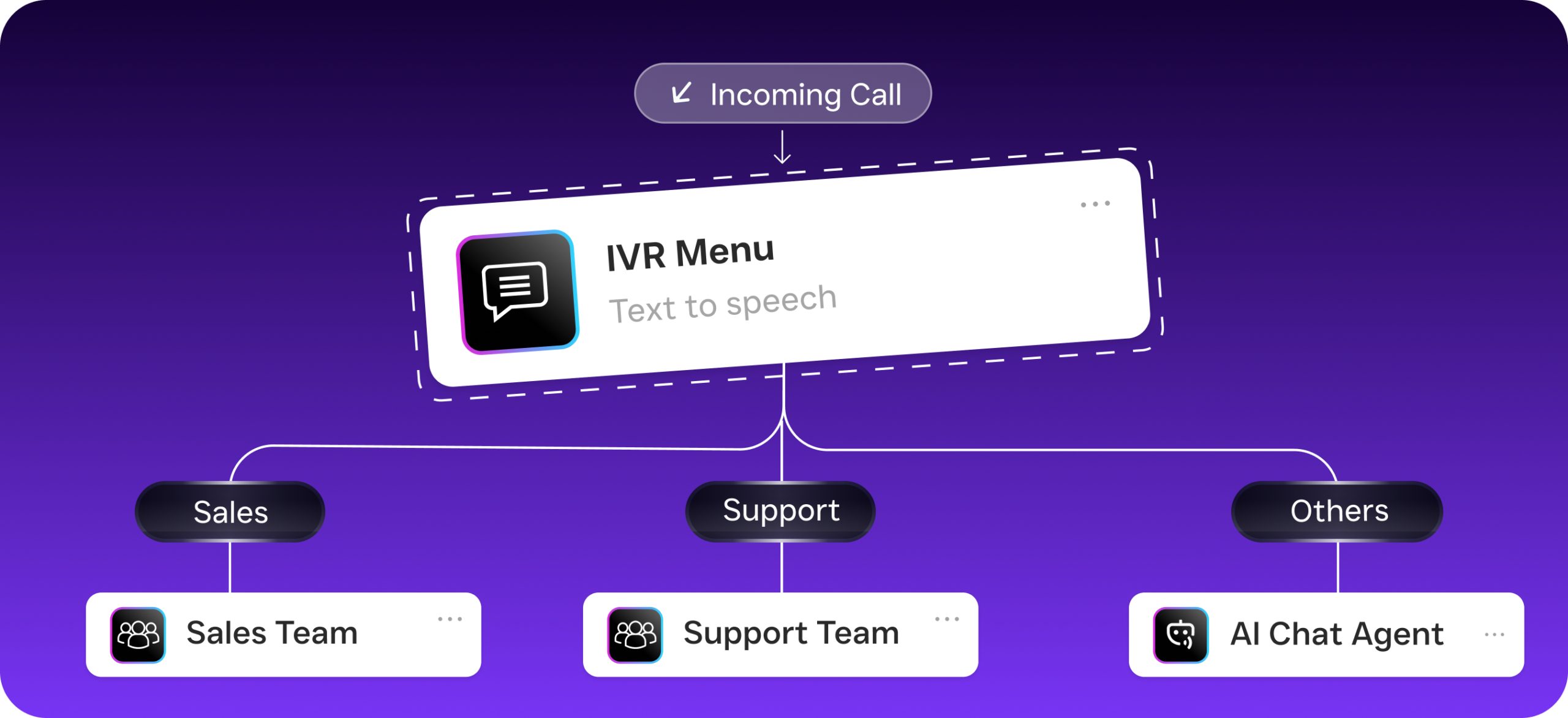
- Custom Call Flows: Build drag-and-drop call routing that sends emergency calls to an on-call tech, routes new customer inquiries to sales, and lets existing customers confirm or reschedule appointments via keypad or voice. After-hours calls get handled by the AI agent instead of going to voicemail.
- 50+ Integrations: SalesCaptain connects with tools HVAC companies already use, including HousecallPro, ServiceFusion, QuickBooks, and Zapier. That means appointment data flows between your field service management software and your reminder workflows without manual data entry.
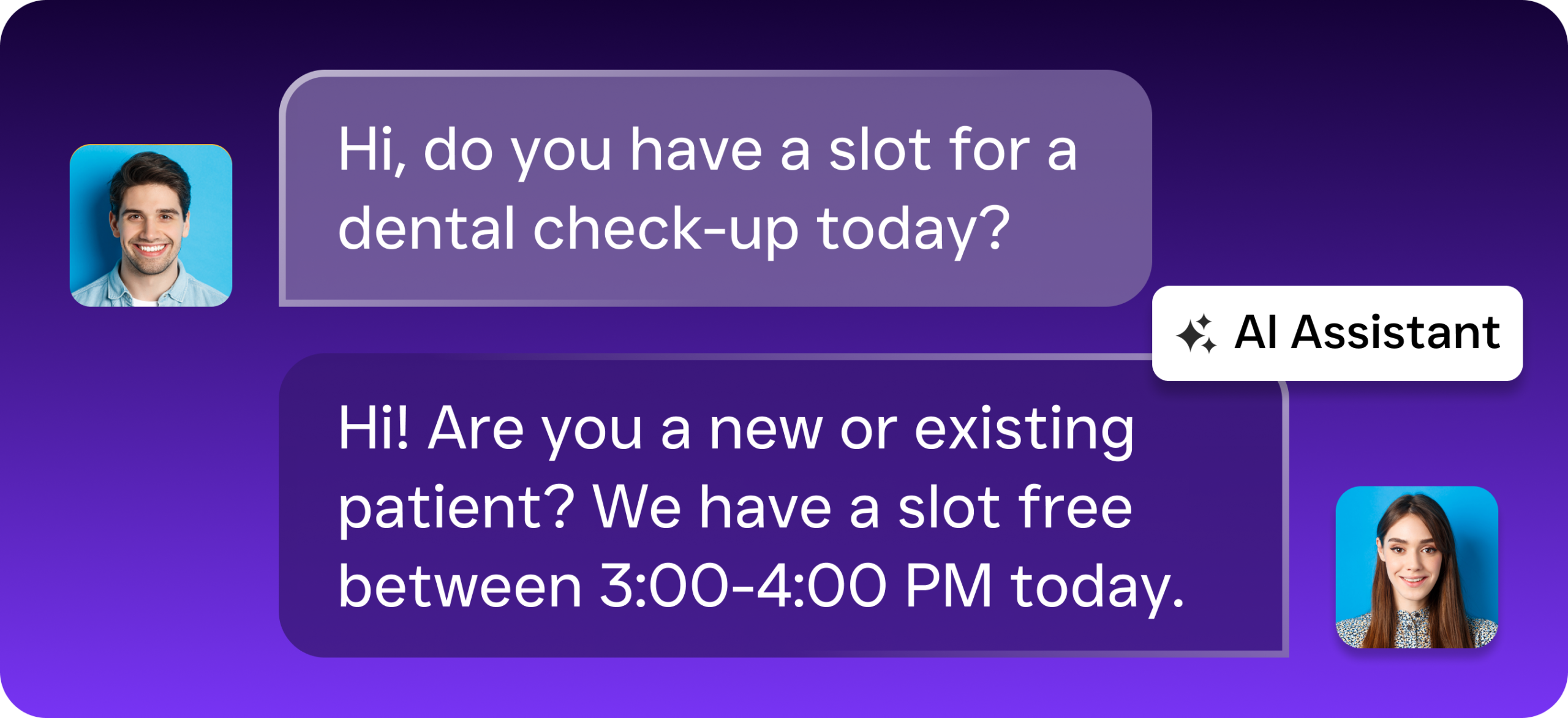
- Multichannel AI Chat Agents: Beyond phone and text, AI chat agents handle inquiries from your website, Facebook Messenger, and Instagram DMs. Campaigns that book more tune-ups often start with a web inquiry, and having an instant AI response dramatically increases conversion compared to a contact form that sits in someone’s email.
Real Results You Can Expect
HVAC companies that automate their appointment reminders and customer communication consistently see improvements in three areas: fewer no-shows, faster lead response, and more billable hours per technician per day. Here’s what that looks like in practice.
Reduced No-Shows and Late Cancellations
When customers receive multiple reminder touchpoints across text and phone, they’re far more likely to show up or cancel with enough notice for you to fill the slot. Structured HVAC reminder workflows turn last-minute surprises into manageable schedule adjustments. Even a modest reduction in no-shows across a five-tech operation translates into significant recovered revenue. Over a season, it adds up fast.
Higher Booking Rates From Inbound Leads
Speed matters enormously in HVAC. A homeowner with a broken AC in July isn’t waiting 20 minutes for a callback. With an AI phone agent answering every call instantly, plus missed-call text-back as a safety net, you capture leads that competitors lose to voicemail. According to service business benchmark data, response time is one of the strongest predictors of whether a lead converts to a booked appointment.
Less Admin Time for Your Office Staff
Confirmation calls, rescheduling texts, follow-up reminders, and voicemail management eat hours every week. Automating these tasks frees your dispatcher or office manager to focus on higher-value work. You’re coordinating complex jobs, handling escalations, or managing technician schedules. You grow your capacity without growing your headcount.
How to Get Started
Setting up SalesCaptain for your HVAC business takes less than a day. You don’t need to be tech-savvy either. Here’s the process:
- Sign up for a free account. SalesCaptain’s Startup plan costs nothing for one location, so you can test everything before committing.
- Connect your phone number. Port your existing business number or get a new one. The phone system includes IVR, call routing, and voicemail out of the box.
- Build your reminder workflow. Use the visual drag-and-drop builder to create your appointment reminder sequence. Choose your channels (SMS, email, AI phone call), set the timing for each touchpoint, and customize the message templates for your brand.
- Set up your AI Phone Agent. Configure what the agent should say, which FAQs it should answer (pricing, service areas, hours), and how it should route different call types. Training the agent on your specific services takes minutes, not hours.
- Integrate with your existing tools. Connect HousecallPro, ServiceFusion, or your preferred field service platform so appointment data syncs automatically. QuickBooks integration keeps invoicing aligned too.
- Go live and monitor. Your unified inbox shows every customer interaction in real time. Review AI call summaries and transcriptions to fine-tune your agent’s responses as you learn what customers ask most often.
Ready to see it in action?
See how HVAC companies use SalesCaptain to stop no-shows and missed appointments automatically.
Book a Free Demo →Frequently Asked Questions
Can SalesCaptain send reminders for both maintenance and emergency HVAC appointments?
Yes. The workflow builder lets you create separate reminder sequences for different appointment types. Routine maintenance visits might get a three-day advance reminder plus a morning-of text. Same-day emergency bookings can trigger an immediate “your technician is on the way” message. You control the logic for each scenario.
Does the AI Phone Agent sound robotic to customers?
No. SalesCaptain’s AI Phone Agent uses natural-sounding voice technology. It feels conversational, not like a recorded menu. It can handle back-and-forth dialogue, answer questions about your services, and book appointments without callers realizing they’re speaking to an AI agent.
How does this integrate with HousecallPro or ServiceFusion?
SalesCaptain offers native integrations with both HousecallPro and ServiceFusion, plus Zapier connectivity for additional platforms. Appointment data syncs between systems so your reminders trigger based on your actual schedule. When a customer confirms or reschedules through a reminder, that update flows back to your field service software.
What happens if a customer replies to a reminder asking to reschedule?
The reply appears instantly in your unified inbox alongside the customer’s full communication history. Your team can respond from the same place, or the AI chat agent can handle common rescheduling requests automatically based on your available time slots. Either way, the request won’t get lost in a separate SMS app.
Is appointment reminder software for HVAC companies worth the cost for a small operation?
SalesCaptain’s free Startup plan covers one location at no cost. So there’s zero risk for small HVAC businesses. Even a two-truck operation that prevents just a few no-shows per week recovers more in billable time than the paid plans cost. The Business plan runs $159 per month per location, while AI call minutes are billed at $0.12 per minute. Costs stay predictable as you scale.
Appointment reminder software for HVAC companies isn’t a nice-to-have anymore. It’s the difference between a schedule full of confirmed jobs and one riddled with gaps that drain your revenue. SalesCaptain gives you the reminders, the AI agents, and the unified communication platform to make every appointment count.
Start free with SalesCaptain. No credit card needed. Sign up at salescaptain.com