
AI-powered customer experience marketing (CXM) platform that helps local businesses win.


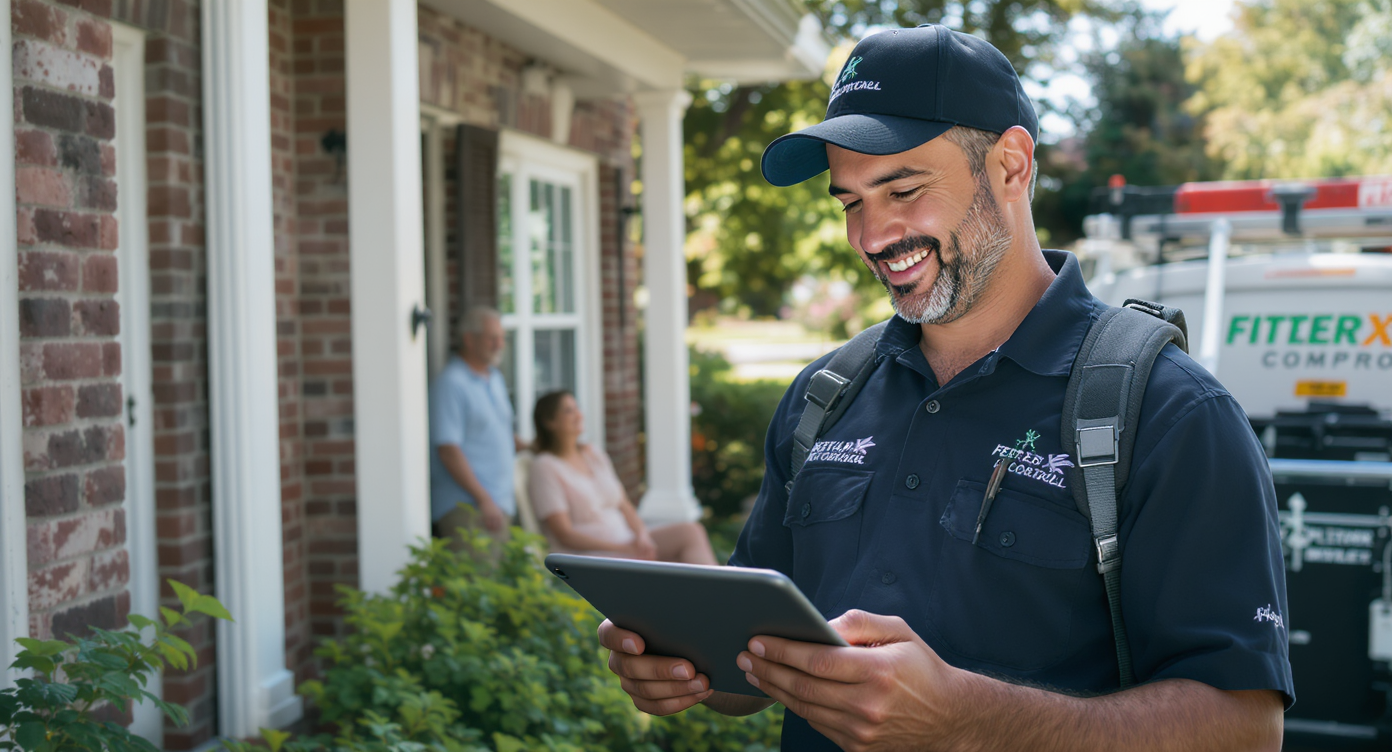
A homeowner calls your pest control company about a termite problem. Your team handles the inspection, provides a quote, and then… nothing. No follow-up text. No reminder about the estimate. In fact, no check-in after the service. That customer quietly moves on to a competitor who stayed in touch. Sound familiar? If you’re wondering how to automate customer follow up for pest control companies, you’re already asking the right question, because manual follow-up just can’t keep pace with the volume most growing companies need to handle.
Quick Answer
Automating customer follow-up for pest control involves using software to send scheduled messages via email, SMS, or phone calls after initial contact or service completion. Set triggers based on customer actions—like quote requests or appointment dates—to deliver timely reminders, testimonial requests, or seasonal service offers without manual intervention, keeping leads engaged and improving conversion rates.
What Is Automated Customer Follow-Up?
Automated customer follow-up uses software to send messages, reminders, and check-ins to your customers without anyone on your team doing it manually. Instead of relying on a technician’s memory or an office manager’s sticky notes, you set up triggers and workflows that fire automatically based on customer actions or timeframes. No guesswork involved.
For pest control businesses, this means automating the touchpoints that drive revenue: estimate reminders, post-service satisfaction checks, seasonal treatment reminders, review requests, and re-engagement campaigns for lapsed customers. According to Aplos AI’s small business automation guide, companies that automate routine communication tasks free up significant staff hours each week while also improving response consistency. In an industry where recurring service contracts are the backbone of profitability, consistent follow-up isn’t optional. It’s survival.
Free weekly newsletter
Growth tips for home service businesses
Every Tuesday — actionable ideas to get more leads, reviews, and repeat customers. No fluff.
Why Pest Control Companies Lose Revenue Without Follow-Up Automation
Pest control is inherently seasonal and service-driven. You’re not selling a one-time product. Your revenue depends on rebooking quarterly treatments, converting inspections into paid jobs, and keeping customers on annual plans. Every missed follow-up costs you money.
The Real Cost of Slow Response
Here’s the uncomfortable truth: most pest control offices miss more calls than they think. According to research from Aira, 62% of business calls go unanswered. For a pest control company fielding 30-50 calls per day during peak season, that’s staggering. You’re losing jobs before your team even picks up.
And the financial impact compounds quickly. PathOpt estimates that small businesses lose between $45,000 and $120,000 per year from missed calls alone. Now layer on top of that every estimate you sent but didn’t follow up on, every one-time customer you didn’t remind about their next treatment, and every satisfied customer you didn’t ask for a review. The total number gets uncomfortable fast.
Why Manual Follow-Up Fails at Scale
Small pest control operations can sometimes manage follow-up with a dedicated office manager. But once you’re running multiple trucks or servicing more than one area, manual processes break down. Your staff gets buried in dispatch, scheduling, and inbound calls. Follow-up texts and emails fall to the bottom of the list. That’s not a people problem. It’s a systems problem that needs a systems solution.
📺 Watch: How to Create a Lead Follow-Up Sequence
How to Build an automated follow-up System for Your Pest Control Business
Automation doesn’t mean blasting generic messages at your customers. Done well, it feels personal and timely. Here’s a practical framework for building a follow-up system that actually drives rebookings and conversions.
Step 1: Map Your Customer Journey Touchpoints
Before you automate anything, identify every moment where a customer interaction should happen. For most pest control companies, that includes:
- New lead inquiry: Immediate response confirming you received their request
- Post-inspection: Estimate delivery with a follow-up reminder 48 hours later
- Pre-service: Appointment confirmation and preparation instructions
- Post-service: Satisfaction check and review request within 24 hours
- Recurring treatment reminders: Quarterly or seasonal notifications to rebook
- Lapsed customer re-engagement: Outreach to customers who haven’t booked in 6+ months
Each of these is a trigger point for an automated workflow. Inkle’s automation guide breaks down how small businesses can identify and prioritize these touchpoints based on revenue impact, which is a useful exercise before you start building anything. Worth doing upfront.
Step 2: Choose the Right Channels
Email alone won’t cut it for pest control customers. Open rates for service business emails typically hover around 20%, and that’s generous. Text messages? They get read within minutes. The best follow-up systems combine SMS for time-sensitive messages with email for longer content like detailed estimates or seasonal newsletters.

Phone follow-up also matters, especially for high-value jobs. An AI phone agent can make or receive calls to confirm appointments, answer common questions about treatment safety, or remind customers about overdue services. Combining all three channels gives you the best coverage without tripling your staff’s workload. And honestly, you need all three.
Step 3: Set Up Trigger-Based Workflows
The power of automation lives in triggers. Rather than scheduling messages manually, you define rules like “send a text 2 hours after an estimate is created” or “call the customer 3 days before their quarterly treatment is due.” Good automation platforms let you build these with visual drag-and-drop builders, so you don’t need a developer on staff.
Your workflows should include conditional logic too. For instance, if a customer responds to your estimate reminder saying they want to proceed, the workflow should route them directly to booking rather than sending another reminder. If they don’t respond after two texts, maybe it’s time for a phone call. Smart sequencing prevents your automation from feeling robotic or annoying.
Step 4: Personalize at Scale
Nobody wants a message that starts with “Dear Valued Customer.” Even automated messages should include the customer’s name, the specific service they received or inquired about, and the address of the property. According to Monolit’s AI automation guide for small businesses, personalized automated messages significantly outperform generic ones in response rates. Your CRM data makes this possible, so use it.
Best Practices for Pest Control Follow-Up Automation
Building workflows is one thing. Running them well over months and years requires discipline around a few key principles. Stick to these and you’ll see results.
Timing Matters More Than Frequency
Sending five texts in a week after an inspection won’t win you the job. It’ll get you blocked. Instead, space your follow-ups thoughtfully: an immediate confirmation, a 48-hour check-in, and a final touchpoint at the one-week mark. After that, move the lead into a longer nurture sequence with monthly or seasonal touchpoints. Less is more here.
Integrate Your Tools
Your follow-up system is only as good as the data feeding it. If your scheduling software, CRM, and communication platform don’t talk to each other, you’ll end up sending appointment reminders for jobs that already happened. Look for platforms with native integrations to tools pest control companies actually use, like ServiceFusion, HousecallPro, or QuickBooks. Zapier can fill gaps, but native connections are more reliable.
Track and Refine
Automation isn’t set-and-forget. Monitor your response rates, booking conversions, and opt-out rates monthly. If your 48-hour estimate follow-up text is converting at 15% but your one-week follow-up converts at 2%, you know where to focus your energy. The Metric Mind’s reporting automation guide explains how to set up dashboards that track these metrics without manual data pulls. Data beats guessing every time.
How SalesCaptain Helps
SalesCaptain was built for exactly this kind of challenge. It’s a unified communication platform that combines AI phone agents, AI chat agents, and workflow automation in a single tool, specifically designed for service businesses like pest control companies. All in one place.

The AI Phone Agent answers calls 24/7, so you capture every lead even during nights and weekends when pest emergencies don’t stop. It qualifies callers, books appointments, answers FAQs about treatment types or pricing, and blocks spam. Your team walks in Monday morning to a full schedule instead of a voicemail box full of missed opportunities. That’s the dream.
For follow-up specifically, SalesCaptain’s Workflow Automation builder lets you create trigger-based sequences using a visual drag-and-drop interface. You can build the exact touchpoint sequences described above: estimate reminders, post-service review requests, seasonal rebooking campaigns, and lapsed customer re-engagement. Everything syncs with your existing tools through native integrations with ServiceFusion, HousecallPro, QuickBooks, and 50+ other platforms.
The Unified Inbox pulls every customer interaction into one place. Calls, texts, webchat messages, Facebook messages, and Instagram DMs all live in a single view. So when a customer responds to an automated follow-up text, your team sees the full conversation history, including the original call transcript and AI summary, without switching between apps. Per-location pricing starts with a free plan, making it accessible whether you’re running one truck or fifteen.
Key Takeaways
Automated follow-up isn’t a luxury for pest control companies. It’s the infrastructure that turns one-time jobs into recurring contracts and prevents leads from slipping through the cracks during your busiest months. The core principles are straightforward: map your customer touchpoints, automate across SMS, email, and phone, personalize every message, and integrate your tools so data flows cleanly. Nothing complicated.
The companies that win in pest control aren’t necessarily the ones with the best technicians. They’re the ones that stay in front of customers consistently, and automation is the only way to do that without drowning your office staff in manual work. Build the system once, refine it over time, and let it work for you around the clock.
Frequently Asked Questions
What types of follow-up should pest control companies automate first?
Start with the highest-revenue touchpoints: estimate follow-ups and recurring service reminders. These two workflows alone recover the most lost revenue because they directly drive conversions and rebookings. Once those are running smoothly, add post-service review requests and lapsed customer re-engagement campaigns.
Won’t automated messages feel impersonal to my customers?
Only if they’re poorly written. When you include the customer’s name, property address, and specific service details, automated messages feel attentive rather than generic. Most customers can’t tell the difference between a well-crafted automated text and one sent manually by your office manager. Seriously.
How quickly should I follow up with a new pest control lead?
Within minutes, not hours. Research on missed call statistics from SchedulingKit shows that response speed is a primary factor in whether leads convert. An AI agent or automated text-back within seconds of a missed call dramatically improves your chances of booking the job. Speed wins.
Do I need technical skills to set up follow-up automation?
Not with modern platforms. Visual drag-and-drop workflow builders let you create multi-step follow-up sequences without writing any code. If you can use a smartphone, you can build an automated workflow. Most pest control company owners set up their core sequences in an afternoon. It’s that simple.
How does follow-up automation work with my existing scheduling software?
Through integrations. Platforms like SalesCaptain connect natively with ServiceFusion, HousecallPro, and other field service tools. When a job is completed in your scheduling software, it can automatically trigger a follow-up text or review request. Zapier provides additional connection options for tools without native integrations. You’ve got flexibility.
Ready to see it in action?
See how pest control companies use SalesCaptain to automate follow-ups and close more jobs.
Book a Free Demo →See How SalesCaptain Can Help
SalesCaptain gives pest control companies the AI phone agents, automated workflows, and unified inbox they need to follow up with every lead and customer automatically. Stop losing jobs to missed calls and forgotten follow-ups.
Visit SalesCaptain.com to start automating your customer follow-up today.